Keeprix 1.6.0: Smarter Settings with HDR & Dolby Vision for Better Viewing Experience

Enjoy a more cinematic viewing experience with 4K resolution, Dolby Atmos audio, HDR, and more! Keeprix 1.6.0 makes it easier to explore video quality, audio tracks, and subtitles before downloading, with smarter settings, clearer download information, and a smoother workflow!
Take control of your downloads and build your personal media library with greater clarity, flexibility, and convenience.
More Improvements for Smoother Keeprix Experience
Set Your Preferences Once – Configure video quality, codecs, audio languages, subtitles, and save preferences in one place. Spend less time repeating the same settings across download tasks.
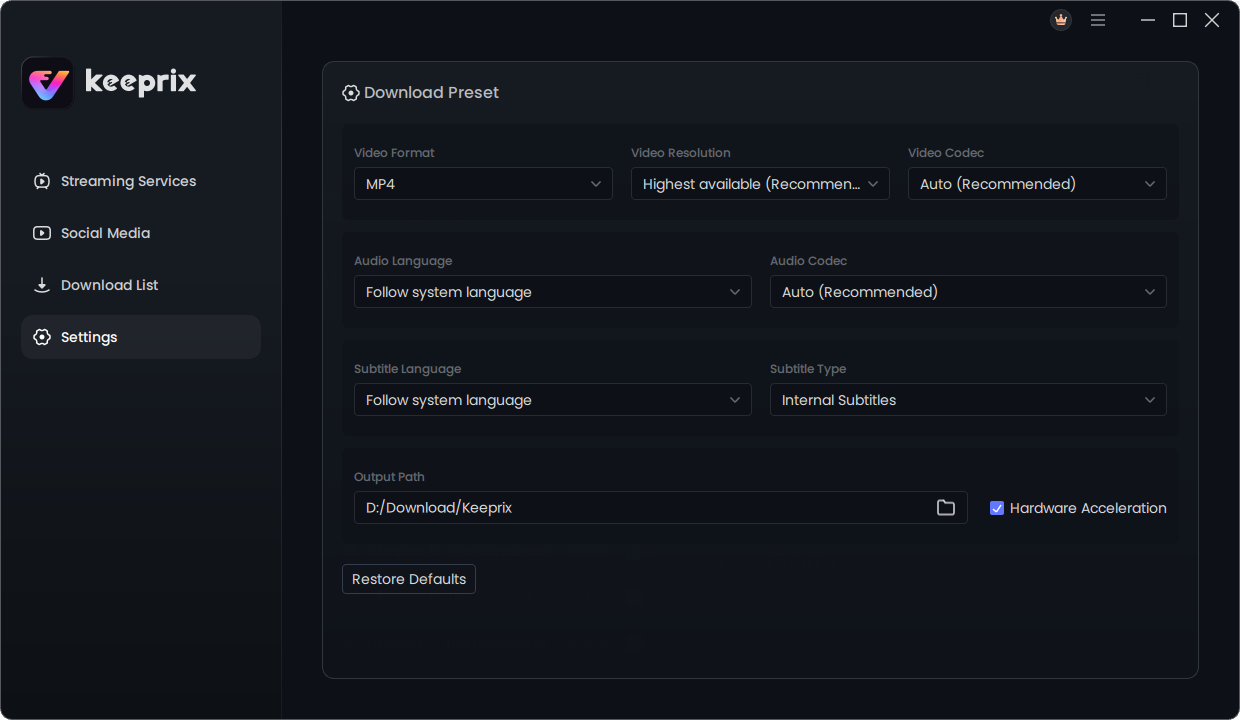
Set Your Preferences Once
See Available Resources Before Downloading – Check the resolutions, codecs, audio tracks, and subtitle options actually available for each video. Make more informed choices and avoid confusion when your preferred settings aren’t supported.
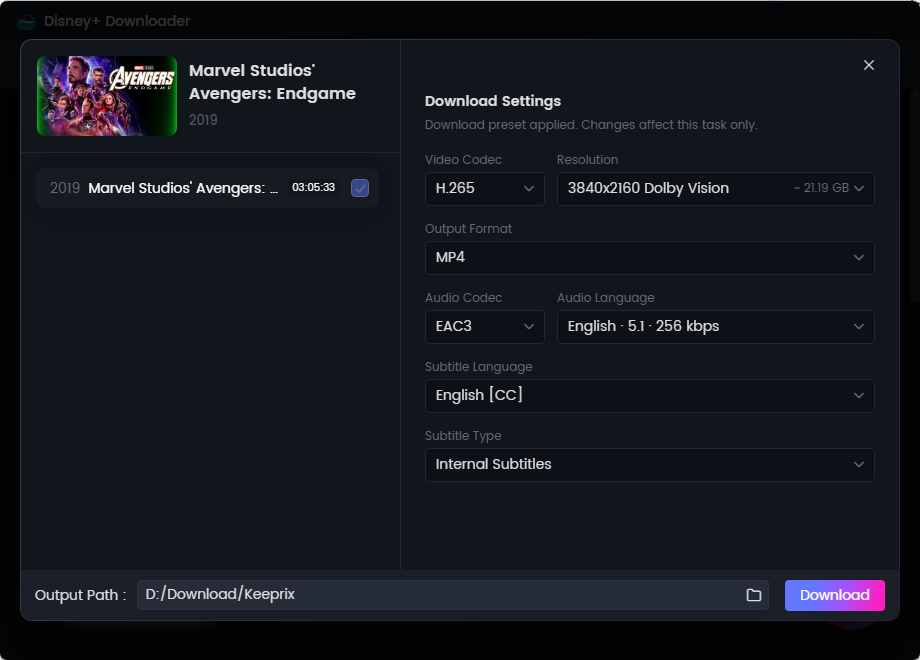
See Available Resources Before Downloading
Recognize Video Quality at a Glance – Resolution labels are standardized to familiar formats such as 4K, 2K, 1080P, 720P, 540P, 480P, and 360P, making download options and results easier to understand.
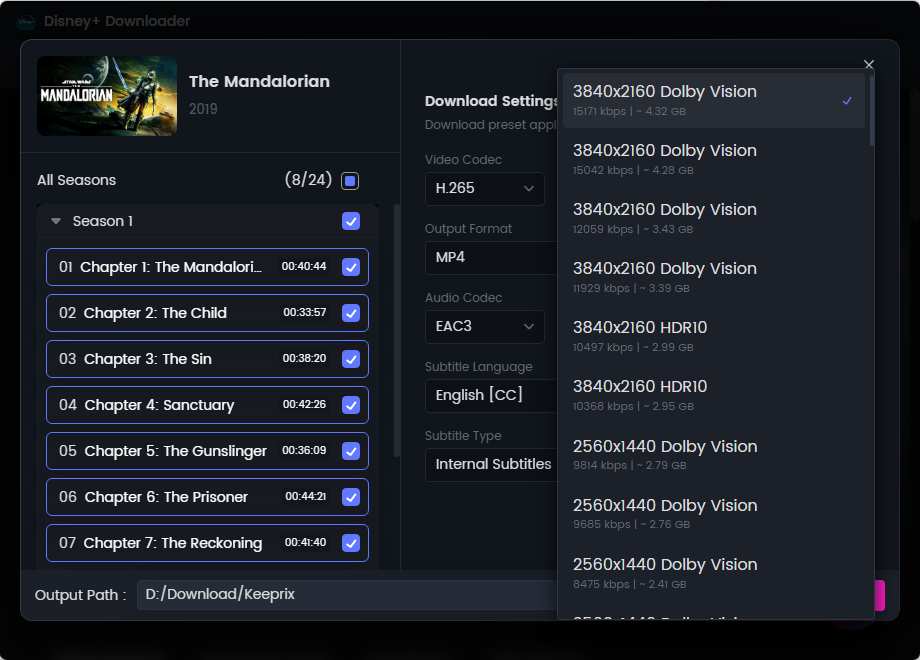
New Dolby Vision and HDR Settings for Better Video Quality
Identify Download Results More Clearly – Check video quality, codecs, duration, and other details in the download list and completion information, making it easier to confirm what you’ve downloaded.
Automatically Match Available Versions – If your preferred option is unavailable, Keeprix automatically switches to the best available alternative, helping reduce manual adjustments and keep download tasks moving.
Handle Batch Downloads More Easily – Get prompts when videos in a batch have different available resources. A mismatch in one video is less likely to disrupt your overall batch workflow.
Improved Streaming and Social Media Support
We’ve optimized the video information retrieval interfaces and related functions for both streaming services and social media platforms. These improvements make available video options easier to review and help you navigate the download process more smoothly.
Better Compatibility and Download Reliability
Fixed a Max Download Issue: Resolved a tracking-related problem that could cause some Max video downloads to fail.
Updated macOS Requirements: The minimum supported macOS version is now macOS 12.
Keeprix 1.6.0 introduces a new user questionnaire to help us better understand how people use Keeprix and identify opportunities for future improvements.
We’ll continue refining Keeprix based on your feedback, with a focus on clearer information, simpler settings, and a more reliable download experience.