The Ultimate Instagram Highlight Video Downloader Guide

Have you ever tried to save a curated Instagram Highlight—perhaps a collection of your best work for a portfolio or a cherished memory from a friend’s profile—only to find there’s no download button? This frustrating experience is common. The platform simply doesn’t offer a native way to save these valuable collections as a single video file. This guide directly addresses that core problem. We provide clear, tested solutions for downloading both your own highlights and those from other public accounts. Each method described here is the result of hands-on testing across the latest versions of iOS, Android, and desktop browsers, ensuring you get reliable and secure guidance.

Instagram Highlight Video Downloader
Also Read: 4 Ways to Get Netflix for Free or At Low Cost
Why Can’t You Directly Download Instagram Highlights?
Many users, like content creator Mason, encounter the same point of confusion. Mason wanted to create a backup of his profile’s highlight collections for his portfolio. He assumed it would be a simple, one-click download, but he quickly discovered that no such option exists. The reason isn’t an oversight by Instagram; it’s rooted in how Highlights are technically structured.
An Instagram Highlight is not a single, continuous video file. Instead, it is a curated playlist that points to individual photos and videos stored in your private Story Archive. When you or anyone else taps a Highlight, Instagram’s app is dynamically pulling each separate clip from that archive and playing them in the selected order.
Because it’s a collection of separate assets rather than one unified file, the platform doesn’t offer a simple “Download” button for the entire sequence. This is the key difference between a Story and a Highlight:
- A Story is a temporary, individual piece of media.
- A Highlight is a permanent container that groups those individual pieces of media after they’ve expired from public view.
This architectural choice is why specialized tools are necessary to fetch these individual clips and stitch them together into a single, downloadable video file.
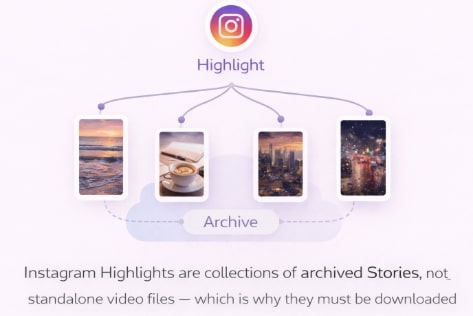
Instagram Highlight Stories
Choosing Your Method: Official Archive vs. Downloader Tool
Before diving into the steps, it’s important to select the right method for your specific goal. The technique for saving your own content differs from downloading a highlight from another public profile. The two primary options are using Instagram’s built-in Story Archive or employing a dedicated downloader tool.
This comparison table breaks down the two approaches based on the most important factors: effectiveness, time investment, content access, and safety.
| Feature | Official Archive Method | Professional Downloader Tool |
| Success Rate | 100% (for individual clips) | High (for full highlights) |
| Time Cost | High (manual, per clip) | Low (automated, per highlight) |
| Content Scope | Your Own Content Only | Own & Others’ Public Content |
| Safety Risk | None | Low (with reputable tools) |
| Final Output | Separate photo/video files | Single, merged MP4 video file |
The takeaway is clear: the official method is completely secure but time-consuming and limited to your own account. For speed, convenience, and the ability to save Instagram highlights videos from any public profile, a professional tool is the most effective solution.
You might like: How to Convert Amazon Prime Video to MP4 in 1080P
The Best Way to Download an Instagram Highlight Video
For a reliable, high-quality, and secure method, a professional application like Keeprix Downloader is the recommended solution. It directly solves the core problem of Instagram’s structure by automatically fetching all individual clips within a highlight and merging them into a single MP4 file. This bypasses the manual work and delivers a clean, ready-to-use video.
To address the security risks associated with many online tools, Keeprix operates as a secure application on your computer and never asks for your Instagram login credentials. This makes it a safe choice for all Instagram content saving needs, whether you are an account owner creating a backup or a user saving public content.
Step-by-Step Guide to Using Keeprix
Step 1. Copy the Highlight URL: Open Instagram in your web browser (not the mobile app). Navigate to the user’s profile and click on the highlight you want to save. Copy the full URL from your browser’s address bar.
Step 2. Paste the URL into Keeprix: Launch the Keeprix Downloader application. Select the Instagram module and paste the copied URL into the input field.
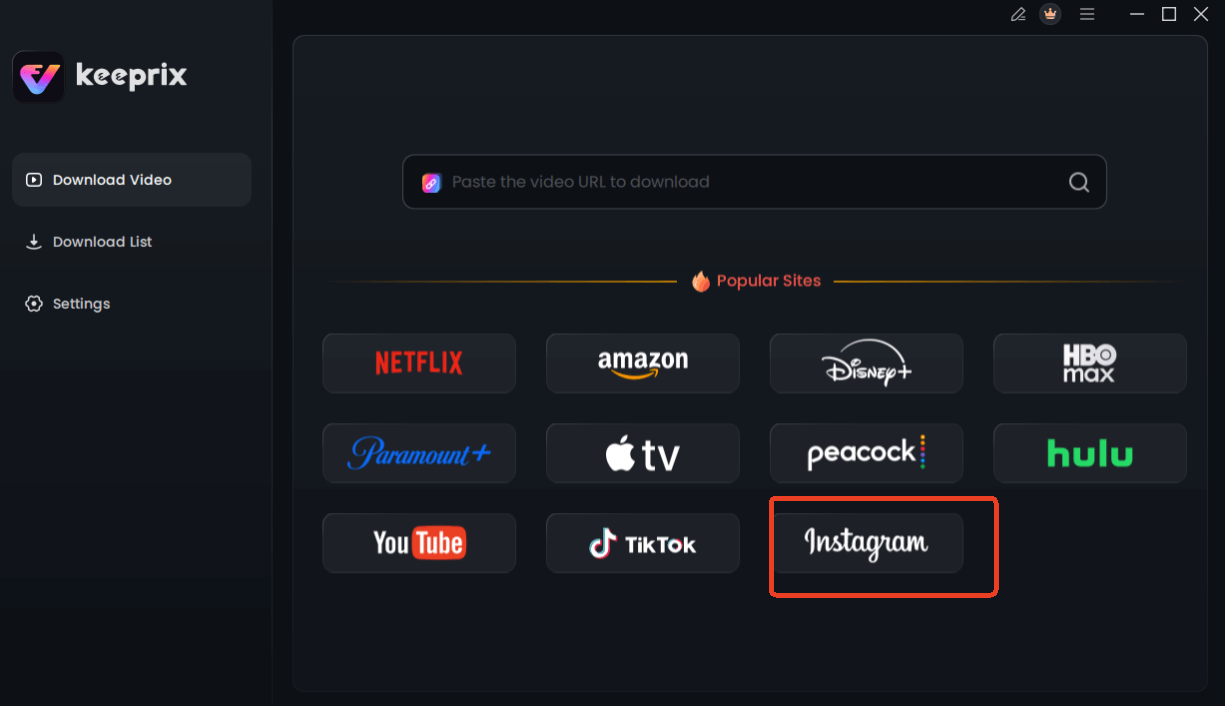
Choose Instagram in Keeprix Downloader
Step 3. Analyze and Select Quality: Click the “Analyze” button. The tool will process the URL and display the available download options. You can typically select video quality up to 1080p.
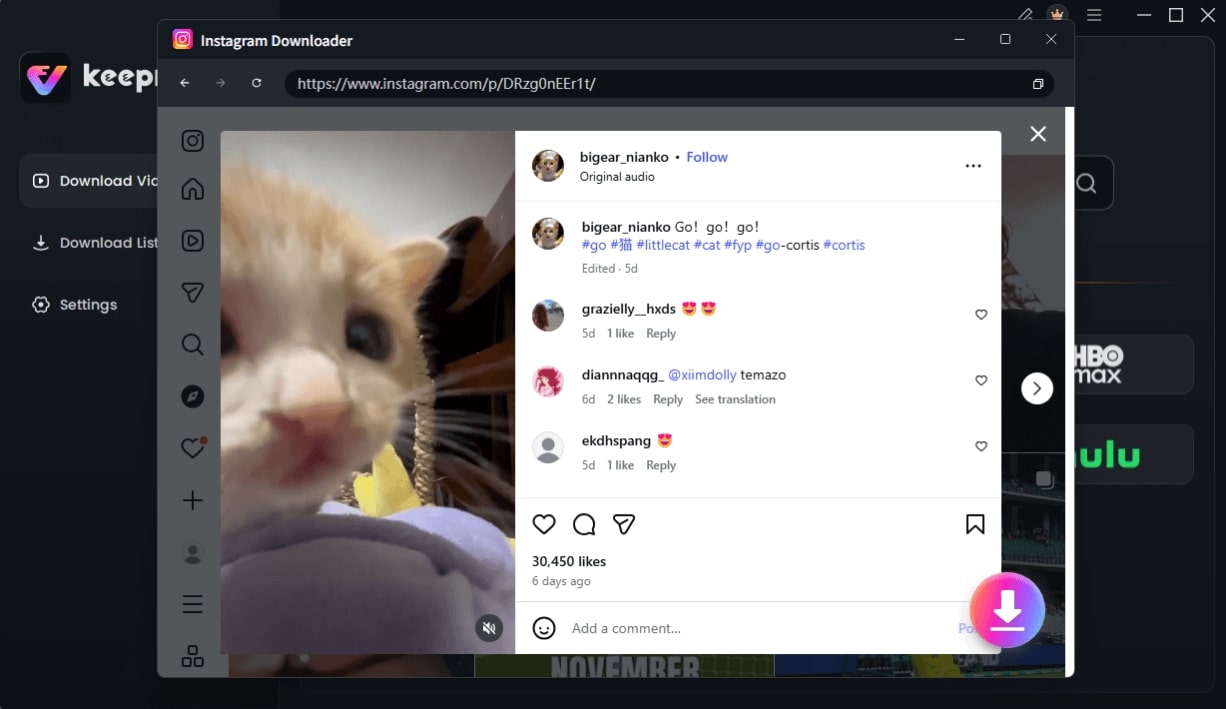
Choose Instagram Video and Click Download
Step 4. Download the Video: Press the “Download” button. The application will fetch all the story clips and compile them into one video file, saving it to your designated folder.
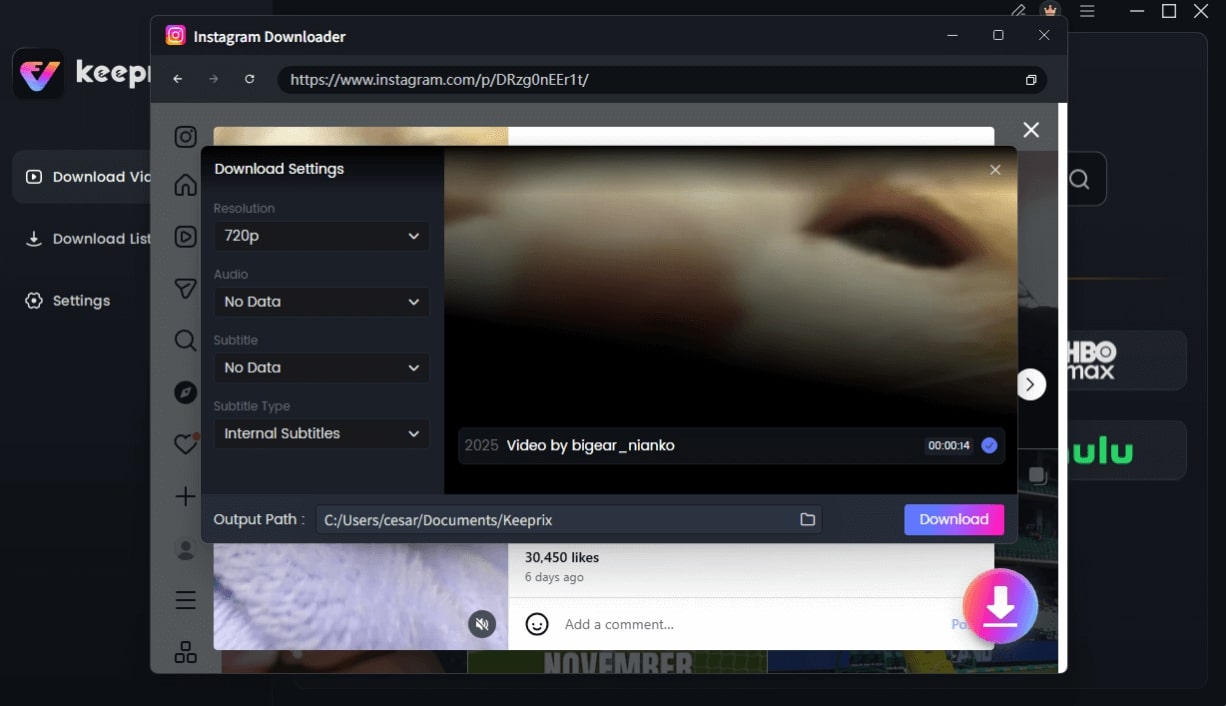
Configure Instagram Download Settings
You might like: How to Download Netflix Videos to Computer, Mac, USB, MP4, and for Offline Viewing
How to Save Your Own Instagram Highlights Manually
If you only need to save my own Instagram highlights and prefer not to use a third-party tool, the Story Archive is the official, built-in method. Remember, this technique saves each photo or video clip from the highlight individually; it does not combine them into a single video.
This procedure is ideal for account owners who want to retrieve the original, high-quality files they’ve posted. It’s a manual process best suited for saving a few specific clips rather than entire highlight collections.
Before you begin, ensure this feature is active. Go to your Instagram Settings and privacy > Archiving and downloading, and confirm that Save story to archive is toggled on.
Steps to Save Clips from Your Archive
Step 1. Navigate to Your Profile: Open the Instagram app and go to your profile page.
Step 2. Access the Archive: Tap the three-line menu icon (☰) in the top-right corner, then select “Archive.”
Step 3. Find the Story: Your Story Archive will appear, showing past stories chronologically. Scroll to find the specific clip that is part of the highlight you want to save.
Step 4. Save the Clip: Tap on the story clip to open it full-screen. Then, tap the three-dot icon (More) at the bottom-right and select “Save Photo/Save Video.” The file will download to your phone’s camera roll.
Repeat this for every clip within the highlight you wish to save.
Are Third-Party Instagram Downloader Tools Safe?
When you search for an Instagram highlights download tool, you will find dozens of free, web-based services. This raises a critical question: are these third-party downloader tools safe? The answer varies greatly. Many free online downloaders expose users to significant risks, including privacy violations, malware, and unreliable performance.
The biggest security risk comes from services that require you to enter your Instagram username and password. Sharing your login credentials with an unknown third party can compromise your account. Another common issue is aggressive pop-up ads or bundled software that may contain malware.
To choose a safe tool, follow these guidelines:
✔ DO NOT Provide Login Details: A reputable tool will only ever ask for the public URL of the highlight.
✔ Do prefer dedicated software: Desktop applications from reputable developers, such as Keeprix, are generally more secure than anonymous web tools because they process data locally on your machine.
✖ AVOID Cluttered Websites: Avoid sites with an excessive number of intrusive ads, which often indicate a low-quality or malicious service.
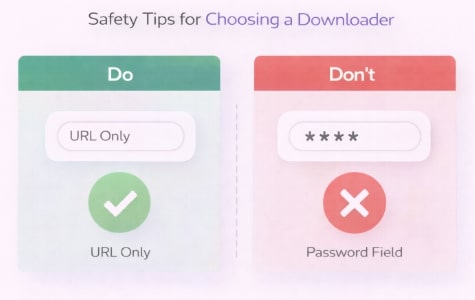
Tips for Choosing a Downloader
Frequently Asked Questions
Q1. Can I download Instagram Highlight videos?
Yes, you can download Instagram story highlights, but not directly from the Instagram app. The two main methods are: 1) Manually saving the individual clips from your own Story Archive, or 2) Using a third-party application like Keeprix Downloader to save a complete highlight from any public profile as a single MP4 file.
Q2. How do I save my own Instagram Highlights?
To save your own highlights, navigate to your profile in the Instagram app, tap the menu (☰), select “Archive,” find the story clip you want, and choose “Save Video/Photo” from the “More” menu. You must repeat this for each clip in the highlight.
Q3. Can I download highlights from other accounts?
Yes, you can download Instagram highlight video content from other public accounts using a third-party Instagram highlight downloader. You will need to copy the highlight’s specific URL from a web browser and paste it into the tool. This is not possible for private accounts.
Q4. Are Instagram Highlight downloader tools safe?
Safety depends on the tool. Reputable, dedicated software that does not ask for your password and only requires a public URL is generally safe. However, many free, web-based tools pose security risks like malware or phishing. Always choose tools from trusted developers.
Q5. Why doesn’t Instagram allow highlight downloads?
Instagram doesn’t offer a highlight download feature because a highlight is not a single video file. It’s a dynamic playlist of individual, archived stories. The platform is designed for online viewing of this curated collection, not for exporting it as a consolidated file.
Q6. Does Instagram notify users when their highlights are downloaded?
No. When you use a third-party tool to download Instagram highlight video content, the account owner is not notified. The process of accessing the public media files is indistinguishable from regular viewing, so your activity remains private.
Sum It Up
The inability to save Instagram Highlights is a significant limitation, creating a barrier to archiving your work or saving meaningful content. The core issue—that Highlights are collections of separate clips—is why a dedicated solution is necessary. Instead of manually saving clips one by one or risking your security on unreliable websites, a professional tool provides a direct answer.
Keeprix Downloader is designed to solve this problem securely and efficiently. It gives you the power to transform any public Highlight into a single, high-quality video file in minutes, without ever asking for your login credentials. Take the next step to regain control over your content. Download Keeprix to safely and easily back up the highlight collections that matter to you.