How to Block Ads on Paramount Plus [3 Ways]

Watching Paramount Plus without ads is a nice feeling when you wish to chill out and have a good time with your favorite series. However, a lot of users are still wondering which plan actually takes off commercials for good, and why ads still show up occasionally on Premium.
After digging through updates, plan price, user complaints, and official support details, we provide the clearest answers. This guide explains every working method to block ads on Paramount Plus and the easiest way to enjoy your shows without interruptions.
Paramount+ Without Ads
Are There Ads on Paramount Plus?
Yes, if you are subscribed to the Paramount Plus Essential plan, ads will play along with your shows. This plan is supported by ads, so you will get more than one commercial, and many users claim the breaks feel a bit too long and are annoying.
On the other hand, if you don’t want ads, you can switch to Paramount+ with Showtime. This option removes a bulk of ads, but it is still possible that you will be receiving some short promos before certain shows, mainly if you have signed up through Walmart+ or other partners. There are also customer reports of random malfunctions where ads appear even on the no-ad plan, but the issues are usually resolved quite quickly.
How to Watch Paramount+ Without Commercials
Method 1. Upgrade to the Paramount+ Premium Plan
Due to the Paramount Plus download limits, the Essential plan doesn’t allow you to download videos. Upgrading to the Paramount+ Premium plan is the most direct way to reduce ads. This plan gives you a bigger library, better quality, and almost no commercials. You also get SHOWTIME content in the same subscription, which expands your entertainment choices.
The Premium plan removes ads from most on-demand movies and shows. However, some ads will still appear because Paramount+ cannot remove them from certain types of content.
Important Things to Know About the Premium Plan:
- Live TV still has ads. This includes your local CBS channel and live sports.
- A few on-demand shows may show short promos because of licensing rules.
- If you subscribed through Prime or Roku, ads may appear due to syncing issues.
Method 2. Use an Ad-blocker
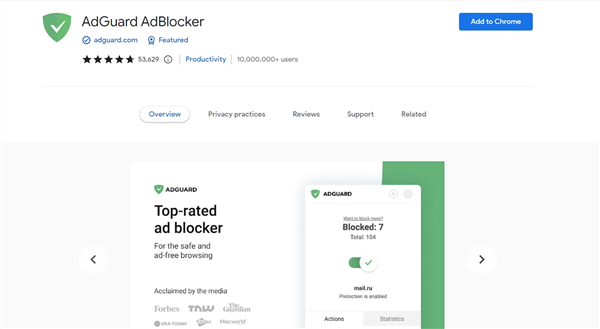
Streaming Paramount+ through a browser and using an ad-blocker is a super helpful trick to lessen the number of ads. One of the finest extension tools for this purpose is AdGuard Adblocker. It stops annoying page elements such as pop-ups, banners, video ads, and others from being displayed on the site.
Why AdGuard Adblocker Is a Good Choice:
- Blocks most ads on websites.
- Removes distracting web elements.
- Keeps pages clean and fast.
- Protects your data from trackers.
- Available to use on Chrome, Edge, Firefox, and other browsers.
Drawback: Some websites may detect that you are using an ad-blocker and require you to stop it before online streaming.
How to Install AdGuard Adblocker Extension:
Step 1: Launch your browser (Chrome, Edge, Firefox, Opera, or Safari).
Step 2: Open the official AdGuard Adblocker extension page in the store of your browser.
AdGuard Ad Blocker
Step 3: Hit “Add to Chrome”, “Add to Firefox”, or whatever the button is shown for your browser.
Step 4: Validate the installation with “Add Extension.”
Step 5: Allow the extension some time to get installed.
Step 6: When done, the AdGuard shield icon will be seen in the upper-right corner of your browser.
Then you can go to the Paramount+ website and start watching your favorite videos without interruptions.
You should note that the adblocker is used in browsers only. If you watch videos in the Paramount+ app, it doesn’t work for removing the commercials.
Method 3. Download Paramount+ to MP4
There are moments when you need to see your favorite Paramount+ series without any interruptions, ads, or limitations from the app. The most trustworthy method to have a completely ad-free viewing experience is by downloading the videos straight to MP4, regardless of the fact that you are using the Essential plan.
By using a powerful Paramount+ Downloader, you can easily store films and episodes in superb quality, have them for life, and view them offline on any device. It is fast, uncomplicated, and not conditioned by your subscription plan, which is why it becomes a perfect choice for stress-free viewing.
Why Keeprix Is a Good Choice:
- Downloads films and series from Paramount+, Netflix, Amazon, Hulu, Disney+, HBO Max, etc.
- The output format is either MP4 or MKV, and the best quality is 1080p.
- The downloads do not contain ads (regardless of your subscription plan).
- You get unlimited downloads with no expiration date.
- Compatible with both Windows & Mac.
- Offers audio and subtitles in multiple languages.
How to Download Paramount+ without Ads Using Keeprix (Step-by-Step):
Step 1. Install Keeprix Downloader
Download and install Keeprix on your Windows or Mac computer. Open the program after installation.
Step 2. Select Paramount+ as the Platform
On the main screen, select Paramount+ from the list of services that are supported. You can also enter a link to a Paramount+ video directly.
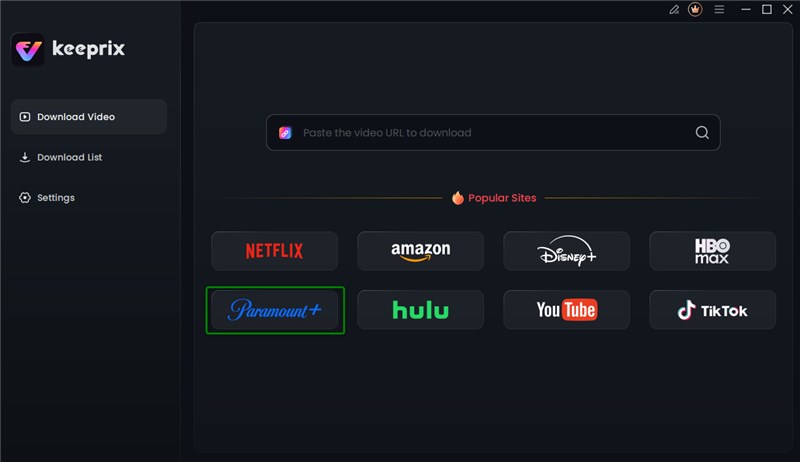
Choose Paramount+ Platform
Step 3. Log In to Your Paramount+ Account
Keeprix will open up the Paramount+ page within the app itself. You should sign in with your account, as this is just to load the videos and your data remains secure.
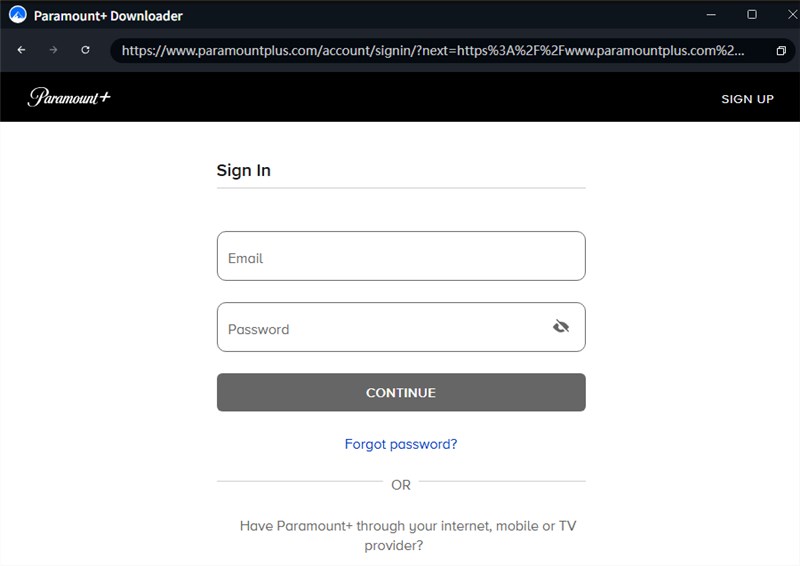
Log in Paramount+ Account
Step 4. Select the Video That You Wish to Download
Go through the Paramount+ library or enter a pasted link to get to a particular show/movie. Tap the Download button.
Step 5. Choose Your Settings
A small window will appear. Here you can set the resolution (up to 1080p), audio language, subtitle language, subtitle type, and the output folder. You can also download entire seasons in one go.
Step 6. Start the Download
Click Download to begin. You’ll see the task in your list, where you can pause or delete anytime.
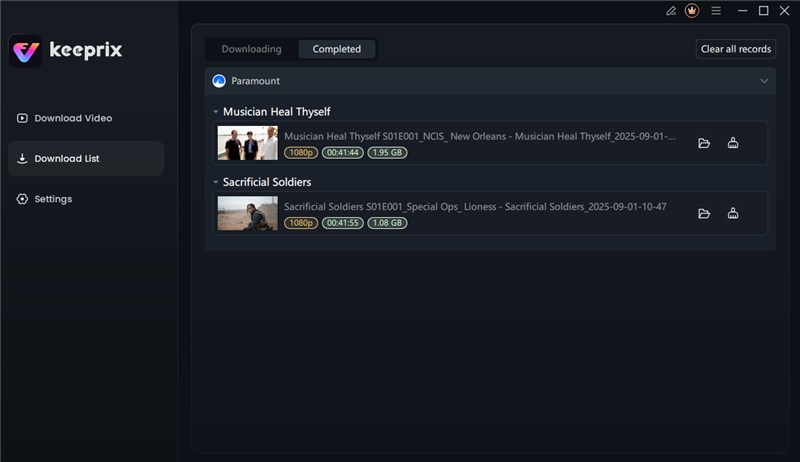
Download Paramount+ Videos
Once the download process is finished, you can access the video files in your local folder. These MP4 or MKV videos can be watched in any media player without restrictions.
FAQs About Paramount+ Without Ads
1. How much does it cost to get rid of commercials on Paramount+?
The only way to enjoy Paramount+ without commercials is to purchase the Premium plan at $12.99/month or $99.99/year. It will remove ads from on-demand movies and TV shows, but live broadcasts might still contain ads.
2. Is Paramount+ still free with Amazon Prime?
No, Amazon Prime is no longer offering Paramount+ as a complimentary service. You need to get a direct subscription from Paramount+ to be able to watch its content.
3. What’s the cheapest way to get Paramount+?
The Essential plan is the most economical choice at $8.99/month or $89.99/year (U.S., starting January 2026). It comes with ads, so if you want to have fewer interruptions, maybe student discounts or annual plans with some savings can be considered.
Conclusion
If you want to experience Paramount Plus without ads, opting for the Premium plan is the surest way, while blocking ads or downloading could be considered as ways to go. With an app like Keeprix Downloader, you save Paramount+ videos to MP4 format to watch offline without ads. These solutions are perfect for streaming without any problems or watching during your preferred time, making the experience smoother and better. Give Keeprix a try and take charge of your Paramount+ journey.