How to Download from Funimation for Offline Viewing

You open the Funimation app to sync the latest season of My Hero Academia for a trip, only to find the options have changed. The download button is grayed out, missing, or throws a generic error message. If you are staring at a locked screen when you need entertainment the most, you are encountering the reality of a service in its final days.
If you are struggling with Funimation downloads not working, the frustration is valid. The ongoing integration with Crunchyroll has left the legacy Funimation platform in a state of limbo. Features that users relied on for years, specifically the Funimation offline download capability, are inconsistent or being removed entirely.
This guide clarifies why these changes are happening. It offers two distinct paths forward: the official migration path, and a verified workaround to archive your library if you aren’t ready to move. We move beyond outdated advice to show you exactly how to handle your favorite shows today.

How to Download From Funimation
The Elephant in the Room: Should You Just Move to Crunchyroll?
Before we discuss software workarounds, we need to address the official solution. Funimation is sunsetting. The parent company, Sony, wants all users to migrate to Crunchyroll.
The Official Fix: If you simply want to watch anime on your phone and don’t care about keeping the files forever, the “fix” is to transfer your account to Crunchyroll. Their app supports offline viewing natively, and it receives regular updates.
Why Users Stay on Funimation:
However, many users (perhaps you) are still here for specific reasons:
- Digital Copies: You own digital copies from Blu-ray purchases that do not transfer to Crunchyroll.
- Missing Content: Not 100% of the Funimation library has migrated yet.
- Permanent Archival: You want to own the video file as an MP4, not rent it in a buggy app that might disappear next month.
If you fall into that second group, the rest of this guide is for you. We are looking at how to extract the media you pay for while the servers are still active.
You may also like: Crunchyroll won’t download
The Current State of Offline Viewing
For longtime subscribers, the ability to download from Funimation was a core benefit. It allowed for access to libraries during commutes without burning through mobile data. However, the landscape has shifted.
If you have recently logged in expecting your usual workflow, you likely encountered errors. The merger with Crunchyroll has rendered legacy features unstable. While the platform still hosts content, the infrastructure supporting offline viewing of anime is being deprioritized.
Why the Download Button is Disappearing
This is not a bug; it is a symptom of the platform’s transition. As Funimation prepares to sunset its brand, the servers dedicated to authenticating DRM-protected content for offline play are being scaled back.
The mobile app updates have stalled, meaning they often fail to handshake with newer Android or iOS file systems. On desktop browsers, the feature was never truly there. This leads to the “download button missing” error.
Method Comparison: Native Options vs. Archival Tools
Before attempting to troubleshoot the native player, it is essential to understand the technical limitations currently imposed on this anime streaming service. Many users waste hours reinstalling apps or clearing caches, hoping to fix what they believe is a glitch. In reality, the native download functionality provided by the Funimation app is heavily restricted by platform instability. In contrast, third-party desktop tools offer a different approach by focusing on file permanence.
The following comparison highlights why users looking for a reliable Funimation download option often move away from native methods:
| Feature | Native Web Player | Official Mobile App | Funimation Downloader |
| Desktop Support | None (Streaming Only) | None | Full Support (Win/Mac) |
| Success Rate | N/A | Low (Often fails at 99%) | High (Batch Processing) |
| Offline Permanence | N/A | Expires in 7 Days / 48 Hrs | Permanent Files |
| Video Quality | Variable Bitrate | Device Dependent | Up to 1080p |
| Subtitle Format | Hardcoded only | Hardcoded only | Soft (.SRT) or Hardcoded |
Key Differences Explained
- Desktop Support: The native web player implies streaming only. If you need to download Funimation episodes to a laptop for travel, official methods are simply not a viable solution.
- Offline Permanence: Official downloads are temporary rentals. They expire after a set period (usually 7 days) or 48 hours after playback starts. Archival tools create permanent .MP4 or .MKV files that never expire, allowing you to build a local archive.
- Success Rate: Users frequently report mobile app downloads failing at 99%. This is often due to server timeouts on the legacy infrastructure. Dedicated downloaders utilize different protocols to maintain the connection, bypassing the common timeouts associated with the platform’s current state of flux.
How to Download Funimation Episodes on PC with Keeprix
If you are staying on Funimation to access your specific library or digital copies, the most consistent method we found during testing was Keeprix Downloader. Unlike screen recorders that require you to watch the video in real-time, this software communicates directly with the streaming server to fetch the video file. It is not perfect—it still has to navigate Funimation’s messy login system—but it provides a workaround for the app’s limitations.
Step-by-Step Procedure
Step 1. Download Keeprix (available for Windows and macOS) and launch the application. Ensure you have a stable internet connection.
Step 2. Paste the video link to Keeprix Downloader.
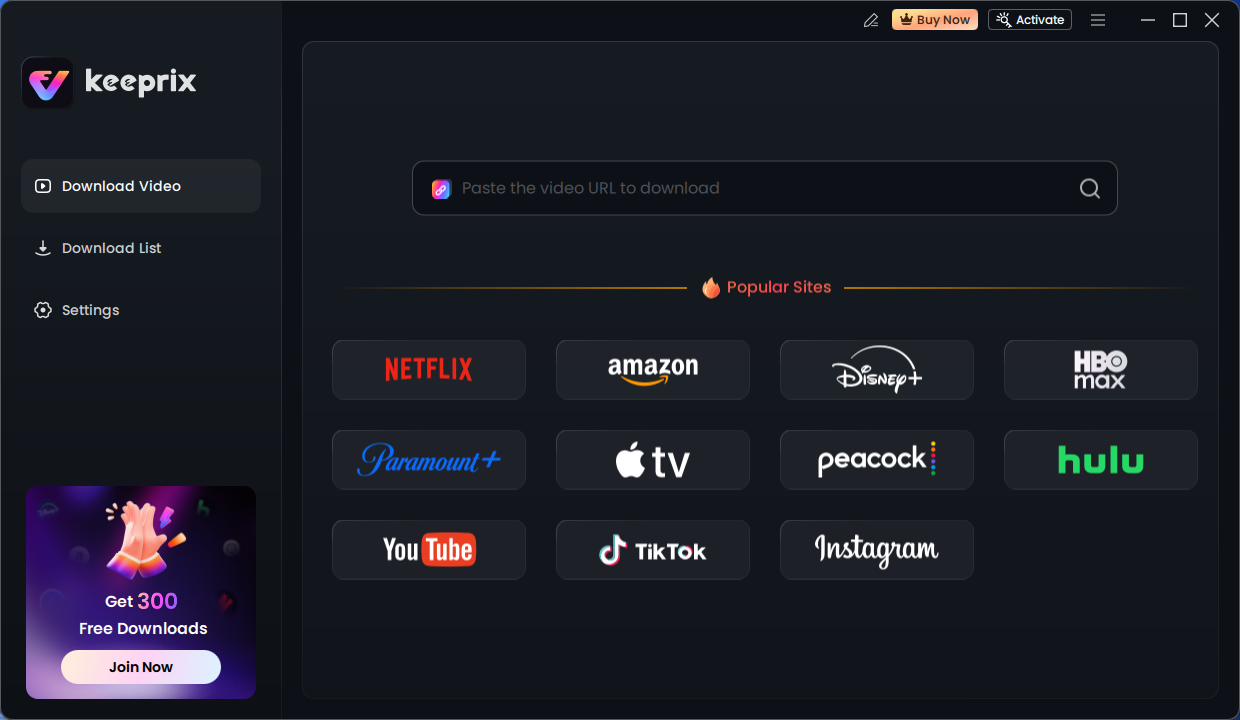
Keeprix Download Main Screen
Step 3. Navigate to the anime you want to save. Click on the specific episode or season page. The software will automatically detect the video stream and prompt you with a “Analyzing Video URL” window.
Step 4. This is critical for anime fans. Funimation streams often have “Simulcast” (broadcast version) and “Uncut” (Blu-ray version) releases.
- Resolution: Select 1080p. Note that some older shows may only be available in 720p on the server side.
- Subtitles (Soft vs. Hard): In the “Subtitle” dropdown, you can choose “Remux into file” (Soft Subs). This saves the subtitles as a text track inside the video file, allowing you to turn them on or off and—importantly—preserving the font styling. If you prefer them burned in permanently, choose “Render.”
- Audio: Ensure you select the correct language track (Japanese vs. English Dub).
Step 5. Instead of clicking one by one, you can check the box for “Select All” to grab an entire season. Click “Download Now.”
Troubleshooting Tip: If a download hangs at 99%, it is usually a DRM handshake timeout caused by Funimation’s legacy servers. Pause the download in the Keeprix queue, wait 10 seconds, and click “Resume.” This forces a new handshake without restarting the file from scratch.
Why Native Funimation Downloads Are Failing (The Context)
Now that you have a working solution, it helps to understand why this is necessary. If you are wondering why the download button missing error has become so prevalent, the answer lies in backend infrastructure changes.
As the platform transitions its library to Crunchyroll, the servers hosting content for Funimation’s legacy apps are being deprioritized. For premium subscribers, this has resulted in two primary technical failures:
- Digital Copy Obsolescence: Previously, purchasing a physical Blu-ray often came with a digital code for the Funimation library. The mechanism validating these codes is frequently broken, severing access to content users rightfully own.
- App Instability: The mobile app updates have slowed, leading to compatibility issues with newer Android and iOS versions. This often manifests as downloads that initialize but never complete.
Understanding this context confirms that the issue is not with your device or connection, but rather a systemic phasing out of the Funimation download option itself.
Risks of Free Downloaders and Screen Recorders
When searching for a way to download Funimation episodes, you will encounter numerous free browser extensions and online converters. While tempting, these tools rarely work for DRM-protected sites like Funimation.
The Problem with Stream Rippers
Most free tools do not actually download the source video file. They act as screen recorders.
- Quality Loss: They re-encode the video, resulting in pixelation and compression artifacts.
- Audio Desync: A common issue with screen recording is that audio slowly drifts out of sync with the video over a 24-minute episode.
- Time Consumption: You must play the video in real-time to record it. A 12-episode season will take 5+ hours to record.
Security Concerns
More alarmingly, free tools often monetize their service through aggressive adware. Unlike paid software like Keeprix, which performs legitimate circumvention to decrypt and save the file, these “free” solutions often require intrusive browser permissions.
Safety Checklist:
- Avoid tools that ask you to disable your antivirus.
- Reject software that saves files only in .WEBM format (often an indicator of screen recording).
- Verify that the tool supports transfer to mobile devices via standard formats like MP4. Proprietary formats often lock you into a specific, potentially unsafe player.
Frequently Asked Questions About Funimation Offline Viewing
Here are answers to the most common questions regarding the current state of the platform.
1. Should I just switch to Crunchyroll?
If you only care about streaming and want the official experience, yes. Crunchyroll is where the updates are. However, if you need to access Digital Copy libraries that haven’t transferred, or you want to archive files permanently, you will need to stay on Funimation and use a tool like Keeprix.
2. Why are Funimation downloads not working on my phone?
The Funimation mobile app is no longer being optimized for new OS updates (iOS 17+, Android 14+). This causes the download handshake to fail. The app thinks it downloaded the file, but the data is corrupt or incomplete.
3. Can I download Funimation episodes on PC natively?
No. The browser-based player does not have a download button. To download on a PC or Mac, you must use external software.
4. How long do Funimation downloads last?
Official downloads (if you can get them to work) typically expire after 7 days, or 48 hours once you begin watching. Files downloaded via Keeprix are permanent, local files that do not expire.
5. Does Keeprix keep the subtitles?
Yes. Unlike screen recorders that burn subtitles into the video (making them blurry), Keeprix can extract them as soft subtitles (.SRT). This allows you to toggle them on/off and keeps the text crisp.
6. What happened to Funimation’s offline viewing?
It is being phased out. The long-term strategy is to consolidate all offline viewing features into the Crunchyroll ecosystem, leaving the legacy Funimation platform with reduced functionality until it is eventually shut down completely.
Final Thoughts
The era of relying on the native Funimation download option is drawing to a close. As the service continues to sunset features, the responsibility for archiving and offline viewing now falls to the user.
You have two choices: migrate your account to Crunchyroll and accept the rental model, or use a tool like Keeprix to archive your favorite series as permanent files. While the transition is inconvenient, taking action now ensures that your digital library remains accessible, regardless of when the Funimation servers finally go dark.