The essential steps to make a football highlight video are gathering your raw source footage as local files, choosing a desktop video editor, selecting and ordering your best plays, applying spot shadows to identify yourself, and exporting the final reel.
Whether you are a player building a recruiting tape for college coaches or a fan making social media edits, creating a highlight reel requires high-quality source material. However, most tutorials skip the hardest part of the process: getting the video files onto your computer in the first place.

In reality, most athletes and fans have their best clips trapped inside social media apps, YouTube, X, or streaming platforms. You cannot edit a video that you cannot download. Bridging the gap between online web clips and your desktop editing software is the true first hurdle of making a professional tape.
Step 1: Gather Your Online Footage as Local MP4 Files
You must download video clips as local MP4 or MKV files before you can import them into standard video editing software. Videos that are locked inside social media apps or streaming platforms like YouTube and X cannot be edited directly.
Keeprix Video Downloader serves as the essential first step to gather your footage. It provides a “File to Freedom” workflow, allowing you to save accessible online videos from supported social and streaming platforms as flexible local files. Keeprix is not a video editor; it is a desktop video downloader that feeds your editor the files it needs.

Download Football Videos with Keeprix
- Download football videos on Windows & Mac.
- Save sports videos as local MP4/MKV files.
- Batch download sports videos like FIFA World Cup.
- Watch sports videos offline, no interruption.
By saving these clips locally, you can back up your personal footage and prepare it for offline use and editing. Keeprix preserves up to 4K resolution only when the source quality on the platform supports it.
Download and install Keeprix (100% safe & secure) to your Windows/Mac computer.
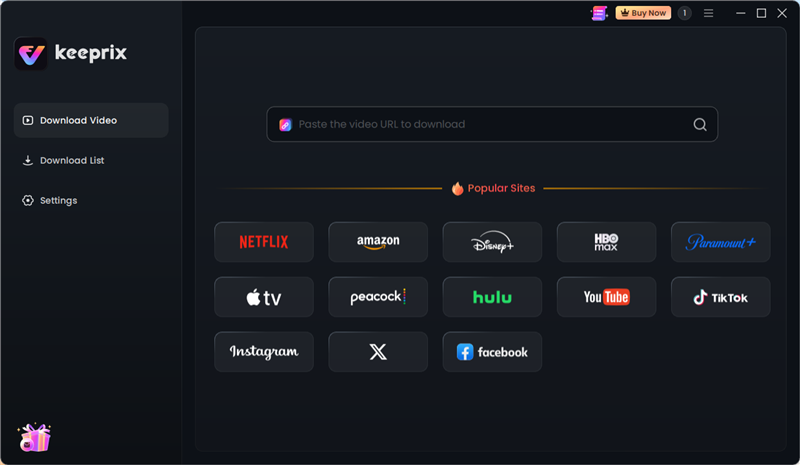
1. Open Keeprix on your computer and use the built-in browser to log into a supported legal platform (such as Amazon, Netflix, Peacock, Paramount+, or YouTube).
2. Navigate to the accessible football match videos, match replay, VOD, or highlight video you want to save. Click the Download icon.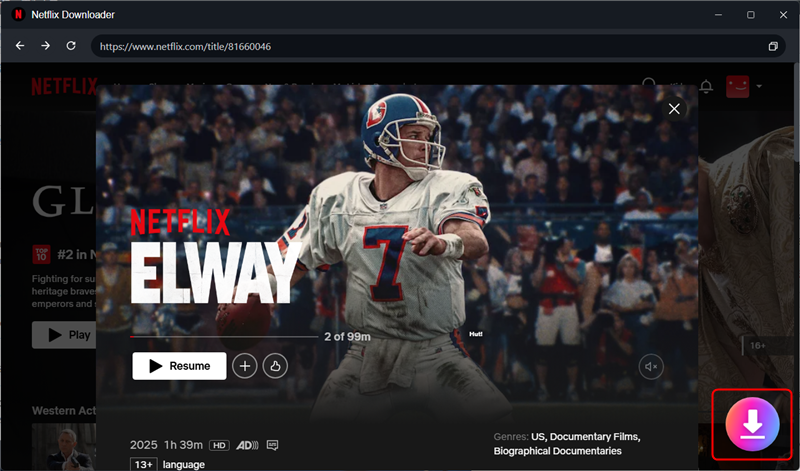
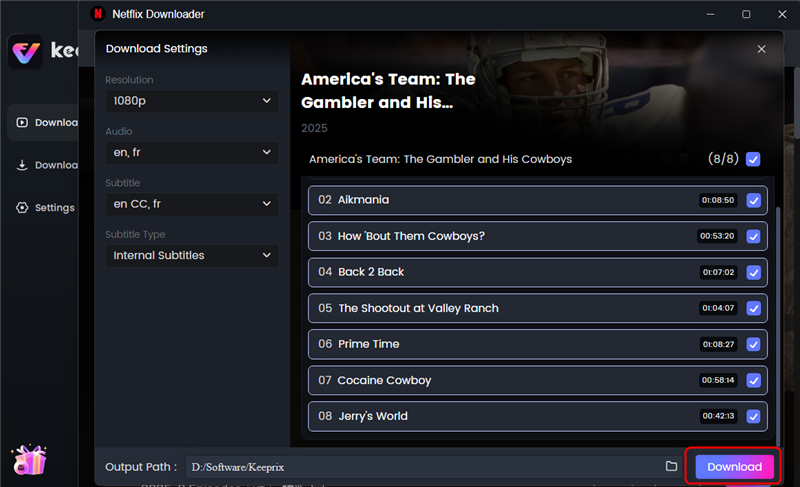
3. Select your preferred output format (MP4 or MKV), audio tracks and subtitles languages. Then click the Download button to start downloading.
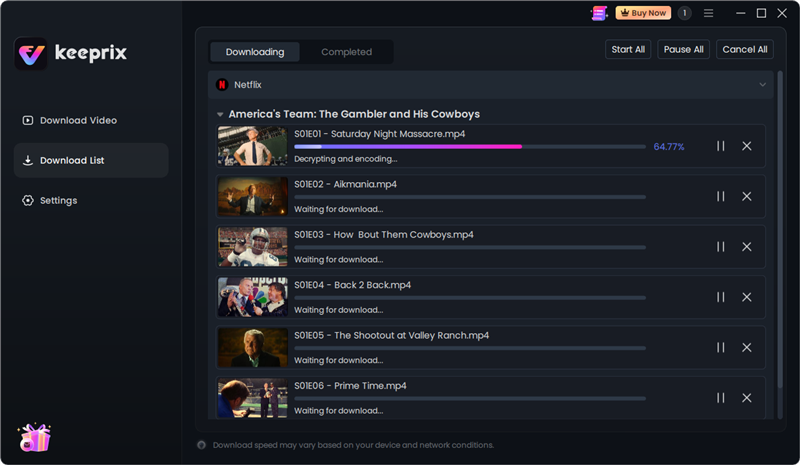
4. Then you’ll see the downloading list. You can batch download videos at once. Then you can import the downloaded files to video editing software for creation.
Step 2: Choose the Right Video Editing Software
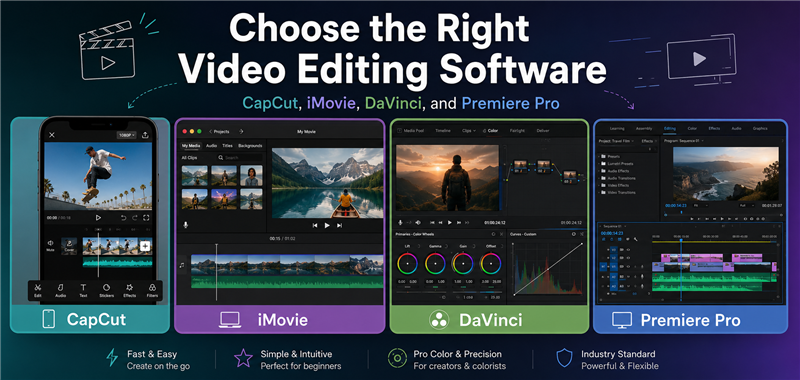
The best software for editing football highlights depends on your skill level and budget, but all of them require local video files to function. Tools like CapCut, iMovie, and Premiere Pro excel at cutting and assembling MP4s, but they do not help you download raw web footage. Keeprix handles the downloading step, while the software below handles the cutting step.
| Video Editor | Skill Level | Price Profile | Best Use Case |
|---|---|---|---|
| CapCut | Beginner | Free (Pro tier available) | Quick, punchy edits with easy built-in effects; excellent for social media clips and simple recruiting reels. |
| Apple iMovie | Beginner | Free (Mac only) | Clean, straightforward assembling of clips without overwhelming features; ideal for basic scout tapes. |
| Adobe Premiere Pro | Advanced | Paid Subscription | Total control over color grading, precise speed ramps, and advanced spot shadows; best for professional-level reels. |
| DaVinci Resolve | Advanced | Free (Studio tier available) | High-end color correction and professional transitions for users willing to learn complex software. |
Once your MP4 files are safely downloaded to your computer, import them into your chosen editor to begin building your timeline.
Step 3: Select and Order the Best Plays for Scouts
College recruiters evaluate hundreds of videos a week, meaning your highlight reel must capture their attention immediately. Structure your tape strategically to showcase your best athletic traits right away.
Follow these Do’s and Don’ts for scout appeal:
DO place your absolute best 3 to 5 plays in the first 30 seconds of the video to hook college coaches immediately.
DO keep the total duration of the highlight reel between 3 to 5 minutes. Longer videos are rarely watched to the end.
DO include a mix of necessary positional skills. For example, a wide receiver should show deep catches, route running, blocking, and yards after catch, rather than just five identical go-routes.
DON’T include unnecessary pre-snap jogging, huddle breaks, or long post-whistle celebrations.
DON’T save your best play for the end of the video. Scouts may never see it.
Step 4: Essential Editing Techniques to Stand Out
You must make it immediately clear to the viewer which player you are on the field before the play begins. Without a clear visual indicator, scouts will waste time trying to locate you and might miss the highlight entirely.
Use these fundamental, software-agnostic editing steps in your timeline:
Trim the excess: Cut each clip to start just one or two seconds before the snap, and end it immediately after the play resolves.
Apply a pre-snap identifier: Use a spot shadow, a clean circle, or a subtle arrow to highlight your position on the field before the action starts.
Pause the frame: Add a brief 1-to-2-second freeze-frame exactly when your spot shadow appears. This gives the viewer time to find you among the 22 players on the screen.
Keep transitions clean: Avoid screen shakes, star wipes, or heavy visual effects. Hard cuts or simple cross-dissolves keep the focus on your athletic ability rather than your editing flair.
Step 5: Exporting and Sharing Your Recruiting Video
Export your final edited video as an MP4 file using the H.264 video codec to ensure maximum compatibility across all devices and web platforms. Whenever possible, export your sequence at 60fps (frames per second). Football involves fast, explosive movements, and a higher framerate prevents motion blur, keeping your athletic cuts looking incredibly sharp when scouts evaluate them.
By exporting as an MP4, you close the file workflow loop: you started by downloading online clips as MP4s, edited them locally, and are now packaging the final product into a clean, shareable MP4.
Frequently Asked Questions
How do I get video clips off platforms to use in my edit?
You need a desktop video downloader to save accessible online clips as local files. Tools like Keeprix allow you to download accessible videos from streaming and social platforms as flexible MP4 files, which you can then import into your editing software.
How long should a football highlight reel be?
A football highlight reel should be 3 to 5 minutes long. College coaches evaluate a massive volume of tape and generally make their assessment based on the first 30 to 60 seconds of your video.
What format do my clips need to be in for editing?
Your video clips should be in MP4 format. MP4 files offer the widest compatibility with desktop editing software like CapCut, iMovie, and Premiere Pro.
What software is best for editing football highlights?
CapCut and iMovie are best for beginners looking to make clean, fast edits, while Premiere Pro and DaVinci Resolve are best for advanced users wanting precise control over color and custom spot shadows.
Should I add music to my highlight reel?
You should keep music clean, instrumental, and unobtrusive. Many college scouts mute highlight videos entirely to avoid distracting audio, so never rely on the music to carry the impact of the video.
Final Thoughts
By turning accessible videos from social media and streaming platforms into flexible MP4 files, you can gather your footage, organize your local media library, and start building the tape that will get you noticed. Try to download football match videos with Keeprix and then create an awesome highlight video for your favorite football star!
Keeprix Video Downloader
Download sports videos in MP4/MKV. Enjoy seamless offline watching on Windows and Mac.