Full Review of StreamFox Amazon Video Downloader [Updated]

| Quick Overview |
| This full review of Streamfox Amazon Video Downloader breaks down how well the tool performs when downloading Amazon Prime Video content for offline viewing. For users who need faster performance, broader compatibility, and fewer restrictions, the review highlights Keeprix Amazon Prime Video Downloader as a stronger alternative. |
Downloading videos from Amazon Prime is not as easy as we’d like, and that is precisely where tools like StreamFox Amazon Video Downloader come to change the game. If you want to know whether it really provides you with smooth and high-quality downloads or just confuses you, then this detailed review is the answer.
We will explain what StreamFox is, show you the detailed process of how it functions, and then present a strong replacement to help you watch Amazon Prime videos offline without limitations.
StreamFox Amazon Video Downloader Review
What Is StreamFox Amazon Video Downloader?
StreamFox Amazon Video Downloader is a special tool designed to help users download, convert, and back up Amazon Prime Video content so it remains accessible offline. This tool plans to deliver quick, high-quality downloads with open format options and a user-friendly workflow for videos, including movies, TV shows, documentaries, and full seasons.
Key Features:
- 1080p HD Downloads: Save videos in full HD or choose lower resolutions like 720p or 360p for smaller file sizes.
- 10X Fast Downloading: GPU acceleration and batch mode let you download multiple episodes or full seasons quickly.
- Flexible Subtitles & Audio: Choose internal, external (SRT/SUP), or hard subtitles, along with multiple audio tracks.
- Offline Playback Anywhere: Download Prime Video titles—free, rented, or purchased—without ads or regional limits.
Pricing Plans:
- Monthly Plan – $25.95/month
- Annual Plan – $49.95/year
- Perpetual Plan – $99.95 one-time
Cons:
- Only supports Amazon Prime Video.
- Subscription required for full functionality.
- Occasional need to re-login due to platform restrictions.
How to Use StreamFox Amazon Video Downloader?
Before you begin, StreamFox requires a quick setup process so it can access your Amazon Prime Video account and prepare your downloads. Follow the steps below to install the software and start saving videos for offline viewing.
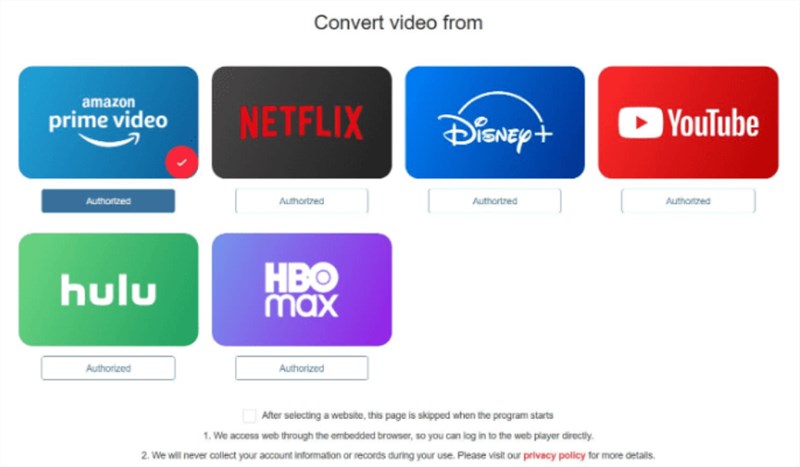
Step 1. Install StreamFox on your computer. Open it and select Amazon Prime Video from the main interface.
Choose Amazon Prime Platform
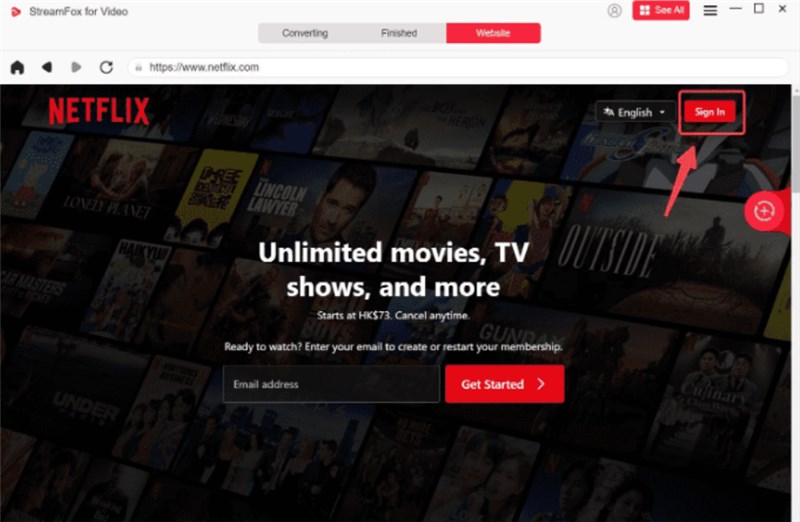
Step 2. Enter your Amazon Prime credentials and log in.
Log in Amazon Prime Account
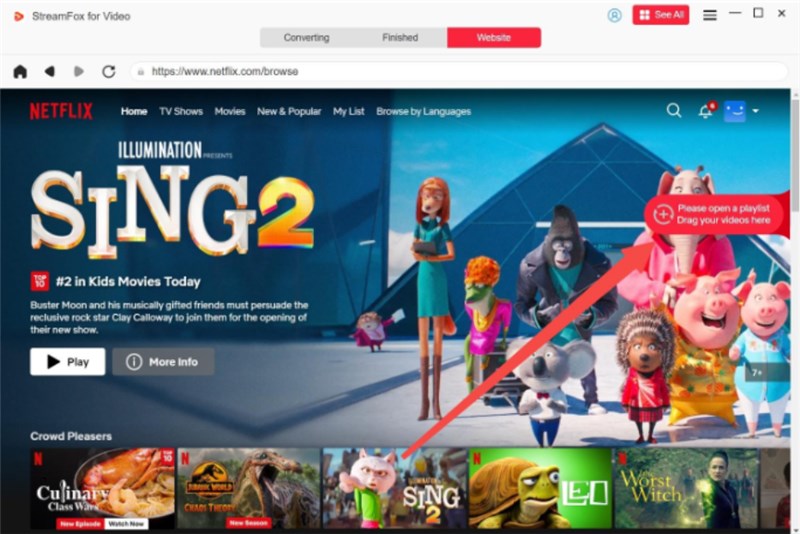
Step 3. Head over to the “Converting” tab and look up the required movie by its keywords. Simply drag it onto the “+” sign to add it to the download list.
Choose Video to Download
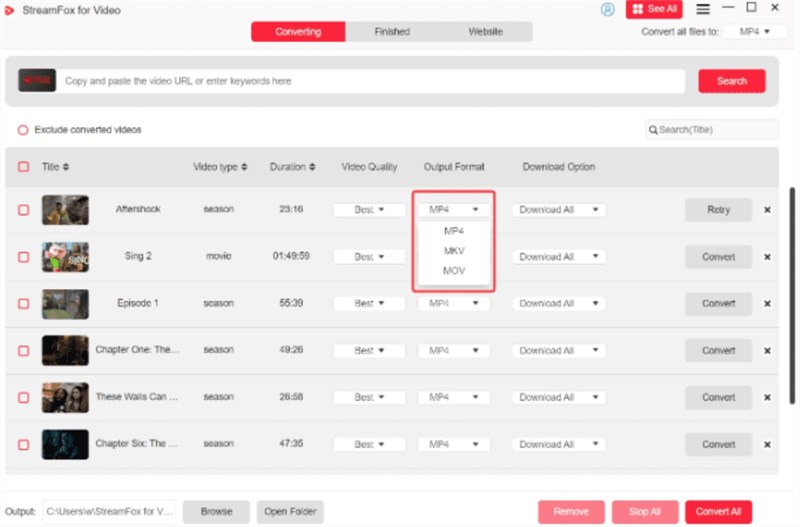
Step 4. Set the desired output format and quality before starting the download.
Adjust Download Settings
Step 5. Press the Convert All button to start the downloading process of your selected Amazon Prime videos. When the download is finished, you can then play the videos that you have saved.
Best Alternative to StreamFox Amazon Video Downloader
As a stronger and more flexible alternative to StreamFox, Keeprix Amazon Prime Video Downloader provides an easy-to-use interface for downloading Amazon Prime videos. This tool removes Prime Video download limits and provides stable HD downloads, while supporting multiple output formats like MP4 and MKV for smooth playback on TVs, tablets, and more. With its intuitive design and reliable performance, Keeprix Video Downloader is ideal for users who want long-term, hassle-free offline access to their favorite Amazon Prime Video content.
Key Features of Keeprix Video Downloader:
- Download Amazon Prime videos in 1080p for a premium offline viewing experience.
- Save your videos in MP4 or MKV, ensuring seamless playback on any device you use.
- All downloads come completely ad-free, so you can watch your shows without interruptions.
- Saved videos never expire, giving you permanent access to your favorite content anytime.
Here are the steps to use Keeprix Video Downloader to Get Videos from Amazon Prime:
Step 1: Download and Launch Keeprix Video Downloader
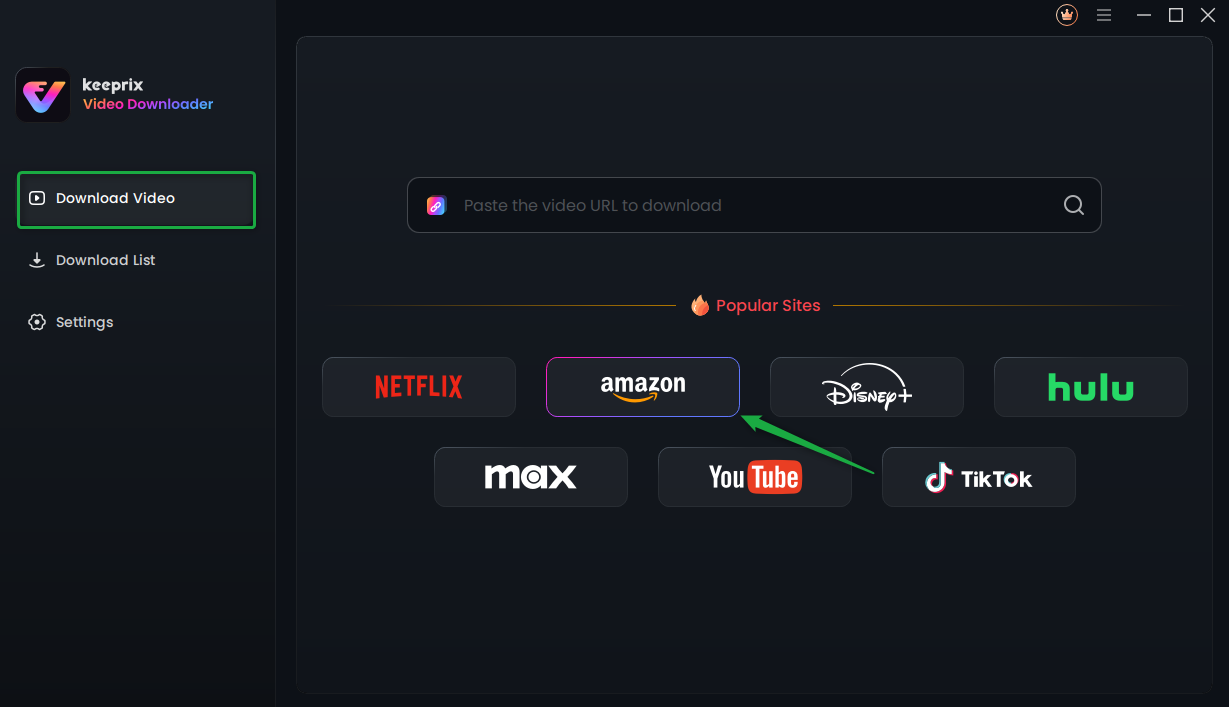
Download Keeprix Video Downloader on your PC. After launching the application, select Amazon Prime Video.
Choose Amazon Prime in Keeprix Video Downloader
Step 2: Sign In to Your Amazon Prime Account
Simply enter your Amazon account and password to log in, so the tool can access the videos you want to download.
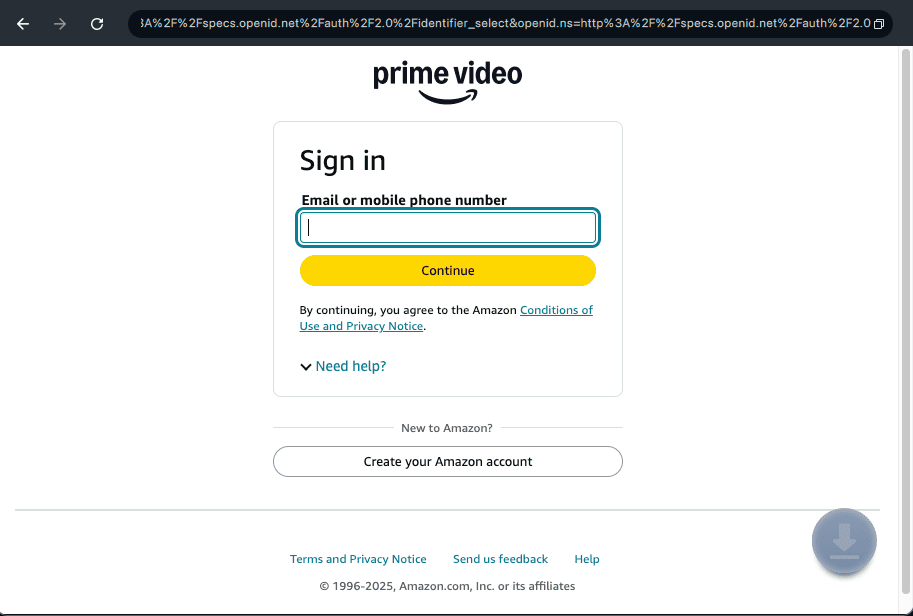
Log In to Prime Video Account
Step 3: Locate Prime Video You Want
Browse through videos by entering search terms or directly inserting a link. The download link will become clickable once you open the content page.
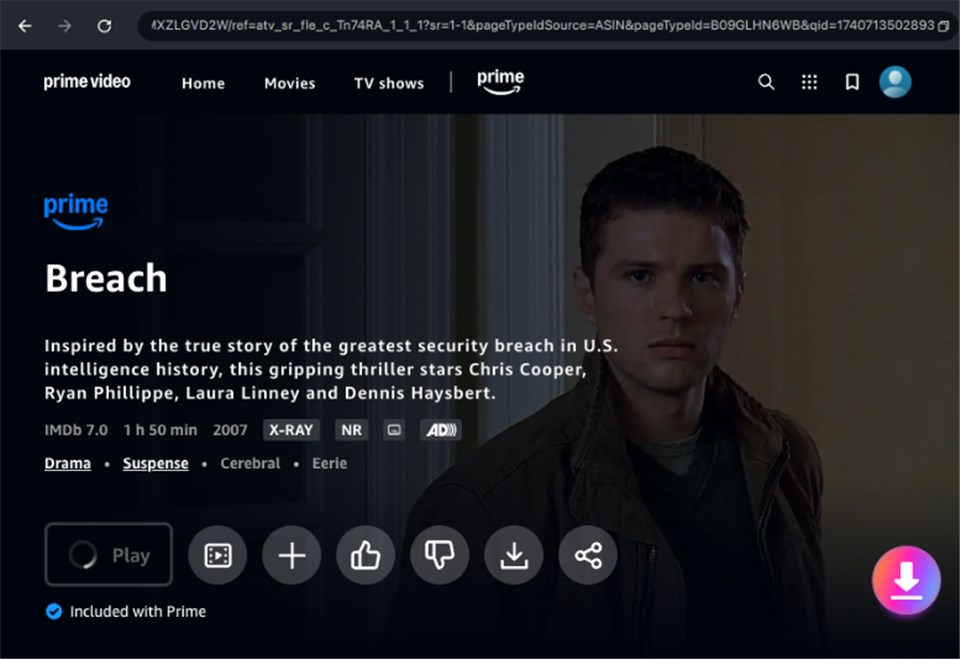
Search for Your Desired Movies
Step 4: Pick Output Preferences
Choose your desired video quality (up to 1080P), an audio track, a subtitle language, a subtitle file, or a destination folder.
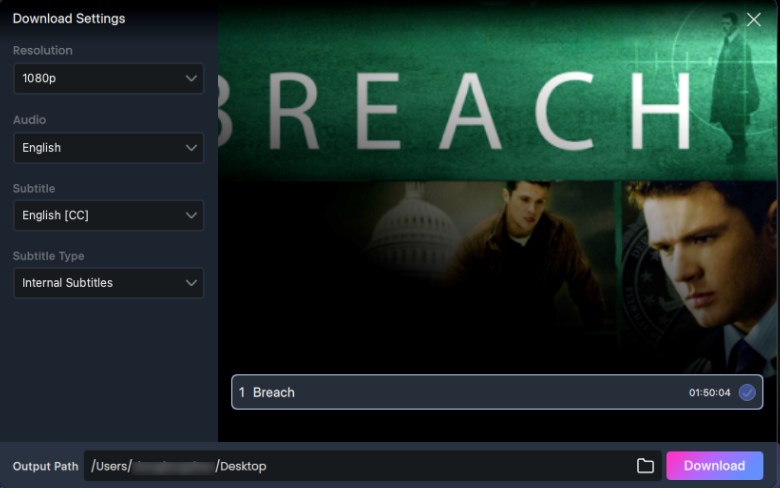
Adjust Download Settings
Step 5: Begin Your Download
Click the Download button to start the process. Once finished, the file will be permanently stored locally.
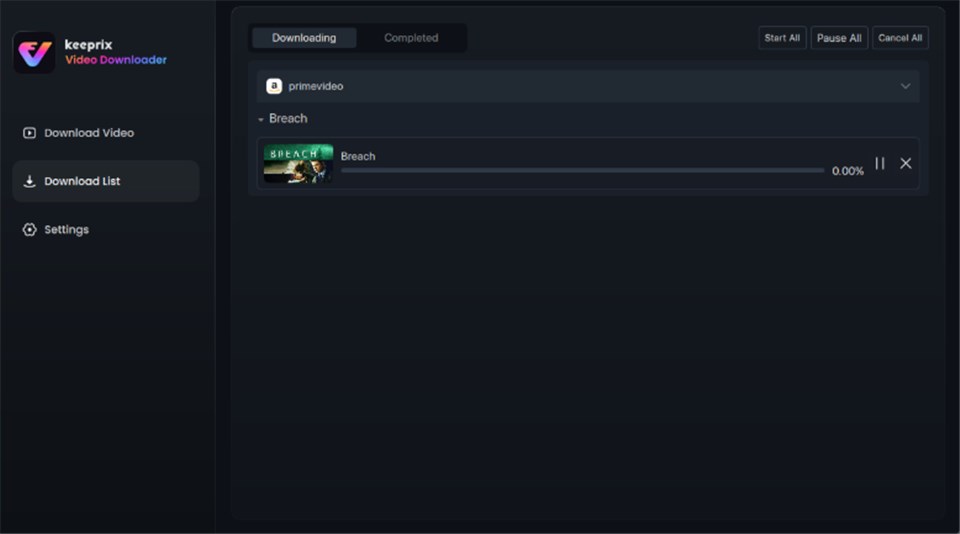
Download in Progress
Comparison Table
Here’s a head-to-head comparison of StreamFox Amazon Video Downloader and Keeprix Amazon Prime Video Downloader, covering key aspects to help you choose the right tool.
| Features | StreamFox Video Downloader | Keeprix Video Downloader |
| Video formats | MP4, MKV, MOV | MP4, MKV |
| Video quality | up to 1080p | up to 1080p |
| Regional flexibility | Works with Amazon Prime in supported regions | Supports Amazon Prime in more regions |
| Supported device | Broad device compatibility | No device restrictions for offline playback |
| Best suited for | Users who want a versatile, multi-platform downloader with high speed and format flexibility. | Users focused on Amazon Prime, especially those needing region-free access and unlimited downloads. |
From the comparison above, Keeprix Video Downloader stands out in areas that matter most to Amazon Prime users. It offers region-free support and removes device restrictions, allowing offline playback on any device.
For users who want unlimited downloads, smooth 1080p quality, and true freedom beyond regional and device locks, Keeprix Video Downloader is the smarter and more reliable choice.
FAQs About StreamFox Amazon Video Downloader
Q1. What is StreamFox?
StreamFox is a desktop tool that lets you download Amazon Prime Video content from any of your purchased, rented, or even freely available titles, in high-quality formats such as MP4, MKV, or MOV.
Q2. Is StreamFox Amazon Video Downloader legal?
Generally, it is permissible to employ StreamFox in a respectful, non-commercial manner for your personal usage. On the other hand, the act of taking off DRM protections could be in violation of the Terms of Service set by Amazon as well as copyright laws in specific regions.
Q3. Is StreamFox Amazon Video Downloader safe?
StreamFox doesn’t put you at much risk when you use it. It doesn’t keep your login details for a long time and makes sure the downloads are secure.
Conclusion
This article offers a detailed review of StreamFox Amazon Video Downloader. It is a basic tool that helps users download Amazon Prime videos with standard format and subtitle options. For more features, you can switch to Keeprix Amazon Prime Video Downloader. This professional Amazon Prime Video Downloader offers unlimited downloads, giving you access to Amazon Prime content from the United States, Japan, Germany, etc. Try Keeprix Video Downloader to get a smooth offline entertainment experience!
 Must Read