Can You Download Rented Movies on Amazon Prime

Yes. In most cases, Amazon lets you temporarily download a rented Prime Video movie when a Download option is available. You must use the Prime Video app on a compatible device because a web browser cannot create an offline download.
A rented movie can be downloaded to one compatible device at a time. Amazon says you typically have 30 days from payment to finish the rental, and typically 48 hours after you begin streaming or downloading it. The exact deadline shown on the movie’s detail page takes priority.
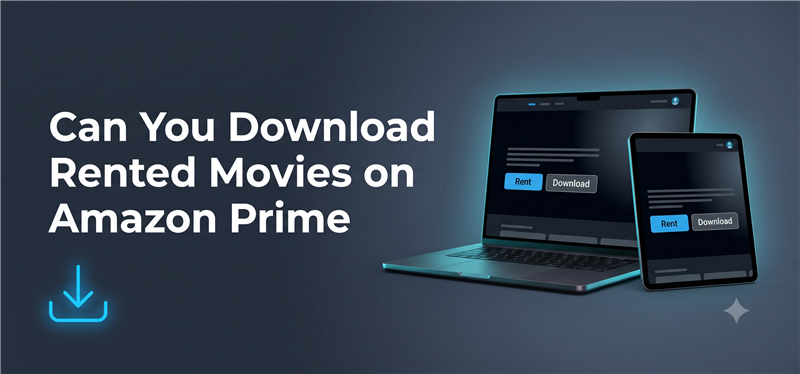
1. Prime Video Rental Download Rules at a Glance
| Rule | Correct Copy |
| Download availability | Most rented movies can be downloaded when a Download option appears on the title page. Availability can vary by title, device and location. |
| Supported method | Use the Prime Video app on a compatible device. Renting or streaming through a browser does not create an offline download. |
| Device limit | A rented movie can be downloaded to one compatible device at a time. |
| Rental period | You typically have 30 days from payment to complete the rental. |
| 48-hour period | You typically have 48 hours to finish after you begin streaming or downloading the rental. |
| Final authority | Check the deadline displayed on the title page because some rentals can have different periods. |
2. Amazon Download Rented Movie via Official App
The go-to method to download an Amazon Prime rented movie is to use the app. You must first rent a movie from Amazon Prime and then download it using this method:
Step 1. Launch the Amazon Prime app on your computer or go to Amazon Prime using a web browser.
Step 2. Search for the movie you want to rent and download. Then choose “Rent HD”.
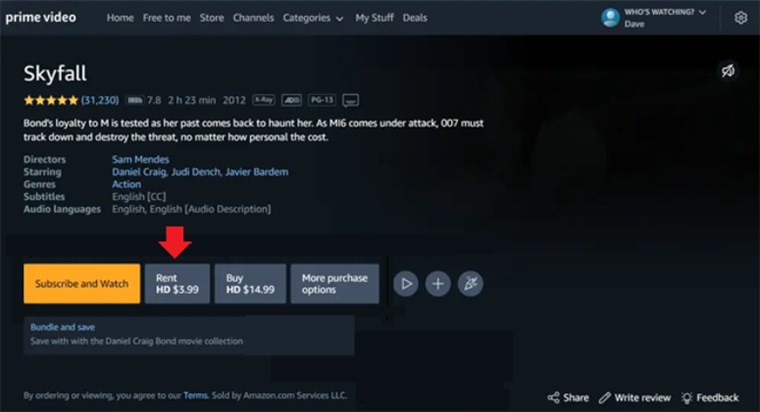
Rent Movie on Amazon Prime
Step 3. Follow the on-screen instructions to complete the rental process. This includes entering the Amazon Prime PIN.
Step 4. Once the movie has been rented, go to “My Stuff > Purchases & Rentals” to view the rented movie.
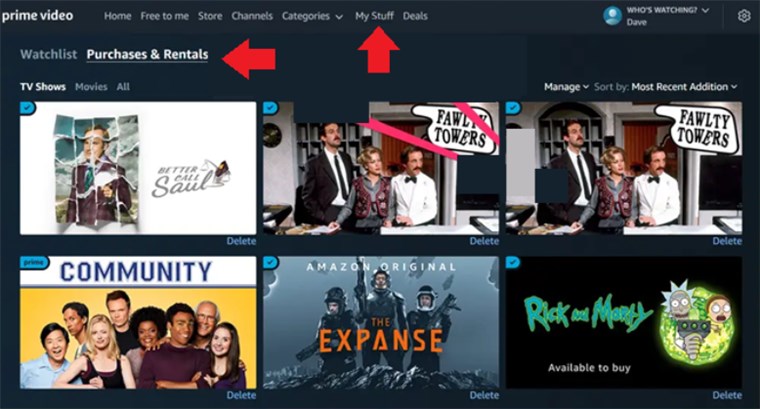
Access the Rented Movie from My Stuff
Step 5. Select the rented movie title, and click on the “Download” icon to download the rented movie.
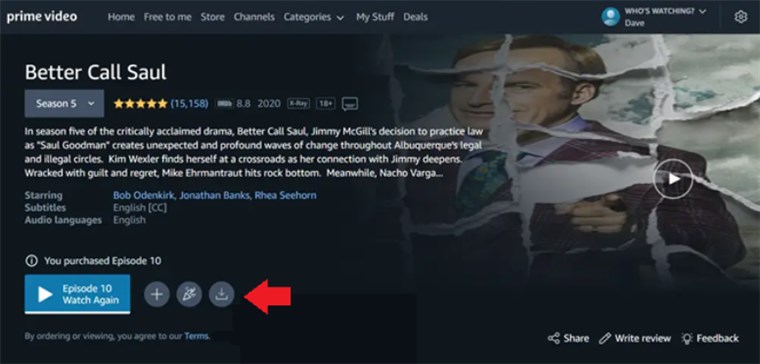
Amazon Download Rented Movie
Step 6. Once downloaded, the rented movie will be available in the “Downloaded” section on Amazon Prime.
3. Need a Local MP4 or MKV File on Windows or Mac?
If you prefer to download Amazon-rented movies as local files, we suggest using Keeprix Video Downloader. This tool helps download rented Amazon Prime videos for offline watching. Compatible with Windows and Mac, Keeprix Video Downloader supports downloading Amazon-rented movies in MP4 format on your computer.
You can save your rental as a local MP4 or MKV file in up to 1080p (depending on source quality and your account access). Because standard MP4 files are not bound by the official 1-device limit, you can easily transfer the saved movie to your iPad, laptop, or external drive, making it far easier to manage your personal offline viewing during travel.

Video Downloader for Amazon Prime
- Download rented Amazon Prime videos in full HD resolution.
- Save Amazon Prime videos to MP4 & MKV, easy to transfer.
- No expiration limits, keep Amazon rented movies forever.
- Download Amazon movies in 13 subtitles and languages.
Steps for Amazon Download Rented Movie via Keeprix
Step 1. Download and install Keeprix Video Downloader. Choose Amzon from the main page.
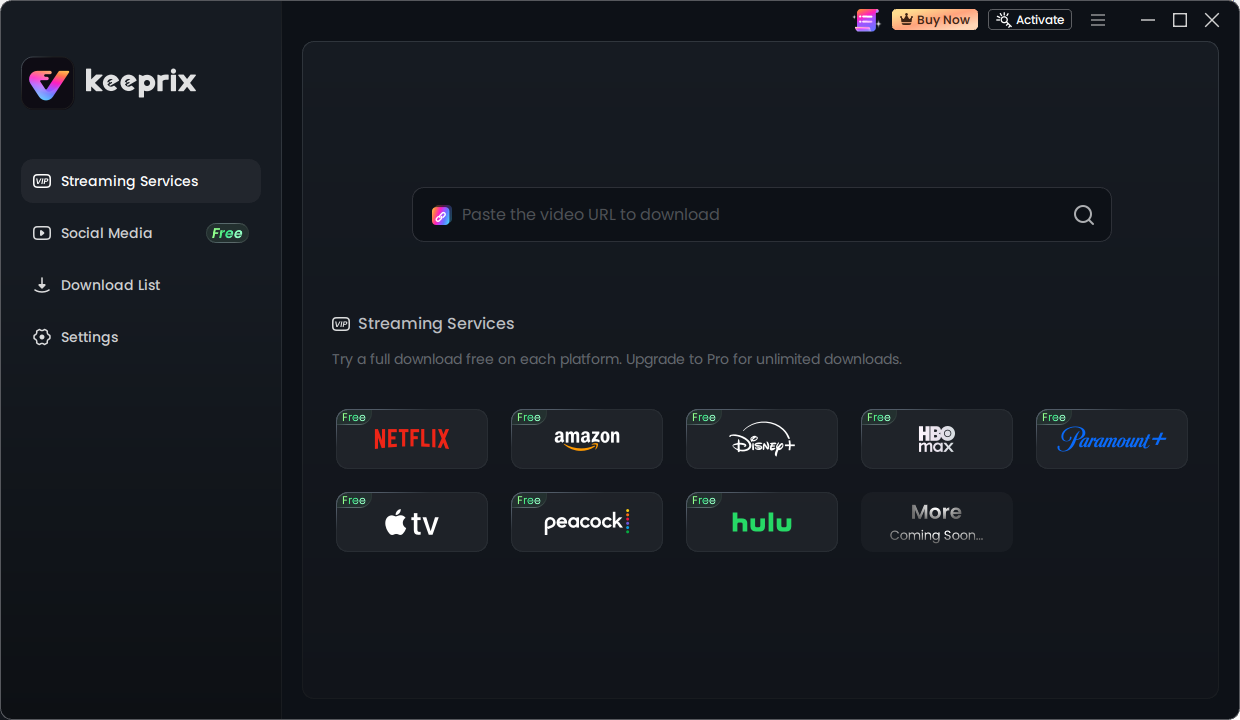
Keeprix streaming services
You can also paste the link to the Amazon Prime video in the provided space to go directly to the movie page on Amazon.
Step 2. Sign in to your account, select the rented movie and look for the Download option. If no Download button appears, the rental may not support offline viewing on that title, device or location.

Step 3. Choose the available download quality and wait until the download finishes before disconnecting from the internet. Now, click on “Download” to start the download process.

Step 4. Once the download is complete, you can view the content under the “Completed” tab.
You might like: 3 Ways to Download Movies from Amazon Prime to Fire Tablet/TV
Why Can’t I Download a Rented Movie on Prime Video?
The Download button is missing
The title may not support offline viewing on your current device or in your location. Open another eligible rental to determine whether the problem affects one movie or the entire app.
You are using a web browser
PrimeVideo.com can stream rentals, but browser playback does not create an offline download. Open the Prime Video app and check whether the rental has a Download option there.
The rental is already downloaded on another device
Amazon allows a rental to be downloaded to one compatible device at a time. Remove the existing download before attempting to download the same rental on another device.
The rental period has started or expired
Check the expiration time under Purchases & Rentals. Amazon states that rental periods are typically 30 days from payment and 48 hours after streaming or downloading begins, although the title page may show a different deadline.
The app, storage or connection is causing the failure
Update the Prime Video app, confirm that the device has enough storage, and reconnect to a stable network. If the Download option still does not appear, contact Amazon support with the title name and device model.
FAQs
Q1: Can you download rented movies on Amazon Prime?
Yes, in most cases. If the movie’s detail page shows a Download option, you can temporarily download it through the Prime Video app on a compatible device.
Q2: How long does a rented movie last on Amazon Prime?
Amazon says rental periods are typically 30 days from payment. Once you begin streaming or downloading the movie, you typically have 48 hours to finish it. Check the title page because the actual period can vary.
Q3: Does downloading a rented Prime Video movie start the 48-hour period?
It can. Amazon’s usage rules state that the typical 48-hour viewing period begins after you commence streaming or downloading the rental. The current article’s answer saying that only pressing Play starts the timer should be removed.
Q4: Can I download a rented Amazon movie on a laptop?
You cannot create an offline download from a web browser. Check whether the official Prime Video app on your computer shows a Download option for the rental. Availability can vary by title, device and location.
Q5: Why can’t I download the rental on another device?
A rented Prime Video movie can be downloaded to only one compatible device at a time. Remove the existing download before trying the same rental on another device.
Q6: Can I watch a downloaded rental without internet?
Yes, after the eligible rental finishes downloading in the Prime Video app. You must remain within the rental’s viewing period and use the account and device associated with the download.
Q7: Can I keep an Amazon rental forever?
No. An official Prime Video rental expires according to the period displayed for that title. Do not state that Keeprix extends ownership or viewing rights beyond the rental agreement.
Conclusion
If the rented movie shows a Download option, the Prime Video app is the simplest way to prepare it for short-term offline viewing. Check the displayed expiration time and remember that a rental can be downloaded to only one compatible device.
If you need a supported Prime Video title as a local MP4 or MKV file on Windows or Mac, try one full video with Keeprix before upgrading. Availability varies by title and account, and all saved content should be used only within the applicable access rights and terms.
Keeprix Video Downloader
Download streaming videos from Amazon and more. Enjoy seamless offline watching on Windows and Mac .