Can I Download Netflix Movies on My Mac? Watch Offline

Quick Answer: Officially, no. Netflix does not provide a native macOS app for downloading movies or shows, and browser streaming on Safari or Chrome does not support offline downloads. Practically, yes. You can use a local-file workflow to save accessible Netflix videos as MP4 or MKV files before traveling, commuting, or losing internet access.
For many Mac users, the problem is simple: you can stream Netflix on a MacBook, but you cannot download Netflix movies directly to a Mac. That becomes frustrating when you are preparing for a flight, a long commute, a hotel stay with weak Wi-Fi, or any situation where stable internet is not guaranteed.
This guide explains why Netflix downloads do not work on Mac, which common workarounds are unreliable, and how Keeprix Video Downloader offers a more practical way to prepare Netflix videos for personal offline viewing on macOS.
Part 1: Why Netflix Does Not Let You Download on Mac
Netflix allows offline downloads only through supported Netflix apps. On Mac, however, there is no native Netflix app for macOS. You can open Netflix in Safari, Chrome, Firefox, or another browser, but browser viewing is designed for streaming, not downloading.
That means MacBook users face three key limitations:
- There is no official Netflix app for macOS.
- Netflix browser playback does not include a download button.
- Downloaded Netflix titles are tied to supported app environments, not flexible local video files.
This is why searching for “can you download Netflix movies on Mac” often leads to confusing or outdated answers. Some tutorials may mention browser extensions, hidden tricks, or old desktop app methods, but these are not reliable solutions for Mac users.
Part 2: Why Can’t I Just Download Netflix on Mac
It is incredibly frustrating to prepare for a trip and realize there is no simple way to watch your favorite shows offline on your Mac. The core issue is that Netflix has never released a native streaming application for macOS.
While you might find outdated tutorials claiming that certain browser extensions or web tricks work, learning how to download Netflix videos directly from a web browser is unsupported and generally fails.
Furthermore, this limitation is not unique to Apple devices. Netflix’s desktop download support has become more limited over time, and Mac users still do not have a native macOS download option.
Part 3: Common Mac Workarounds and Why They Are Not Ideal
When Mac users look for a way to watch Netflix offline, they often find three common suggestions: AirPlay, iPhone or iPad downloads, and virtual machines. These options may work in limited cases, but they usually fail the real travel test.
| Workaround | True Offline Capability? | Setup Friction | Main Problem |
| AirPlay from iPhone or iPad | Not reliable | Medium | May require device connection, local network, or extra battery use |
| Downloading on iPhone or iPad | Yes, but only on that device | Low | Does not solve MacBook offline playback |
| Parallels or Windows virtual machine | Possible in some setups | High | Expensive, heavy, and unnecessary for casual viewing |
| Local MP4/MKV files | Yes | Low | Requires a proper video-saving workflow |
3.1 AirPlay Is Not a True Offline Mac Solution
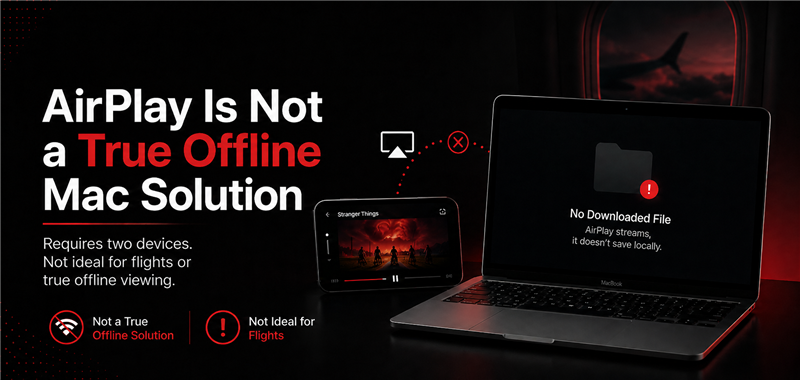
AirPlay is often suggested as a workaround because you can download Netflix videos on an iPhone or iPad and try to play them on a larger screen. However, this does not give you a downloaded Netflix file on your MacBook.
It can also be unreliable in airplane mode or travel environments. You may need both devices charged, connected properly, and available at the same time. If your goal is to open your MacBook on a flight and play videos directly from local storage, AirPlay is not the cleanest solution.
3.2 iPhone or iPad Downloads Do Not Help Your MacBook
Netflix downloads work better on supported mobile devices, but those downloads remain inside the Netflix app. You cannot simply move them from your iPhone or iPad to your MacBook as MP4 files.
This is fine if you want to watch on a phone or tablet. But if you want the bigger screen, keyboard control, local storage, and file management experience of a MacBook, mobile downloads do not solve the problem.
3.3 Virtual Machines Are Too Complicated for Most Users
Some users consider installing Windows through Parallels or another virtual machine. This may seem like a technical workaround, but it is usually too much effort for a simple offline movie night.
A virtual machine requires extra setup, storage space, system resources, possible software costs, and troubleshooting. For many users, installing an entire Windows environment just to watch Netflix offline is not worth it.
That is why a local-file workflow is usually the more practical choice.
Part 4: How to Watch Netflix Offline on Mac: Save MP4/MKV Files
Instead of depending on AirPlay, mobile-only downloads, or heavy virtual machines, Keeprix Video Downloader gives Mac users a native desktop alternative.
Keeprix helps you save accessible Netflix movies and shows as local MP4 or MKV files on Windows and Mac. Once saved, the videos can be managed locally and played offline without relying on the Netflix app, browser streaming, or a constant internet connection.

Keeprix Video Downloader
- Save accessible straming movies, episodes as MP4 or MKV files.
- Batch download episodes or full seasons when source supported.
- Free download trial for each streaming platform like Netflix.
- 100% free for all social platforms like YouTube, Instagram.
Official Netflix Download vs Keeprix on Mac
| User Need | Official Netflix on Mac | AirPlay | Virtual Machine | Keeprix |
| Download Netflix on MacBook | No official macOS download option | No direct Mac download | Possible but complicated | Save accessible videos locally |
| Watch offline | No | Unreliable | Possible | Yes, with local files |
| Save as MP4/MKV | No | No | No | Yes |
| Batch download | No | No | Limited | Yes |
| Use without iPhone/iPad | Yes for streaming only | No | Yes | Yes |
| Avoid heavy setup | Yes for streaming only | Medium setup | High setup | Low setup |
| Play in any compatible media player | No | No | No | Yes |
For users who only stream at home, the official browser method may be enough. But for users who need reliable offline viewing on MacBook, local MP4/MKV files offer much more flexibility.
How to Save Netflix Movies to Your Macbook with Keeprix
Here is how you can prepare your offline watchlist before your next trip:
Step 1. Free download and launch Keeprix. Open Keeprix and use the built-in browser to access Netflix directly within the app.
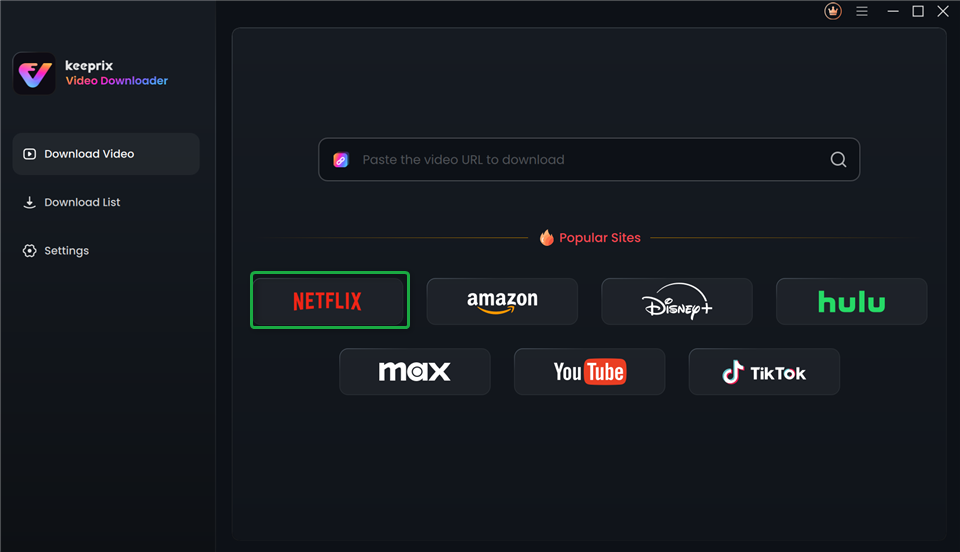
Choose Netflix in Keeprix Video Downloader
Step 2. Sign in to your account and locate the accessible movie or episode you want to download.
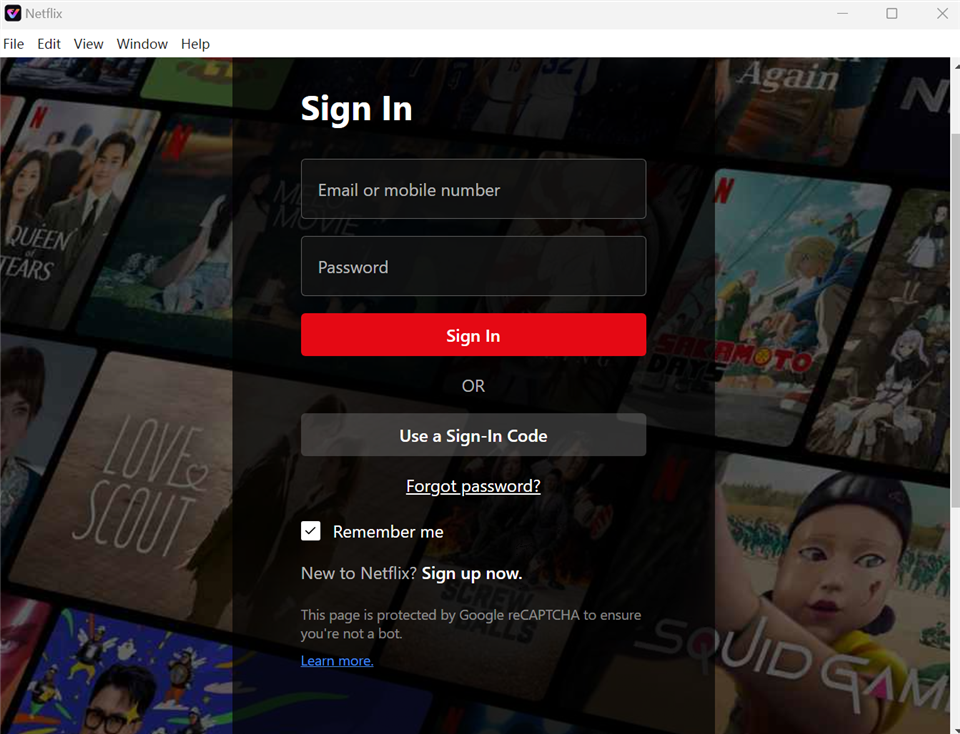
Sign In to Your Netflix Account
Step 3. Pick the movie or show you want to download. Once the link is pasted, the software will automatically display the video. Choose the episode or movie and click the download icon.
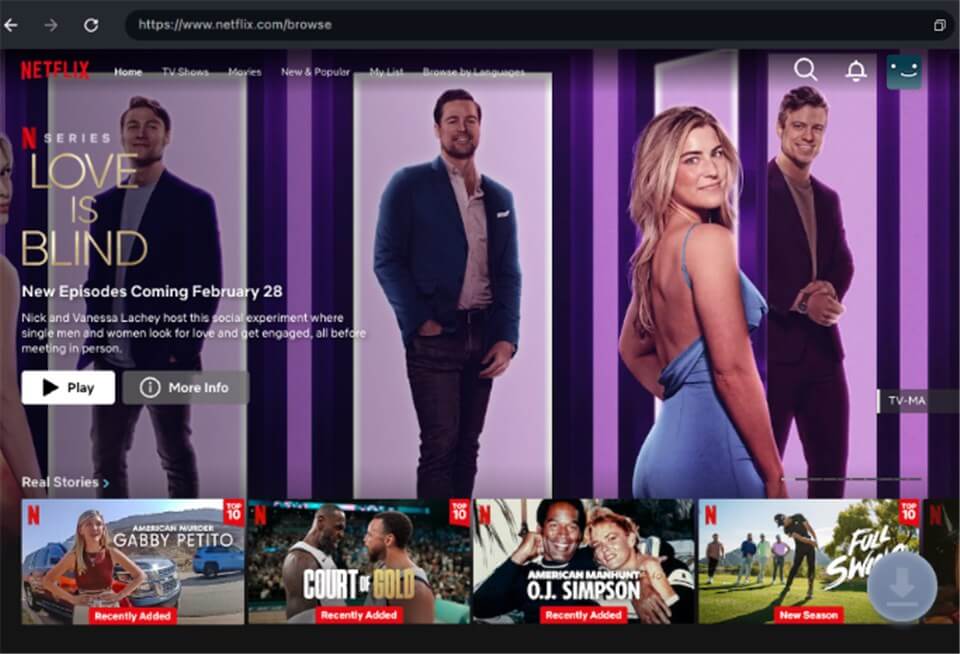
Download Movies Without Netflix Download Limit
Step 4. Choose your preferred rosolution and format (MP4 or MKV) and select the available subtitles and audio tracks you want to preserve.
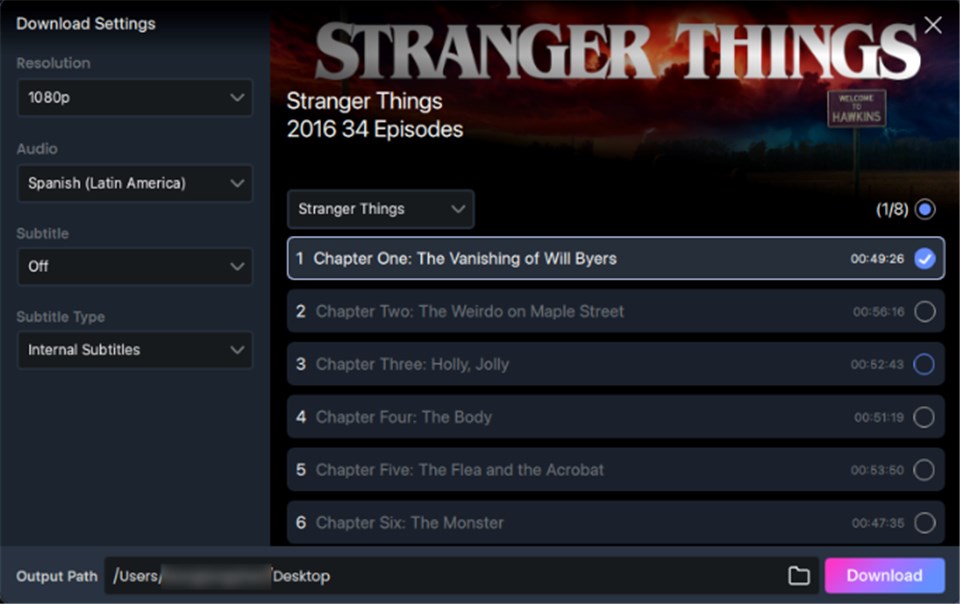
Customize Download Setting
Step 5. Wait for the downloading completed. Manage the saved videos locally on your Mac, completely ready for your trip.
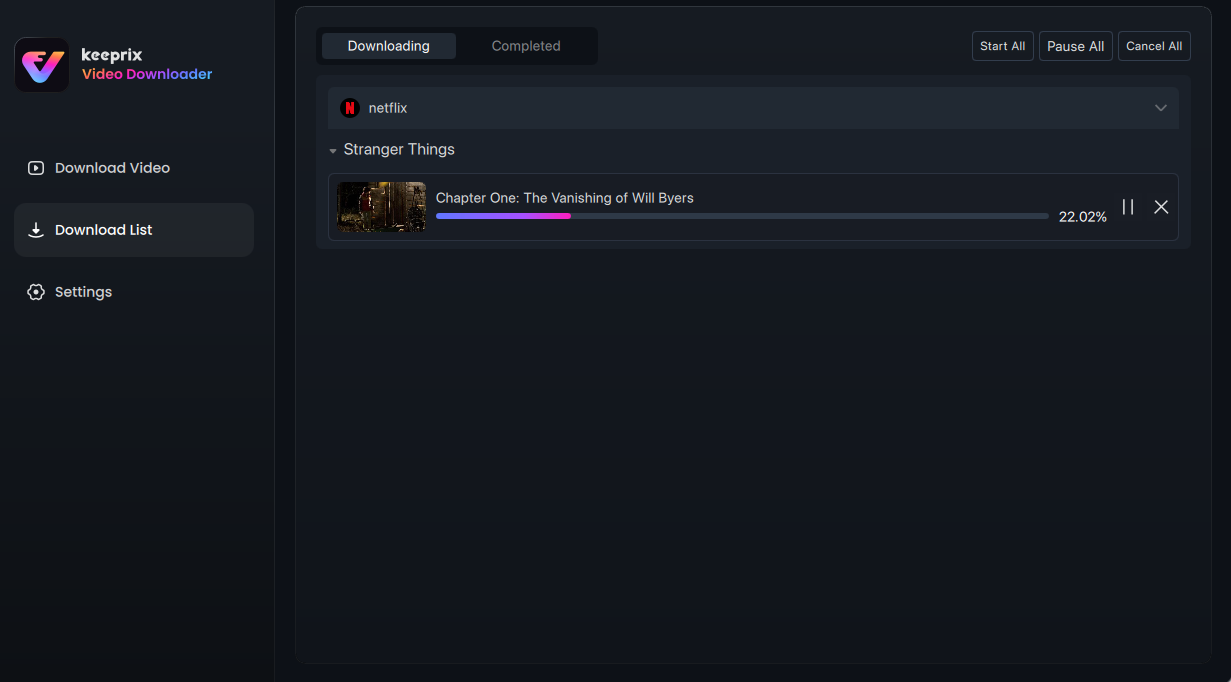
Downloading Netflix Videos
A major benefit of this workflow is the ability to batch download multiple episodes at once, ensuring your entire series is ready on your hard drive before you encounter poor internet or board your flight.
Practical Tip: Check your Mac’s available storage space before you start a batch download. High-quality MP4 or MKV files will consume local hard drive space quickly, so ensure you have enough room for an entire season before you begin.
FAQs About Netflix on Mac
Can I download Netflix movies on MacBook Air?
Officially, no. MacBook Air does not have a native Netflix app for offline downloads. You can only stream Netflix in a browser, or use a local-file workflow to prepare videos for offline viewing.
Can I download Netflix movies on MacBook Pro?
No official Netflix download option is available for MacBook Pro. If you want offline playback on macOS, you need to save accessible videos locally before you lose internet access.
Can I download Netflix movies on Mac without installing Windows?
Yes. Instead of using Parallels, Boot Camp, or a virtual machine, you can use a native Mac downloader like Keeprix to save accessible Netflix videos as MP4 or MKV files for personal offline viewing.
Can I download Netflix shows on a browser?
No. Viewing Netflix on browsers like Safari or Chrome does not support offline downloads, and extensions claiming to do this generally fail.
Does AirPlay work for offline Netflix viewing without Wi-Fi?
Usually not. AirPlay is unreliable for true airplane mode viewing because it frequently requires an active local network connection to link the devices properly.
Final Thoughts
Instead of relying on AirPlay, mobile-only downloads, or complicated virtual machines, Keeprix gives you a simpler Mac-friendly workflow. Download the free trial of Keeprix today, prepare your favorite movies and shows in advance, and enjoy flexible offline viewing wherever your next trip takes you.
Keeprix Video Downloader
- Download streaming videos on Windows & Mac.
- No restriction on the downloaded videos.
- Support downloading from Netflix, Amazon Prime and more.
- Up to 4K/8K videos without any hassle.