Stream on More Screens, Download on Fewer
Stream on More Screens, Download on Fewer
Apple TV works on TVs and streaming devices, but official downloads are limited to supported devices.
 Keeprix Apple TV Downloader
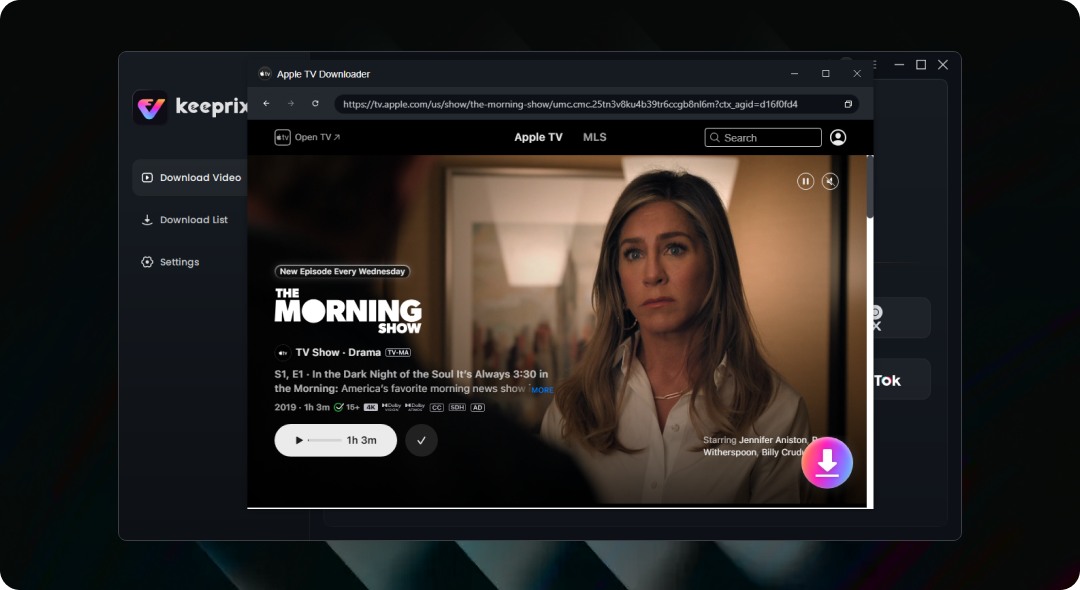
Save Apple TV shows, movies, and Originals like Severance, Slow Horses, and The Morning Show directly to your Mac or Windows. Keep them as local MP4/MKV files in up to 4K quality for personal offline viewing.
 Save accessible Apple TV shows, movies, and Originals as MP4/MKVSave in up to 4K when source and technical conditions support itPrepare episodes before flights, hotel stays, commutes, or weak Wi-FiBatch download full seasons with available subtitles and audio tracks

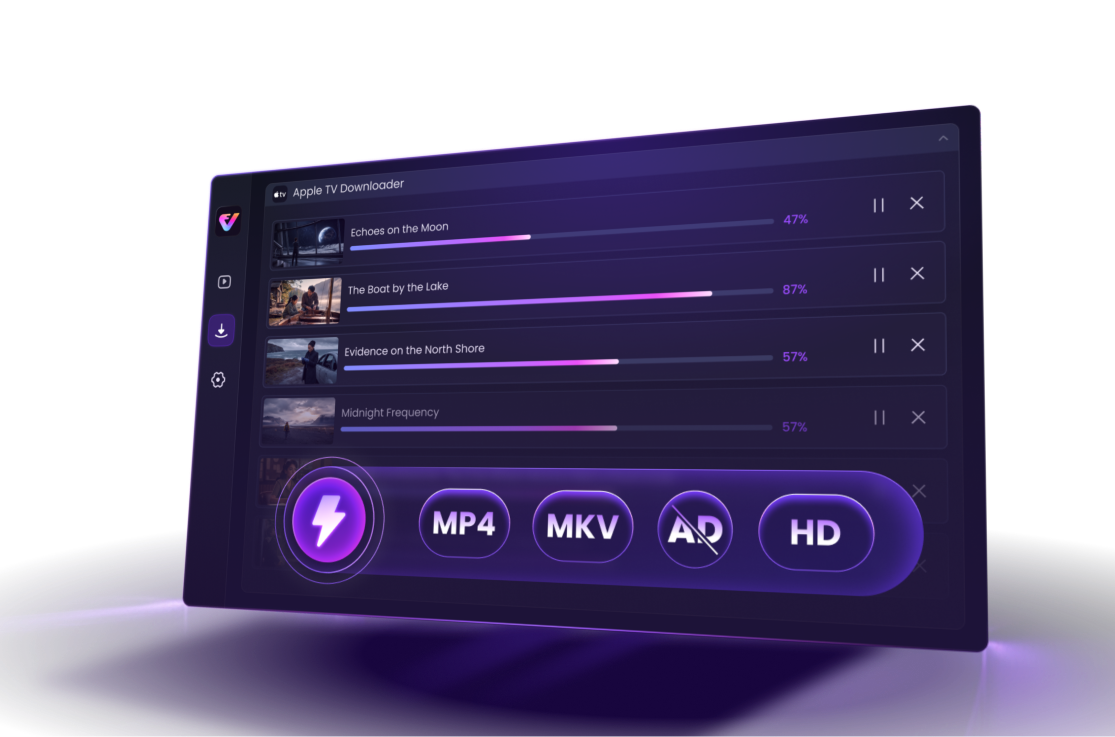
 Offline Viewing Isn’t as Flexible as You Expect
Stream on More Screens, Download on Fewer
Apple TV works on TVs and streaming devices, but official downloads are limited to supported devices.

Downloads Locked Inside the App
Official Apple TV downloads are app-managed, not regular MP4/MKV files you can freely organize, move, or play.

30-Day / 48-Hour Countdown
Apple TV rentals expire 30 days after rental if unopened, and once you start watching, you have 48 hours to finish.

Staying Subscribed Isn’t Worth It
Many users only subscribe when a new show arrives, rather paying year-round for a smaller library.
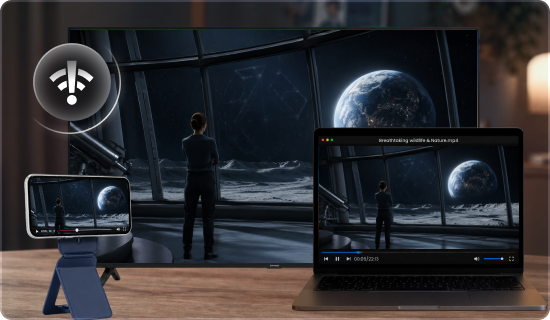
Apple TV works on many screens, but official downloads are limited to supported devices. Save accessible videos on Mac or Windows in advance, then prepare them for personal offline playback on compatible devices during travel, commutes, or weak Wi-Fi.
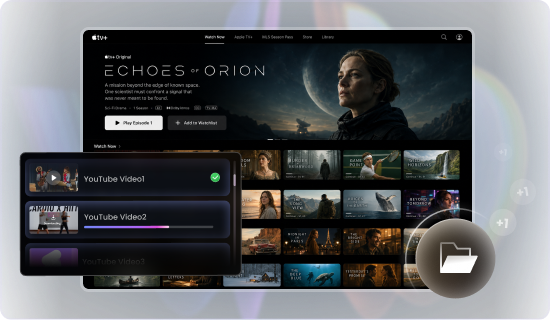
Official Apple TV downloads stay inside the app instead of becoming regular video files. Save supported titles as MP4 or MKV so they are easier to store, organize, transfer, back up, and play with compatible media players.

Rental viewing windows can force you to finish on the app’s schedule. Save supported accessible videos as local files to reduce reliance on app-managed countdowns and enjoy personal offline viewing at a pace that works for you.
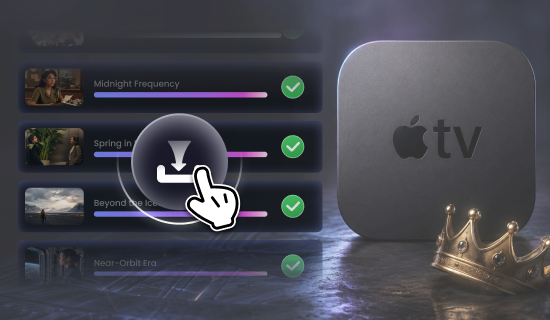
Paying year-round may not make sense if you only watch when new shows arrive. Batch-save accessible episodes or full seasons while your subscription is active, so you can make better use of the months you choose to subscribe.

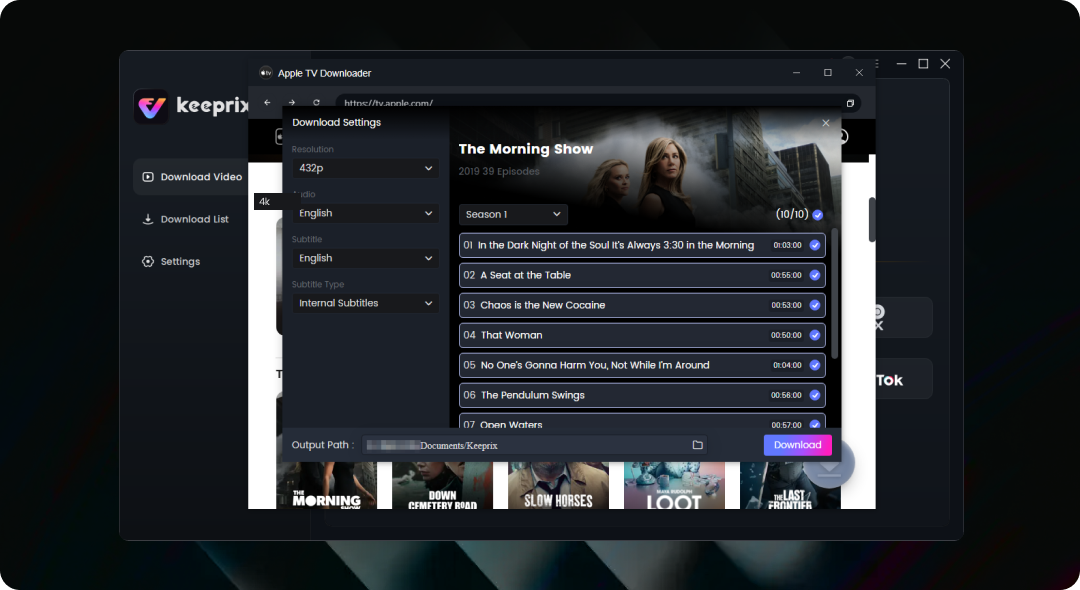
Save Apple TV videos in up to 4K when the source quality, title availability, and technical conditions support it.

Queue multiple episodes or full seasons at once, so you can prepare a complete Apple TV watchlist before travel.

Keep available audio tracks and subtitles when supported, making it easier to watch in your preferred language.

Save videos as local MP4/MKV files that are easier to rename, organize, store, transfer, and back up.
| Comparison | Official Apple TV Downloads | Screen Recording |
Keeprix Local Files
|
|---|---|---|---|
| Computer Download | Available in supported Apple TV app cases | Windows/Mac | Windows/Mac |
| Apple TV / Smart TV Download | Not available for downloads | Not practical | Save on computer, play on compatible devices |
| Output | App-managed downloads | Recorded video file | MP4/MKV local files |
| Content Access | Varies by subscription, channel, purchase, rental, region, and device | Requires playable access | Supported titles you can access |
| Rental Window | 30 days to start; 48 hours after playback starts | No app timer, but records in real time | Local-file workflow for supported accessible videos |
| Download Expiration | Channel downloads may expire, often up to 30 days | No app download expiration, but quality varies | Reduces reliance on app-managed download windows |
| Video Quality | App-controlled | May lose quality, frames, or audio sync | Up to 4K when supported |
| Batch Download | App-controlled | One video at a time | Queue multiple supported titles |
| Subtitles & Audio | Controlled inside Apple TV app | Usually burned into recording | Keeps available tracks when supported |
| File Management | Locked inside app environment | Local but manually recorded | Rename, organize, move, and back up |
| Best For | Quick official offline viewing on supported devices | Last-resort capture | Travel prep, local library, big-screen playback |
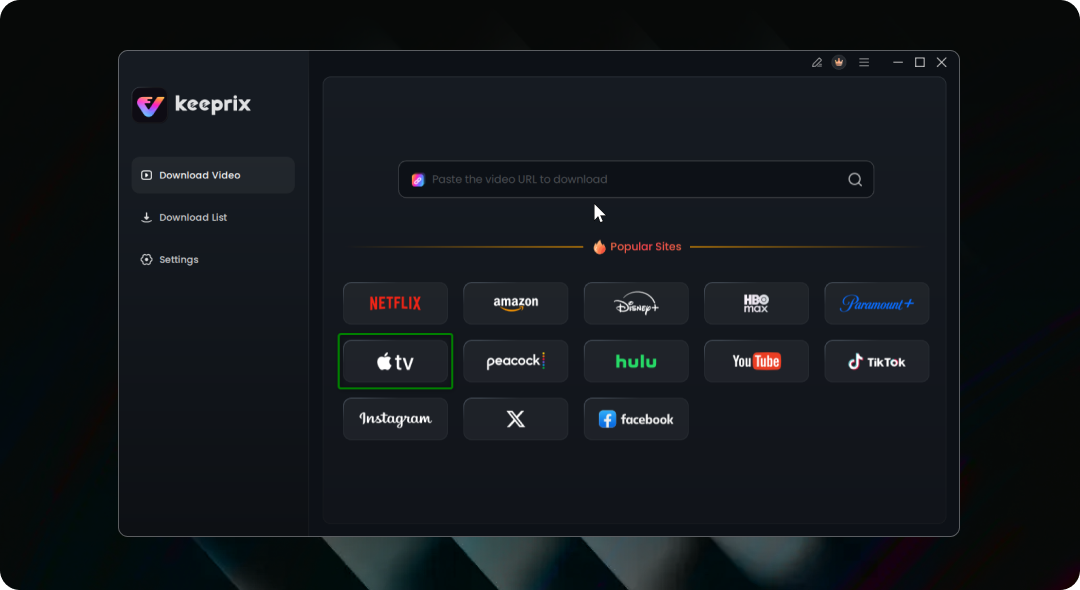

Keeprix All-in-One Streaming Video Downloader lets you download and save content to enjoy later, and watch offline whenever you want without ads.

In a business setting, Keeprix can support marketing teams in archiving campaign references and content creation, educators in collecting instructional clips, and more. It’s also useful for internal creative work, where downloaded videos can be utilized for presentations, edits, or research without having to source the same content.

Streaming is great until you want to watch something offline, save a show before it disappears, or avoid the limits most platforms put on downloads - that’s when you need a streaming downloader like Keeprix.

And unlike bargain-bin downloaders, Keeprix works where real people actually watch. It supports Netflix, Prime Video, Disney+, Hulu, Max, YouTube, and more, saving in up to 4K quality. Batch mode lets you download entire seasons in one go, while MP4/MKV output keeps files compatible with basically every device you own. No hoops. No circus tricks.

With Keeprix Video Downloader, you’re no longer tied to internet availability or platform restrictions.

After testing several popular tools-some of which were slow or failed on longer films - we recommend Keeprix Video Downloader for its reliability, straightforward interface, and broad compatibility.

Keeprix is built for convenience. You can batch-download entire seasons, queue multiple videos at once, and let the app handle the rest.

With smooth and fast video downloader software, you can have all your favorite videos right at your fingertips. Keeprix offers top-notch, ad-free, batched, and unlimited downloads in MP4 or MKV format for a lifetime subscription

Keeprix lets you save videos locally to your Windows or Mac device for offline viewing anytime you want. Flights, road trips, commutes, and hotel Wi-Fi disasters - suddenly much less annoying.

Between regional restrictions and platform rules, keeping a permanent copy of your favorite shows or videos can feel impossible.Keeprix All-in-One Streaming Video Downloader changes that.

Keeprix Downloader is your ultimate solution for effortlessly grabbing videos from all major streaming platforms and social media sites.
 Ed
EdThe software is very well designed and works good. They responded within 24 hours and had the problem corrected very quickly. Customer support at this company is GREAT!
 Michael Grimes
It works exactly as promised. It is also very easy to use. I have found no issues with the software at all.
 Jimmy H
Platform is easy to use. Great for offline streaming. High download quality!
 David Tolzmann
Does what it says, and easy to use. Clean interface. Especially like the bulk mode.
 Rod NC
The Keeprix app and support team are absolutely fantastic! They resolved my issue promptly after a streaming service changed its login process. 5 out of 5 stars!
 CHANJI NARANG
It works as advertised, I tied download a movie from prime and it’s clear with subtitles, happy with my purchase.
 Maarten Hendriksen
Works as is. Nice software. It's decoding to x265 when requested. But not the best compression you want. But it's easy to navigate and login multiple sites.
 Mark Lystrup
This works super well. At first it would only do a couple videos at a time, then crash, but then they released an updated and it works flawlessly for me.
 Rod Crump
Keeprix All-in-One Streaming Video Downloader is an incredible tool. I’ve tried other options for recording streaming services, but this one stands out as THE best.

 Keeprix AppleTV Downloader
Save accessible Apple TV shows, movies, and Originals as local MP4/MKV files on Mac or Windows. Prepare episodes before a flight, hotel stay, commute, or weekend trip for smoother personal offline playback.
For Windows & Mac100% Clean & Safe60-Day Money-Back Guarantee1,000+ Sites SupportedNo. Official Apple TV downloads are not available on Apple TV devices, smart TVs, streaming devices, or tv.apple.com. Keeprix works on Mac and Windows, letting you prepare local files first for playback on compatible devices or media players.
You can try 1 full free download before upgrading. This helps you test video quality, subtitles, audio tracks, MP4/MKV output, and platform compatibility before purchasing.
Yes. You sign in through the Apple's official sign-in page within the software, and Keeprix does not see or store your Apple ID password. Your login is used only to access Apple TV content available to your account, while your personal account information remains private.
Keeprix supports Apple TV downloads in up to 4K when the source quality, title availability, account access, and technical conditions support it. Actual output may vary by title and platform changes.
No. Keeprix does not change your Apple account, subscription, purchase history, or Apple TV library. Use it responsibly for personal offline viewing and avoid sharing, uploading, redistributing, or reselling saved files.

Fair Use Policy: Keeprix Apple TV Downloader is intended for personal use only. Users are permitted to download content solely for private, non-commercial purposes. Any use of downloaded videos for commercial activities, redistribution, resale, uploading, or sharing with third parties is strictly prohibited.

 Can You Watch Apple TV Offline? Mac & PC Guide