How to Save a Video from DM on Instagram: The Complete 2026 Guide

Receiving a heartfelt or hilarious video in your Instagram DMs and finding no ‘Save’ button can be incredibly frustrating. This common experience, where you press and hold a video expecting a simple download option only to find none, leaves you feeling stuck. You’re not alone in facing this; the confusion stems from Instagram’s complex and often unclear rules for private messages. This guide cuts through the uncertainty. We’re not offering outdated advice or methods that no longer work. Every procedure here is the result of direct, hands-on testing, designed to give you a realistic and actionable plan for how to save a video from a DM on Instagram. Let’s clarify what’s possible, what requires a workaround, and what simply can’t be done.

How to Save a Video from DM on Instagram
Identify the 3 Types of Instagram DM Videos
The key to successfully saving an Instagram DM video is knowing which type you’re dealing with. The inconsistent behavior across different DM video types is the primary source of confusion, as there is no single solution for all of them. Here’s a clear breakdown of the three categories you’ll encounter in your Instagram direct messages.
1. Disappearing Videos (View Once or Replay)
These are temporary videos recorded using the DM camera, designed to be ephemeral. Labeled “View Once” or “Allow Replay”, these are the most restrictive. As part of Instagram’s design, these disappearing videos are meant to be seen and then forgotten. The platform’s built-in dm media restrictions make it impossible to save them directly without triggering a notification to the sender.
2. Standard Videos (from a Phone’s Gallery)
This is a video the sender uploaded from their device’s camera roll. Unlike disappearing media, these videos remain in the chat history unless the sender unsends them. They don’t expire after you watch them. For this type, Instagram offers a feature called “Keep in Chat”, but this only bookmarks the video within the conversation—it does not download the file to your phone.
3. Shared Posts or Reels
When a user shares a public Post or Reel with you via DM, the message is essentially a link to the original content. The video file doesn’t actually exist within your private chat. Because the source is a public post, this is the easiest type of video to download instagram dm video files from, provided you have the right tool.
Built-in Methods: When to Use ‘Keep in Chat’ vs. Screen Recording
Before turning to external software, it’s crucial to understand Instagram’s native but limited options. These techniques don’t provide a true instagram dm video save to your camera roll, but they serve specific purposes.
How to Use the ‘Keep in Chat’ Feature
For standard videos sent from a user’s gallery, the ‘Keep in Chat’ function acts as a bookmark, helping you find important media without scrolling through a long conversation history.
Here is the simple procedure:
Step 1. Open the DM conversation on Instagram.
Step 2. Press and hold the standard video you want to bookmark.
Step 3. Tap ‘Keep’ from the pop-up menu.
Step 4. A small bookmark icon will appear next to the video. To find it later, tap the conversation name at the top of the screen and navigate to the ‘Kept in chat’ section.
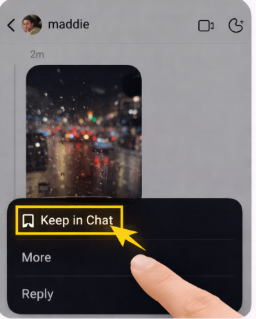
Press Keep in Chat
A Critical Warning About Screen Recording
Screen recording is often suggested as a catch-all method, but it has serious downsides. Can you save Instagram message video content this way? Yes, but you must understand the consequences.
- Privacy Breach: For disappearing videos, Instagram will immediately notify the sender that you took a screen recording. This undermines the privacy that the feature was created to protect.
- Low Quality: For any video type, screen recording produces a lower-resolution file. It captures your entire screen, including the user interface, notifications, and other on-screen elements. It’s a crude capture, not a clean download of the original video file. Consider it a last resort only when no other method is available. For a deeper dive into managing your online presence, you might find our guide on social media privacy settings helpful.
Choosing Your Method: A Head-to-Head Comparison
Selecting the right technique depends on what you value most: quality, privacy, or convenience. The confusion between keep in chat and saving to the device is a common issue, and this table clarifies the trade-offs between each approach.
| Feature | Keep in Chat | Screen Recording | Keeprix Downloader (for Shared Posts/Reels) |
| Success Rate | Low (Bookmarks only) | High (Captures screen) | Very High (Downloads file) |
| Video Quality | N/A (No file saved) | Low (Screen capture) | Excellent (Original quality) |
| Privacy Risk | None | High (Sender is notified for disappearing media) | None |
| Effort | Low | Medium | Low |
As the table shows, Keep in Chat is safe but doesn’t solve the core problem. Screen Recording works but compromises both quality and privacy. For shared Posts and Reels, a professional tool like Keeprix Downloader offers the best balance, delivering high-quality, private downloads reliably.
How to Reliably Download Instagram DM Videos with Keeprix
When you receive a video in your DMs that was shared from a public Post or Reel, a dedicated tool is the most effective solution. Keeprix Downloader provides a straightforward procedure to save videos from instagram dm by directly downloading the original, high-quality file to your computer. It permanently solves the problem of having no option to download dm videos to the camera roll for this specific and common video type.
This software is designed for users who need a guaranteed method for saving public content shared in private messages.
Follow these four simple steps:
Step 1. Copy the Video Link: In your Instagram DMs, tap the shared Post or Reel to open it. From there, tap the three-dot menu icon and select ‘Copy Link’.
Step 2. Paste the Link in Keeprix: Open the Keeprix Downloader application on your computer. The software will often auto-detect the link from your clipboard, or you can paste it manually.
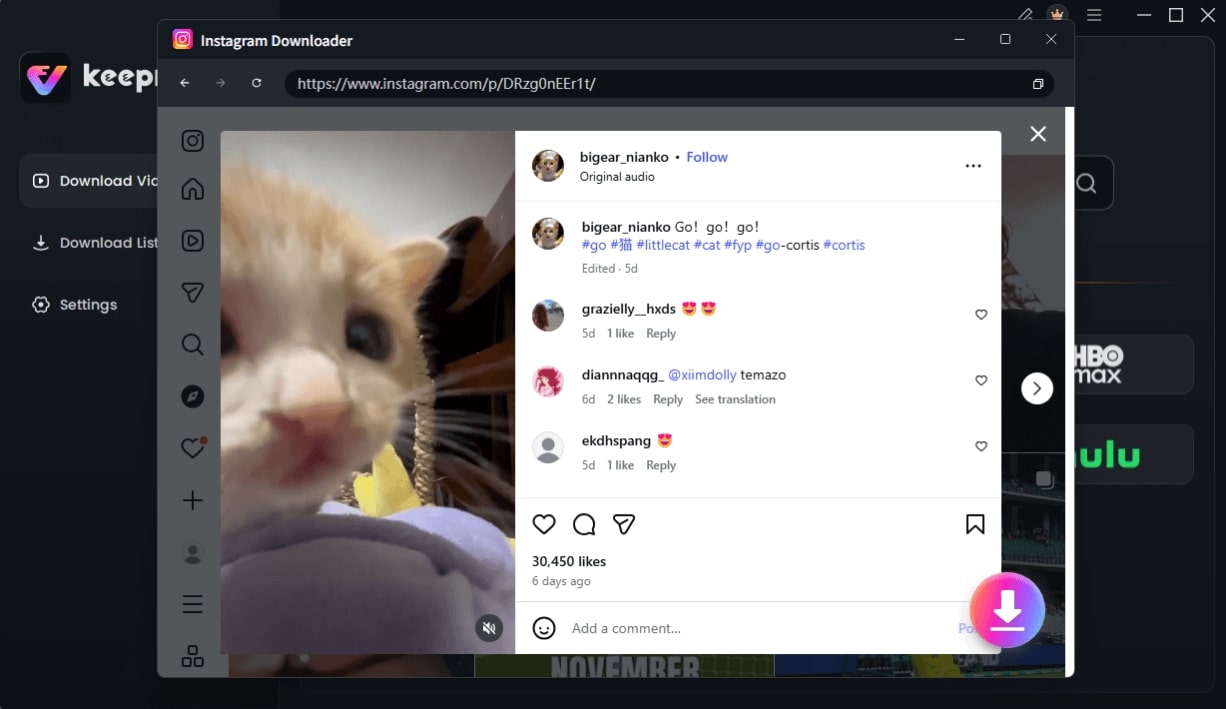
Choose Instagram Video and Click Download
Step 3. Select Your Settings: Choose your preferred video quality (up to 1080p or higher) and format. MP4 is recommended for universal compatibility.
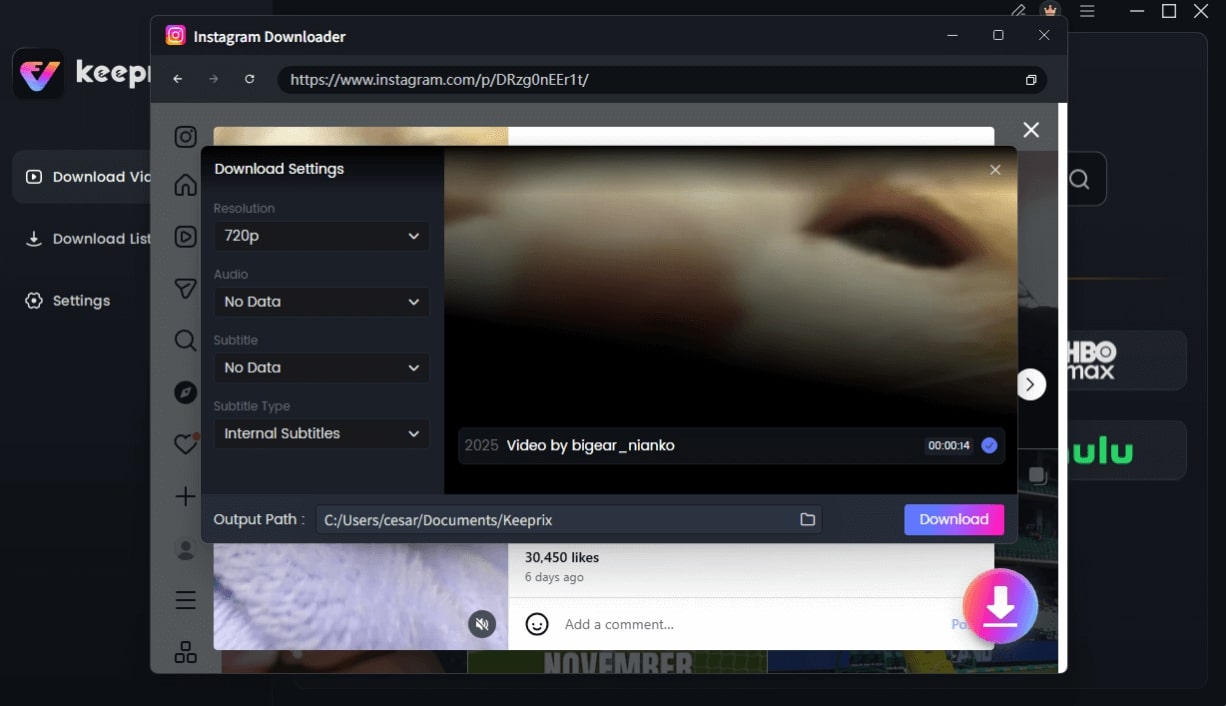
Configure Instagram Download Settings
Step 4. Download the Video: Click the ‘Download’ button. Keeprix will process the link and save the video directly to your computer as a clean MP4 file, ready for offline viewing. This efficient process is ideal if you need to manage multiple video downloads.
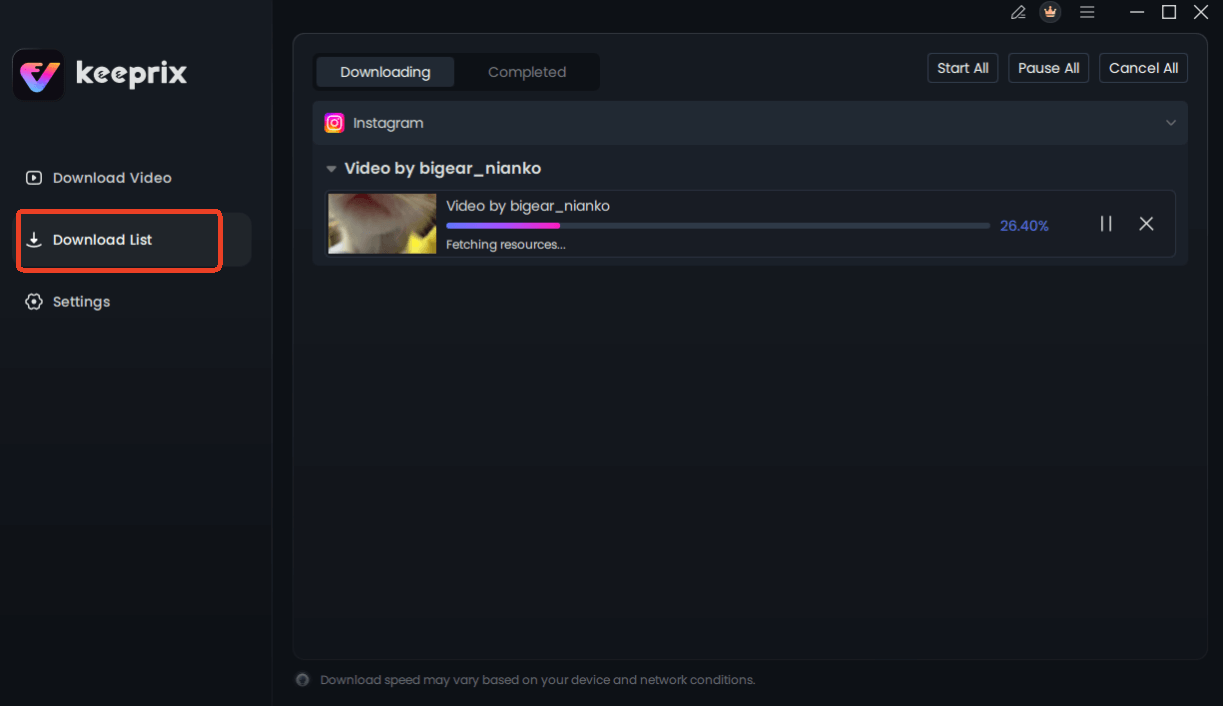
Downloading Instagram Videos
Why Can’t You Download All DM Videos Directly?
The inability to easily download videos from Instagram direct messages is not a bug—it’s a deliberate feature designed around privacy. Instagram’s platform is built on a foundation of Instagram privacy rules that treat public and private content very differently.
Think of your DMs as a secure, private channel. By preventing direct downloads of media sent from a user’s camera, Instagram gives the sender more control over their content, reinforcing the expectation of privacy in a one-on-one conversation. Allowing a simple ‘Save’ button would break that trust. This design philosophy is precisely why disappearing videos exist and why the platform alerts users to screen recordings of that specific content type. These dm media restrictions maintain a clear boundary between public sharing and private communication.
Frequently Asked Questions
Q1. Can I save a video from an Instagram DM?
Yes, but the method depends entirely on the video type. Videos shared as Posts or Reels can be saved with a third-party tool. Standard videos from a user’s gallery can only be bookmarked with ‘Keep in Chat’. Disappearing videos cannot be saved without notifying the sender.
Q2. Why can’t I download videos from Instagram messages?
Instagram restricts direct downloads from DMs to protect user privacy and the confidential nature of one-on-one conversations. This is an intentional design choice to maintain trust between users, not a technical limitation. For users concerned about data, understanding how to back up your device is also critical.
Q3. What does ‘Keep in Chat’ mean on Instagram?
‘Keep in Chat’ is a bookmarking feature. It does not save the video file to your phone’s storage. It simply pins the media within that specific DM conversation, making it easier to find later without extensive scrolling.
Q4. Can disappearing DM videos be saved?
The only way to capture a disappearing video is to screen record it. However, doing so will trigger a notification that is sent directly to the sender, defeating the purpose of the ephemeral message.
Q5. Does Instagram notify when DM videos are saved?
Instagram only sends a notification if you take a screenshot or screen recording of a disappearing photo or video. It does not notify the sender if you use ‘Keep in Chat’ or if you use a third-party tool like Keeprix to download a shared Post or Reel.
Q6. Can I save videos sent by others?
Yes, all methods described in this guide apply to videos sent to you by other people. Always respect the sender’s privacy and be mindful of copyright when saving content that you did not create.
Q7. How long do Instagram DM videos last?
Standard videos (sent from a gallery) and shared Posts/Reels remain in the chat indefinitely unless the sender chooses to unsend them or the original public post is deleted. Disappearing videos are deleted permanently after they have been viewed once or twice, depending on the sender’s settings.
Conclusion: Take Control of Your Media
Navigating the rules of Instagram DMs no longer has to be a source of frustration. You now have a clear understanding of why there’s no option to download dm videos to the camera roll directly and a proven procedure for the videos that can be saved. For those important public Posts and Reels shared in your DMs, you don’t have to settle for low-quality screen recordings or temporary bookmarks. A dedicated tool gives you a reliable and private method to preserve those videos permanently.
Ready to stop worrying and start saving? Take the next step and see how Keeprix Downloader can solve this problem for you in minutes, giving you a permanent, high-quality copy of your important videos.