Udemy Courses Download: Full Guide on PC & Mobile

If you have invested in a comprehensive programming or design course, you likely understand the necessity of having those video files readily available on your primary computer. You might find yourself in a situation where you need to study while traveling through remote areas, or perhaps you simply want to archive your learning material locally to avoid buffering on unstable connections.
Many learners assume they can simply save the videos to their hard drive, only to discover that the platform restricts offline viewing strictly to its mobile app. Facing a locked ecosystem when you need access most can be a significant obstacle. Professional learners require permanent access to their materials without relying on a browser or an active internet connection.
This guide addresses that specific gap. It is the result of rigorous hands-on testing on Windows 11 and macOS Sonoma, verifying which solution actually bypasses encryption to save Udemy courses offline effectively. We specifically tested for download speed, file integrity, and, most importantly, account security.

How to Download Udemy Courses
The Reliable Method: How to Download Udemy Videos on PC (Windows & Mac)
The primary operational challenge is that you cannot download Udemy courses on pc directly through the browser. This is due to Digital Rights Management (DRM) protection, which encrypts the video stream. During our testing, we found that standard browser extensions repeatedly failed to assemble these streams into watchable files.
The most reliable method to bridge this gap is using a dedicated tool like Keeprix Downloader. Unlike screen recorders that merely capture the display output, Keeprix interacts directly with the stream data, decrypting the content to create standard MP4 or MKV files.
Addressing the Security Concern: How It Works
We understand the hesitation in using third-party software with your credentials. Security was our top priority during testing.
Unlike shady web-based scripts that ask you to type your password into a generic form, Keeprix uses a secure embedded browser instance. This means you log in directly to the official Udemy login page within the application window. The software does not see or store your password; it simply captures the session token generated after you authenticate, similar to how you might log into Spotify or Steam on a desktop. This token allows the software to access the courses you have legally purchased.
To solve the need for keeping programming reference videos permanently on a hard drive, this software offers specific technical advantages:
1. Clean Folder Hierarchy
One of the most satisfying results from our test was the output. The software automatically creates a folder for the course, with sub-folders for each section. Inside, every video is numbered and labeled correctly, matching the curriculum. You can move these files to an external drive or play them in VLC Player immediately.
2. Smart Batch Downloading
Instead of saving one video at a time, you can queue an entire course. During our test of a 10GB Bootcamp course, the software paused briefly between lectures to sync metadata—this is normal behavior to ensure audio tracks and subtitles are aligned correctly.
3. High-Resolution Output
The tool supports downloading in up to 1080p and 4K. We verified that code syntax and whiteboard text remained perfectly legible, which is often lost in screen recordings.
It is important to note that Keeprix is a paid software solution. However, for learners who require ownership of their data and protection against offline access limited to the app, the investment guarantees a permanent, frustration-free archive of the content you have purchased.
Steps to download Udemy courses with Keeprix Downloader
Step 1. Download and install Keeprix Downloader on your computer.
Step 2. Launch the software and paste the course link directly.
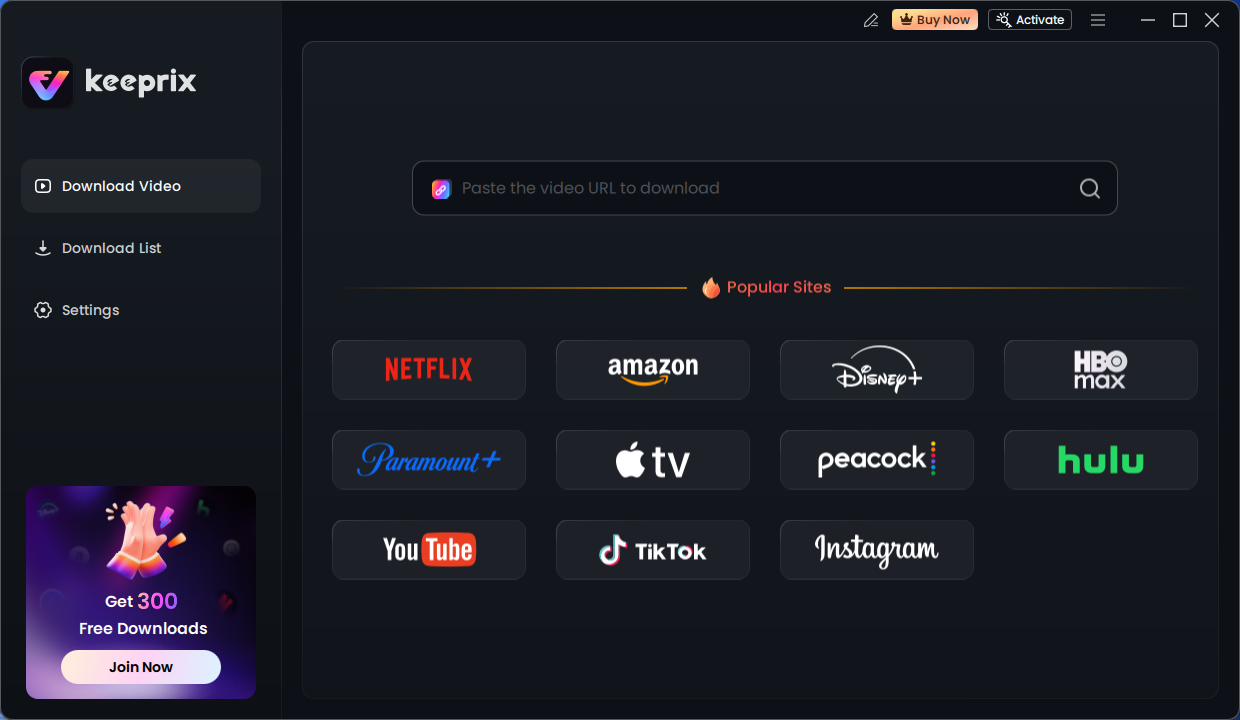
Keeprix Download Main Screen
Step 3. It will initiate the video profile. After that, you can click the download button and save it to your PC or Mac.
After downloading, it will be DRM-free, and you can watch it offline on any player.
Comparison: Professional Downloader vs. Screen Recording & Manual Methods
When looking for ways to save Udemy courses offline, you will encounter free manual methods. We tested these alternatives extensively to see if the paid solution was truly necessary. The results highlighted significant failure rates with free tools.
Why Free Browser Extensions Fail
We attempted to use three popular “Video Downloader” Chrome extensions. In every test, the extensions failed to produce a usable file.
- The Error: Extensions usually downloaded a file that was 0kb in size, or a fragmented .ts file that video players could not open.
- The Cause: This happens because drm protected courses split the video into encrypted segments. Extensions cannot decrypt the “Widevine” key required to merge these segments.
Efficiency vs. Cost Analysis
Screen Recording (Manual)
This technique requires you to play the video in real-time. If a course is 10 hours long, it will take 10 hours to record. You also risk capturing system sounds, notifications, or buffering glitches. Furthermore, because you are recording the display rather than the source stream, the resolution often suffers.
Professional Downloader (Keeprix)
By contrast, a dedicated downloader pulls the source file directly. In our speed test, we downloaded a 12-hour course in approximately 25 minutes on a standard broadband connection, with no throttling from Udemy’s side.
The following table breaks down the investment required for a standard 10-hour course:
| Feature | Manual Screen Recording | Browser Extension | Keeprix Downloader |
| Time Investment | 10+ Hours (Real-time) | Varies (High Failure Rate) | ~25 Minutes |
| Video Quality | Screen Capture (Lossy) | Often Corrupted/Unplayable | Source Quality (up to 4K) |
| Stability | Risks System Interruptions | High Risk of Failure | Stable Batch Processing |
| Metadata | None | None | Subtitles & Audio Tracks |
| Cost | Free | Free | Paid License |
The Official Route: Using the Udemy Mobile App for Offline Learning
If you do not need to move files to a computer and simply want to watch lectures during a commute, the Udemy mobile app is the most straightforward option. This is the only method officially supported by the platform. It allows you to cache video data to your device’s storage for viewing when you have no internet connection.
Steps for iOS and Android
- Open the Udemy app and navigate to My Learning.
- Select the course you wish to view.
- To download a single lecture, tap the cloud icon next to the lesson title.
- To download an entire section or course, tap the download icon at the top of the course curriculum.
Crucial Limitations
While convenient, it is vital to understand how these course video downloads work. The files are stored in a proprietary, encrypted format hidden deep within the app’s system folders. You cannot locate these files to play them in a different media player, nor can you transfer them to a PC. Additionally, if you log out of the app or if your enrollment status changes, these downloads may be automatically deleted or become inaccessible. This method is strictly for temporary offline learning within the ecosystem.
Why Can’t I Download Udemy Videos Directly? (The Technical Barrier)
Many users are perplexed by the absence of a simple download button on the desktop site. Here is a critical technical insight that explains this restriction: Udemy intentionally restricts downloads to mobile apps with encrypted storage to protect instructor content.
When you stream a course on a PC, the video player does not load a single MP4 file. Instead, it utilizes Dynamic Adaptive Streaming over HTTP (DASH) or HLS.
- The video is split into thousands of tiny, encrypted chunks (video segments).
- Your browser receives these chunks and a decryption key separately.
- The browser reassembles them in real-time just for viewing.
This technology, often powered by Widevine DRM, acts as a lock that prevents the browser from saving the stream to your disk. This explains why you can’t download Udemy videos on pc using standard “Right-Click > Save As” procedures. The browser extensions that claim to grab these videos often fail because they cannot decrypt the data key required to stitch the chunks back into a cohesive video file.
Safety Warning: Risks of Unverified Third-Party Downloaders
When searching for solutions, you will inevitably encounter websites claiming to offer free Udemy course downloaders. It is critical to distinguish between legitimate software tools and unsafe piracy sites.
Distinguishing Safe Tools from Threats
- The Phishing Risk: Be extremely wary of online websites that ask you to input your Udemy username and password into a web form. This is a major security risk. A legitimate tool (like the one recommended above) will always use a local application window that loads the official Udemy login page securely, rather than a web form that captures text.
- Piracy Scripts: Avoid any site or tool that claims to download paid courses you have not purchased. These are illegal and often bundled with malware.
- Browser Hijackers: Some free extensions monetize by injecting ads into your browser or tracking your history.
Legitimate tools operate on a format-shifting principle—they allow you to download content you already have access to for personal archiving. They function similarly to a DVR for streaming content. Always prioritize software that respects user security and does not promise illegal access to unpaid content. Sticking to verified software protects you from the warnings about unsafe third-party downloaders that plague the freeware market.
Frequently Asked Questions About Udemy Course Ownership
1. Can I download Udemy courses to my computer?
Officially, no. Udemy does not provide a native desktop download feature. However, you can use specialized third-party software tools to save video files locally if you have purchased the course, allowing you to download Udemy videos for personal backup purposes.
2. Do Udemy downloads expire?
If you use the official mobile app, yes. Downloads may expire after 30 days of inactivity, or if the course is removed from the platform. Additionally, subscription and ownership rules imply that if you are accessing courses via a “Udemy Business” or “Personal Plan” subscription, you lose offline access the moment your subscription ends. If you download the files as MP4s using a desktop tool, they do not expire.
3. Can I watch Udemy courses offline forever?
With the mobile app, you can only watch offline as long as the app is installed and your account is active. To watch Udemy courses offline forever, you must extract the video files to a local drive. This ensures that even if you lose access to your account or the platform policy changes, you retain the educational material you paid for.
4. Are third-party Udemy downloaders safe?
It depends on the tool. Web-based downloaders and scripts that act as key-generators are generally unsafe. However, professional desktop software like Keeprix that works by authenticating via a secure embedded browser and decrypting the stream locally on your machine is generally safe, provided you download it from the official developer’s website.
Final Thoughts: Choosing the Right Offline Learning Strategy
Your choice ultimately depends on your goals. If you need casual playback for a subway ride, the Udemy mobile app is sufficient. However, if you are building a professional library of reference material, or if you need to ensure you never lose access to your purchased content, a dedicated desktop downloader is the superior choice.
We recommend Keeprix not because it is the only option, but because our testing showed it was the only solution that consistently handled large course files without corruption or security risks. It eliminates the uncertainty about course ownership and gives you full control over your data, allowing you to create a local archive that mimics the course structure perfectly.
For a seamless experience that guarantees high-quality video and permanent access, securing your educational investments with a reliable backup tool is the best way to regain control over how you learn.