How to Download House of the Dragon All 1-3 Seasons Offline

Want to download House of the Dragon for a flight, trip, or offline viewing? The series is available through HBO Max in supported regions, including Seasons 1–3 where offered.
The official HBO Max app lets eligible subscribers download episodes on supported phones and tablets, but it does not support offline downloads on Windows or Mac computers. If you want to watch House of the Dragon offline on a laptop, Keeprix provides a desktop option for saving accessible episodes as local MP4 or MKV files.

House of the Dragon TV Show
Where to Watch and Download House of the Dragon
Official mobile option: Use the HBO Max app on a supported phone or tablet with a plan that includes downloads.
Windows or Mac option: Use Keeprix to save an accessible episode as a local file for offline playback.
- Free trial: Keeprix lets you try 1 Max video free.
- System support: Windows 10/11 and macOS 12 or later.
- Availability: Seasons, episodes, languages, and video quality may vary by region and account.
Method 1: Download House of the Dragon in the HBO Max App
Use the official method if you have a subscription plan that includes downloads and a supported iPhone, iPad, Android phone or tablet, or Amazon Fire tablet.
Open the HBO Max app and sign in. Search for House of the Dragon, choose a season and episode, and tap the Download icon beside the episode. When the download finishes, open the Downloads section to watch it offline.
HBO Max says unwatched downloads normally expire after 30 days. Once you start watching, you generally have 48 hours to finish. Some episodes may not be downloadable, and availability can vary by country.
Why the HBO Max Download Button May Be Missing
The download button may be missing for four common reasons:
1. You are using a computer or TV. HBO Max only supports official downloads on eligible phones and tablets.
2. Your subscription plan does not include offline downloads.
3. The episode is not available to download in your region.
4. Your account, device, or storage has reached a download limit.
Want to Watch House of the Dragon Offline on a Laptop?
The official HBO Max download feature does not work on Windows or Mac computers. Keeprix HBO Max Downloader offers a desktop option for users who want to watch accessible House of the Dragon episodes offline on a laptop.
You can select available episodes, choose supported audio and subtitle options, and save the result as an MP4 or MKV file. Try one Max video free before deciding whether to upgrade.
Dear Mobile users: Keeprix runs on Windows and macOS 12 or later. Send yourself the download page and finish the setup on your computer.

Keeprix Video Downloader
- Save accessible straming movies, episodes as MP4 or MKV files.
- Batch download episodes or full seasons when source supported.
- Free download trial for each streaming platform like Max.
- 100% free for all social platforms like YouTube, Instagram.
Method 2: Download House of the Dragon on PC or Mac
For users facing the cannot download House of the Dragon on PC or Mac error, Keeprix Downloader provides a reliable workaround.
Step 1: Download and install Keeprix on your Windows or macOS device. Choose Max on the homepage.
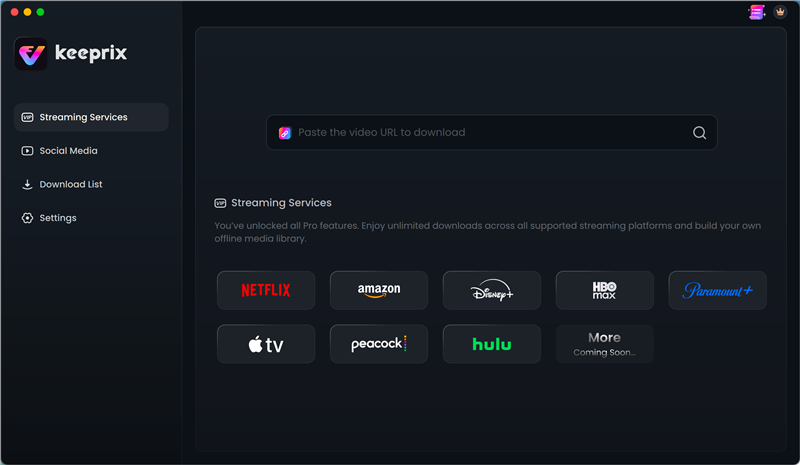
Choose Max in Keeprix Video Downloader
Step 2: Now, sign in to your Max account. For this, enter your Max account email address and password.
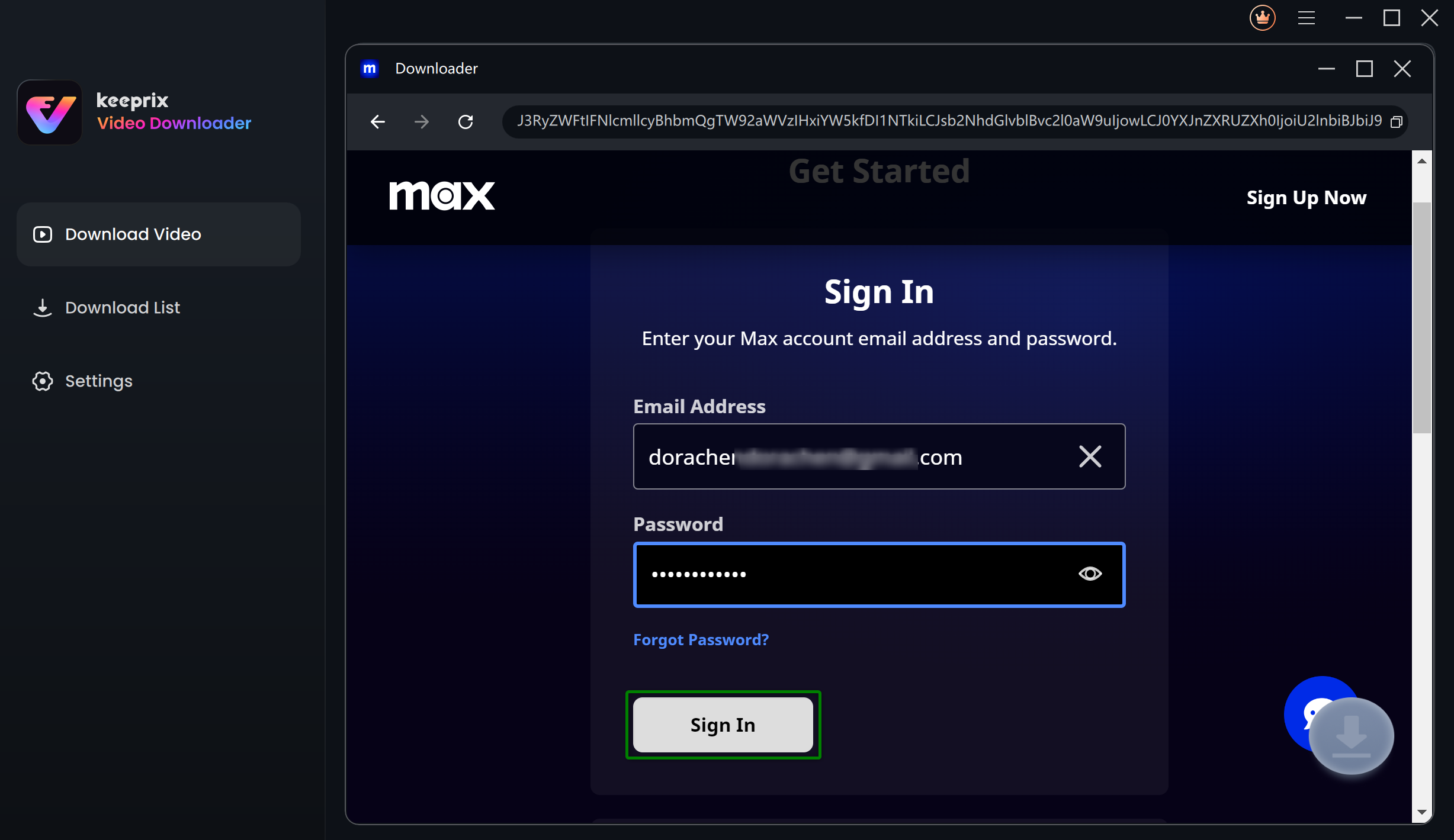
Log Into Max Account
Step 3: Search for shows you want to download in the Max built-in browser homepage. You will see the download settings window as below. To download Max videos, choose Resolution, Audio, Subtitle, Subtitle Type, and Output Path and click Download.
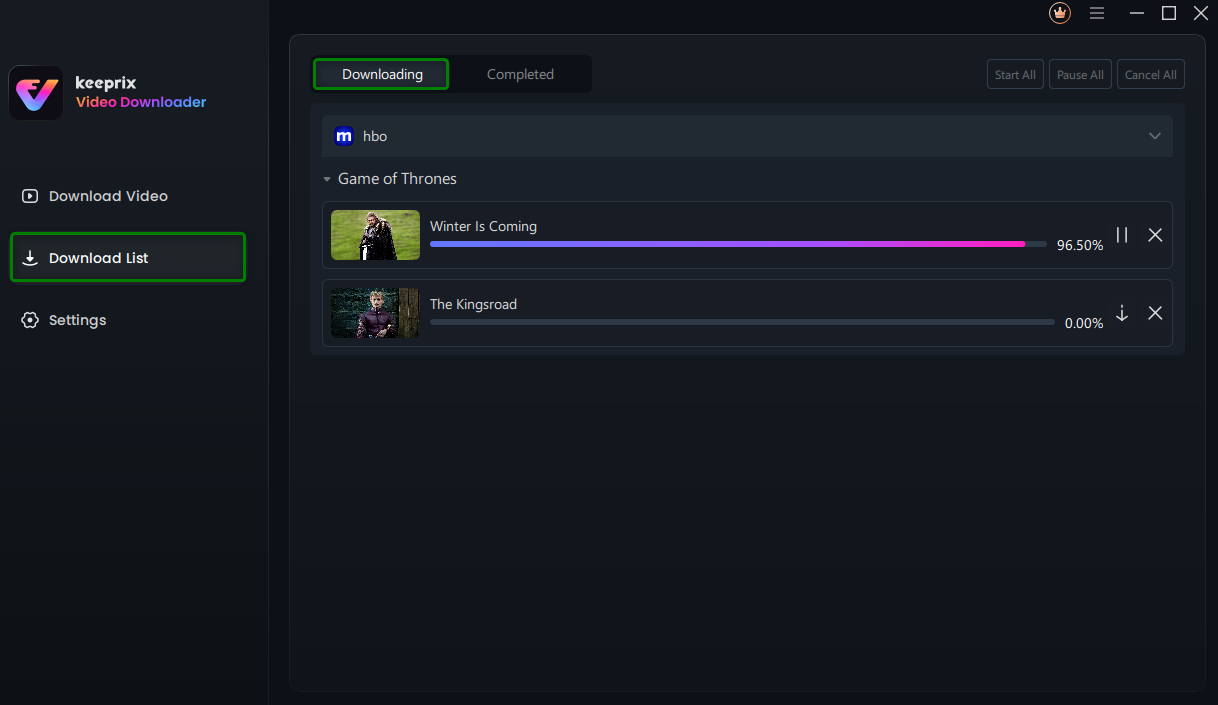
Downloading Max Videos
Feature Comparison
| Feature | Official HBO Max App | Keeprix on PC/Mac |
| Supported devices | Eligible phones and tablets | Windows 10/11, macOS 12+ |
| Account required | Yes | Yes, with access to the title |
| File location | Inside the HBO Max app | Local MP4 or MKV file |
| Computer downloads | Not supported | Supported |
| Official expiration rules | Usually 30 days; 48 hours after playback begins | Not controlled by the official app’s playback timer |
| Transfer to another device | Restricted | Local files can be moved where permitted |
| Free trial | Not applicable | 1 Max video free |
| Available quality | Depends on plan, title and device | Depends on source availability and current product support |
Account and Download Safety
Download Keeprix only from the official Keeprix website. Sign in only through the streaming page shown inside the built-in browser, and never send your account password to customer support by email or chat.
Keeprix does not provide an HBO Max subscription or access to titles outside your account. Only download videos you are authorized to access, use saved files for personal offline viewing, and do not redistribute copyrighted content. Review the Keeprix Privacy Policy for details about data handling.
FAQs About Downloading HBO Series
Can I download House of the Dragon on a laptop?
The official HBO Max app does not support offline downloads on Windows or Mac computers. Official downloads are limited to eligible phones and tablets. For computer viewing, Keeprix provides a desktop option for saving videos that are accessible through your account.
Can I download House of the Dragon for free?
There is no legitimate free full-series download that replaces an HBO Max subscription or other authorized access. Keeprix lets you try 1 Max video free, but you still need an account with access to the episode.
Can I download House of the Dragon Season 3?
You can download Season 3 episodes that are available through your account and region. Open the House of the Dragon series page, choose Season 3, and check which episodes are currently available.
How long do the downloads last?
On the official app: 30 days, or 48 hours after you press play. With Keeprix: Forever. The files are standard MP4s and will never expire.
You may also like: How long do Netflix downloads last
Conclusion
The inability to get a House of the Dragon download on your laptop is a deliberate restriction by the streaming service, but it doesn’t have to ruin your travel plans.
While it requires a third-party tool, using software like Keeprix solves the problem of expiring downloads, storage limits, and mobile-only restrictions. It allows you to watch the content you pay for on the device you prefer. If you are preparing for a long trip, we recommend testing the software with the free trial first to ensure it meets your needs before committing to a license. Secure your episodes today and enjoy your flight without worrying about Wi-Fi or expiring files.