MovPilot Not Working? Fixes and Alternatives

If your MovPilot download is suddenly failing, the issue falls into one of two categories: a fixable local network or cache problem, or an unfixable server-side DRM block caused by streaming platform updates. The most common immediate symptoms users face right now include downloads being “stuck at 21%”, an “analysis failed” prompt, or endless login loops that prevent account access.
In this guide, we will first walk you through the manual troubleshooting steps you can take to fix local issues on your own. However, if your software’s parsing engine has been permanently blocked by a recent DRM protocol update, we will also explain why that happens and show you how to easily switch to a reliable alternative so you can get your videos saved today.
Common MovPilot Errors and What They Mean
Before trying to fix the issue, it helps to understand what your specific error message actually means so you know whether to troubleshoot or find an alternative.
- Stuck at 21%: This highly specific error often indicates a DRM handshake failure. The downloader software successfully connects to the streaming platform but cannot bypass the video’s encryption check, causing the process to hang indefinitely.
- Analysis Failed: This typically means the streaming platform recently changed its URL structure or updated its DRM parsing protocol, effectively crashing the downloader’s engine when it attempts to read the video page.
- Login Loops: Being trapped on the sign-in page is usually caused by outdated cache data within the software’s built-in browser, or a sudden security rule change by platforms like Amazon or Netflix.
How to Fix MovPilot: Step-by-Step Troubleshooting
If your issue is caused by a local glitch, such as a Netflix download not working due to network routing, you can often resolve it yourself. Try these manual fixes in order:
- Clear the software cache and restart:To fix basic login loop issues, open your application settings, clear the built-in browser’s cache, close the software completely, and relaunch it.
- Check network stability and disable VPNs:Streaming platforms aggressively block known VPN or proxy IP addresses. If you are using a VPN, turn it off, connect directly to your home network, and attempt the download again.
- Check for manual software updates:The developer may have released a minor patch to account for recent platform changes. Check the software’s update menu to see if a newer version is available to install.
If you have completed these steps and your downloads are still failing, the issue is almost certainly server-side. This means the underlying parsing engine is outdated and requires a completely new software tool.
When Troubleshooting Fails: The DRM Problem
Why are your downloads still failing even after updating your software and clearing the cache? The answer lies in the technical reality of how streaming platforms protect their content.
Services continuously roll out complex updates to their DRM (Digital Rights Management) protocols to prevent unauthorized access. When a major DRM update rolls out, older parsing engines crash. This results in permanent “analysis failed” or “stuck at 21%” errors because the software can no longer read the required video data until the developer completely rewrites their engine.
The main frustration here is time. Users often cannot afford to wait weeks for a developer patch when they need to prepare videos for an upcoming flight, road trip, or poor Wi-Fi environment. If you are caught waiting for a fix, it is time to shift your focus from fixing a broken tool to finding a more reliable way to download protected videos using an alternative workflow that works right now.
If you are considering a broader switch instead of waiting for another patch, see our AnyStream alternatives comparison for a side-by-side look at current direct downloaders and recording tools.
Best MovPilot Alternative: Keeprix Video Downloader
When your current parsing engine is blocked, Keeprix Video Downloader provides a highly stable desktop alternative for saving the streaming videos you can already access into local MP4 or MKV files. Keeprix uses a reliable built-in browser to help you avoid frustrating login loops, giving you the file-based flexibility you need.

Keeprix Video Downloader
- Download streaming videos on Windows & Mac.
- Save streaming videos as local MP4/MKV files.
- Batch download streaming videos and TV series.
- Watch videos offline, no ads, no interruption.
Switching your workflow to Keeprix is simple and helps you turn accessible videos into flexible offline files. Here is how to use the software to download the videos that your previous tool couldn’t handle:
Step 1: Download and install Keeprix on your Windows or Mac computer. Choose Netflix.
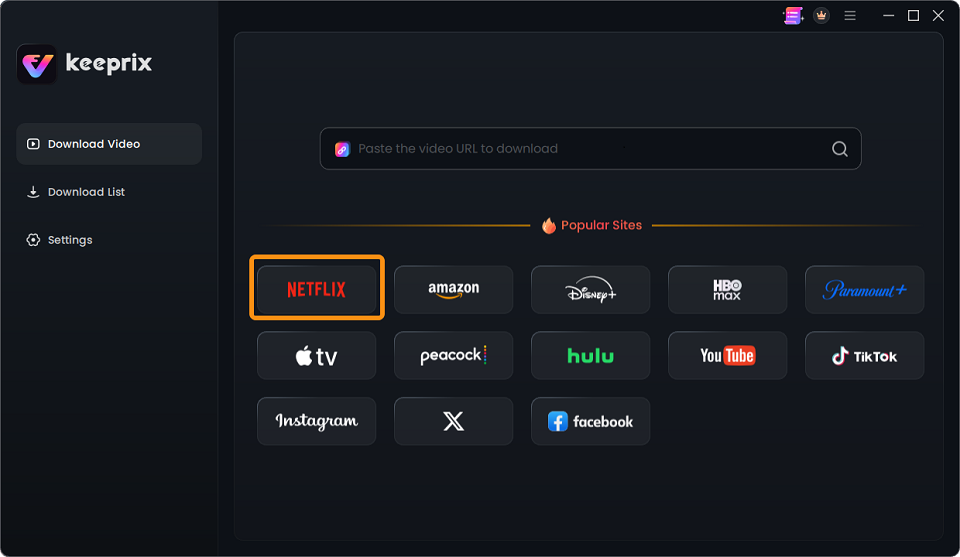
Choose Netflix
Step 2: Log into the platform:Open Keeprix and use the stable built-in browser to securely log into your supported streaming or social media platform. (For example, use the Keeprix Netflix Downloader to securely access your Netflix library).
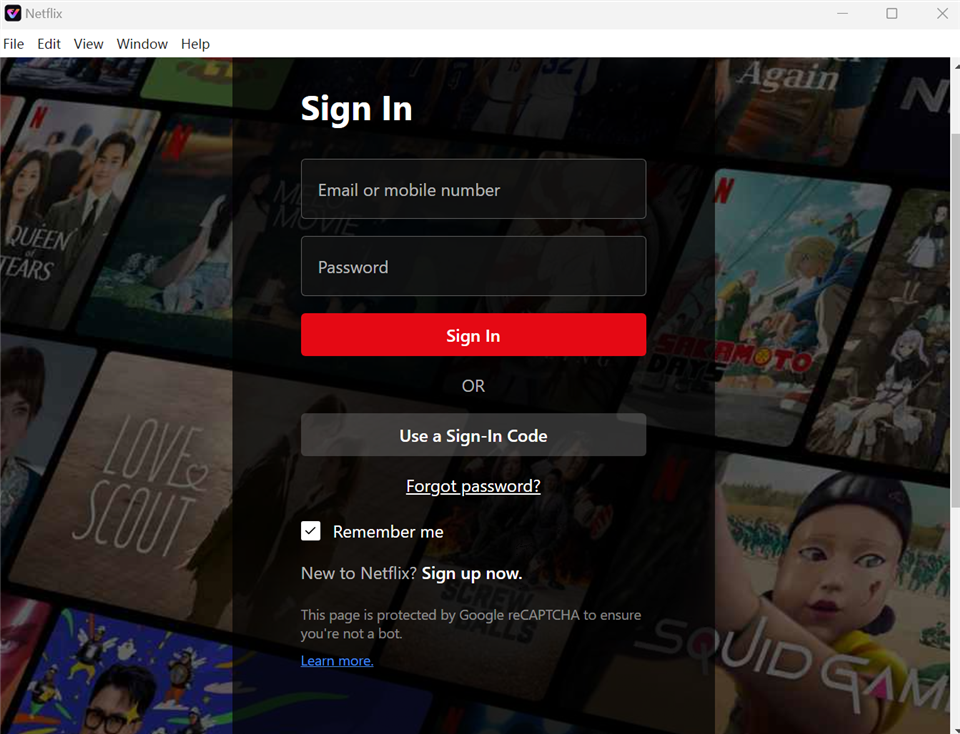
Sign In to Your Netflix Account
Step 3: Search for the video you want to save. Click the Download icon to start analyzing.
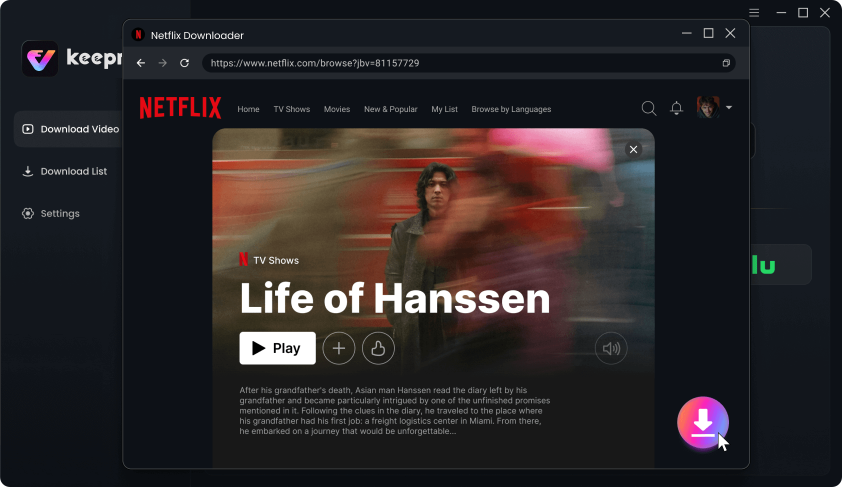
Download Movies You Want on Netflix
Step 4: Customize the output by selecting MP4 or MKV format, and choose your preferred subtitles and audio tracks. Click the Download button to start saving videos as local MP4 or MKV.
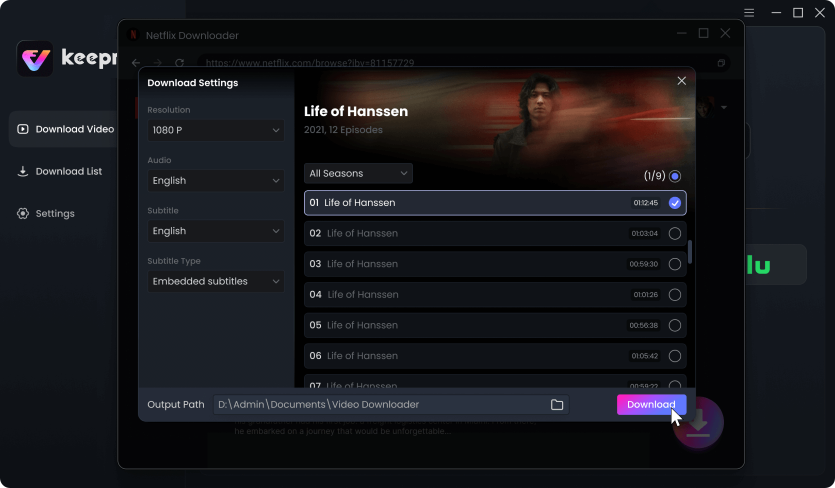
Customize Download Setting
Once you confirm it works, you can use the batch downloading feature to download multiple episodes at once, helping you prepare a full watchlist before your next flight or offline trip.
Frequently Asked Questions
Q1: Why does MovPilot get stuck at 21%?
MovPilot gets stuck at 21% because of a DRM handshake failure. The downloader software successfully connects to the streaming platform but is unable to bypass the video’s encryption check, causing the download engine to freeze indefinitely.
Q2: How do I fix MovPilot analysis failed errors?
You can fix MovPilot analysis failed errors by checking for a manual software update and clearing the built-in browser cache. If the error persists, a streaming platform DRM patch has likely blocked the downloader’s parsing engine, requiring you to switch to an alternative tool until an update is released.
Q3: Why can’t MovPilot download 1080p videos anymore?
MovPilot cannot download 1080p videos anymore because streaming platforms frequently implement new quality caps and browser security rules. If the downloader’s parsing engine cannot process these new technical requirements, it is forced to downgrade the resolution to 720p or lower.
Q4: Is it safe to switch from MovPilot to another video downloader?
Switching from MovPilot to another video downloader is safe when using reputable desktop software like Keeprix. These tools are designed for personal offline use, helping you securely turn videos you already have access to into manageable local files.
Final Verdict
Instead of waiting weeks for a patch, Keeprix Video Downloader offers a straightforward alternative with its reliable built-in browser and flexible MP4/MKV output. Best of all, its FREE testing allowance ensures you can prove the software works before committing. Download the Keeprix free trial today to successfully save your watchlist and move from app-only viewing to file-based freedom.
Keeprix Video Downloader
Download streaming videos as local files. Enjoy seamless offline watching on Windows and Mac computers.