How to Download DRM Protected Videos on PC/Mac

Sandard drm video downloader extensions and screen recorders fail on these streams due to HDCP and encryption, which results in unplayable files or a black screen. To successfully save these accessible videos for personal offline use, you must use specialized desktop software rather than basic browser add-ons.
While building a personal offline library, it is equally important to respect the boundary between creating an offline archive and unauthorized redistribution. The goal is to safely manage the media you already have access to, rather than searching for a risky DRM Removal Tool that compromises your security.
How to Download DRM-Protected Videos
1. The Problem with Screen Recorders and Browser Extensions
Many users attempt to use popular tools to save their streaming content, only to encounter a black screen or an error. When you use a screen recorder on a streaming service, the software captures a black screen because of High-bandwidth Digital Content Protection (HDCP). This technology prevents standard recording tools from capturing the visual feed of an encrypted stream, leaving you with a file that only plays audio.
Similarly, browser extensions like IDM or Video DownloadHelper download fragmented, encrypted files that standard media players like VLC cannot read. For instance, if you try to download Amazon Prime Video videos offline using basic extensions, the output is useless. While highly technical developer methods exist—such as using Python scripts or M3U8 extractors—these are often too complex, require terminal commands, and are highly unstable for average non-technical users.
2. The Official Way: Streaming App Downloads and Their Limits
Official streaming apps like Netflix or Prime Video allow you to download content directly to your mobile device for offline viewing. While convenient, this official method comes with strict conditions that can disrupt your offline workflow.
Pros of Official App Downloads:
Free to use with your existing subscription.
Simple one-tap download process on mobile devices.
Officially supported by the streaming platform.
Cons of Official App Downloads:
Expiration rules: Downloads typically expire 48 hours after you press play, or 30 days after downloading if left unopened.
App-locked files: The downloaded content is hidden and locked inside the app ecosystem.
Device restrictions: You cannot transfer these app-locked downloads to a USB drive, smart TV, or local media server.
Disappearing titles: If a movie or series leaves the platform’s catalog, the download is automatically deleted from your device.
3. The Desktop Alternative: Saving Flexible MP4 Files
How to download drm protected videos in pc? For users frustrated by unplayable files, black screens, and expiring mobile app downloads, Keeprix Video Downloader for Windows and Mac serves as a reliable desktop alternative.
Keeprix helps you move from app-only viewing to file-based flexibility by saving accessible videos as local MP4 or MKV files.
Keeprix Video Downloader
- Save accessible straming movies, episodes as MP4 or MKV files.
- Batch download episodes or full seasons when source supported.
- Free download trial for each streaming platform like Netflix.
- 100% free for all social platforms like YouTube, Instagram.
Step 1. Download Keeprix Video Downloader onto your computer or Mac.
Step 2. Launch Keeprix and choose your preferred streaming website from the homepage. Or paste the video URL you wish to download.
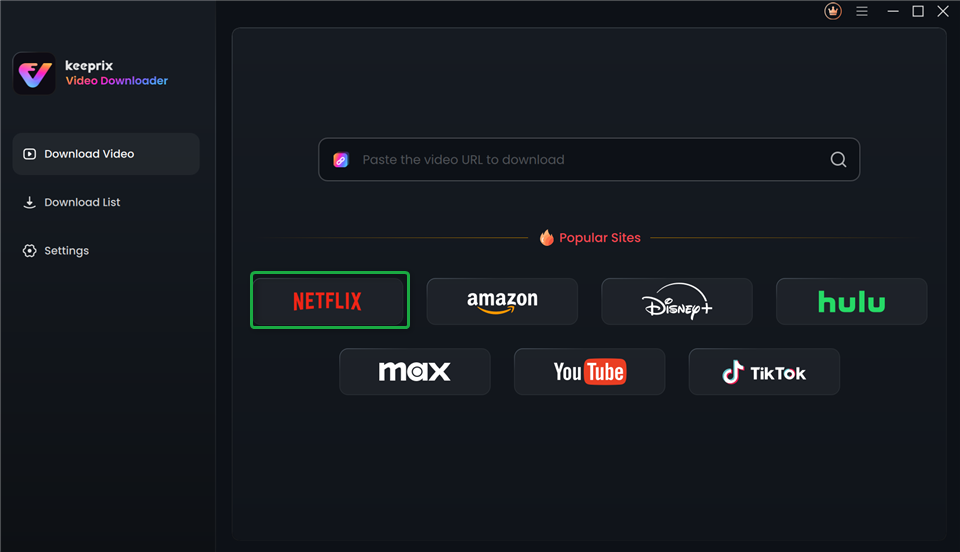
Choose Platform in Keeprix Video Downloader
Step 3. Sign in to your account. The login will be secure in nature and will be used only for retrieving video information.
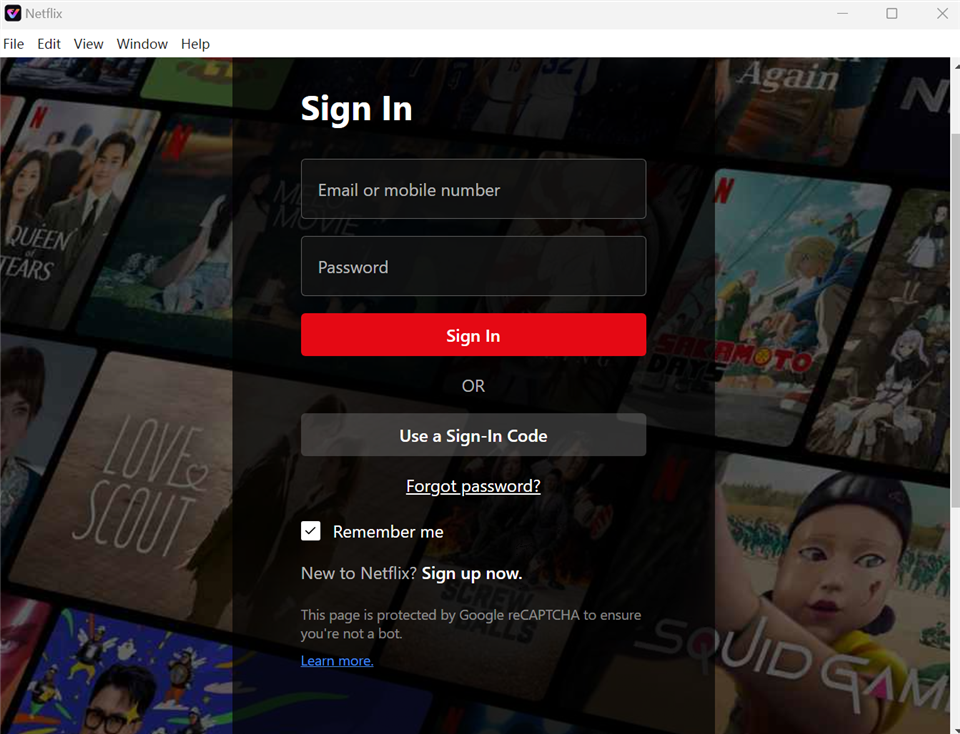
Sign In to Your Account
Step 4. Surf through the material on the website and choose the movie or series you wish to download. Click the video to proceed.
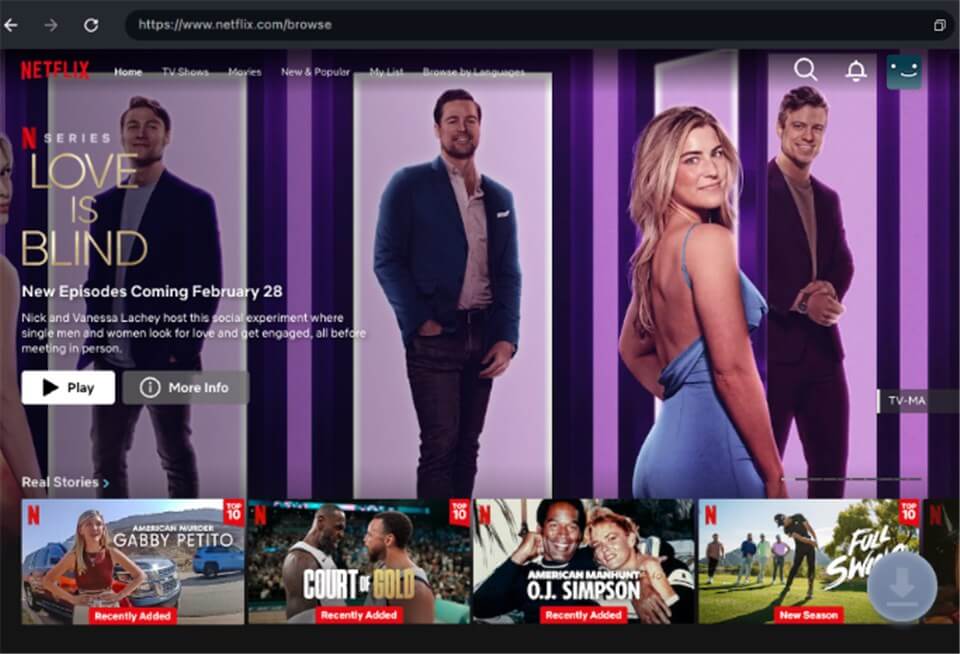
Download Movies You Want
Step 5. Adjust download settings, such as the resolution, audio language, subtitles, and output type (MP4 or MKV). Configure these options as required.
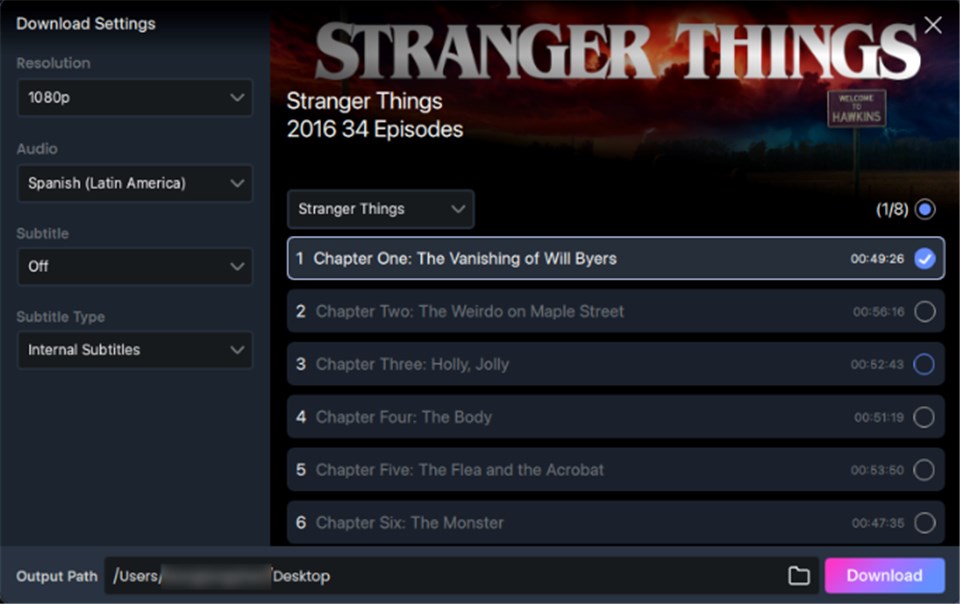
Customize Download Setting
Step 6. Click the “Download” button to begin. Once complete, the video will be saved on your device for offline playback.
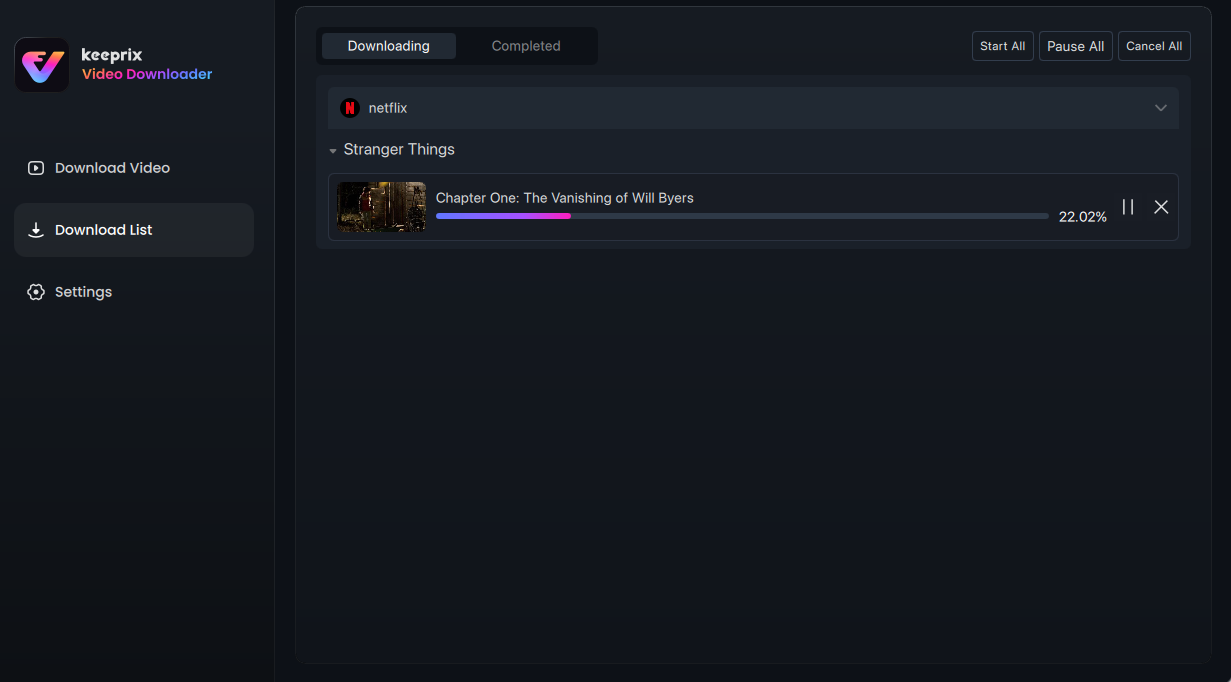
Downloading Videos
Because Keeprix supports batch downloading, you can queue up entire series or watchlists to save time. This is especially useful for preparing a full offline library before traveling to areas with poor internet.
Also Read: 5 Best Peacock Video Downloaders
4. Keeprix vs. Alternative Methods: Which Works Best?
When deciding how to manage your offline media—or when reading a Flixicam Netflix Downloader Review or similar comparisons—it helps to evaluate the available methods side by side to see which one actually fits your workflow.
| Method | Success Rate | Output Format | Ease of Use | Expiration Rules |
|---|---|---|---|---|
| Keeprix Video Downloader | High (No black screens) | Local MP4 / MKV | High (Desktop app) | Permanent local files |
| Official App Downloads | High (within app) | App-locked format | High (Mobile) | Expires (often 48 hours) |
| Browser Extensions (IDM) | Low (Encrypted files) | Unplayable files | Medium | N/A (Fails to play) |
| Developer Scripts | Variable | MP4 / TS | Low (Requires code) | Permanent local files |
Only Keeprix offers both high ease-of-use and permanent local MP4 or MKV files, making it the best tool for building a personal offline library without learning code or settling for expiring app downloads.
Frequently Asked Questions
Why do downloaded DRM videos show a black screen?
Downloaded DRM videos show a black screen because of High-bandwidth Digital Content Protection (HDCP), which encrypts the visual data to prevent standard screen recorders from capturing the stream.
Do official streaming app downloads expire?
Yes, official streaming app downloads frequently expire 48 hours after you press play, or they may automatically delete after 30 days if left unwatched.
Can I watch saved MP4 videos on my smart TV?
Yes, saving accessible videos as MP4 files using desktop software allows you to easily transfer and play those videos on smart TVs, USB drives, or local media servers.
How can I download course videos that only play on an official app?
If course videos are locked to a specific platform app, you will need specialized desktop downloader software to save those accessible educational streams as local MP4 files for easier study and reference.
Is there a video downloader that works for DRM protected videos?
Yes, specialized desktop software like Keeprix is designed to reliably save accessible streaming content as flexible MP4 or MKV files for personal offline use.
Why do browser extensions like IDM fail on streaming sites?
Browser extensions fail because streaming platforms fragment and encrypt their video files; basic extensions simply download the encrypted fragments rather than a playable, compiled video.
Conclusion
While official streaming apps offer a basic mobile solution, their expiring downloads and app-locked files restrict true viewing freedom. Specialized desktop software is the only reliable way to achieve file-based flexibility. By using Keeprix, you can safely save accessible videos as flexible MP4 or MKV files, allowing you to watch your content on the screen you actually use.