How to Download from Disney Plus in 2026 | Movies & Shows

Want to download from Disney Plus for offline viewing? Disney+ provides a built-in download feature for eligible subscribers, but it is limited to supported mobile devices and selected titles. Downloads also need to be periodically reconnected to the internet to remain available.
If you’re trying to download Disney Plus movies on a Windows PC or Mac, the situation is different because Disney+ does not provide the same built-in download option on desktop computers.
This guide explains both options: how to download movies from Disney Plus officially on a supported mobile device and how to save Disney+ videos on a computer using Keeprix Disney Plus Downloader.
Can You Download Movies from Disney Plus
Yes. You can download selected Disney+ movies and shows for offline viewing through the Disney+ mobile app if your plan and device support downloads.
The basic process is:
- Open the Disney+ app on your phone or tablet.
- Sign in to your Disney+ account.
- Find the movie or TV episode you want to watch offline.
- Tap the Download icon.
- Open the Downloads tab when you want to watch it offline.
Disney+ currently requires supported mobile devices for its built-in Downloads feature. Downloads are not available in the same way on desktop computers, and Disney+ says downloads must reconnect to the internet at least once every 30 days to remain active.
If you want to download Disney+ movies on laptop, such as a Windows PC or Mac, as local video files, the official Disney+ app does not provide this functionality.
A desktop downloader like Keeprix Disney Plus Downloader is required instead.
Method 1: Download Movies from Disney Plus Officially
The easiest way to download movies from Disney Plus is to use the built-in Downloads feature in the Disney+ app.
How to Download Movies from Disney Plus Officially
Step 1. Launch the Disney+ app on your iPhone, iPad, Android phone, or supported tablet and sign in to your account.
Step 2. Browse the Disney Plus library and select the movie you want to watch offline.
Step 3. Open the movie page and tap the download icon. The download process will start automatically.
For TV shows, you can usually download individual episodes instead of the entire series.
Step 4. After the download is complete:
- Open the Disney+ app.
- Go to the Downloads section.
- Select your movie and start watching offline.
Official Disney Plus downloads remain inside the app and are subject to Disney’s availability and account requirements.
Where to Find Your Disney+ Downloads
After downloading a movie or episode, open the Downloads section in the Disney+ app. Your offline titles are stored there rather than appearing as normal video files in your phone’s file manager.
This distinction is important: a Disney+ download is designed for offline playback inside the Disney+ app. It is not the same as downloading a standalone MP4 or MKV file.
No Native Download Option on Windows or Mac
The Disney Plus mobile app (iOS and Android compatible) lets you download TV shows and movies to watch offline, while the desktop version does not support this feature. No matter if you’re browsing Disney Plus with Chrome, Edge, Safari, or another web browser, you will not find a built-in means of downloading material to access offline.
Why Disney Plus Downloads Still Feel Limited
The official Disney Plus download feature works well for mobile users, but it may not meet the needs of users who want more control over their offline viewing experience.
Many users search for how to download Disney Plus movies on a laptop because they want to watch movies on a bigger screen, save videos locally, or manage their offline collection more freely.
- Downloads Are Locked Inside the Disney+ App
- Disney Plus Does Not Support Computer Downloads
- Offline Access Depends on Disney Plus Rules
Method 2: Download Disney Plus Movies on Windows or Mac
If you want to download Disney Plus movies on your computer instead of keeping them inside the mobile app, Keeprix Disney Plus Downloader provides a more flexible offline viewing option.
It is designed to help users save supported Disney+ movies and TV shows for offline playback on a computer. It supports both Windows and macOS and provides options for video quality, audio, subtitles, and output format.
With Keeprix Disney Plus Downloader, you can:
- Download Disney Plus movies on your Windows or Mac computer as local MP4/MKV files.
- Batch download episodes or full seasons when source supported.
- Watch downloaded videos with compatible media players and enjoy a larger-screen viewing experience.
How to Download Disney Plus Movies with Keeprix
The latest update to Keeprix 1.5.2 in August, 2026, offers a completely free video download from various streaming platforms, and social media videos are completely free!
Step 1. Download and Install Keeprix Video Downloader to your PC/Mac. Launch it and choose the Disney Plus platform.
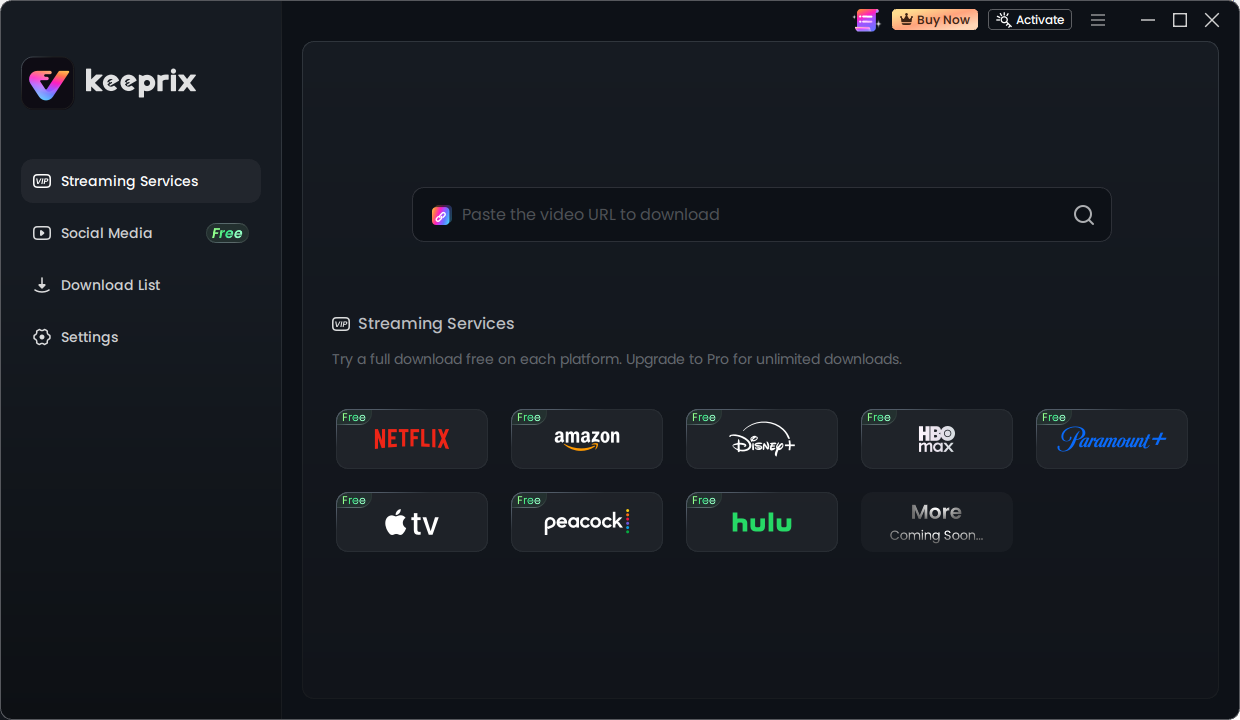
Keeprix streaming services
Step 2. After choosing the Disney+ platform or pasting the Disney+ video link, log into your Disney+ account.
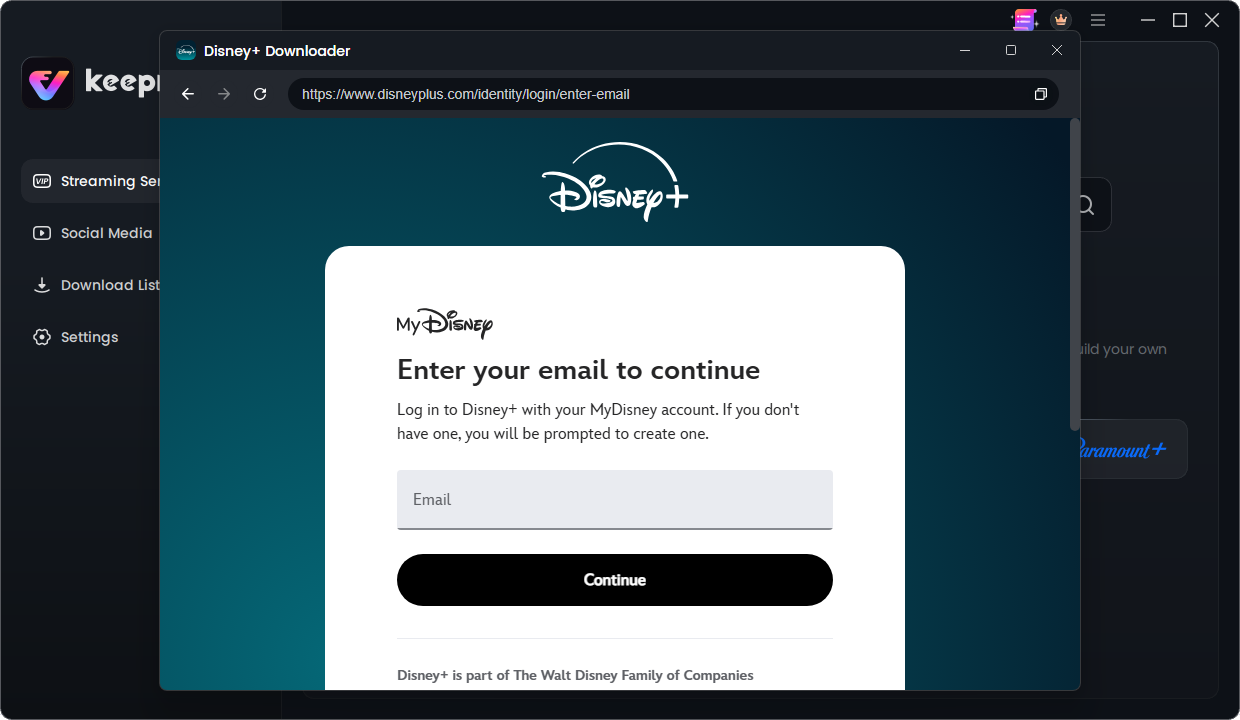
login your Disney Plus account
Step 3. Choose TV shows or movies you need for Download. Then you can customize your download settings.
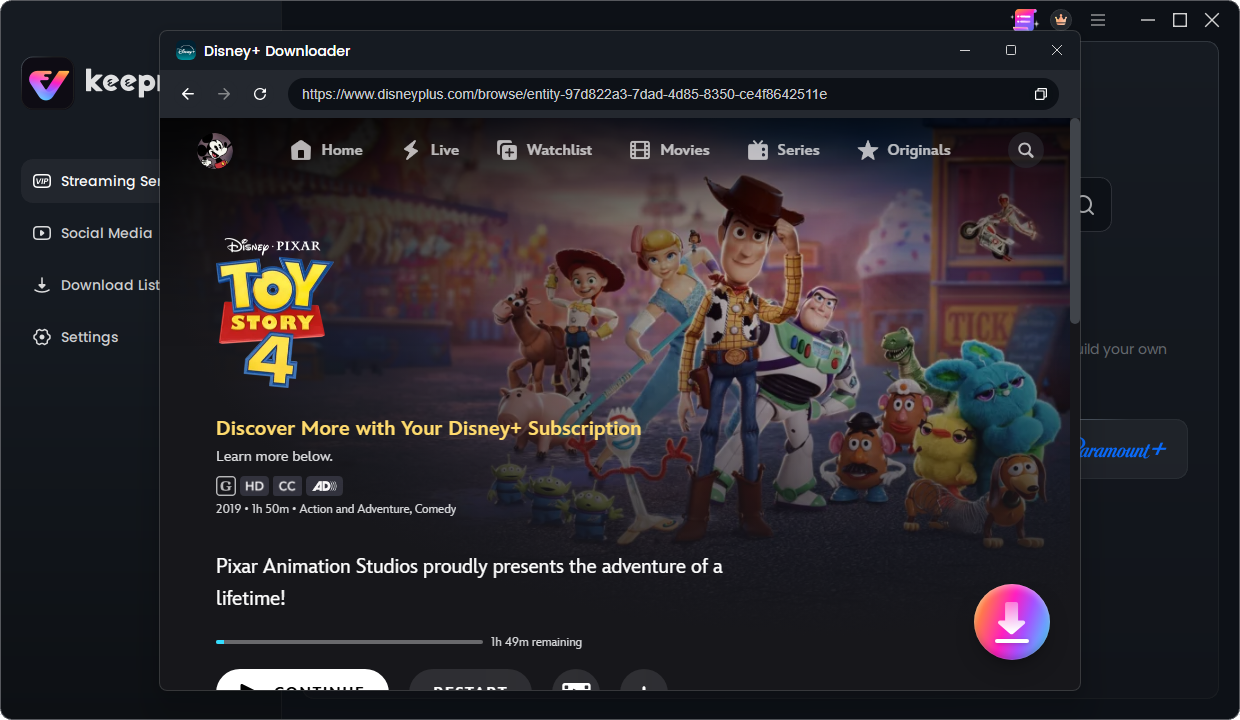
Choose a Disney+ movie you want
Step 4. After the Video is downloaded, you can find the Disney Plus downloads on the local file. Then watch it offline on any player!
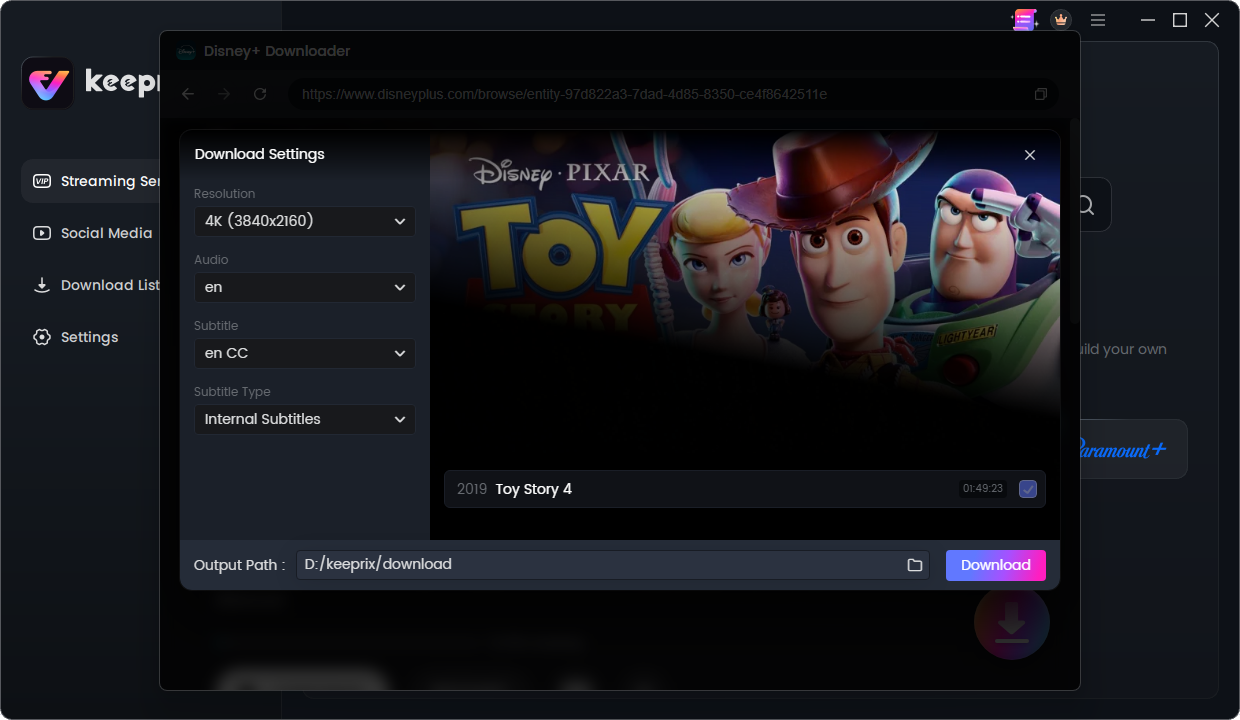
Download movies from Disney Plus
Keeprix is useful when your goal is to have a local copy for offline playback rather than keeping the title inside the Disney+ app.
Disney Plus Official Downloads vs Keeprix Disney Plus Downloader
Different users have different offline viewing needs. Here is a quick comparison:
| Download Feature | Disney Plus | Keeprix |
|---|---|---|
| Download Disney Plus movies | ✅ | ✅ |
| Download on Windows/Mac | ❌ | ✅ |
| Mobile offline viewing | ✅ | ✅ |
| Local video files | ❌ | ✅ |
| Use other media players | ❌ | ✅ |
| Create a computer-based offline library | ❌ | ✅ |
Which option is better depends on what you need:
If you simply want to watch a movie during a flight on your phone or tablet, Disney+’s built-in Downloads feature is the simplest option;
If you want to download Disney Plus movies on a Windows or Mac computer and keep them as local video files, Keeprix is designed for that use case.
Disney Plus Download Requirements and Limitations
Before trying to download a movie from Disney Plus, check whether your account, device, and the title itself support offline downloads.
❓Which Disney+ Plans Support Downloads
Disney+ downloads are not available on every subscription plan. Disney’s current Help Center states that ad-supported Disney+ plans do not support Downloads. Eligible plans may support offline downloads depending on your market and subscription.
If you previously downloaded content and then changed to an ad-supported plan, your existing downloads may no longer be available.
❓Which Devices Support Downloads
Disney+ built-in downloads are designed for supported mobile devices, including compatible iPhones, iPads, Android phones, and tablets.
The official Disney+ download feature is not available in the same way on standard desktop computers. Disney’s current guidance states that Downloads aren’t compatible with TVs, computers, or Windows 10/11 tablets.
❓How Long Do Disney Plus Downloads Last
Disney+ requires downloaded content to periodically reconnect to the internet. According to Disney’s Help Center, downloaded content can remain available offline for up to 30 days before the device needs to reconnect.
A download can also become unavailable sooner if the movie or episode expires from the Disney+ streaming library. If a title is removed or becomes unavailable on Disney+, you may no longer be able to watch its downloaded version.
❓Why Can’t I Download Some Movies on Disney Plus
If you don’t see a Download button, several factors may be responsible:
- Your Disney+ plan may not support downloads.
- Your device may not be supported.
- The selected movie or episode may not be available for offline download.
- Your device may not have enough available storage space.
- The Disney+ app may need to be updated.
- Your internet connection may be preventing the download from starting.
Download from Disney Plus FAQs
1: Can you download Disney Plus movies on a laptop?
No. The official Disney Plus app does not support movie downloads on Windows or Mac computers. Official downloads are currently available only on supported mobile devices.
If you want to download Disney Plus movies on a computer, Keeprix provides a desktop-based solution for preparing offline videos.
2: How do I download Disney Plus movies without the app?
The official Disney Plus download feature requires the Disney+ mobile app.
If you want to download from Disney Plus on a computer, Keeprix provides a more flexible offline viewing solution.
3: Where are Disney Plus downloads stored?
Disney Plus downloads are stored inside the Disney+ app instead of being saved as normal video files.
You cannot directly access these downloads from your device storage or move them to another player.
4: Can I download Disney Plus movies to a USB drive?
No. Disney Plus official downloads cannot be transferred to USB drives or external storage because they are designed to work only inside the Disney+ application.
5: Is Keeprix Disney Plus Downloader safe?
Yes. Keeprix is designed with user privacy and security in mind.
The software does not access your personal files or modify your Disney Plus account settings. Your account information remains protected during the download process.
6: Why can’t I find the download button on Disney Plus?
The download button may not appear because:
- Your subscription plan does not support downloads.
- The movie is unavailable for offline viewing.
- You are using an unsupported device.
Disney Plus downloads are limited to supported devices and selected titles.
Final Thoughts
Disney Plus makes offline viewing simple through its official mobile app, but the feature is mainly designed for temporary viewing on phones and tablets.
If your goal is to download Disney Plus movies on a computer, create a more flexible offline library, or enjoy videos with fewer device restrictions, Keeprix Disney Plus Downloader provides a convenient solution.
Choose the method that best fits your viewing habits and enjoy your favorite Disney Plus movies wherever you are.

Keeprix Video Downloader
- Download streaming videos on Windows & Mac.
- No restriction on the downloaded videos.
- Support downloading from Netflix, Amazon Prime and more.
- Up to 4K videos without DRM protection.