How to Download Instagram Video Without Watermark: Ultimate Guide

Trying to figure out how to download an Instagram video without a watermark often feels like you’re hitting a wall. You find a video or a reel you want to save for offline use or as part of your content archive, but every attempt leaves you with a branded video file. The search for a solution can lead you through a maze of third-party sites that make big promises but often fail to deliver, exposing you to potential security risks or simply wasting your time. This guide cuts through that confusion. We provide clear, tested methods that address the core issues: the limitations of the official app, the unreliability of free tools, and the need for a secure, high-quality solution.
How to Download Instagram Video Without Watermark
How to Save Your Own Instagram Videos Without a Watermark [Official]
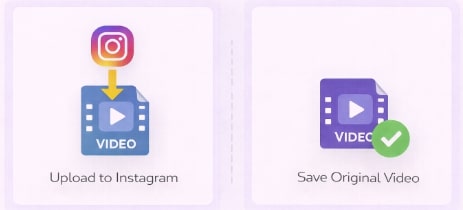
Before exploring third-party tools, let’s address the most common and legitimate need: saving your own content. If you are a creator, the only guaranteed way to get a clean version of your video is to save the original video file before you upload it to Instagram.
Many users don’t realize that the Instagram video watermark is added during the upload process. This is an intentional feature designed for content attribution, ensuring that if your video is shared elsewhere, its origin is clear. Once your video is published on the platform, any version you download directly from the app will include this branding. Trying to remove it later is working against a built-in platform function.
The best practice is simple: always save your final edit to your device or cloud storage right before you hit “Share” on Instagram. This habit ensures you maintain a high-quality master copy of all your original video files, ready for your personal archive or for repurposing on other platforms.
Save Instagram Reel without Watermark
Choosing Your Tool: Free Web Tools vs. Dedicated Downloaders
When you need to download a video that isn’t your own, you face a choice between two main options: free, browser-based websites and dedicated desktop software.
Understanding the trade-offs is crucial for making an informed decision based on your priorities for quality, safety, and efficiency.
Free web tools are appealing because they are accessible and require no installation. However, their performance is notoriously inconsistent. Many of these sites, despite their claims, fail to remove the watermark, deliver videos in low resolution, or are cluttered with intrusive ads that can pose significant security risks.
Dedicated software, such as Keeprix Downloader, is an installed application designed for performance and security. These tools offer a much higher success rate, support for full HD (1080p) quality, and advanced features like batch downloading. Because they are premium products, they provide a safer, ad-free environment.
Here is a clear comparison to help you decide:
| Feature | Free Web Tool | Keeprix Downloader |
| Success Rate | Inconsistent; often fails to remove the watermark. | High; consistently delivers clean files. |
| Max Video Quality | Typically limited to 720p or lower. | Up to 1080p Full HD. |
| Safety Risk | High (Malware, phishing, data tracking). | Low (Secure, local application). |
| User Experience | Cluttered with pop-ups and aggressive ads. | Clean, ad-free interface. |
| Batch Downloads | Not supported. | Supported multiple videos at once. |
Your choice ultimately depends on what you value most: the zero-cost convenience of a web tool versus the reliability, quality, and security of a dedicated application.
Also Read: How to Save Instagram Videos to Your Camera Roll
The Ultimate Solution to Download Instagram Videos Without Watermark
For users who need a reliable and secure solution, Keeprix Downloader directly addresses the limitations and risks of free online tools. It is a professional application built to provide a safe and effective process for downloading high-quality, watermark-free videos for personal offline viewing.
Many third-party downloader claims of no-watermark results are misleading, but Keeprix is engineered to solve this problem correctly. It ensures videos are saved in up to 1080p Full HD, preserving the original quality without the Instagram logo. Operating as a local application on your Windows or Mac computer, it eliminates the risk of malware or phishing from ad-heavy websites, protecting your privacy and your device. It is a premium tool for users who value a clean, safe, and efficient workflow.
How to Download an Instagram Video with Keeprix
The procedure is straightforward and designed for ease of use.
Step 1. Copy the Video URL: Open the Instagram app or website and navigate to the Reel or video you want to save. Click the three-dot menu icon and select “Copy Link.”
Step 2. Paste the Link in Keeprix: Launch Keeprix Downloader on your computer. The software features a clean interface where you can paste the link directly.
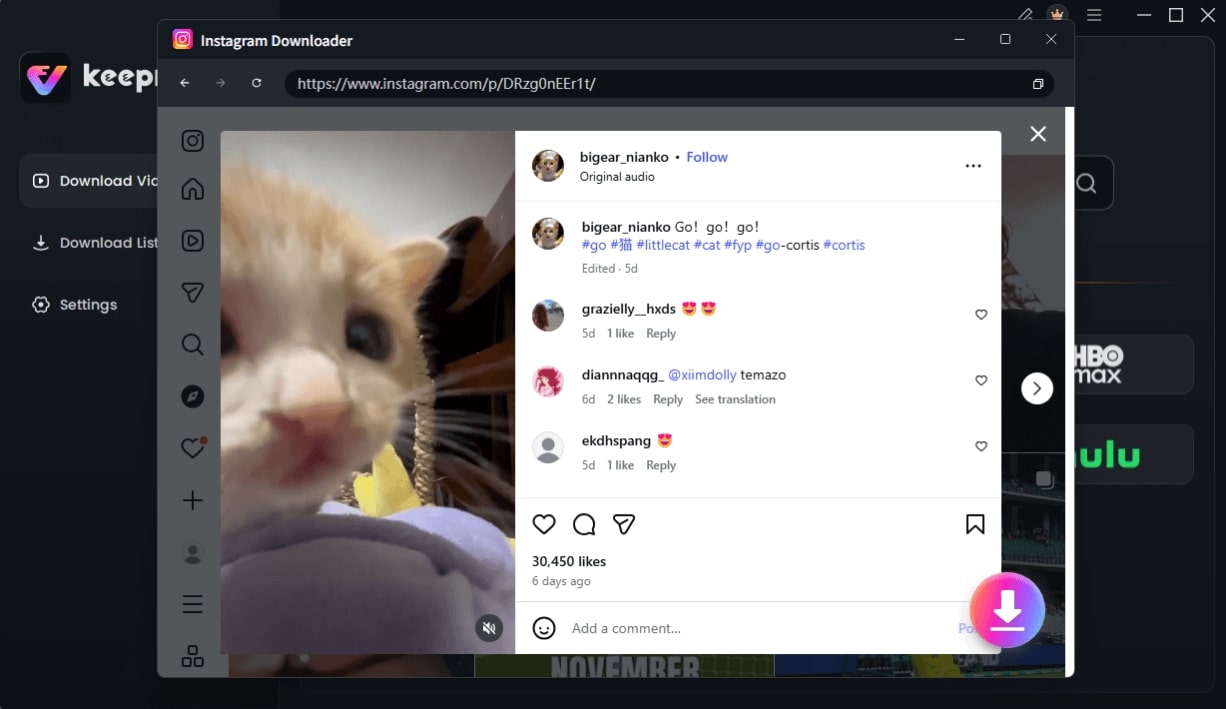
Choose Instagram Video and Click Download
Step 3. Choose Quality and Download: After pasting the link, select your desired video quality (e.g., 1080p). Click the “Download” button to start the process.
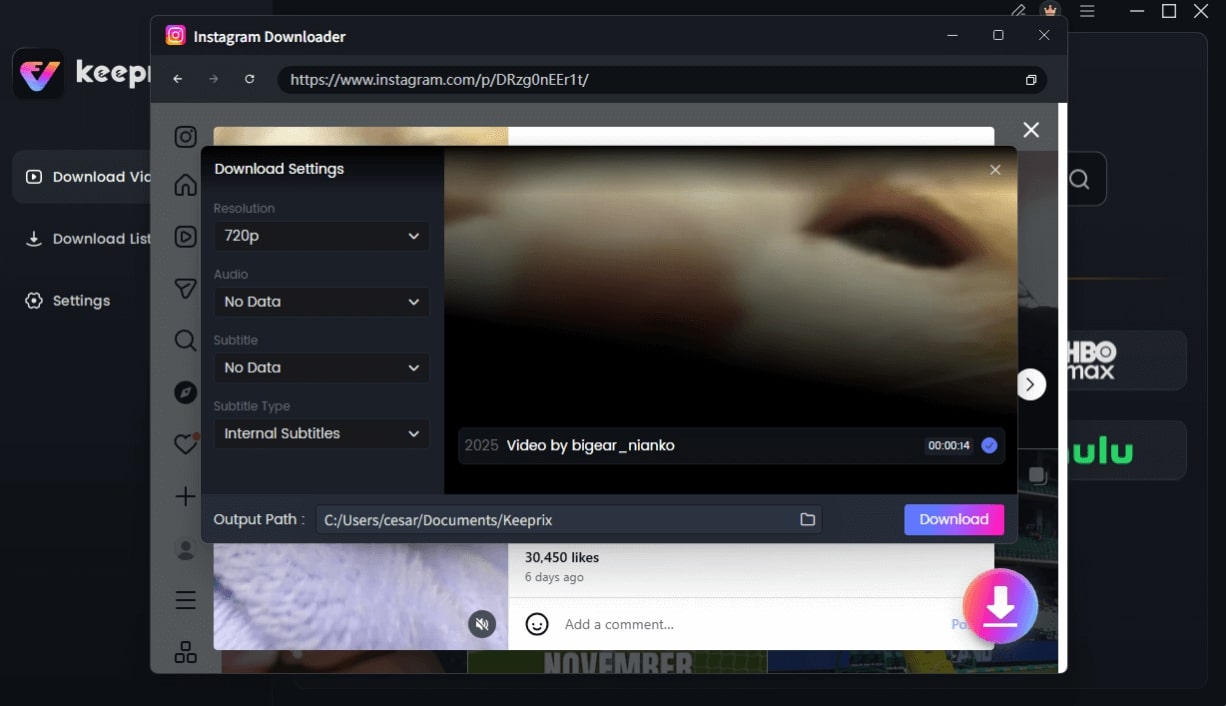
Configure Instagram Download Settings
Step 4. Access Your File: Once the download is complete, the video will be available in your library as a clean MP4 or MKV file, ready for offline viewing on any device.
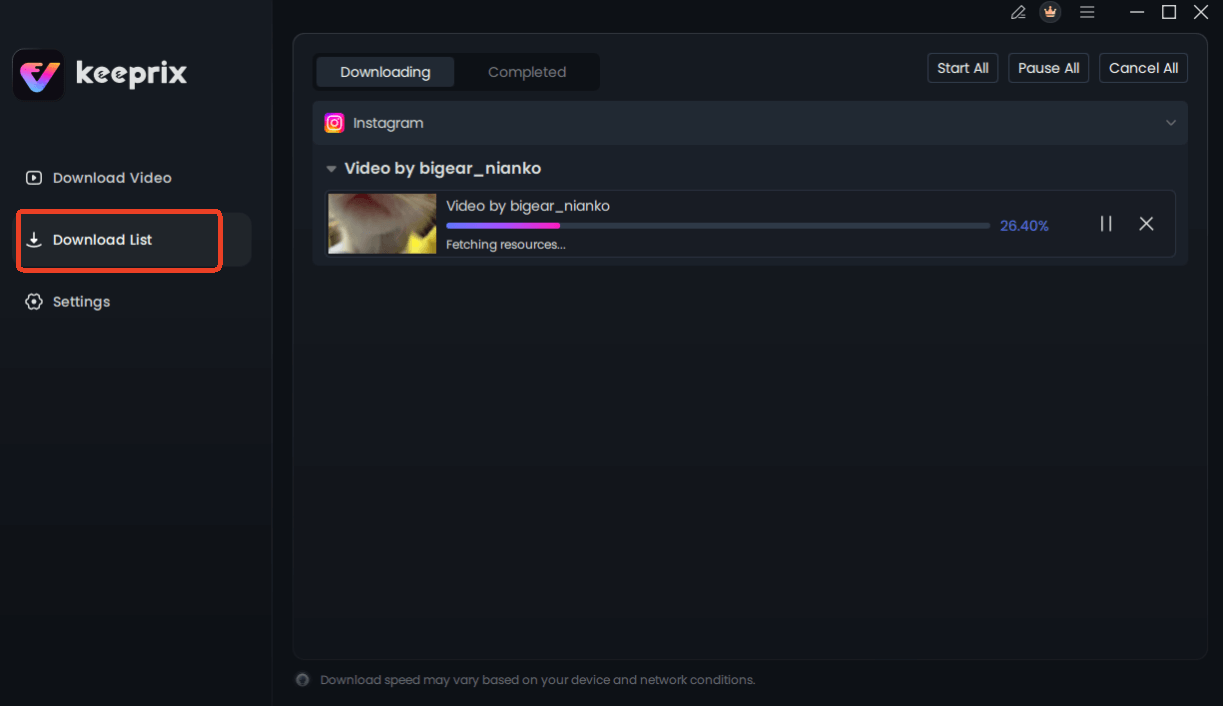
Downloading Instagram Videos
Why Does the Instagram Video Watermark Exist?
Many users, like a content curator named Ethan, begin their search hoping to easily repost a great Reel. His initial thought was that the watermark was a technical glitch he could bypass. The key realization came when he understood that the Instagram Video watermark is an intentional feature, not a bug. It serves two primary functions for the platform.
- First and foremost is content attribution. The watermark includes the Reels logo and the original creator’s username, ensuring that whenever a video is shared off-platform, its source is clear. This aligns with platform copyright policies by giving credit to the creator and discouraging content theft. It is Instagram’s method for protecting its users’ work as it moves across the internet.
- The second purpose is platform promotion. When a video with the Reels logo appears on another platform like TikTok or YouTube Shorts, it acts as free advertising for Instagram. This encourages viewers on other apps to visit Instagram to see more. For Ethan, this understanding shifted his perspective from trying to “fix a problem” to recognizing a core part of Instagram’s ecosystem.
The Hidden Dangers of a Free ‘Instagram No Watermark Download’ Website
While the convenience of a free online tool is tempting, it is essential to consider the associated security risks. Many websites claiming to offer Instagram no-watermark downloads are not as safe as they appear. These platforms often operate with minimal security oversight, exposing users to several significant threats.
- Malware and Adware: Free download sites are frequently supported by aggressive advertising networks. Clicks on these ads, even accidental ones, can trigger the download of malware or adware that compromises your device’s security, steals data, and degrades performance.
- Phishing Attempts: Some of these websites are designed as phishing traps. They may prompt you to enter personal information or your Instagram login credentials under the pretense of “verifying” your account. This is a common tactic used to steal account access and private data.
- Data Privacy Violations: When you paste a video link into an unknown third-party service, you have no guarantee of how that data is being stored, tracked, or used. The service could be collecting your IP address and browsing activity without your consent.
- Unreliable Performance: Beyond security, the most common issue is poor quality. Despite claims of high-resolution output, you often receive a heavily compressed video file that doesn’t meet your needs, defeating the purpose of the download.
Given these risks, exercising caution and using a vetted, secure application is the recommended approach for protecting your data and devices.
Frequently Asked Questions
Q1. Can I save my own Instagram videos without a watermark?
Yes. The best and only official method is to save the original video file to your device or cloud storage before you upload it to Instagram. Once uploaded, any version downloaded from the app will contain the watermark.
Q2. Why do Instagram Reels have watermarks?
Instagram adds watermarks for two main reasons: content attribution to credit the original creator and platform promotion to advertise Instagram when the video is shared on other platforms like TikTok or YouTube Shorts.
Q3. Is it legal to remove Instagram watermarks?
Downloading copyrighted content without permission for commercial use or redistribution can violate intellectual property laws and Instagram’s terms of service. Saving videos for personal, offline viewing is generally considered acceptable. Always credit the original creator if you reshare content in any capacity.
Q4. Are ‘no watermark downloader’ tools safe?
Many free, web-based tools are not safe. They often expose users to risks like malware, phishing scams, and data privacy violations. A dedicated, secure desktop application is a much safer alternative.
Q5. Does Instagram notify users when their videos are downloaded?
No. Instagram does not notify creators when someone uses a third-party tool to download their Reels or videos. Notifications are only sent for in-app actions like likes, comments, and follows.
Q6. What is the difference between ‘save’ and ‘download’ on Instagram?
The “Save” feature inside the Instagram app acts as a bookmark, adding the video to a private collection in your account for later viewing on the platform. “Downloading” means saving the actual video file to your device’s local storage for permanent, offline access.
Conclusion: Your Clear Path to Watermark-Free Videos
Navigating the world of online video tools no longer has to be a source of frustration or risk. You now have a clear understanding of why saving your original video files is the best practice for your own content. For videos created by others, you can confidently bypass the unreliable and potentially unsafe free websites. A dedicated solution like Keeprix Downloader directly solves the problem by providing a secure, high-quality, and efficient method to download Instagram videos without a watermark. Instead of wrestling with broken tools, you can regain control and build your personal offline library in minutes, knowing your device and data are protected.
Explore Keeprix Downloader to see how a professional tool can simplify the process.