Can You Watch Netflix Downloads After a Title Leaves?

What happens when a title leaves? Can you watch Netflix downloads after the show leaves Netflix? Downloading a title does not guarantee that you can keep watching it after it leaves Netflix. Here are the key points:
- Downloads are temporary: Netflix app downloads expire and are not permanent, standalone copies.
- Removed titles cannot be renewed: Netflix states that titles no longer available on the service cannot be renewed or downloaded again.
- Check before you travel: Review the title’s last day to watch and any expiration notice shown for your download.
If you plan to watch Netflix offline, aim to finish departing titles before their last available day. See Netflix’s download-expiration guidance for the official renewal instructions and restrictions.
What Happens to Netflix Downloads After a Title Leaves
Before relying on downloaded episodes for a trip, check whether the show will still be available during your viewing dates. A completed download alone does not tell you how long you can use it. The next step is to distinguish an expired download from a title that has left Netflix.
Why Your Downloaded Shows Automatically Expire
Netflix downloads remain part of the Netflix app rather than becoming standalone MP4 or MKV files. They expire after a period of time, and some titles have limits on renewal or repeated downloading.
Has the download expired, or has the title left Netflix?
These are different situations. If the title remains available, follow Netflix’s instructions for renewing or downloading it again. If it has left the service, renewal and redownloading are unavailable. If you see an error rather than an expiration notice, use our Netflix download troubleshooting guide to identify the problem.
If a Netflix title is leaving soon, download it before the removal date. Once it is removed from the catalog, you can no longer access or back it up. Save it while it’s still available. Check which movies and shows are leaving Netflix soon and confirm their last day to watch.
How to Check the Last Day to Watch
Netflix says it displays a departure notice on a title’s details page when the movie or show is leaving within the next month. The notice may also appear briefly when playback begins. See Netflix’s instructions for checking whether a title is leaving.
Before planning an offline watchlist:
1. Open the title’s details page in your Netflix account.
2. Look for its last available viewing date.
3. Check the status of any episodes already downloaded.
4. Plan around the date shown for your region, rather than a departure list for another country.
Our Netflix leaving checker covers Netflix US and can help you discover upcoming departures. Confirm the date in your own Netflix account before relying on it.
Save Accessible Netflix Videos as Local Files with Keeprix
Keeprix Video Downloader offers a separate desktop workflow for saving supported Netflix videos as MP4 or MKV files. It works with titles you can currently access through your Netflix account. It does not renew expired Netflix app downloads or recover titles that have already left the service.
Keeprix Video Downloader
Download videos from Netflix as MP4/MKV. Enjoy seamless offline watching on Windows and Mac computers.
Keeprix saves supported Netflix titles as local MP4 or MKV files, with resolution up to 1080p when available. The free trial includes one complete Netflix video download. Use it to check the saved file’s quality, audio, subtitles, and playback before purchasing. Downloading additional episodes requires a paid plan.
How to Save Your Series Before Leaving Netflix
Install and launch Keeprix Netflix Downloader on your Windows or Mac computer, then follow the three steps below to save movies and TV shows you like for offline watching:
Step 1. Open Keeprix on your Windows or Mac computer and log into your Netflix account using the built-in browser while the show is still available.
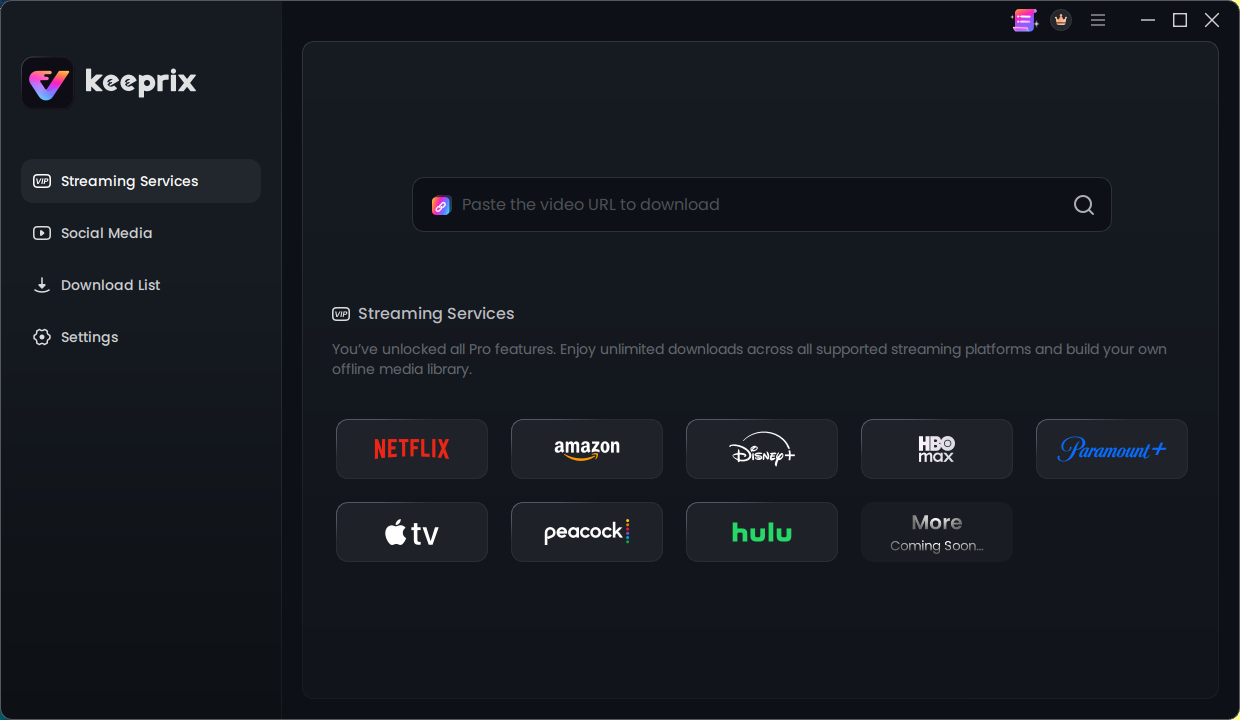
Select Netflix on Keeprix’s Homepage
Step 2. Find a title that is still available through your Netflix account. For the free trial, select one movie or episode. If your paid plan includes sufficient downloads, you can use batch downloading to select multiple supported episodes.
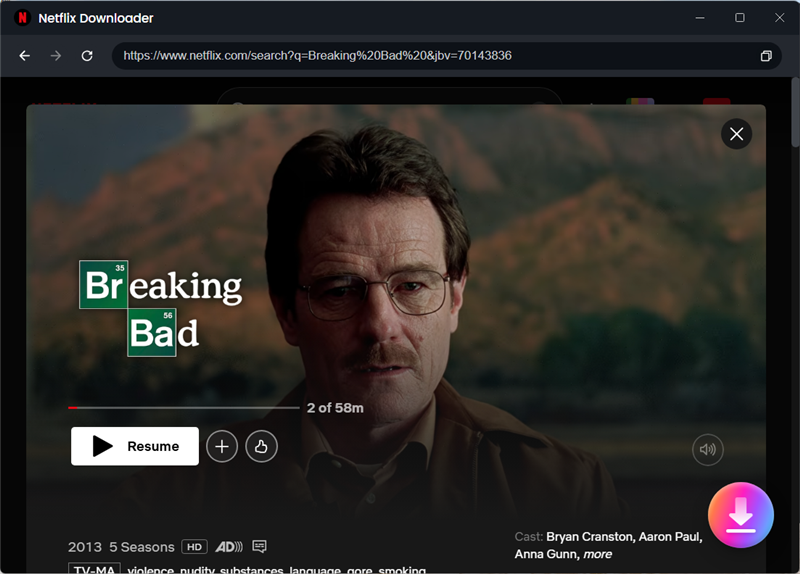
Search Breaking Bad
Step 3. Export the selected videos as MP4 or MKV files (up to 1080p) with your preferred audio and subtitle tracks for flexible offline viewing.
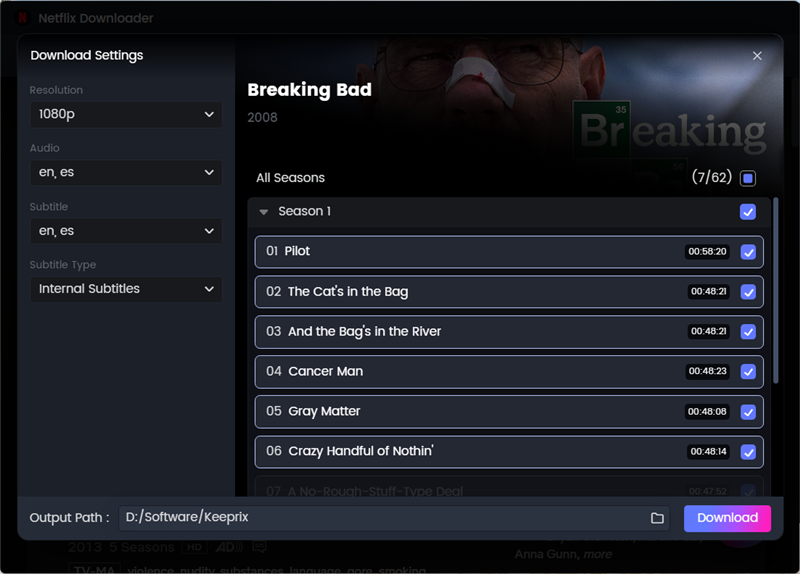
Set the Format
Official App Downloads vs. Keeprix Local Files
| Feature | Official Netflix App | Keeprix File Workflow |
|---|---|---|
| Format | DRM-locked files hidden within the app | Standard MP4 or MKV files |
| Expiration | Immediate upon title removal; active 48-hour or 7-30 day timers | Flexible local files that do not rely on app expiration timers |
| Device Limits | Restricted to the specific device where downloaded | Cross-device playback on compatible screens and media players |
| Batching & Library | App-only watchlist | Build and manage a personal offline media library |
Frequently Asked Questions
Do Netflix downloads expire when a show leaves?
Yes, immediately. The app requires an active catalog listing to authorize offline playback, so the download becomes unplayable exactly when the show is removed.
Why does Netflix show ‘Download Expired’?
An “Expired” message means the saved download is no longer available for playback; it does not necessarily mean the title has left Netflix. Check whether the title is still available in your account, then follow Netflix’s instructions for your device. Renewal and repeat-download limits may apply.
Can I save a show offline before it leaves Netflix?
Yes. By using a desktop downloader like Keeprix, you can export episodes as MP4 or MKV files for personal offline use, provided you do this while the show is still actively accessible on your account.
Can I watch downloaded shows on airplane mode after they leave?
Airplane mode is not a reliable way to extend access to a departing title. It disconnects your device but does not guarantee that a download will remain playable. Plan around the title’s last day to watch and any expiration notice shown in the app, rather than relying on staying offline.
Does Keeprix let me download titles that are already removed?
No. You must have active access to the title on Netflix. Keeprix turns accessible streaming videos into local files; it cannot recover content that has already been removed from the platform.
The Bottom Line
Check both the title’s last day to watch and the status of your saved downloads before planning an offline trip. If a title is leaving, aim to finish it while it remains available rather than assuming that downloading extends your access.
If you want to try a separate desktop file workflow, use Keeprix’s one complete free Netflix download to check the result before purchasing. The title must still be accessible through your account.