Nashville Left Netflix: Where to Watch All 6 Seasons Now

Nashville is no longer available on Netflix in the United States. All six seasons left Netflix on September 15, 2026, so viewers who were watching the series there now need another way to continue.
The good news is that Nashville has not disappeared from streaming altogether. In the U.S., there are currently free ways to watch the show through Pluto TV, Philo Free Channels, and Sling Freestream, along with paid streaming and digital-purchase options. The important difference is that the free services do not all work like Netflix: some rely on scheduled channels, rotating episode availability, or ad-supported viewing rather than giving you all 124 episodes on demand at once.
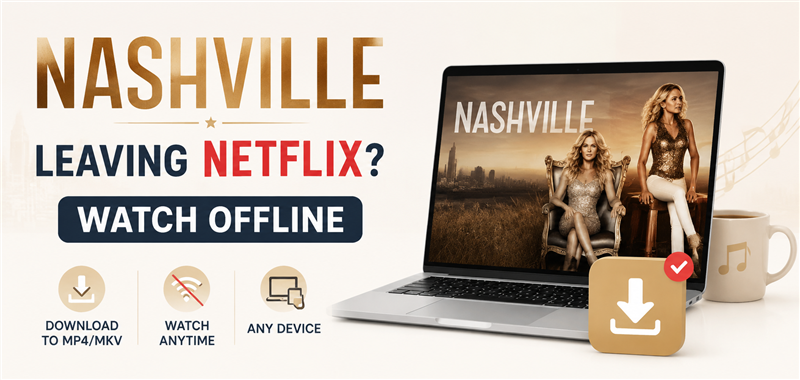
Is Nashville Still on Netflix? When Did Nashville Leave Netflix?
No. Nashville is no longer on Netflix U.S. Netflix listed Seasons 1–6 among the titles leaving its U.S. catalog on September 15, 2026. That removal covered the complete series, which has 124 episodes across six seasons.
If you search for Nashville on Netflix now and cannot find it, the show has not simply been hidden from your profile. Its U.S. Netflix availability ended on September 15. Netflix announced the leaving date, but it did not publish a Nashville-specific removal time. For that reason, September 15, 2026 is the reliable date to use rather than claiming that the series disappeared at a particular hour.
Where to Watch Nashville Now After It Left Netflix
For most viewers, the first options worth checking are the free services. Nashville is currently available through Pluto TV, Philo Free Channels, and Sling Freestream in the U.S. These can let you keep watching without replacing Netflix with another monthly subscription, but there is an important trade-off: free availability may be ad-supported, scheduled like a TV channel, or limited to selected episodes at a given time.
| Where to Watch | Price | How Much of Nashville? | Watch Anytime? | Save / DVR | Best For |
| Philo Free Channels | Free | All 124 episodes currently scheduled over the next 2 weeks | Schedule-based | Free DVR for selected content, 30 days | Watching the whole series free |
| Pluto TV | Free | All 6 seasons represented, but only selected episodes are currently On Demand | Selected episodes only | No permanent local copy | Casual free viewing |
| Sling Freestream | Free | Nashville airs free; complete 124-episode availability not confirmed | Mainly schedule-based | 10-hour DVR / 30 days | Free occasional viewing |
| Amazon Video | Paid | All 6 seasons available to buy | Yes, purchased episodes/seasons | Within Amazon ecosystem | Watching specific episodes/seasons anytime |
| Other digital stores | Paid | Varies | Usually yes after purchase | Depends on store/device | Compare prices before buying |
Watch Nashville Free on Philo
If you want to watch the entire Nashville series without paying for another streaming subscription, Philo Free Channels is currently the strongest free option. Philo has a dedicated Nashville channel, and its current schedule covers all 124 episodes over the next two weeks. No paid Philo subscription is required to watch the free channel.
The main difference from Netflix is that Nashville is shown on a schedule rather than presented as a complete six-season on-demand library. You cannot simply choose any of the 124 episodes whenever you want. However, a free Philo account lets you save eligible programs to its cloud DVR, where recordings from Free Channels can be kept for up to 30 days. That combination makes Philo particularly useful for viewers who were still working through Nashville when it left Netflix. If you are willing to follow the schedule or record episodes ahead of time, you can currently work through the complete 124-episode series without paying for another subscription.
Watch Nashville Free on Pluto TV
Pluto TV is another completely free way to watch Nashville, and its U.S. show page currently covers all six seasons. Unlike Philo, however, seeing “6 Seasons” on Pluto does not mean all 124 episodes are available on demand at the same time.
Pluto currently offers selected episodes through its on-demand season pages, while additional episodes are shown through its live Nashville programming. The available episode selection can therefore rotate over time. For example, the current Season 6 page contains only selected episodes rather than the complete season. That makes Pluto a good option if you want to start watching immediately for free and do not mind ads or checking which episodes are currently available. But if you are halfway through the series and need to continue with a specific episode in order, Philo’s scheduled 124-episode run may currently be more practical.
Watch Nashville Free on Sling Freestream
Sling Freestream also carries Nashville for free, with episodes airing through its scheduled programming. No paid Sling subscription is required to use Freestream, making it another option if your main goal is to continue watching without adding a monthly streaming bill. Like Philo Free Channels, however, Freestream works more like scheduled television than Netflix’s complete on-demand library. We could verify current Nashville programming on Sling, but not that all 124 episodes are presently available through Freestream, so viewers looking for a particular episode should check the current schedule first.
Sling does offer free DVR functionality for Freestream users, but the current free DVR allowance is 10 hours, and recordings expire after 30 days. Since Nashville contains 124 episodes and roughly 89 hours of programming, that DVR capacity is useful for saving a handful of episodes, but not for recording the entire series at once. For that reason, Sling Freestream makes the most sense for casual free viewing or catching selected episodes, rather than rebuilding the complete six-season Netflix experience.
Free Streaming vs. Buying Nashville: Which Fits Your Situation?
The best option depends less on price — all three services above can be used for free — and more on how much control you want over what you watch and when you watch it. If your priority is watching all 124 episodes without paying, Philo Free Channels is currently the most useful place to start. Its Nashville channel has the complete series scheduled over the next two weeks, and a free account can record eligible episodes for up to 30 days.
If you simply want to watch Nashville for free without worrying about completing every episode in order, Pluto TV is an easy alternative. It offers selected episodes on demand alongside additional scheduled programming, although the complete 124-episode library is not available on demand at once.
Sling Freestream provides another free route, but its schedule-based availability and 10-hour free DVR make it better suited to occasional viewing than to working through the entire six-season series.
If you want complete control over which season or episode you watch and when you watch it, buying Nashville digitally is the more predictable option. Amazon currently offers all six seasons for purchase, with individual episodes and full seasons sold separately; prices vary by season and promotion.
Other Questions You May Want to Know
Q1: Why Did Nashville Leave Netflix?
Netflix has not given a specific reason for Nashville leaving its U.S. catalog. The most likely explanation is the normal licensing cycle: Netflix licenses many shows for limited periods, and titles can leave when those agreements expire and are not renewed. If you’re curious about how these decisions work, here’s a closer look at why shows leave Netflix.
Q2: Will Nashville Come Back to Netflix?
Possibly, but there is currently no announced return date for Nashville on Netflix U.S. Streaming rights can change, and shows that leave Netflix can be licensed again later. For now, Netflix has not announced that Nashville will return, so viewers who want to continue the series should use one of the currently available streaming or purchase options above.
Q3: What Happened to Nashville Downloads From Netflix?
Netflix downloads are not permanent copies. Netflix says downloaded titles expire after a certain amount of time, and titles that are no longer available on Netflix cannot be renewed or downloaded again. If you downloaded Nashville before September 15, check the expiration shown in the Netflix app rather than assuming that an existing download will remain playable indefinitely.
You also can check how long Netflix downloads last for the general expiration rules, and for a closer look at what changes when a movie or show is removed from catalog, see What Happens to Netflix Downloads After A Tittle Leaves.
Q4: How to Prepare for Future Netflix Removals
Nashville is a good example of why it helps to check leaving dates early. With six seasons and 124 episodes, finishing the entire series before its removal date would have been difficult. Once a title leaves Netflix, viewers may have to switch to an ad-supported service, follow a scheduled channel, pay for another subscription, or buy the series again.
For other titles that are still available, check Netflix’s “Last day to watch” notice or the latest Netflix Leaving list before the removal date. If you have legitimate access to a supported title, Keeprix Netflix Downloader can help you save it and then watch offline while it is still available. Videos can be saved locally as MP4 or MKV files with available audio tracks and subtitles, rather than remaining inside a streaming app’s temporary download system.

Keeprix Netflix Downloader
- Download Netflix videos on Windows & Mac.
- Save streaming videos as local MP4/MKV files.
- Batch download streaming videos and TV series.
- Watch videos offline, no ads, no interruption.
For Nashville, that window has already closed on Netflix U.S., so the practical options are the free, subscription, and purchase services listed above. For titles that have not left yet, planning earlier gives you more options for how and when to watch them.
Bonus Tip: How to Download Videso from Netflix with Keeprix
Here is how to save your favorite shows from Netflix:
Step 1: Download and install Keeprix. Launch it on your Windows or macOS (12 or later) computer and choose Netflix.
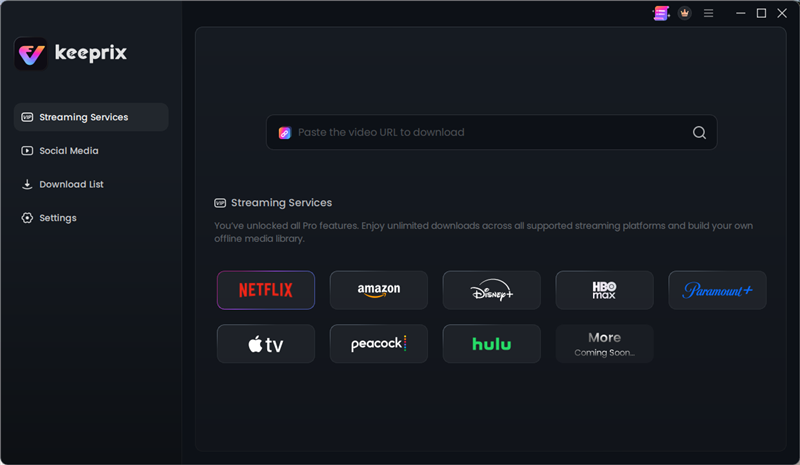
Choose Netflix
Step 2: Use the built-in browser to open Netflix and sign into your active account. Search the shows you want to download, open the series page, and select the remaining episodes you need to watch. Click the Download button. Here I take download Little House on the Praiirie as an example.
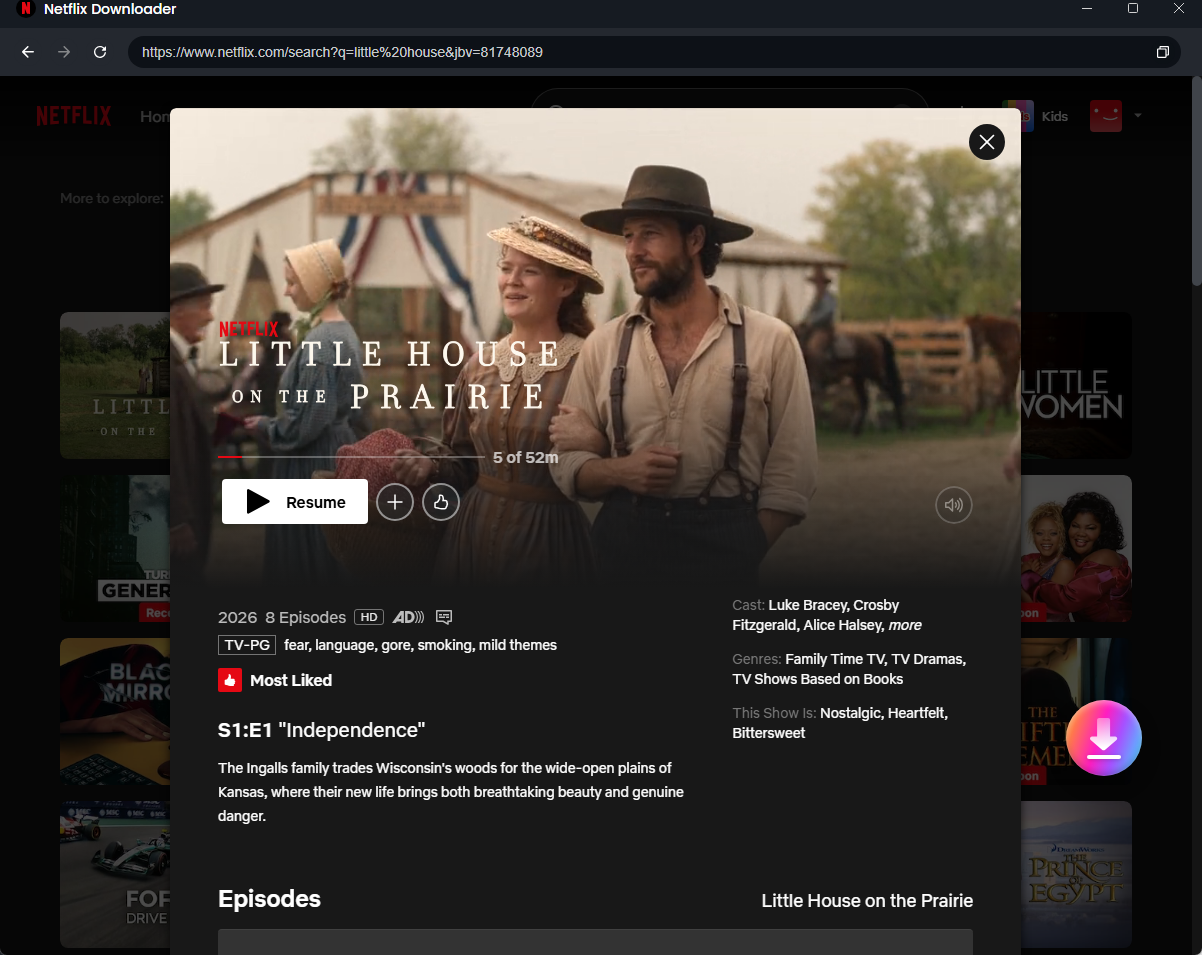
Select Shows You Want to Download
Step 3: Choose your format: Select MP4 or MKV output, and choose your preferred subtitle and audio tracks. Keeprix will batch download the episodes to your local drive, giving you a personal offline library you can watch whenever you are ready.
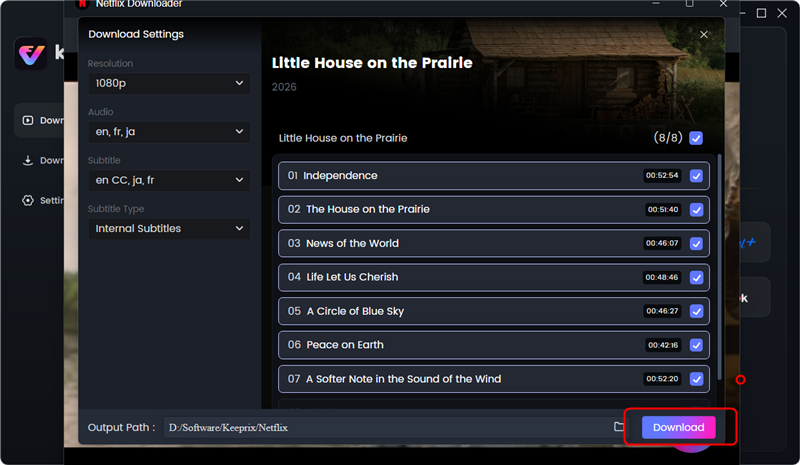
Download the Shows You want to Save
The Bottom Line
Nashville has already left Netflix U.S., so the best option now is to find the streaming or purchase option above that works for you. For other shows you love, however, it pays to plan ahead. If a title is scheduled to leave Netflix, use Keeprix Video Downloader while it’s still available to save it as a local MP4 or MKV file for personal offline viewing. Keep your favorites locally, and watch them whenever you want — without worrying about when they leave streaming.
Keeprix Video Downloader
Download videos from Netflix as MP4/MKV. Enjoy seamless offline watching on Windows and Mac computers.