Netflix removes shows because it licenses them from studios for a specific time period. When the licensing agreement expires, the title must be removed unless the contract is renewed.
Seeing a “Leaving Netflix in 7 Days” warning right in the middle of your binge-watch is incredibly frustrating, but it happens because the platform simply rents the streaming rights rather than owning the content permanently.
Why do shows leave Netflix? This reality is closely tied to Netflix DRM protection, which ensures digital content can only be accessed while the platform’s license remains active.
Why Do Shows Leave Netflix?
Why Do “Netflix Originals” Leave?
It seems confusing when a show heavily branded as a “Netflix Original” suddenly disappears from the catalog. However, Netflix Originals can leave because Netflix sometimes only buys the exclusive streaming rights for a set number of years, not the full intellectual property. The original production studio still owns the underlying show.
Once this exclusive streaming window closes, the studio can take the series back to put it on their own platform or syndicate it elsewhere. This reality means no show on a streaming platform is permanently safe, even if it carries the platform’s official original branding.
How to Tell if a Show is Leaving Soon – Quick Check
What Happens to Downloaded Shows When They Leave Netflix?
What happens to Netflix downloads after a title leaving? If you download episodes to the official app to finish them later, those downloads become instantly unplayable the moment the show leaves the platform. Official app downloads are strictly tied to the server’s current licensing rights, not just the physical file sitting on your device.
Even if you haven’t finished watching it, the app will lock the download and trigger an error as soon as the title is removed from the Netflix catalog. Unlike standard local media files, app-protected downloads cannot survive a licensing expiration.
If you encounter issues beyond standard expirations, you may need to troubleshoot why a Netflix download is not working, but for departing shows, the lock is intentional and permanent.
Does the Airplane Mode Trick Work?
A common workaround suggested on forums is turning off your Wi-Fi or switching to airplane mode before the removal date. Unfortunately, this airplane mode trick fails to save expiring shows.
Netflix enforces a strict 48-hour license check on app downloads. This built-in security forces your device to ping the server to verify you still have active access to the title.
If you are offline for too long or the show has been removed, the app recognizes the expired license. Relying on this trick will eventually result in a black screen and a locked show mid-binge, leaving you without a way to finish the series.
How to Save a Show Before It Leaves
If a show you are watching is about to disappear, strictly timed app downloads will not protect your watchlist. Instead, you need a proactive, file-based workflow. Keeprix Video Downloader is a desktop tool for Windows and Mac that helps you turn currently accessible Netflix videos into flexible MP4 or MKV files.
Timing is crucial: you must build your personal offline library before the removal date, as no tool can download content that has already left the platform. By saving accessible videos as local files, you get the freedom of a personal media library instead of relying on strictly timed app downloads that vanish when a server updates.
Keeprix allows one full free download per supported streaming platform, supporting up to 1080p for Netflix!
How to prepare your watchlist:
Install Keeprix Netflix Downloader on your Mac or Windows computer. Open the built-in browser and log into your Netflix account while the show is still available.
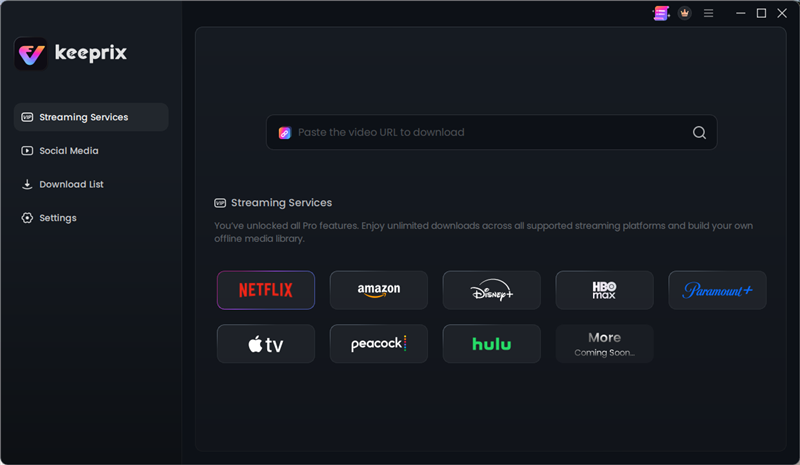
Choose Netflix
Then follow these steps:
Step 1. Search for the leaving title and select your preferred episodes.
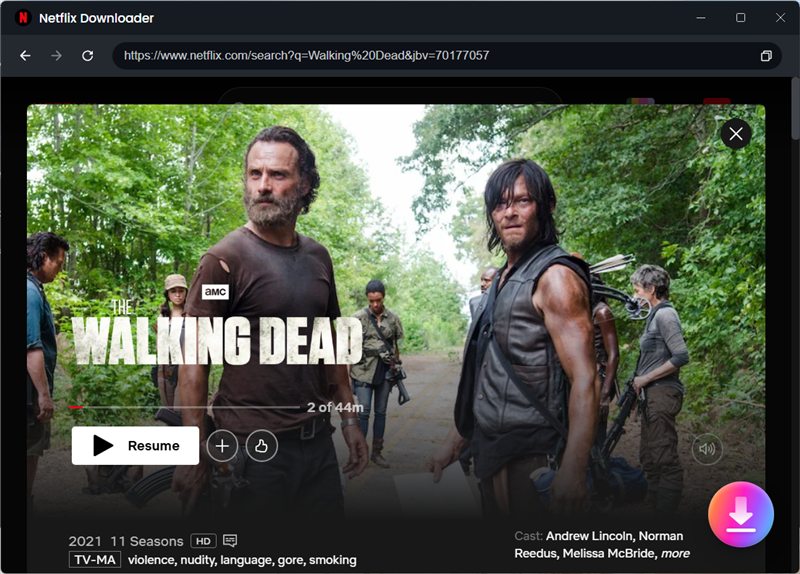
Search what you want
Step 2. Select your subtitle and audio track preferences, and start the batch download.
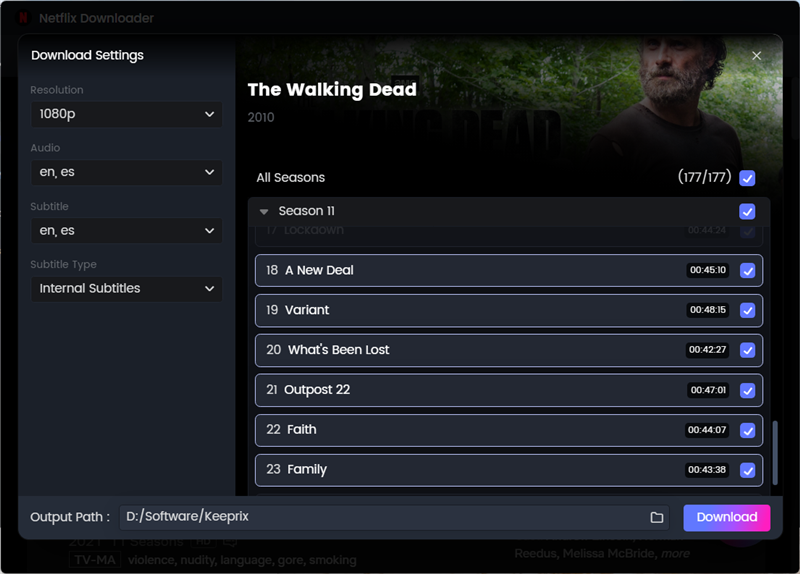
select your subtitle and audio track preferences
Step 3. Enjoy your personal offline library on the screen you actually use!
Frequently Asked Questions
What happens to offline downloads when a subscription or license expires?
Official app downloads will instantly lock. They are tied directly to your active subscription and the platform’s current licensing agreements, bypassing any perceived offline safety.
Why do shows leave and sometimes come back?
Shows return if Netflix successfully renegotiates the licensing agreement with the original studio, though this process can take months or even years.
Where can I find out what is leaving soon?
Netflix displays a “Leaving Soon” warning on the title’s details page and in the top corner of the screen during the first few seconds of playback. Or you also read this What’s Leaving Netflix page to check if your favourite shows may leave.
Can you keep downloaded movies forever?
Not through a streaming app. To keep a digital movie indefinitely, you typically need to purchase it digitally through a storefront like Amazon or Apple, or build a personal offline library by saving accessible streaming videos as local files before their licenses expire.
Final Thoughts: Prepare Your Watchlist Before It Disappears
Licensing agreements dictate Netflix’s catalog, making show removals and expiring app downloads inevitable. When you see that frustrating “Leaving Soon” warning, remember that official app downloads will not protect your binge once the show officially leaves the platform.
The best way to handle a disappearing show is to prepare before you need it, much like you would prepare movies before travel or long commutes. Try Keeprix to save the episodes you can currently access as flexible MP4 or MKV files. With one full free download available per supported streaming platform, you can secure your watchlist and finish your favorite series on your own terms while you still have time.
