Adblocker for Netflix: What Actually Works (and Why Smart TVs Struggle)

Yes, browser extensions like uBlock Origin can sometimes block Netflix ads on a desktop computer, but there is currently no native adblocker for Smart TVs, Apple TV, or Roku.
Netflix is locked in a constant cat-and-mouse game with adblock developers. The platform frequently updates its video player and digital rights management (DRM) scripts to detect blockers, often breaking the extension or halting playback entirely.
For viewers frustrated by mid-roll streaming ads, the reality is clear: you generally have to either pay for the premium ad-free tier or shift your viewing workflow to download Netflix videos offline, especially if you want a clean experience on a television screen.

Adblocker for Netflix
Browser Extensions: The Best Options for Desktop Viewers
For users sticking exclusively to Chrome, Firefox, or Edge on a PC or Mac, uBlock Origin is the most frequently recommended browser extension for navigating Netflix’s ad-supported tier.
uBlock Origin works by filtering out the tracking scripts and ad requests that trigger mid-roll commercial breaks. However, because Netflix frequently updates its DRM and ad-serving architecture, this method is highly unstable. When Netflix deploys an update, the extension often breaks, resulting in prolonged black screens, endless loading circles, or error messages that block the video entirely until the extension developer releases a patch.
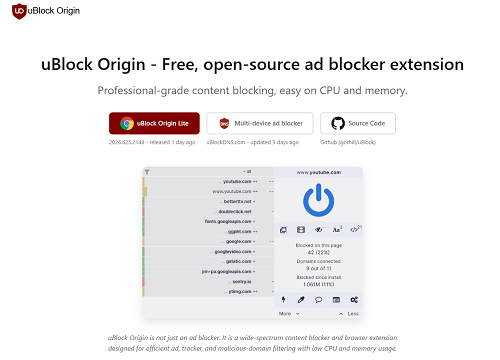
uBlock Origin
Pros and Cons of Browser Extensions for Netflix:
- Pros: Free to use, easy to install on desktop browsers, and effective when fully updated.
- Cons: Frequently breaks due to Netflix updates, causes playback errors, restricted entirely to desktop viewing, and provides absolutely no support for Smart TVs or mobile apps.
Why Pi-hole and DNS Blockers Fail Against Netflix Ads
Many users hope that routing their home network through a DNS blocker like Pi-hole will eliminate streaming ads across all devices. Unfortunately, DNS blocking fundamentally fails on Netflix.
The technical reason is straightforward: Netflix serves its mid-roll ads from the exact same domain servers as the actual video content. Pi-hole and similar network-wide blockers operate by blocking known ad-server domains. Because Netflix uses same-domain ad serving, your Pi-hole cannot distinguish between the commercial and the movie.
Ultimately, if a Pi-hole successfully blocks the server delivering the ad, it also blocks the movie or TV show from playing, rendering the stream useless.
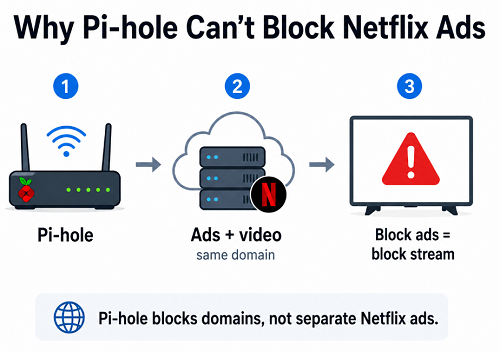
Pi-hole
Do VPNs Work for Bypassing the Ad Tier?
Another common tactic discussed online is using a VPN to region-hop to countries where the Netflix ad-tier rules differ or where ads are supposedly less frequent.
While this sounds appealing, it comes with severe drawbacks. High-quality VPNs add extra monthly costs that often negate the savings of the ad-supported tier. Furthermore, routing your video through a distant server significantly slows down streaming speeds, leading to buffering. More importantly, Netflix actively monitors and blocks known VPN IP ranges. Using a VPN to bypass regional restrictions or alter your subscription experience also violates Netflix’s Terms of Service, making it an unreliable and risky long-term fix.
The Smart TV Gap: Why Streaming Ads Are Hard to Block on the Big Screen
While desktop users can play the ongoing cat-and-mouse game with browser extensions, Smart TV, Roku, and Apple TV users are left stranded.
Smart TVs and streaming sticks operate as closed ecosystems. You cannot install uBlock Origin, adjust browser settings, or inject custom ad-blocking scripts into the native Netflix television app. Because network-level blockers like Pi-hole also fail, there is no direct way to intercept an ad while the app is actively streaming from the server.
Fixing the TV problem requires a completely different approach. Instead of trying to block ads during a live stream, users must change their workflow from “live streaming” to “playing a local file.”
Keeprix: A Stable “Stream to File” Alternative to Adblockers
For users tired of frequently breaking browser extensions or frustrated by the lack of Smart TV solutions, Keeprix Video Downloader (available for Windows and Mac) offers a highly stable “Stream to File” alternative.
Keeprix is NOT an adblocker. Instead, it allows you to save the Netflix videos you already have access to as local MP4 or MKV files (up to 1080p, depending on source quality and account access). Because you are watching a saved local file rather than maintaining an active connection to Netflix’s servers, mid-roll streaming interruptions naturally do not exist.
This approach turns app-only viewing into flexible local files intended for personal offline playback. You can bypass the streaming connection entirely and prepare a full, uninterrupted offline watchlist.
How the Keeprix Workflow Works:
Keeprix Video Downloader
Download streaming videos from hot platforms without limites. Enjoy seamless offline watching on Windows and Mac computers.
Step 1: Open Keeprix on your PC or Mac.Choose Netflix.
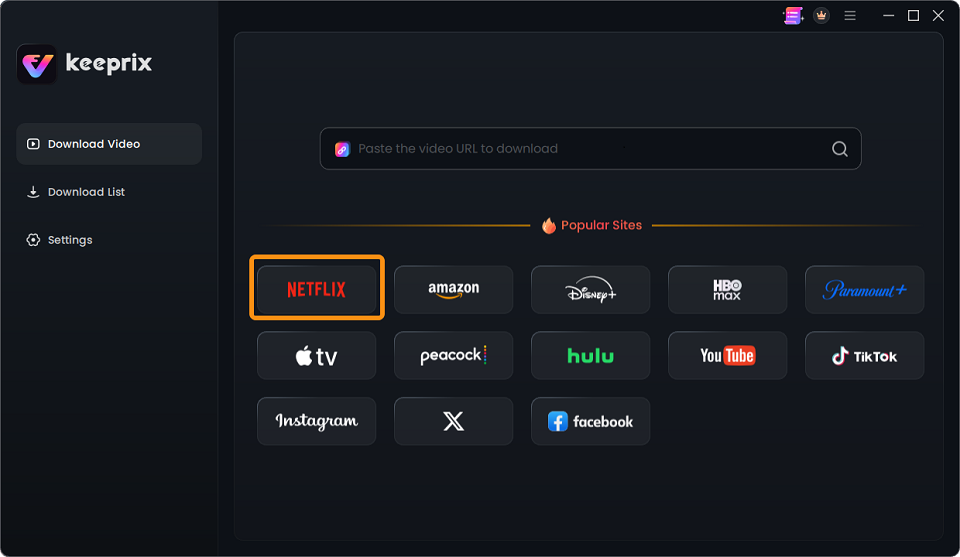
Choose Netflix
Step 2: Access your Netflix account.
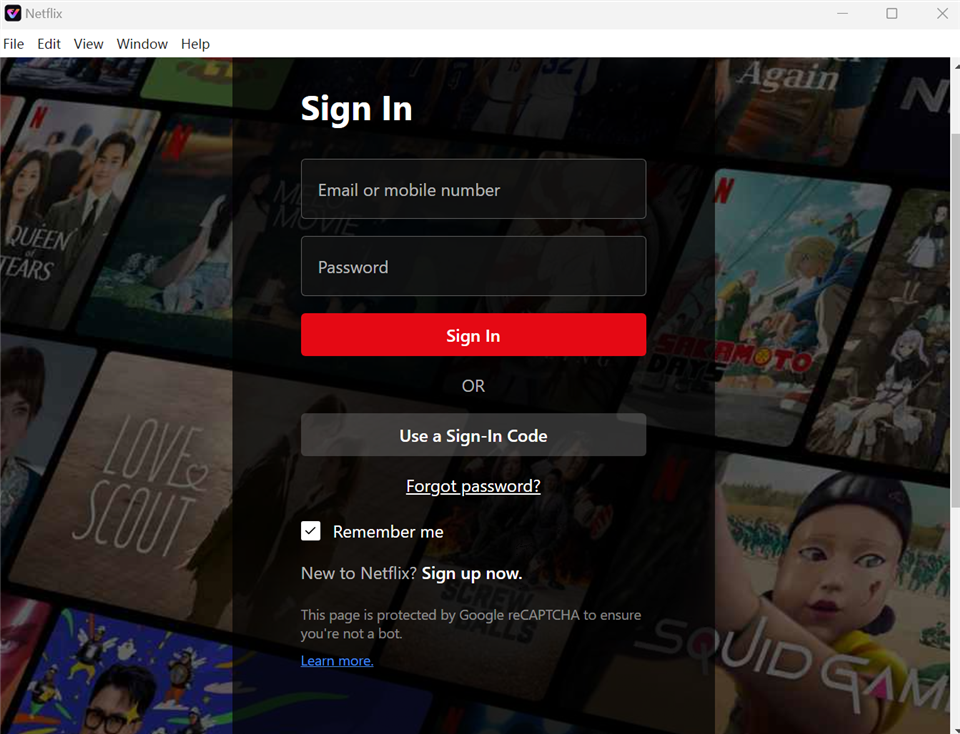
Sign In to Your Netflix Account
Step 3: Locate your accessible video.
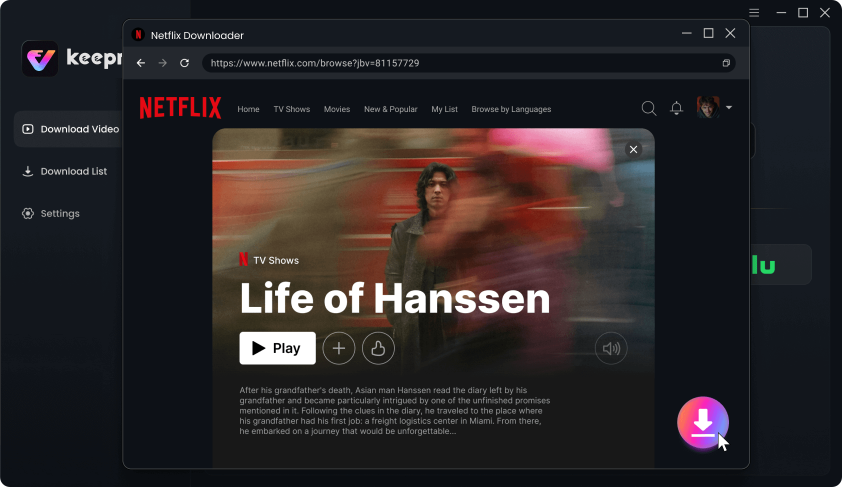
Download Movies You Want on Netflix
Step 4: Choose your preferred available audio and subtitle tracks, and select MP4 or MKV as the output format.
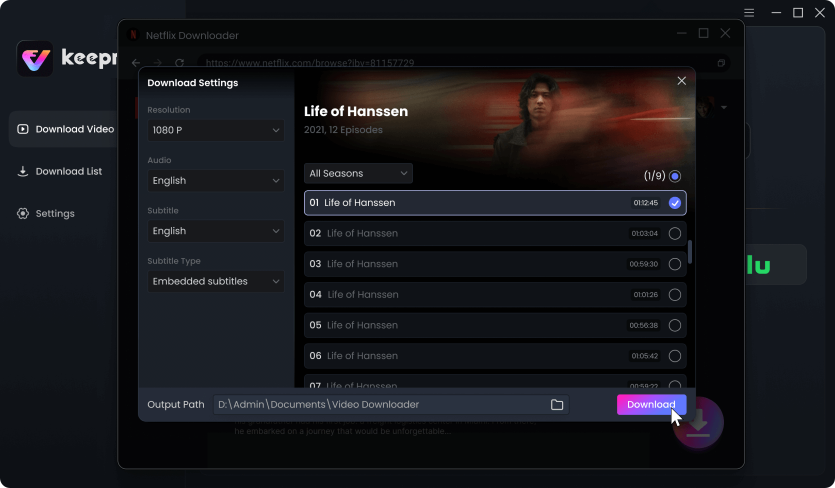
Customize Download Setting
Step 5: Queue up a single video, or batch select multiple episodes to prepare a full offline watchlist.
Step 6: Save the videos to your local drive for uninterrupted, personal offline playback.
How to Watch Your Saved Netflix Files on a Smart TV
Once you transition to a file-based workflow, getting your uninterrupted videos onto the big screen is incredibly simple. Because MP4 and MKV are universally supported formats, you are no longer restricted by the closed ecosystem of a Smart TV app.
Here are the 3 steps to watch your saved Netflix files on a Smart TV:
- Save the video: Use Keeprix on your PC or Mac to save the accessible Netflix video as a local MP4 or MKV file.
- Transfer the file: Plug a USB flash drive or an external hard drive into your computer and copy the downloaded MP4/MKV files onto it. (Tip: Check your TV manual to ensure your USB drive is formatted correctly for your specific TV model, typically exFAT or FAT32.)
- Play on the big screen: Plug the USB drive into your Smart TV’s USB port. Use the TV’s native media player (or a downloaded app like VLC) to select the file and enjoy smooth, uninterrupted playback.
You might like: Disney Plus Download Limit: Official Rules and Solutions for 2026
Comparing the Methods: Extensions vs. Pi-hole vs. Keeprix
Choosing the right method depends on where you watch your shows and how much patience you have for troubleshooting. Here is a clear breakdown of the most common solutions:
| Method | Browser Extensions (uBlock Origin) | Pi-hole / DNS Blockers | Keeprix (Local MP4/MKV File) |
| Desktop Support | High | None (Fails) | High |
| Smart TV Support | None | None (Fails) | High (Via USB transfer) |
| Reliability Against Updates | Low (Frequent breaks) | None | High (Offline playback) |
| Setup Complexity | Low | High | Medium |
Frequently Asked Questions
1.Does uBlock Origin work on the Netflix ad tier?
Yes, but it is highly unstable. It only works on PC web browsers and requires frequent updates to keep up with Netflix’s changing ad-serving scripts.
2.Will Pi-hole block Netflix ads on my home network?
No. Netflix serves its ads and its video content from the exact same domains. If Pi-hole blocks the ad, it also blocks the movie from playing.
3.Why is my adblocker breaking the Netflix video player?
Netflix actively uses detection scripts to identify adblockers. When it detects an active extension filtering its requests, it halts playback, often resulting in a black screen or an error code.
4.Can I watch downloaded Netflix videos on my TV via USB?
Yes. If you save the accessible video as an MP4 or MKV file using a Best Netflix Downloader desktop tool, you can easily transfer it to a USB drive and play it directly on your Smart TV’s media player.
5.Is there a way to bypass Netflix ads without paying for the premium tier?
You can use browser extensions if you are willing to tolerate occasional playback errors on desktop, or you can use a “Stream to File” tool to save the video locally and watch it entirely offline.
6.Are VPNs a safe way to skip Netflix ads?
No. Using a VPN to region-hop violates Netflix’s Terms of Service. It also typically slows down your streaming speed and can trigger aggressive region blocks.
Final Verdict: Choosing the Right Solution for Your Setup
The best approach to handling Netflix’s ad tier comes down to your primary viewing screen. If you only watch on a desktop or laptop, and you don’t mind occasionally dealing with black screens or waiting for extension updates, a free browser extension like uBlock Origin is a viable choice.
However, if you are a Smart TV user, or if you simply want a completely uninterrupted 1080p viewing experience without the cat-and-mouse game, shifting to local files is the most reliable approach. By moving from app-only streaming to file-based freedom, you bypass the mid-roll ad problem entirely.
If you are ready to stop fighting with breaking extensions and want to watch on the screen you actually use, try Keeprix to build your own offline media library. Save your accessible videos as MP4 or MKV files, and experience your watchlist without interruptions.

Keeprix Video Downloader
- Download Netflix videos on Windows & Mac.
- Save streaming videos as local MP4/MKV files.
- Batch download streaming videos and TV series.
- Watch videos offline, no ads, no interruption.