Can You Watch Netflix on Peloton [Full Guide]

| Quick Overview |
| To answer the question “Can you watch Netflix on Peloton?”, you can try using the hidden browser or sideloading apps. For a more hassle-free way, you can download shows with Keeprix Video Downloader once and keep them permanently. |
Many users who want some entertainment during long workouts have asked if it is possible to watch Netflix on a Peloton, and you’re not the only one! In this article, we explain the question “Can you watch Netflix on Peloton?” and provide practical ways to do it. By the end, you’ll know exactly how to watch Netflix shows offline while keeping your Peloton device safe. Let’s get started!
Can You Watch Netflix on Peloton
Can You Watch Netflix on Peloton?
It is practical to watch Netflix on Peloton. Peloton now officially supports Netflix through its Peloton Entertainment tab. The feature was first introduced in a limited beta, but it has since expanded and is now available on select Peloton models, mainly the Bike+ and Tread. Availability still varies by device model, region, and software version.
Key points to know:
- To be able to have fun with the Peloton features, you must have a Peloton All-Access Membership.
- In addition, you must have a Netflix account of your own because Peloton doesn’t offer a Netflix subscription.
- The feature’s location may make it available only for certain models (Bike, Tread, Row) and system versions, so it is not available to all users.
How to Watch Netflix on Peloton Entertainment
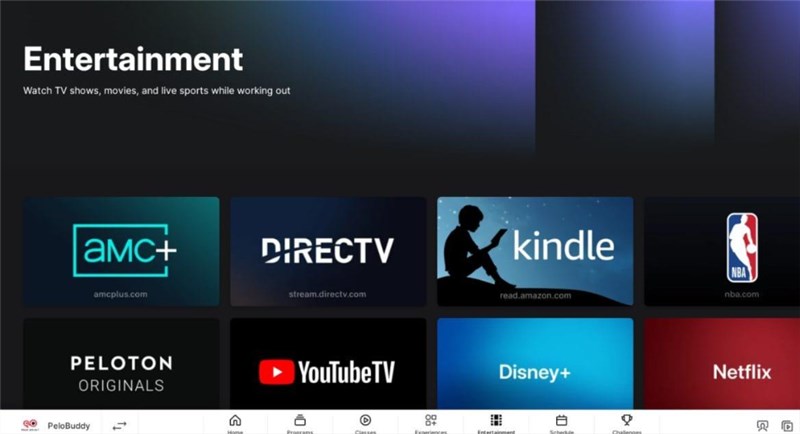
Peloton Entertainment simplifies the process of combining exercise with what you love to watch or listen to. This feature is currently available on select Peloton models such as the Bike+ and Tread, and requires an All-Access Membership. Depending on your region and software version, you may be able to stream Netflix, YouTube, Disney+, NBA League Pass, and other supported services directly from your Peloton touchscreen.
Here is a how to using the entertainment tab and watching Netflix on Peloton:
Step 1. Tap the Entertainment tab at the bottom of your touchscreen.
Step 2. Choose Netflix. Enter your personal Netflix account credentials.
Step 3. Select a TV show or a film and get going with your workout. You will still be able to see your progress on the screen, so you can keep going while watching Netflix.
Watch Netflix on Peloton
How to Watch Netflix on Peloton via Hidden Browser
In case your Peloton device still lacks the Entertainment tab, or you are simply not a fan of that way, you can stream Netflix via the Peloton hidden browser. Peloton’s operating system is built on an Android framework, which allows access to certain developer tools such as the WebView Browser Tester.
Here are the steps to watch Netflix on Peloton by the hidden browser:
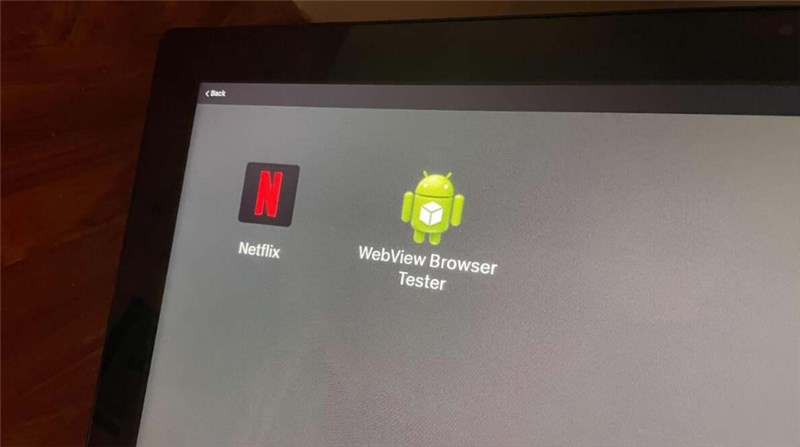
Step 1. Go to the Peloton screen and tap the three dots icon. Select About.
Step 2. Tap 7 times, and the option to open the browser will appear with the text WebView Browser Tester. Click on it to launch the browser.
Launch Hidden Browser
Step 3. Click the uppermost box in the browser and type the Netflix website.
Step 4. Log in with your Netflix account and stream your preferred shows and movies via the web player.
The hidden browser may not appear on all models or software versions, and workout metrics also may not display while using the browser.
Watch Netflix on Peloton Offline [No Restriction]
To avoid issues like unsupported Peloton models or regional limitations, you can use Keeprix Netflix Video Downloader to download Netflix movies and TV shows and watch them on Peloton without any restrictions. This tool removes common streaming limits such as device compatibility, regional locks, download quotas, and expiration dates, giving you complete freedom to enjoy Netflix on any device—including your Peloton. Keeprix Video Downloader is also packed with features that make offline Netflix viewing easy, flexible, and comfortable.
Main Features of Keeprix Video Donwloader:
- Extend beyond Netflix download limits, enjoy offline viewing without ad interruption.
- Download videos in MP4/MKV formats, watch them on a mobile phone, tablet, smart TV, etc.
- Download TV shows and movies from any region without restriction.
- Enjoy offline playback with no expirations, give you permanent access to every download.
How to download Netflix videos using Keeprix Video Donwloader:
Step 1. Download & Install Keeprix Video Downloader
Download and install Keeprix Netflix Downloader on your PC or Mac, then launch it and choose Netflix as your target platform.
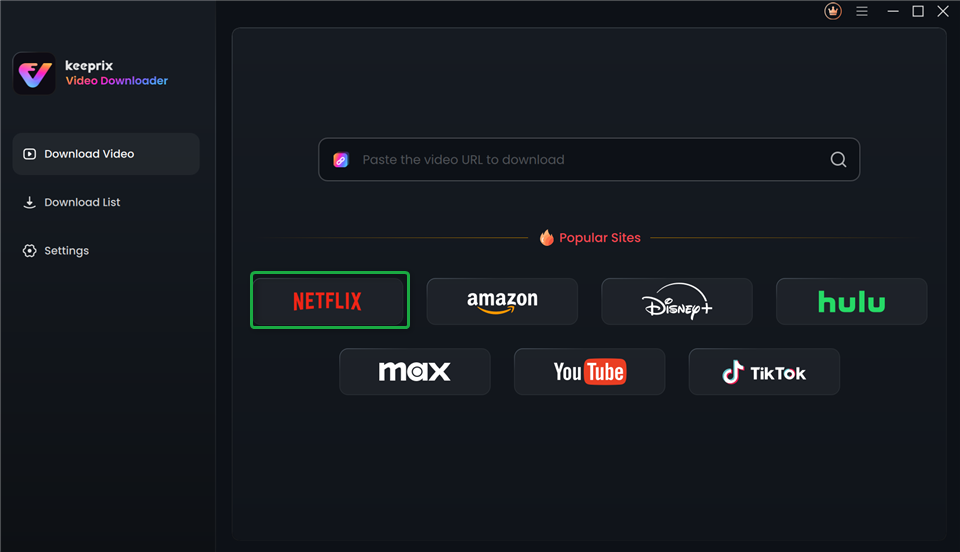
Choose Netflix in Keeprix Video Downloader
Step 2. Log In to Your Netflix Account
Use your Netflix credentials to log in. Keeprix Video Downloader uses your login information only to fetch video data, keeping your account secure.
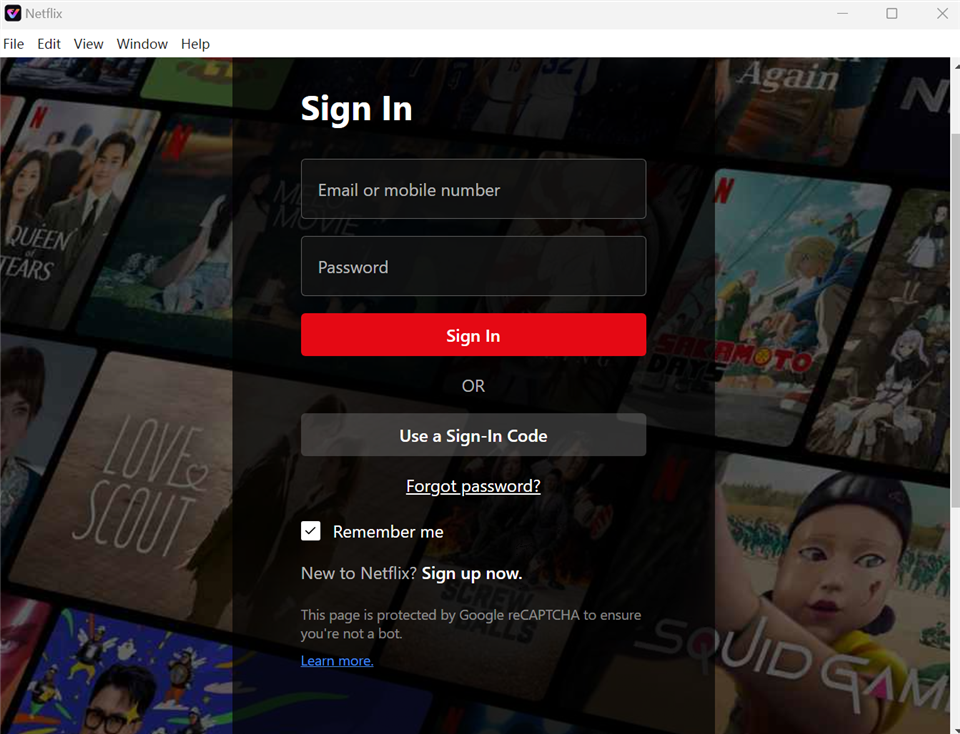
Sign In to Your Netflix Account
Step 3. Find Netflix TV Shows or Movies
Browse the built-in Netflix library to discover movies and TV shows, or search for a specific title using the search bar.
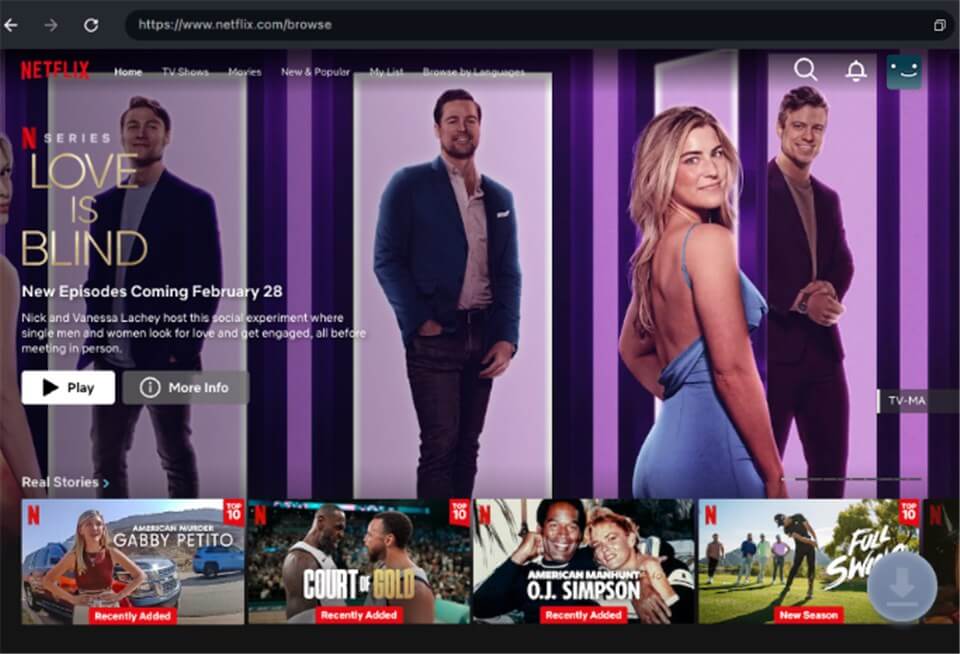
Download Movies You Want on Netflix
Step 4. Adjust Download Settings
You can pick the video quality, audio track, and subtitles options, as well as the output folder.
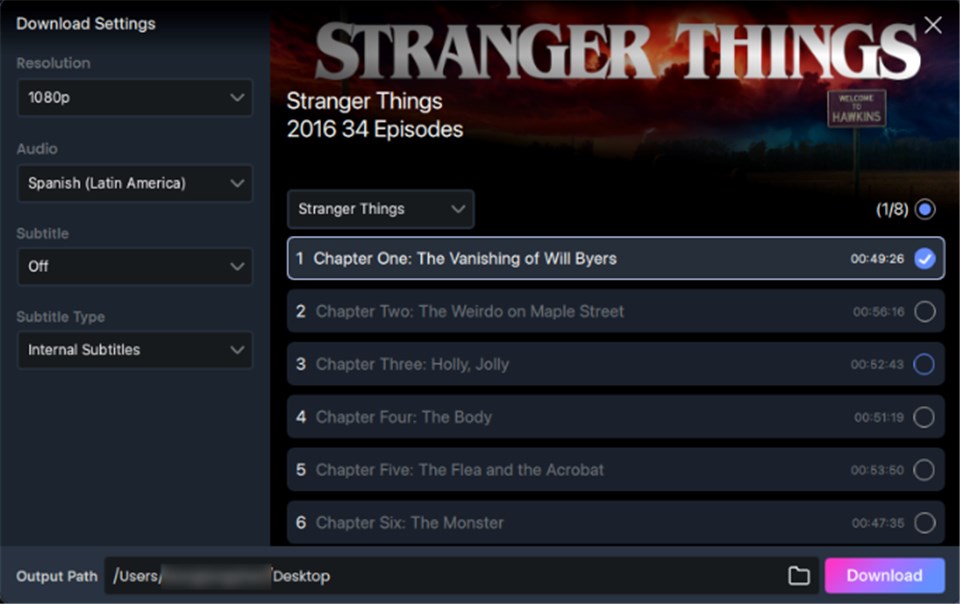
Customize Download Setting
Step 5. Download and Play Later
Start the download and track its progress. Once finished, your videos are saved locally and can be played offline on your Peloton or any other device without limitations.
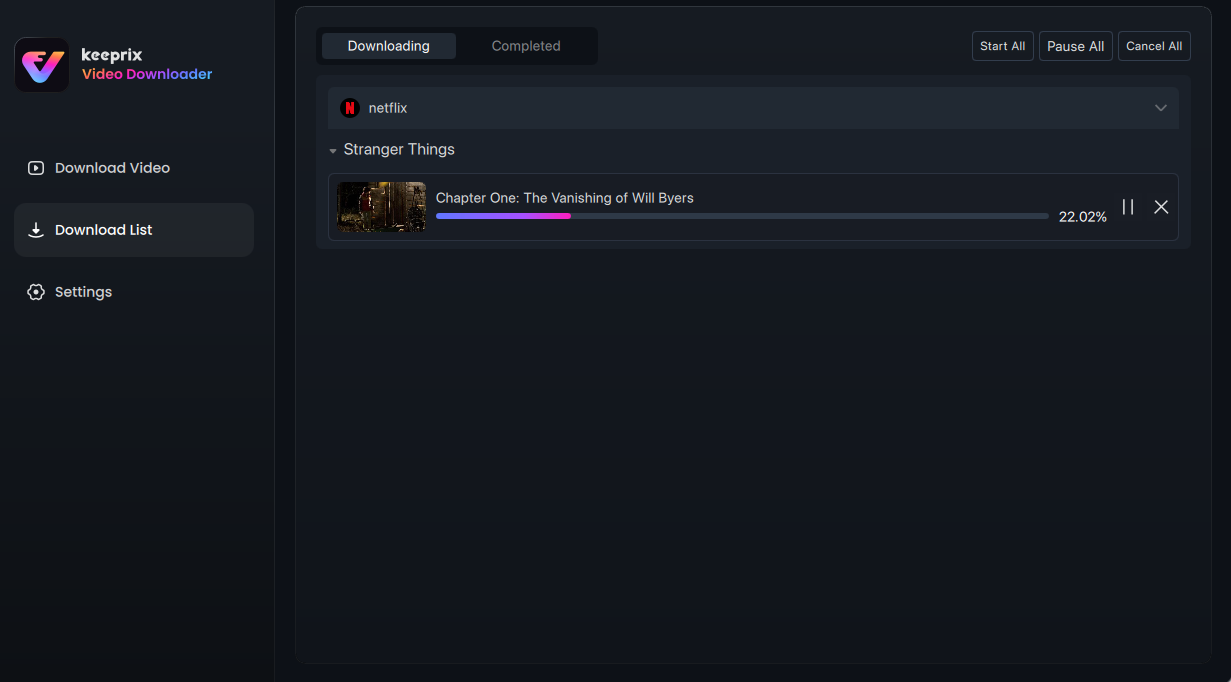
Downloading Netflix Videos
Tips to Fix Netflix Not Working on Peloton
If Netflix isn’t working on your Peloton, don’t worry. This is common, especially since the Entertainment feature is still rolling out and may behave inconsistently. Here are a few quick tips to help you get Netflix running smoothly again:
Tip 1. Check Internet Connectivity
A stable network is essential for Netflix. If streaming fails or loads slowly, refresh your Wi-Fi connection by reconnecting to your network or rebooting your Peloton’s touchscreen.
Tip 2. Restart the Netflix App
Temporary app glitches can cause freezing or loading issues. Closing Netflix completely and reopening it often resolves minor playback problems.
Tip 3. Factory Reset Your Peloton
If system bugs prevent Netflix from loading, a factory reset may help. This will erase your saved settings and logins, so use this step only if other methods fail.
Tip 4. Contact the Peloton Support Team
If none of the above fixes work, reach out to Peloton Support for professional troubleshooting tailored to your model and software version.
FAQs about can you watch Netflix on Peloton
Q1. How do I watch Netflix on my Peloton bike?
It is possible to watch Netflix on your Peloton if your device has the Entertainment tab. Just go to the tab, click on Netflix, and enter your Netflix username and password.
Q2. Is Netflix no longer available on Peloton?
Netflix is still available on Peloton, but its availability depends on your Peloton model, region, and software version. If you don’t see it, your device may not yet support the Entertainment feature.
Q3. Why is there no Netflix on my Peloton Tread+?
The absence of Netflix on your Tread+ indicates that the Entertainment feature update may not have been applied to your device yet. You can try to update the software and check your All-Access Membership.
Q4. Do you need a Peloton subscription to watch Netflix?
Yes, an All-Access Peloton Membership is necessary to open the Entertainment tab. Furthermore, you are required to have your own Netflix subscription as Peloton does not bundle Netflix with its membership.
Conclusion
To sum up, this article explored can you watch Netflix on Peloton in detail and introduced 3 practical ways to do it. Among these options, Keeprix Netflix Downloader offers the most flexibility. It can help you save Netflix movies and shows in high quality, bypass device and regional limits, and watch them on Peloton anytime without interruptions or expirations. Give Keeprix Video Downloader a try and enjoy your favorite Netflix content offline without hassle!
 Must Read