Netflix Download Limit Explained: Monthly, Device, and Yearly Rules

Netflix applies different download limits depending on your plan. Standard with ads allows 15 total downloads per device per calendar month, and the count resets on the first day of each month.
Ad-free plans allow up to 100 active downloads at a time on each supported device. The number of download devices depends on your plan. Some movies and shows also have a separate yearly download limit set by licensing agreements.
Last verified: September 2026. Plan names and availability may vary by country.

1. Netflix Download Limits by Plan
Understanding your specific Netflix download limit requires knowing which subscription tier you use. The rules change significantly depending on whether your plan includes ads.
| Netflix plan | Limit per device | Download devices | When the limit resets |
| Standard with ads | 15 total downloads per calendar month | 2 supported devices | First day of each calendar month |
| Standard | Up to 100 active downloads at a time | 2 supported devices | Delete completed downloads to free active slots |
| Premium | Up to 100 active downloads at a time | Up to 6 supported devices | Delete completed downloads to free active slots |
Premium does not increase the 100-download limit on one device. Its main download advantage is that more supported devices can hold downloads at the same time.
2. Why Netflix Says “Download Max Reached”
If you use Standard with ads, “Download Max Reached” normally means that the device has used its 15-download allowance for the current calendar month. Deleting an existing download does not return that monthly allowance. You must wait until the limit resets on the first day of the next month or change to an ad-free plan.
On an ad-free plan, check whether the device already holds 100 active downloads, whether your account has downloads on the maximum number of supported devices, or whether the specific title has reached its yearly licensing limit.
3. Download Limits and Expiration Are Different
A download limit controls how many titles you can download or keep on a device. Expiration controls how long an already-downloaded title remains available. These are separate restrictions.
Expiration periods vary by title and licensing agreement. Netflix displays the remaining viewing time when a download is close to expiring. For a detailed explanation, see how long Netflix downloads last.
4. What Is the Netflix Yearly Download Limit?
Netflix does not publish one universal yearly download number for every movie and show. Some titles can only be downloaded a limited number of times per year because of licensing agreements.
If Netflix displays error 10016-22007, the account has reached the repeat-download limit for that specific title. Deleting the previous copy does not necessarily make the title immediately available again. Netflix recommends streaming the title online or downloading another title while you wait.
5. Need Netflix Videos as MP4 or MKV on a Computer?
Netflix’s official downloads stay inside supported Netflix apps and are not available for offline viewing on Windows or Mac. If you already have access to a movie or show through an active Netflix subscription, Keeprix Video Downloader can save it as an MP4 or MKV file on a Windows PC or Mac for more flexible offline viewing.
Keeprix supports up to 1080p output, selectable audio and subtitles, and batch downloading for episodes. You can try Keeprix with one free Netflix video download.
Key Features of Keeprix Video Downloader:

Keeprix Video Downloader
- Play downloaded files with compatible media players.
- Keep the available source quality up to Full HD quality.
- Free download trial for each streaming platform like Netflix.
- 100% free for all social platforms like YouTube, Instagram.
Using a phone? Keeprix runs on Windows and macOS 12 or later. Send the free download link to your computer.
6. How to Save Netflix Videos as MP4/MKV with Keeprix
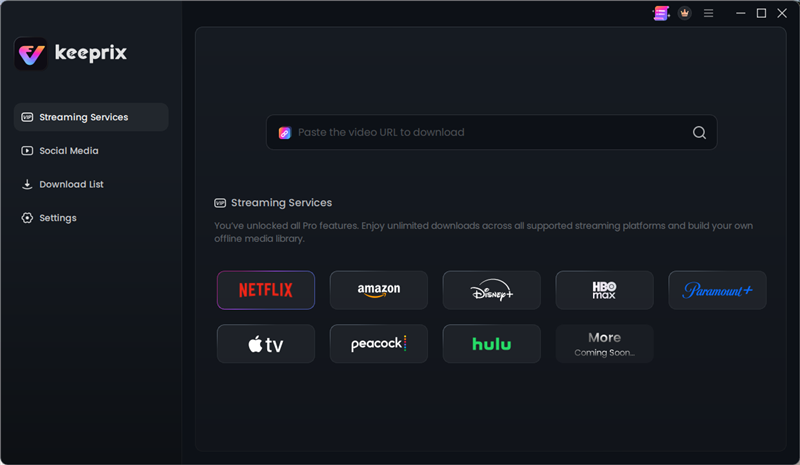
Step 1. Download and install Keeprix on Windows or macOS 12 or later, then select Netflix.
Choose Netflix
Step 2. Sign in to the Netflix account that has access to the movie or show.
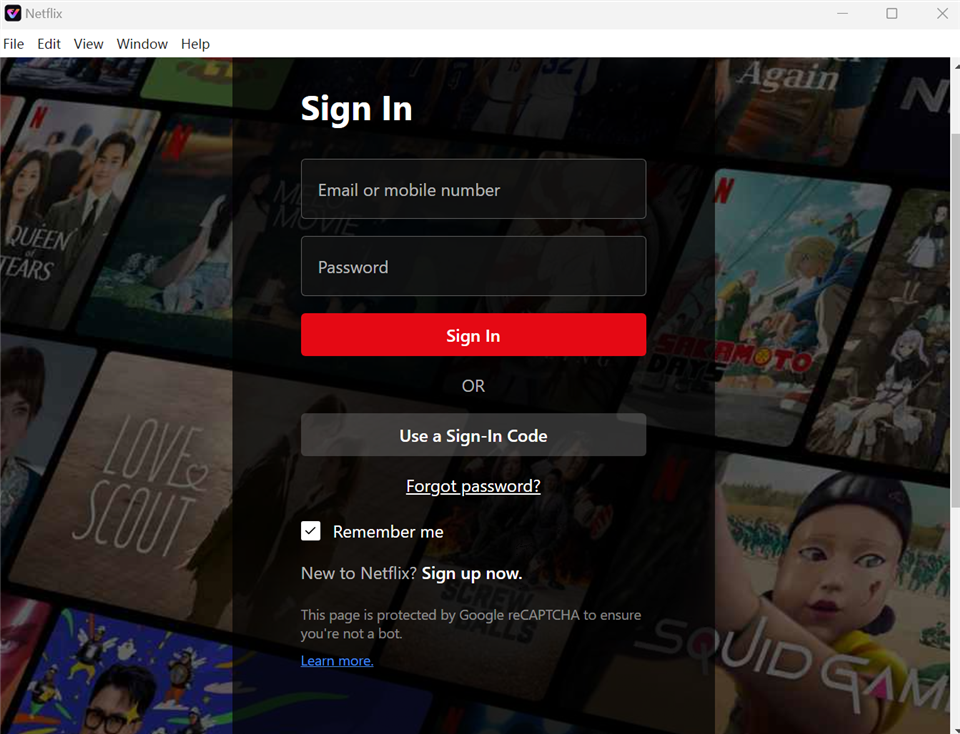
Sign In to Your Netflix Account
Step 3. Pick the movie or show you want to download. Choose MP4 or MKV output so you can watch on the screen you actually use. Select up to 1080p resolution and preserve your preferred subtitles and audio tracks.
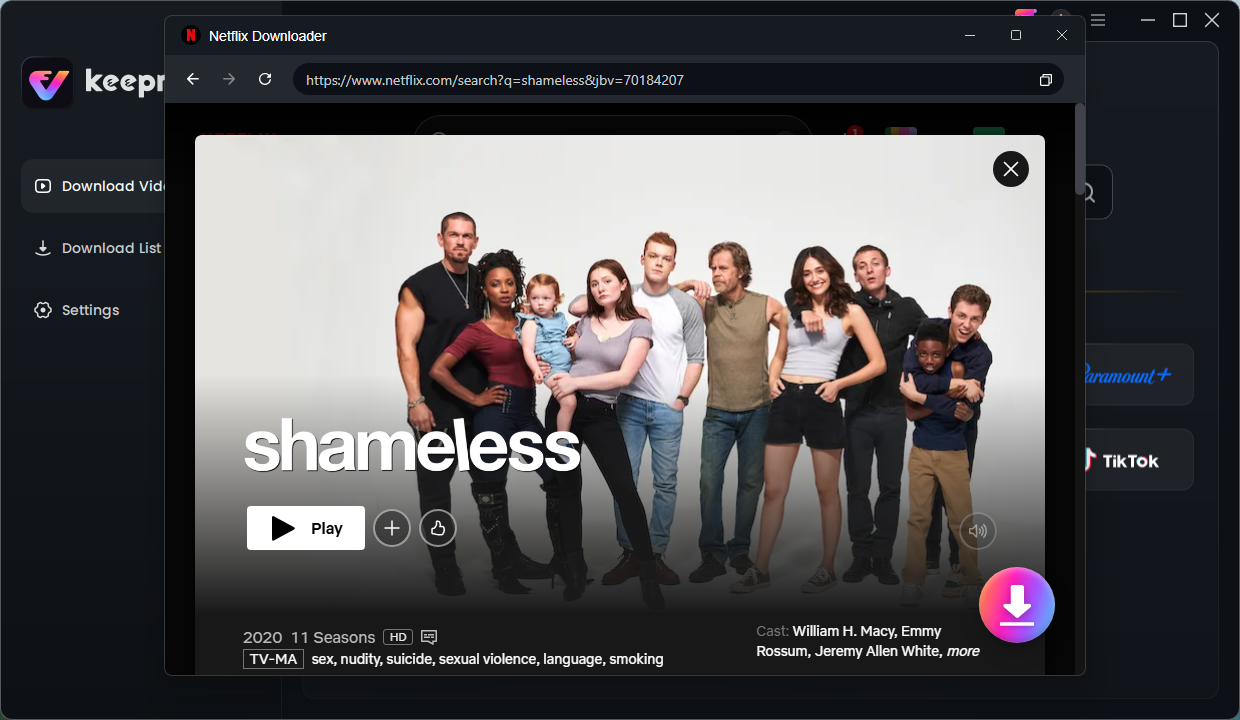
select Shameless
Step 4. Queue up multiple episodes or full seasons to prepare a complete offline library before you travel, without needing to download them one by one.
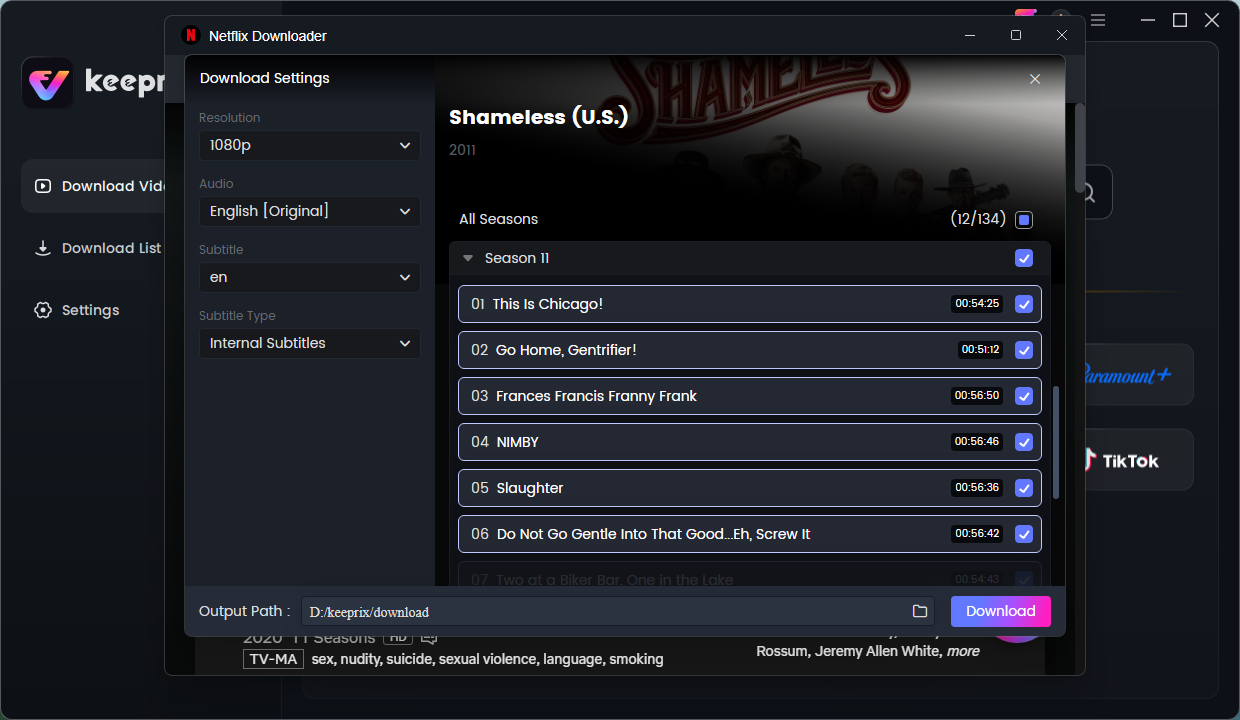
choose episodes
Step 5. Wait for the downloading completed. Then you will successfully save videos without Netflix download limit.
FAQs
Q1: How many downloads can you have on Netflix?
Ad-supported plans allow 15 total downloads per device per calendar month. Ad-free plans allow up to 100 active downloads at a time on each supported device.
Q2: What is the Netflix Premium download limit?
Premium allows up to 100 active downloads per device. Its main advantage is support for downloads on more devices, rather than a higher limit on one device.
Q3:Does deleting a download reset the 15-download monthly limit?
No. On an ad-supported plan, deleting a title does not return one of the 15 monthly download uses. The allowance resets on the first day of the next calendar month.
Q4: What is the yearly download limit on Netflix?
There is no single yearly number for every title. Some movies and shows have individual repeat-download limits determined by licensing agreements.
Q5: Why can’t I download more Netflix videos?
You may have used the 15-download monthly allowance, reached 100 active downloads on the device, filled the device allowance for your plan, or reached a title-specific yearly limit.
Q6: Can I download Netflix movies on Windows or Mac?
Netflix does not currently provide official offline downloads for Windows or Mac. Keeprix offers a desktop option for saving videos you can access as MP4 or MKV files.
Conclusion
For a more permanent option, Keeprix Netflix Video Downloader supports downloading Netflix videos as MP4 files, giving you full access to your favorite movies in high resolution. Keeprix guarantees you never miss out on your favorite shows and movies, whether on a lengthy vacation or in your collection. Free download Keeprix Video Downloader to get 2 full free downloads now!
Keeprix Video Downloader
Download streaming videos from Netflix and more. Enjoy seamless offline watching on Windows and Mac .