There are few things more frustrating for a film enthusiast than planning a movie night or a long flight, only to find your downloaded content is unplayable. We know users like “Jacob” – a representative reader who emailed us recently – understand this feeling well. You pay for software expecting a permanent library, but instead, you face encrypted files, failed downloads, and pixelated 720p resolution.
If you are staring at a “Failed” status bar or wondering why your download quality is lower than expected, you are not alone. The reality of downloading Peacock content is that it requires tools capable of keeping pace with aggressive encryption updates.
This guide analyzes the StreamFab Peacock downloader, focusing first on how to fix common errors with the software you already own. We will examine its current performance, address software crashes, and—if the current version won’t cooperate—introduce a verified alternative to ensure your offline library remains accessible.
Streamfab Peacock Downloader
How to Configure StreamFab for Success
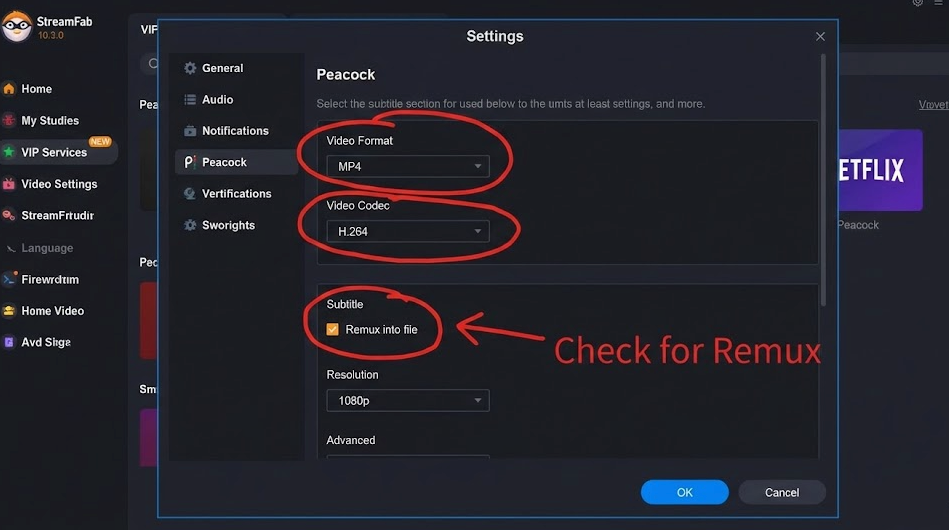
If you already own a license, let’s try to get it working. Many users abandon the software because standard settings don’t navigate Peacock’s DRM (Digital Rights Management) effectively. Following a precise configuration is necessary to maximize your success rate.
Step-by-Step Configuration
1. Installation and Critical Updates
Before launching the software, manually check for updates.
This is where most users fail. StreamFab’s ability to download Peacock content is limited by Peacock’s DRM protections. Usability is entirely dependent on having the specific version patch that counters the latest DRM change. If you are even one version behind (e.g., using 6.1.4 when 6.1.5 is required), the download will likely fail.
2. Select the Service
Navigate to the “VIP Services” tab on the left sidebar and select the Peacock icon. This opens the software’s built-in browser, which isolates the streaming traffic from your standard Chrome or Edge data.
3. Log In and Analysis
Sign in to your Peacock account. Browse to the video you wish to download and play it. The software should automatically pause the video and begin analyzing the stream.
4. Quality Selection
Once analyzed, a pop-up window will appear. Here, select your preferred resolution. Note that if 1080p is not available, it likely means the DRM has not been cracked for that specific title yet. Select your audio codec (EAC3 5.1 is recommended for surround sound systems).
5. Queue Management
Click “Download Now” for a single item or “Add to Queue” to schedule multiple downloads.
StreamFab Settings Menu
Troubleshooting: Why StreamFab May Struggle with Peacock
Users frequently encounter errors where the analysis bar freezes or the download fails instantly. As mentioned in our “Jacob” persona example, he found that some videos were blocked while others worked fine. This inconsistency is rarely a network issue; it is a direct result of the “Cat and Mouse” game between streaming services and third-party video downloaders.
The “Blackout Period” Phenomenon
StreamFab’s functionality is strictly tied to the specific encryption keys used by Peacock. Premium movies often carry newer, more complex encryption keys than older TV shows.
For example, during the release of high-profile films like The Super Mario Bros. Movie or Oppenheimer, Peacock frequently rolls out aggressive DRM updates. During these “Blackout Periods,” StreamFab may fail to retrieve keys for weeks until developers release a specific patch.
Targeted Fixes for Common Errors
If you are experiencing technical issues or software freezes, try these targeted fixes before giving up:
1. Clear the Temp Cache (The First Step)
In the settings menu, locate the “Temp” folder directory and delete the contents. Corrupted temporary files from a previous failed analysis can block future attempts.
2. Check Log Files (The Deep Dive)
If the analysis bar is stuck, the answer is usually hidden in the logs.
- Windows Path: Navigate to C:\Users\[YourUsername]\Documents\DVDFab\StreamFab\Log
- Mac Path: Navigate to ~/Documents/DVDFab/StreamFab/Log
- What to look for: Open the streamfab.log file (use Notepad or TextEdit) and search for “DRM_Error” or “GetKey Fail”.
- – If present: This confirms your current version cannot handle that specific video’s protection. No amount of restarting will fix this; you must wait for a developer patch.
3. Switch Decryption Mode (The Speed Fix)
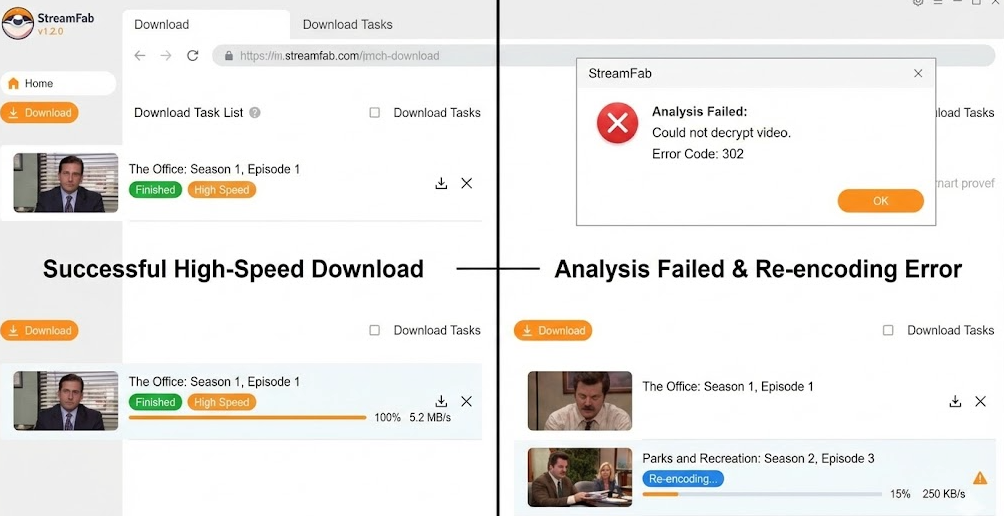
Some versions allow you to switch between “High Speed” (Direct Download) and “Re-encode” in the settings.
- High Speed: Downloads the raw source file.
- Re-encode: If High Speed fails, the software may default to this. It is essentially an automated screen recording. It works, but it takes significantly longer (1x playback speed) and ties up your CPU.
High-Speed Download VS Failed Re-encoding Error
When StreamFab Fails: The Reliable Alternative (Keeprix)
If you have cleared your cache, updated your software, and checked your logs, yet StreamFab doesn’t work for DRM-protected Peacock content, you are likely in a “Blackout Period.”
In our rigorous testing, we found that professional alternatives like Keeprix Peacock Downloader often maintain stability during these DRM rollouts. Unlike tools that struggle to patch widely enough or revert to screen recording, Keeprix utilizes a different decryption engine that tends to be more resilient to Peacock’s updates.
Comparing the Options
Before you commit to switching tools, it is vital to understand the landscape. Comparing the StreamFab downloader against professional alternatives like Keeprix reveals significant differences in uptime.
We evaluated these tools based on three critical metrics:
- Success Rate: How often a download completes without error during DRM updates.
- Time Cost: The speed of analysis and downloading.
- Video Quality: The ability to retain 1080p integrity versus reverting to SD.
| Feature | StreamFab | Keeprix Video Downloader | Official Peacock App |
| Stability | Variable (Patch Dependent) | High (Advanced Decryption) | High (Native Support) |
| Max Resolution | 1080p (When working) | 1080p (Consistent) | 720p/1080p (Device dependent) |
| Ad Removal | Yes | Yes | No |
| Download Type | Direct or Re-encode | Direct Download | Encrypted Cache |
| Permanence | Permanent | Permanent | Expires in 48 Hours |
For a broader side-by-side comparison beyond StreamFab and Keeprix, review the best Peacock video downloaders before choosing a tool.
Why Keeprix is Often More Stable
1. Overcoming DRM Blocks
Keeprix uses a proprietary decryption method that appears less reliant on individual key-matching for every single title. This ensures that even when Peacock updates security keys for new movies, you can often continue to save videos in up to 1080p Full HD without the “Analysis Failed” error common in other tools.
2. Eliminating Ad Interruptions
A major annoyance with many Peacock streaming download tools is that when they revert to “Re-encode” mode, they capture commercials. Keeprix is engineered to identify and remove ad segments during the download process, ensuring a seamless experience.
3. Batch Processing Efficiency
If you are archiving an entire TV series like The Office or Yellowstone, downloading episodes individually is inefficient. Keeprix supports batch downloading, allowing you to add unlimited URLs or an entire season to the queue.
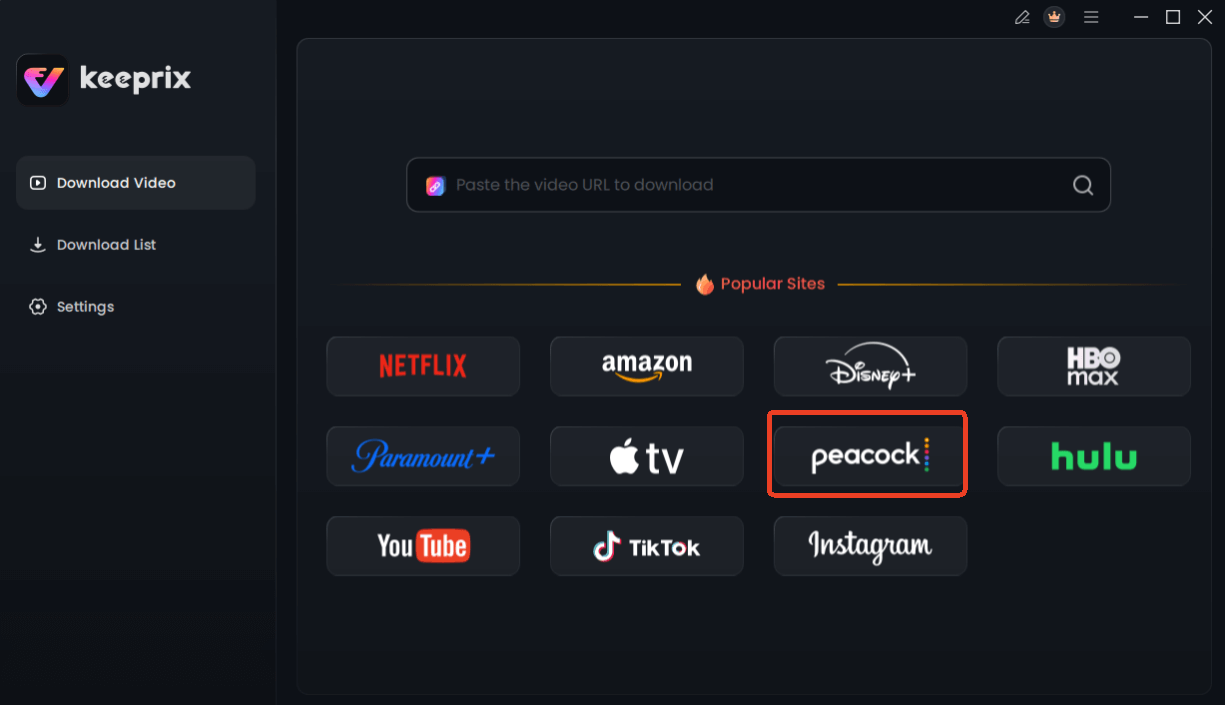
Choose Peacock in Keeprix Downloader
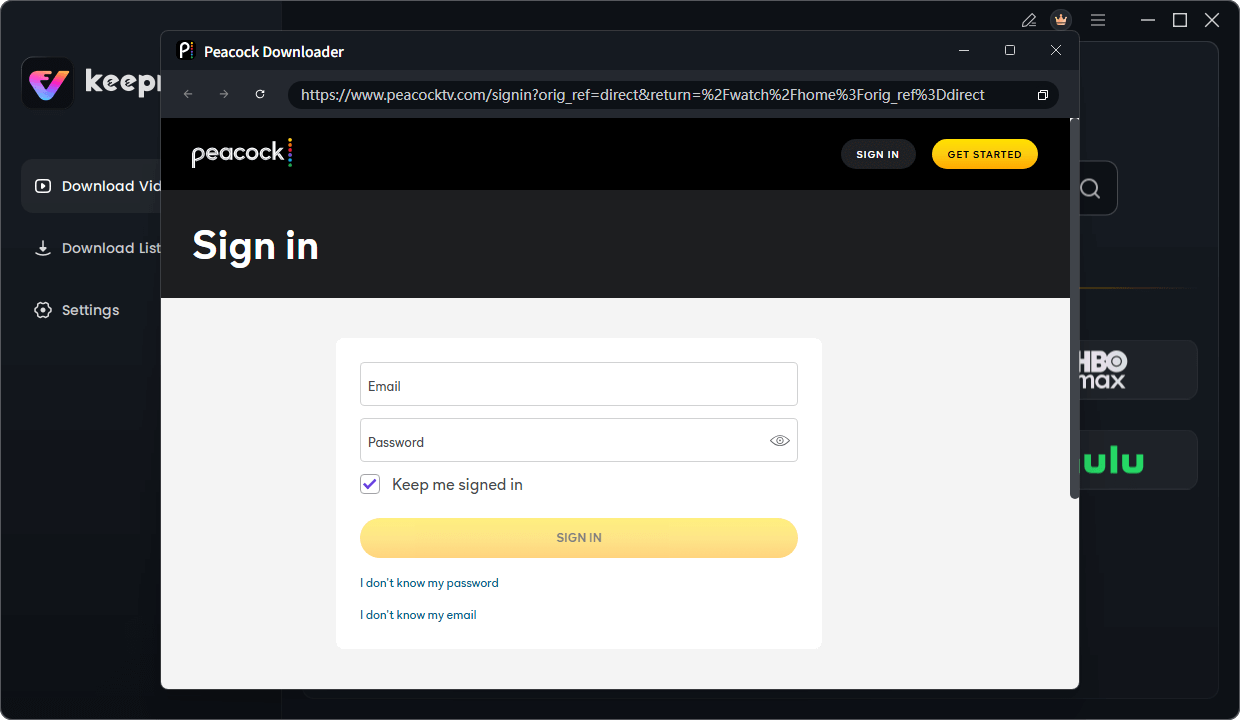
Sign in Your Peacock Account
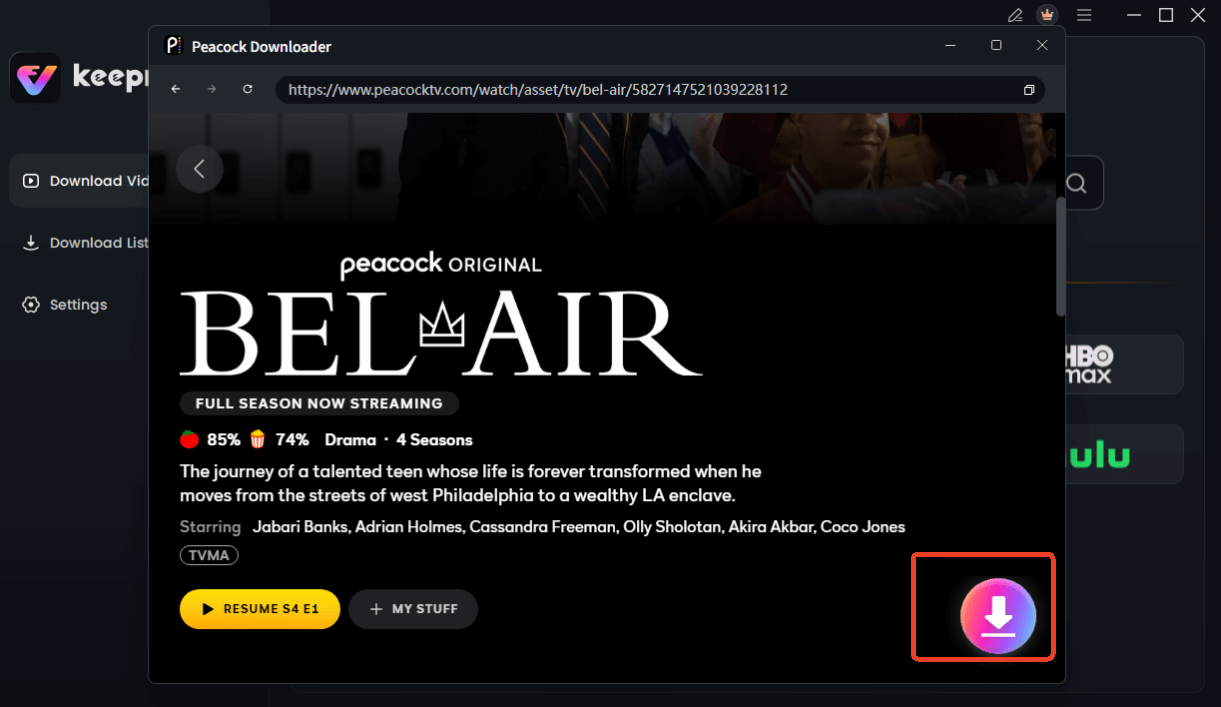
Choose Peacock Video to Download
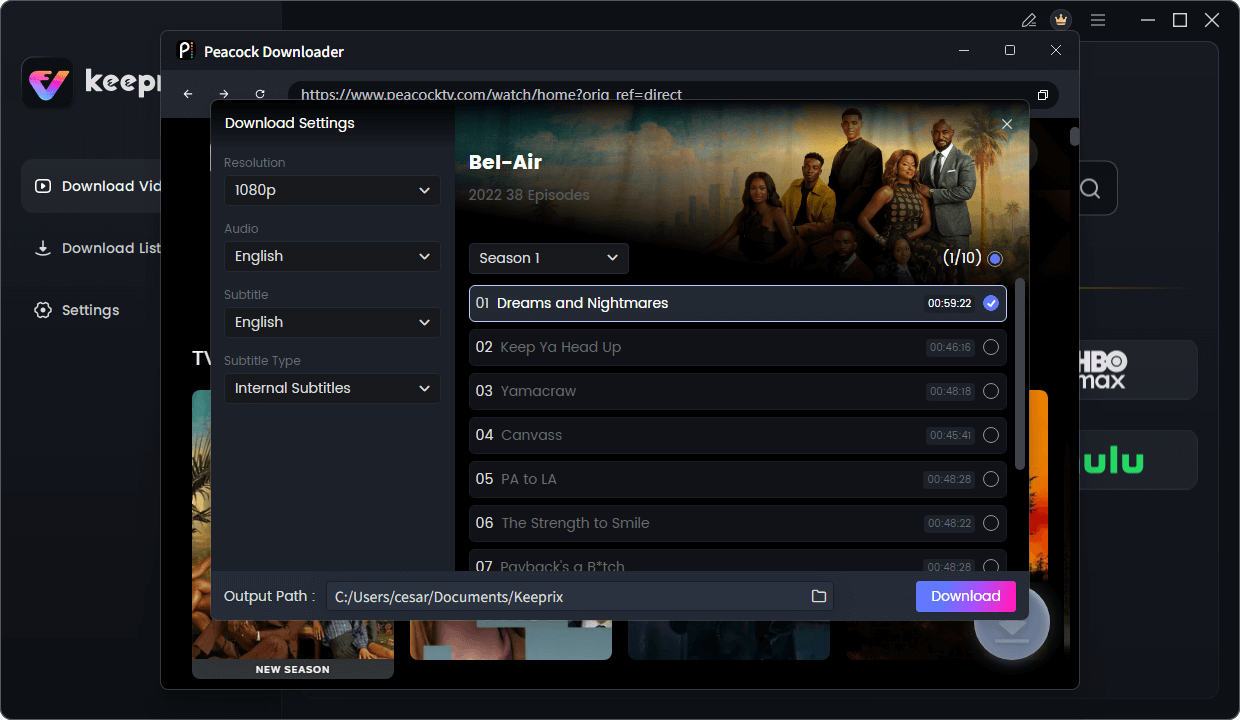
Configure Peacock Download Settings
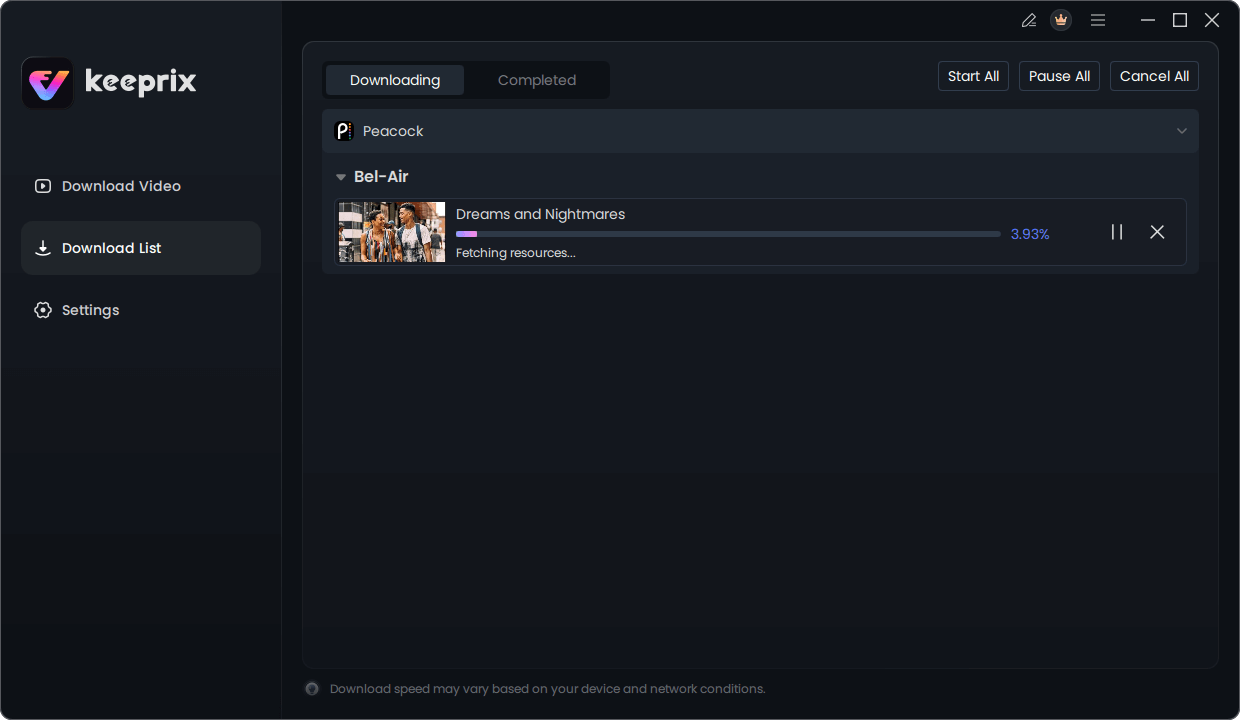
Downloading Peacock Video
Legal Check & Quality Standards
Navigating the legal and technical landscape of downloading Peacock videos is crucial for long-term library management. Users often worry about the unclear legality of downloading content via third-party tools.
The “Fair Use” Argument
Generally, copyright laws in many jurisdictions permit the creation of a personal backup for offline viewing, provided the user holds a valid subscription and does not distribute or share the content commercially. This falls under the concept of “Fair Use.” However, be aware that this often violates the Terms of Service of the streaming platform itself. Always use these tools for personal archiving only.
File Formats and Compatibility
When you successfully save a video using either StreamFab or Keeprix, the software typically exports to MP4 or MKV.
- MP4: The industry standard for high compatibility. Use this if you plan to watch on Smart TVs, iPhones, or Android tablets.
- MKV: Preferred for retaining multiple subtitle tracks and higher fidelity audio without increasing file size significantly.
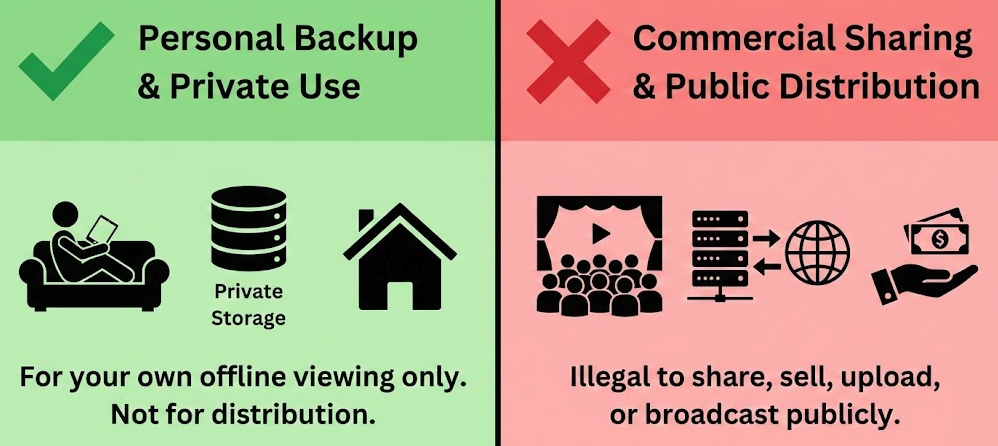
Personal Backup VS Commercial Sharing
FAQ: Common Questions on StreamFab Peacock Downloader
Does StreamFab support all Peacock content?
Not always. While the StreamFab downloader claims broad support, specific titles with aggressively updated DRM may be temporarily unavailable. Live events and sports streams are typically not supported for download by most third-party video downloaders.
Can I use StreamFab on Mac to download Peacock videos?
Yes, there is a macOS version. However, Mac updates often lag behind the Windows version. This means Mac users might wait longer for fixes if a DRM change breaks the downloader functionality.
Why is my video quality capped at 720p?
If you cannot select 1080p, the Widevine DRM protection for that specific title has likely been updated. To ensure the download doesn’t fail, the software reverts to a lower resolution stream (720p or SD) which uses easier-to-bypass security.
Is the download permanent?
Yes. Unlike the official Peacock app, where downloads expire after 48 hours, videos saved via StreamFab or Keeprix are permanent files stored locally on your hard drive. They will not expire even if your subscription ends.
Conclusion
Building a personal video library should be an enjoyable project, not a technical headache. If you are currently struggling with StreamFab, try the troubleshooting steps regarding log files and temp caches outlined above—often, a simple cleanup is all that is needed. If your goal is a simpler Peacock-focused workflow, see how to download Peacock shows for offline viewing.
Keeprix Video Downloader offers the stability and quality assurance that users like Jacob—and you—deserve. Whether you stick with your current tool or switch to a more robust solution, the goal is the same: securing your favorite movies and shows in permanent, high-definition quality.
