How to Remove DRM From Apple TV+ and iTunes Movies

| Quick Overview |
| This guide explains how Apple TV DRM limits access to purchased movies and shows. It explores free methods such as Requiem and screen recording for DRM removal, along with their limitations. For users who want stable offline viewing without dealing with old software, Keeprix Video Downloader provides an easier solution by enabling Apple TV+ downloads in flexible formats, resolutions, and languages. |
Apple TV offers a broad library of movies and shows for convenient streaming. However, many users regularly encounter playback or download restrictions linked to Apple TV DRM protections. Users express frustration with Apple TV restrictions in community discussions and reviews. One user reported on Apple Community that they bought a movie but found unexpected DRM blocking their rightful access.
These situations indicate growing confusion about Apple’s strict protection system. This guide explains what DRM is, why it affects your access, and what real options you have to watch content offline.
Remove Apple TV DRM
Part 1. What Is Apple TV+ DRM and How Does It Work?
Apple TV DRM refers to a mechanism that helps prevent the misuse of movies and shows. It adds a digital lock that controls how you watch each video file. The lock checks your Apple TV+ account before allowing the content to start playing. It also confirms that your device is approved to open the protected file. This process helps companies stop illegal copying and sharing of paid content online.
However, it creates limits for normal viewers who use many devices daily. You may face problems when travelling or switching to a new phone. Some videos may not open unless your sign-in details match perfectly. Understanding this system makes it easier to see why certain files stay restricted.
Part 2. How to Remove Apple TV+ DRM and Watch Freely Offline on Windows/Mac
Many users need reliable tools because strict Apple TV DRM usually limits offline viewing. Keeprix Video Downloader solves this by offering flexible and secure downloads for everyone. The downloader also allows you to set various settings to suit your personal watching needs.
It also offers MP4 and MKV formats, which are compatible with most devices and several audio tracks. Users can also choose between 540p, 720p, or 1080p resolution based on their screen size needs. Also, subtitle language choices include over 13 options to match diverse viewer requirements worldwide.
Key Features
- Fast Downloading: Delivers high download speeds, saving time during large video transfers.
- 4K Quality: Supports crisp 4K playback for clearer viewing on big modern screens.
- DRM Removal: Eliminates Apple TV DRM limitations, allowing you to use it freely and offline.
- Unlimited Downloads: There is no limit on the number of videos users can download daily.
- Ad-Free: Eliminates annoying advertisements to make the download process cleaner.
Stepwise Guide to Remove Apple TV+ DRM and Watch Freely Offline via Keeprix
Step 1. Download and run Keeprix on your computer and go to the “Apple TV” section from the main menu.
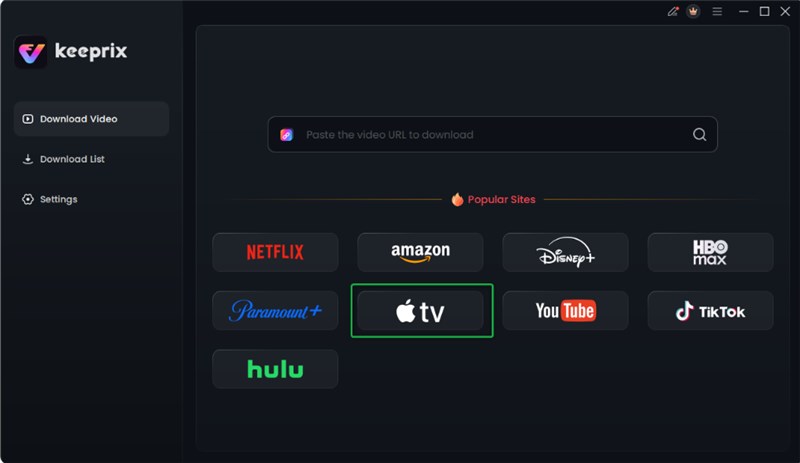
Choose Apple TV Platform
Step 2. Enter your Apple account credentials to access your full Apple TV library instantly.
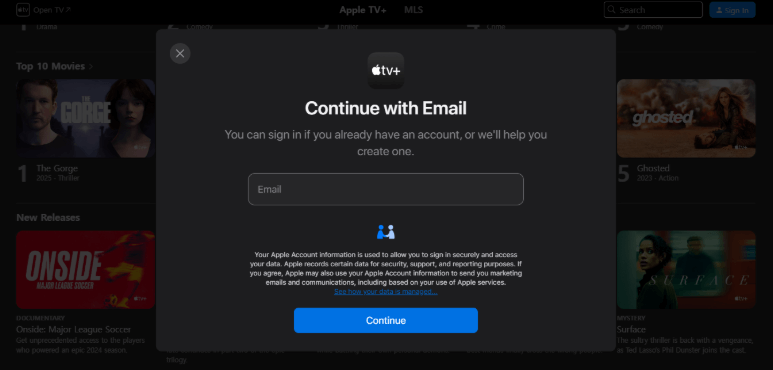
Sign in Your Apple TV Account
Step 3. Browse through your available movies and shows to pick the one you want and click the “Download” button.
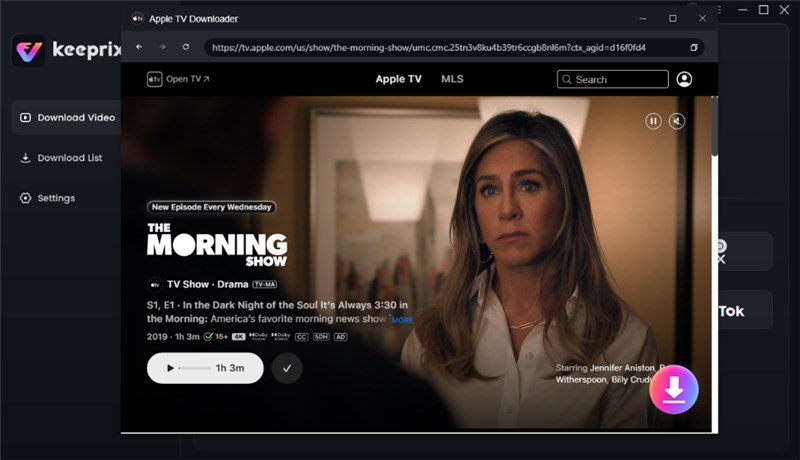
Click Download Button
Step 4. Set the video quality, audio language, and more, then hit “Download” to store it offline. Wait for the download to end. Then you can access the download contents in the Download List section.

Apple TV Video Download Completed
Part 3. How to Remove DRM from iTunes Movies Free
Many users prefer free solutions to access their iTunes purchases on more devices. Below are two common methods, along with their limitations.
Method 1. Free DRM Removal Tool-Requiem
Requiem is a free tool that helps remove limits from old iTunes videos. It works by unlocking files without lowering video quality or changing formats. Also, the tool only supports iTunes versions up to 10.7 on supported devices. Yet, it remains useful for opening videos restricted by Apple TV DRM on computers. You can go through the given steps to remove DRM using the Requiem tool:
Step 1. Download Requiem 4.1 from a reliable site. Launch iTunes 10.7 and download the content whose DRM you want to remove. Quickly deauthorise and reauthorise your computer to refresh permissions and exit iTunes.
Step 2. Run Requiem, and it will automatically scan your library and locate any DRM-locked content.
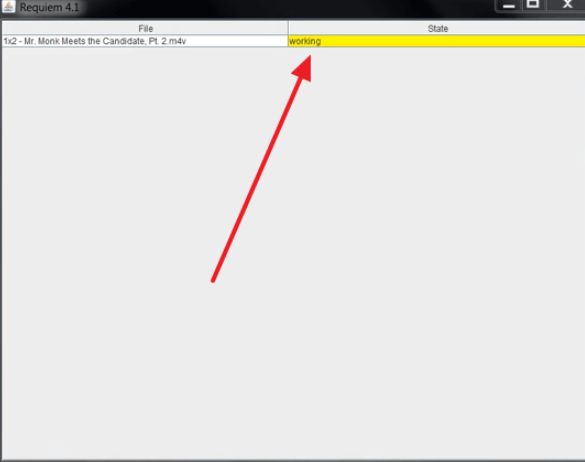
Locate DRM Locked Content
Step 3. Requiem will then process those files and generate DRM-free versions. Once it’s done, press the “OK” on the displayed prompt to finish the process.
Method 2. Crack iTunes Movie DRM for Free on Mac/Windows/Linux
Users can also use screen recording to create DRM-free copies on Mac, Windows, or Linux. You play your purchased iTunes movie in full screen and record it using free software like OBS Studio. This method captures both video and audio in real time, making a usable copy without DRM. It works with any iTunes version and is legal only for personal use. Review the following steps to use OBS Studio and record a DRM movie:
Step 1. Run OBS Studio and record your iTunes DRM movie by selecting “Start Recording” from the main controls.
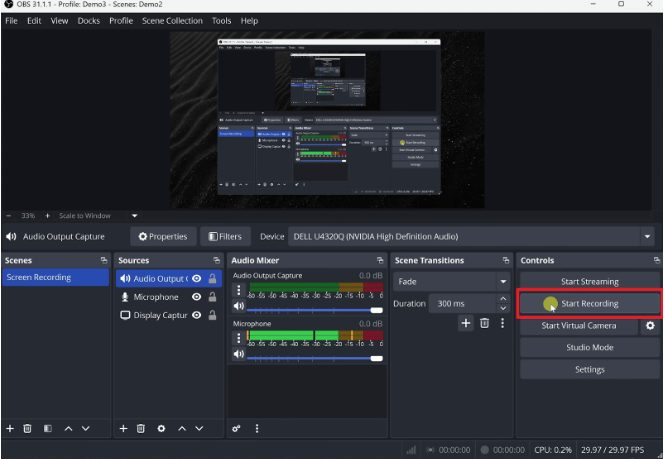
Start Recording
Step 2. After finishing your capture, click the “Stop Recording” button to end the session.
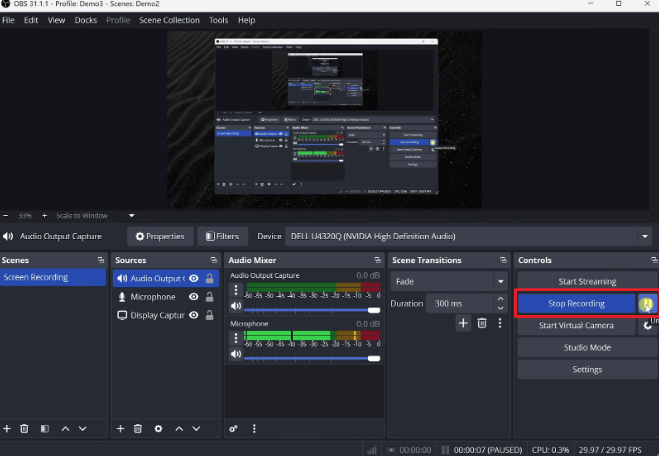
Click Stop Recording
Step 3. Open the “File” menu and choose “Show Recordings” to access the video you just saved.
Part 4. About Apple TV/Apple TV+ and iTunes Movies
Apple’s movie and streaming platforms work together to deliver quality digital content safely. Apple TV enables customers to watch shows and movies via a dedicated app on most devices. Apple TV+ provides original series and movies specifically produced for Apple subscribers. Whereas iTunes Movies gives you the option of renting or buying content that remains attached to your Apple ID.
These services also employ secure systems to store the videos and stop any unauthorised sharing over the internet. They include Apple TV DRM to ensure only approved devices can play protected content. It limits playback to authorised devices and controls copying, rental periods, and regional access for security. This structure maintains access control while giving users reliable ways to enjoy purchased movies.
Part 5. FAQs
Q1. Do Apple TV movies have DRM?
Yes, Apple TV movies include DRM protection that secures purchased content from unauthorised access. It uses its FairPlay DRM system to encrypt files and verify approved Apple devices. Only devices signed into the correct Apple ID can unlock and play the protected content.
Q2. Is removing DRM illegal in the US?
Generally speaking, removing DRM is illegal. However, you can use certain third-party software to bypass DRM and download videos for personal use.
Q3. What is the DRM removal app for iOS?
Due to Apple’s strict regulations, there are currently no officially certified DRM removal applications available on iOS. However, you can use third-party software (such as Keeprix Video Downloader) to bypass Apple TV+ DRM for personal use.
Conclusion
To sum up, DRM rules can make enjoying purchased movies harder for many everyday Apple users today. Understanding how Apple TV DRM works helps people avoid common issues with restricted files. Free methods like Requiem offer limited help and require older software or careful recording steps. For a simple and stable way to manage downloads, users should try Keeprix Video Downloader. Download Keeprix Video Downloader today to remove Apple TV DRM and watch movies freely offline.