Ad Blocker for Hulu: Fixing Black Screens and Playback Errors

When you use an ad blocker on Hulu, you will often encounter a frozen black screen or a “disable your ad blocker” playback error. This happens because Hulu actively updates its anti-adblock detection scripts. If the web player detects that the expected ad script failed to load, it intentionally halts playback instead of skipping to your show.
It is incredibly frustrating to sit down to watch a show, only to be locked out by a detection warning or an unskippable black screen. While many users assume their browser extension is broken, the reality is that Hulu’s streaming platform is specifically engineered to block access if it cannot successfully deliver commercial breaks.

AD blocker for Hulu
The Cat-and-Mouse Game of Hulu Ad Blocking
Standard browser extensions, such as uBlock Origin or AdGuard, work by blocking known tracking and advertising domains. However, trying to use them on Hulu creates a constant maintenance loop.
Because Hulu actively monitors for these blocks, the extensions frequently trigger Hulu’s detection scripts almost immediately. To fix the resulting playback errors, users are forced to constantly clear their browser caches, manually update custom filter lists, or toggle the blocker on and off just to get a video to play. Because the web player is designed to halt if the ad script fails, relying on traditional browser extensions becomes a tiring, never-ending cat-and-mouse game.
Standard Workarounds and Their Limits
Viewers often try several common workarounds to bypass Hulu’s detection, but these methods come with significant limitations, especially when trying to watch on native apps or smart TVs. The table below summarizes why manipulating the live web player rarely works long-term:
| Method | Browser Extensions | Custom DNS | Native Apps | Keeprix |
| Pros | Free and easy to install | Blocks domains network-wide | Seamless interface | 100% interruption-free offline viewing |
| Cons | Highly unstable on Hulu; prone to causing black screens | Too technical for casual users; often breaks native Hulu apps completely | Cannot install traditional ad blockers easily on large screens or consoles | Requires saving files in advance of watching |
| Maintenance Level | High (Requires constant manual filter list updates) | High (Requires constant whitelisting of streaming domains) | N/A (Forces ad viewing on native platforms) | Low (Save the file once, watch anywhere) |
Ultimately, standard network and browser tools struggle because they are constantly fighting the live web player or app. This workflow gap highlights the need for a solution that does not rely on fighting the browser player at all.
A Stable Alternative: Saving Hulu Videos for Offline Viewing
Instead of fighting the web player’s detection scripts, a more reliable approach is to change your workflow entirely: save the videos you can already access as local files. Keeprix Video Downloader is a desktop application for Windows and Mac that helps you build a personal offline library.
By saving your accessible Hulu videos as local MP4 or MKV files, you bypass the streaming player entirely. Watching a downloaded local file means you enjoy uninterrupted personal offline viewing. There is no ad-blocker detection, no black screens, and no need to constantly update browser extension filter lists. This “File to Freedom” approach gives you complete control over how and where you watch your accessible content.
How Keeprix Works for Hulu Users
Preparing your offline watchlist with Keeprix is a straightforward desktop workflow that avoids the instability of browser scripts and helps you download Hulu videos offline. Here is how it works:
Step 1: Open Keeprix on your Windows or Mac computer.
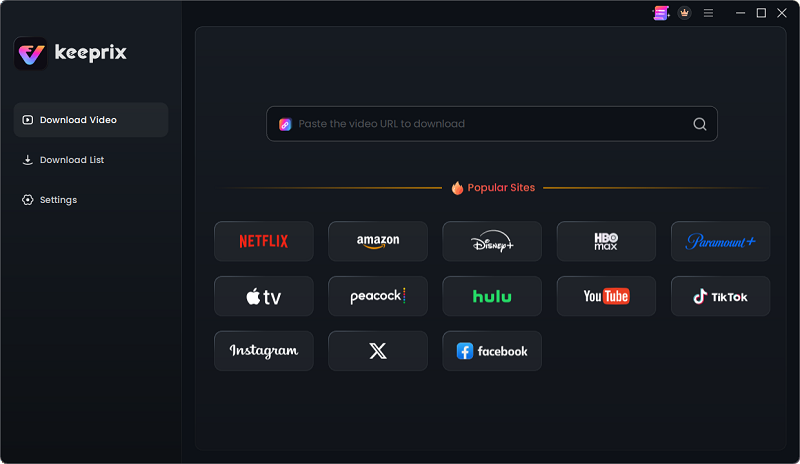
Choose Hulu in Keeprix
Step 2: Use the built-in browser to log into Hulu.
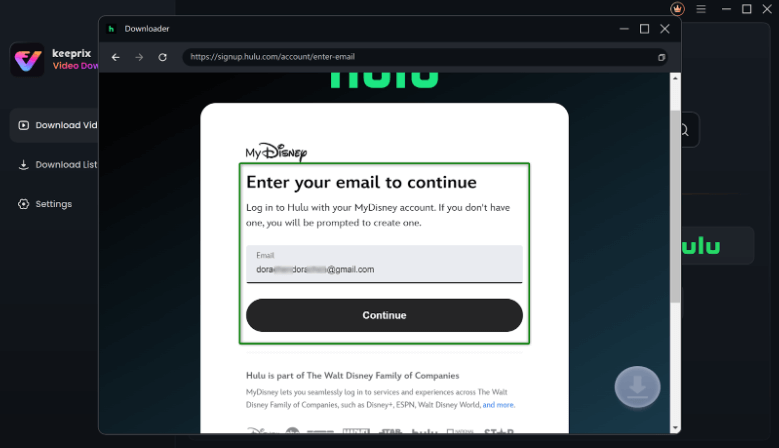
Enter Your Email to Log in to Hulu
Step 3: Locate the videos you have access to.
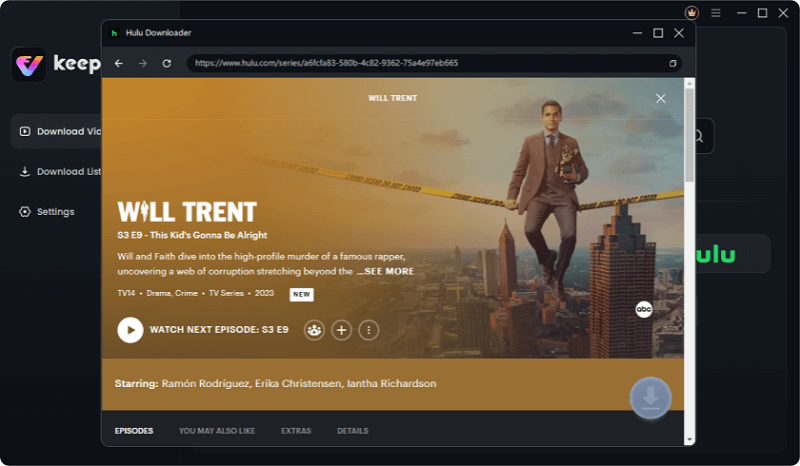
Downloading Hulu Videos
Step 4: Select your preferred flexible output format (MP4 or MKV).Choose single episodes or use the batch download feature to queue up full seasons before you travel.
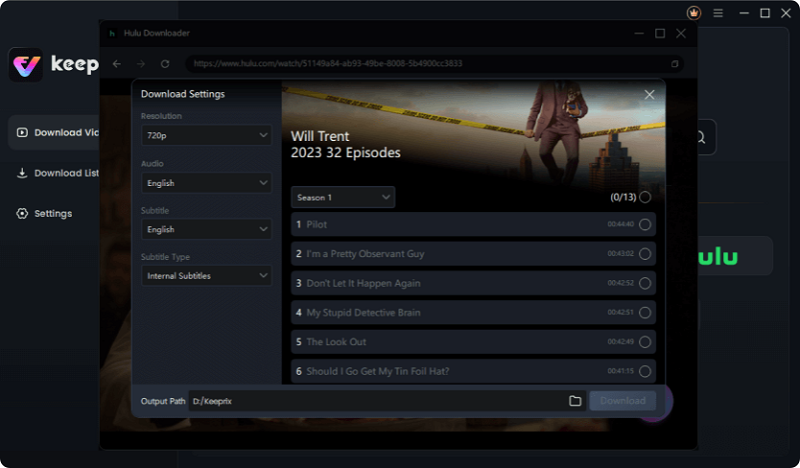
Choose options
Step 5: Start saving your videos (Hulu resolution limit via Keeprix is up to 720p depending on source quality).
Once finished, you have stable local files ready for uninterrupted personal viewing, completely independent of the Hulu web player’s scripts.
Watching Interruption-Free on Any Screen
Native Hulu apps on smart TVs, gaming consoles, and mobile phones are notoriously hard to run ad blockers on without complex network-wide setups. Moving to a local-file workflow solves this cross-device problem entirely.
For example, if you want to watch a show on your living room smart TV without interruptions, you can use Keeprix to save the episodes as MP4 files on your computer. From there, you can easily transfer the files to a tablet, a phone, an external USB drive, or cast them directly to your smart TV. You get flexible file use, allowing you to successfully download protected videos and watch on the screen you actually use without worrying about app-based ad scripts or complicated DNS configurations.
Frequently Asked Questions
1.Does AdBlock work on Hulu?
Rarely consistently. Standard ad blockers often trigger Hulu’s detection scripts, which usually leads to black screens or playback errors rather than seamless viewing.
2.How to fix Hulu ad blocker detection?
You can attempt to fix it by updating your custom filter lists or disabling the blocker temporarily. Alternatively, you can switch to a local file download alternative to bypass the web player entirely.
3.Why do I get a black screen when blocking ads on Hulu?
Hulu’s web player is specifically designed to freeze the video stream if the expected ad script fails to load properly, resulting in a continuous black screen.
4.Can I block Hulu ads on the mobile app or smart TV?
It is highly difficult without complex, network-wide DNS tools like Pi-hole. For most users, saving cross-device local files to a USB or tablet is a much more practical solution.
5.Is there a free ad blocker that works for Hulu without breaking the video?
Most free browser extensions suffer from the exact same aggressive detection scripts as paid ones and will eventually break playback without constant manual maintenance.
Final Thoughts: Breaking the Maintenance Loop
Relying on standard browser extensions to watch Hulu will always be a frustrating cat-and-mouse game. As long as you stream directly through the web player, you will inevitably have to deal with aggressive detection scripts, frozen streams, and the chore of manually updating custom filter lists.
By moving to local MP4 and MKV files with Keeprix, you can stop fighting the web player and start building a stable, personal offline library. If you are tired of black screens and want a reliable, cross-device experience for your personal offline viewing, try Keeprix today to take control of your accessible videos.

Keeprix Video Downloader
- Download Hulu videos on Windows & Mac.
- Save streaming videos as local MP4/MKV files.
- Batch download streaming videos and TV series.
- Watch videos offline, no ads, no interruption.