Paramount Plus Error Code 3205: What Is It & How to Fix

Paramount Plus error code 3205 can be a real bummer, as it can interrupt your viewing experience. The primary causes for this are usually weak internet, glitches in the app or, temporary problems on your device.
However, the issue is not as bad as you think. It can be fixed with some proven methods. In this article, we will discuss the causes of Paramount+ error code 3205 and put forward 7 ways to resolve it so that you can resume streaming without any hassle.
Paramount+ Error Code 3205
You may also like: How to fix Paramount Plus not working
What Does Paramount Plus Error Code 3205 Mean?
Paramount Plus error code 3205 is an issue related to unplayable video. One might get “Video Unavailable” or “An error has occurred during playback. Error 3205” messages on their screens.
The issue is not with the video but rather a flaw in the device, app, or internet connection. Slow internet, an old app or browser, ad blockers, VPNs, or outdated device firmware are among the most common causes.
Knowing what is causing the problem is the first step toward resolving it. Common triggers include:
- Weak or unstable internet connection.
- Outdated app or browser version.
- Blocked playback scripts (extensions, ad blockers, VPNs).
- Old firmware or device compatibility issues.
- App glitches or platform-specific problems.
How to Fix Error Code 3205 on Paramount+
Method 1: Restart the Paramount+ App
Restarting the application usually resolves the temporary glitches and reestablishes smooth video playback. Simply close the application entirely, wait for a few seconds, and then restart it.
Android Devices:
- Exit the Paramount+ app.
- Open Settings and go to App Manager.
- Find Paramount+ and select it.
- Tap Force Stop.
Smart TVs:
- Head on to the Home page and access Settings first.
- Go to Applications, then pick Paramount+.
- Hit Force Stop and relaunch the application to continue with the viewing.
Windows PC:
- Use Ctrl + Shift + Esc to bring up the Task Manager.
- Find Paramount+ among the active applications.
- Right click the process and choose End Task.
- Reboot your PC, open the application once more, and see whether the video is playing properly.
Method 2: Clear Cache in Browser
If you are watching videos through a browser, the error 3205 may be caused by outdated cached files. The browser might fix the problem during loading fresh content through cache clearing.
Here is how to clear your cache:
- Launch your browser, then navigate to Settings → Privacy & Security.
- Select Clear browsing data.
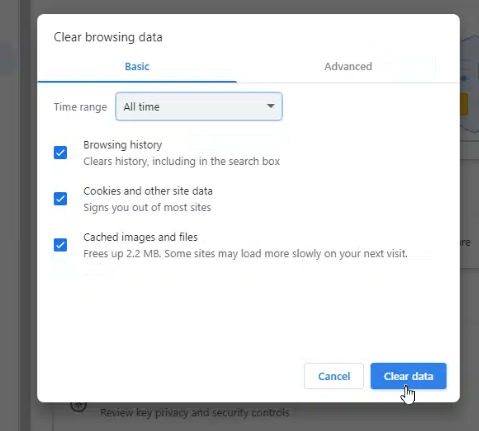
Clear Cache in Chrome
- Make sure the Cached images and files are checked, then confirm.
Method 3. Change Another Browser
Sometimes error 3205 pops up just because the browser you’re using doesn’t play nice with Paramount+. Some browsers block certain elements or just don’t load things the way the site expects.
Just switch to another browser, such as Chrome, Edge, Firefox, or Safari, and try the video again. Most of the time, the error goes away instantly.
Method 4. Disable Adblocker Temporarily
Ad blockers are helpful, but they can mess with streaming sites. If an ad blocker is running, Paramount+ might stop the video or throw error 3205.
The easiest fix is just turning it off for a while.
- Open your browser and go to settings.
- Find Extensions or Add-ons.
- Look for your ad blocker.
- Disable or toggle it off.
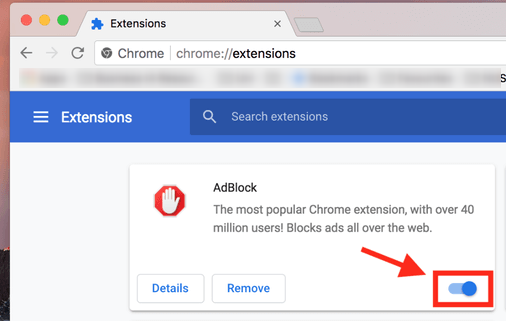
Disable Ad Blocker
Method 5: Turn Off VPN
If you’re using a vpn, Paramount+ might flag the connection and block playback. The platform checks the region and network type, so if it detects something unusual, the stream can fail instantly.
Method 6: Update Paramount+ App
Sometimes the app itself is outdated and that causes playback problems. Updating usually fixes missing files, bugs, and random errors like 3205.
How to update:
- Open the App Store, Google Play Store, or Microsoft Store (depending on device).
- Search for Paramount+.
- If you see an Update button, tap it and wait for the new version to install.
Method 7: Download Paramount+ Videos for Offline Watching
Do not stress about errors or internet problems anymore. With a Paramount Plus Downloader, you can keep Paramount+ series and films in either MP4 or MKV format. Full seasons or various episodes can be downloaded along with the audio and subtitles. Afterward, you can view them at your convenience without any interruptions by ads. With Keeprix, your favorite videos are always ready for offline watching, so you never miss a moment.
Key Features of Keeprix Downloader:
- Works with Paramount+, Netflix, Disney+, Amazon Prime, Hulu, HBO, YouTube, TikTok, and more.
- Keep your videos in crisp 1080p for clear, high-quality playback.
- Download Pramount+ videos without ads, regardless of your subscription plan.
- Choose MP4 or MKV so your files play smoothly on any device.
- Use the original audio, switch languages, or add subtitles as needed.
- Build your own offline collection and watch whenever you want.
Steps to Download Paramount+ Videos Using Keeprix:
Step 1: Download and install Keeprix Downloader on your Windows or Mac computer.
Step 2: Open Keeprix, select the Paramount+ platform or enter the URL of the Paramount+ video to get the content.
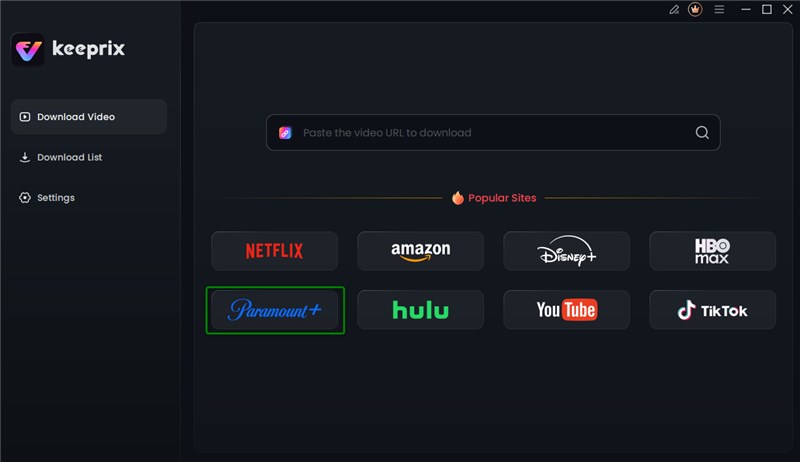
Choose Paramount+ Platform
Step 3: Sign in to your account to allow Keeprix to fetch video information. Your login is safe and only used to retrieve content.
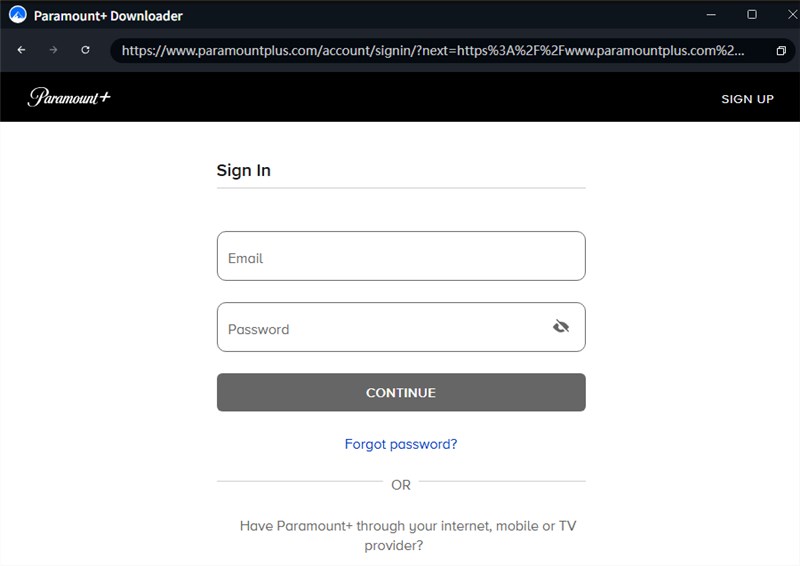
Log in Paramount+ Account
Step 4: Browse for a show or paste the video link, then click the Download button. You can choose the video quality, audio, subtitles, and where to save the file.
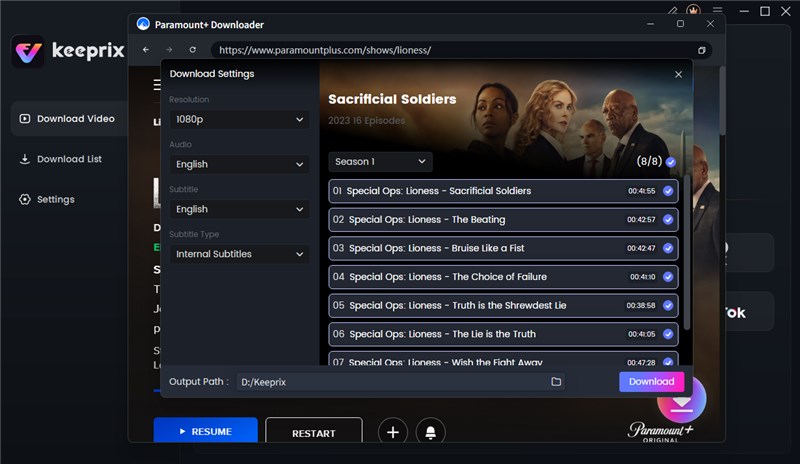
Adjust Download Settings
Step 5: Check the download progress in the list. Once it’s done, the video will be saved on your device and ready to watch offline anytime no ads, no limits.
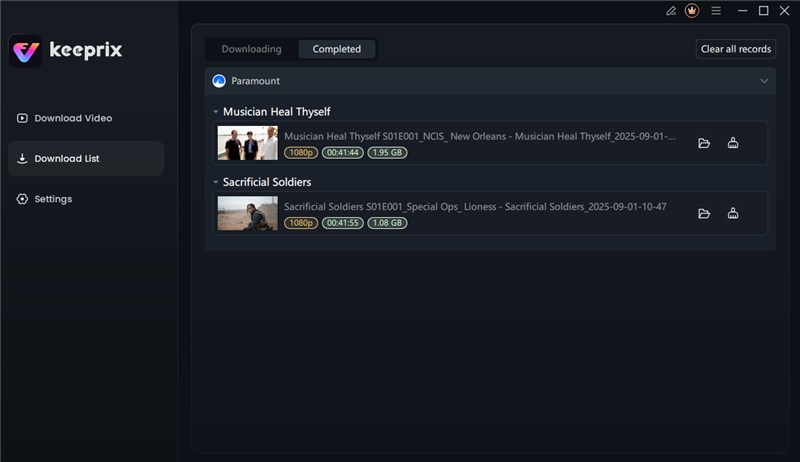
Download Paramount+ Videos
FAQs About Paramount+ Without Ads
1. How to fix Paramount+ error code 3205 on LG TV?
Start by fully closing the app and restarting the TV. Also make sure you’re not using a vpn or ad-blocker, and check if the app needs an update before trying again.
2. Can Error Code 3205 be resolved on its own?
Sometimes it goes away after a simple restart, but most of the time you’ll need to change something like turning off a vpn, removing extensions, or clearing app data.
3. Does a reset solve Paramount+ error code 3205?
Yes, a full reset can fix it when the issue comes from messed-up settings or broken app files. Try this only if the usual fixes don’t work.
Conclusion
Error Code 3205 on Paramount Plus can occur at an inconvenient moment, but it is usually an easy fix. The problem is removed most of the time after a quick restart of the app, updating the app or browser, and disabling ad blockers or VPNs. If you are not keen on the playback hassle, simply download your favorite shows on Paramount+ using Keeprix Video Downloader and watch them offline without buffering or errors. Just follow the above steps and enjoy smooth streaming anytime.
 Must Read