Download Elle Series Torrent from Amazon Prime as MP4

You can download episodes of “Elle” directly using the official Prime Video app for mobile or desktop. Simply open the app, search for the show, and tap the download icon to save episodes. However, official downloads are temporary, encrypted within the app, and subject to strict expiration rules.
This guide covers how to use the official method first, followed by a safe workflow to download Amazon Prime Video videos offline as flexible MP4 files for personal use.
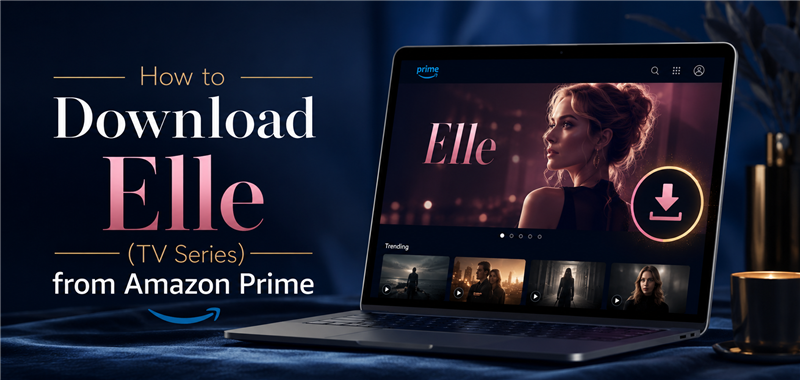
Method 1: Download Elle with Official Prime Video App
The standard way to watch “Elle” offline is through the official application. If you need a basic Amazon Prime Video download guide, follow these simple steps:
- Download and open the official Prime Video app on your iOS, Android, Mac, or Windows device.
- Sign in to your active Amazon Prime account.
- Use the search bar to find “Elle” and open the series details page.
- Tap the download icon next to an individual episode, or select the download season button to save multiple episodes at once.
- Navigate to the “Downloads” tab within the app to find and watch your saved episodes.
Limitations of Official Prime Video Downloads
While the official app is convenient, its strict offline viewing rules can interrupt your watchlist, especially during travel. Before relying entirely on the app, review these Amazon Prime’s built-in limitations:
- 48-Hour Viewing Window: Once you press play on a downloaded episode of “Elle,” it will automatically expire 48 hours later. You must reconnect to the internet to renew it.
- 30-Day Unopened Limit: Even if you never start watching, unopened downloads expire 30 days after you save them to your device.
- Simultaneous Device Limits: Amazon restricts the total number of devices on your account that can hold offline downloads at the same time.
- App-Locked Files: Downloaded episodes are saved as encrypted system files locked strictly inside the Prime Video app. They cannot be transferred, organized, or played on other media players.
Method 2: Save Elle as Local MP4 Files with Keeprix
If you are preparing for a long trip or want to avoid the strict 48-hour viewing window, relying on the official app might leave you stuck without your watchlist. When searching for ways to get MP4 formats, many users run into sketchy, unauthorized download sites that offer unsafe or pirated files.
Instead of risking your device on these risky options, Keeprix Video Downloader for Windows and Mac offers a safe, practical alternative. It helps turn episodes of “Elle” that you can already access on Prime Video into flexible local MP4 or MKV files.

Download Streaming Videos with Keeprix
- Download Elle series on Windows & Mac.
- Save Elle videos as local MP4/MKV files.
- Batch download streaming videos and TV series.
- Watch videos offline, no ads, no interruption.
How to Download Elle Episodes as MP4s
Using Keeprix to save your watchlist is straightforward. Here is how to create a flexible local file library:
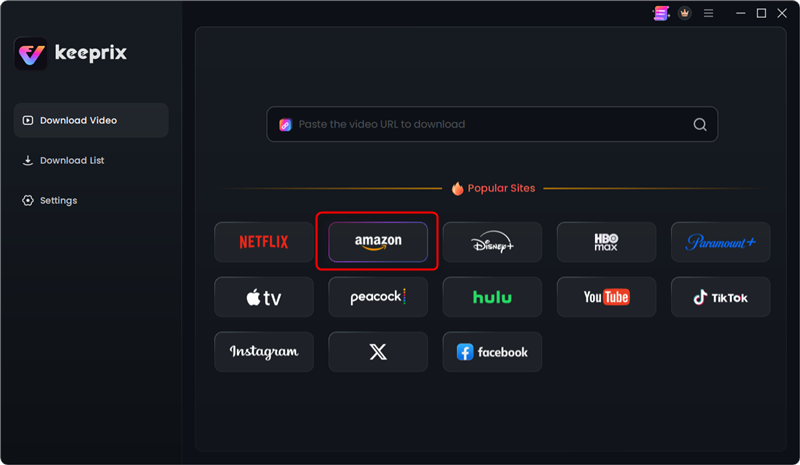
Step 1: Download and install Keeprix to your computer. Launch it and choose Amzon platform.
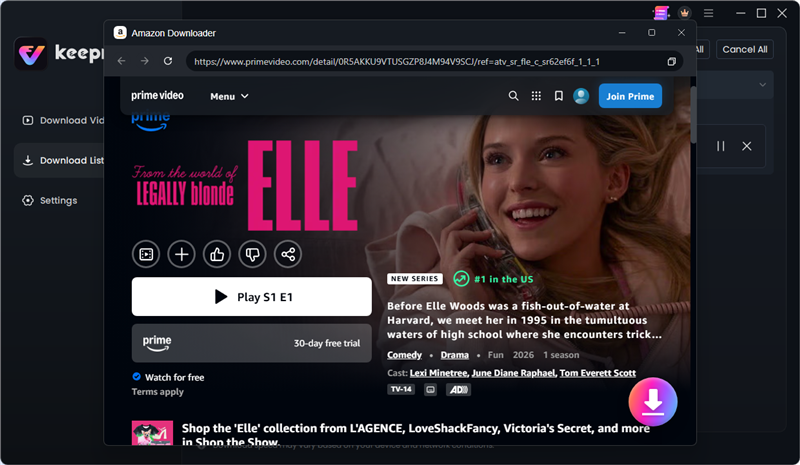
Step 2: Use the search bar to find “Elle” and open the series details page. Click the Download button.
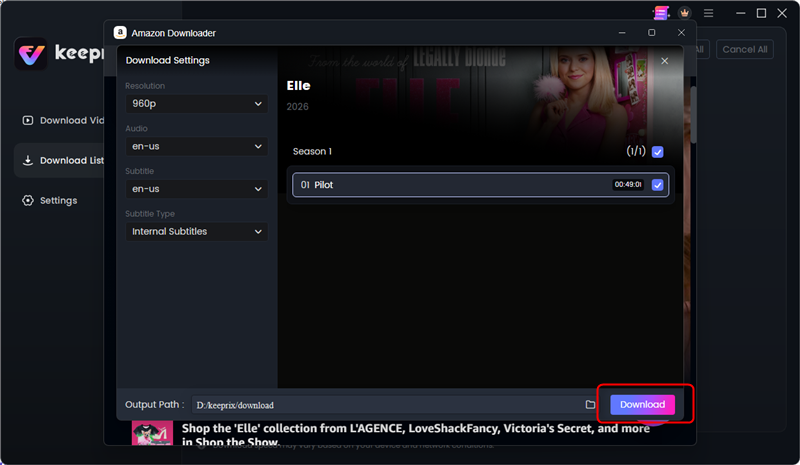
Step 3: Choose the resolution, audio and subtitle lanuguage you want, check the eposides and click the Download button.
Step 4: Then your streaming videos will be downloaded as local MP4 or MKV files.
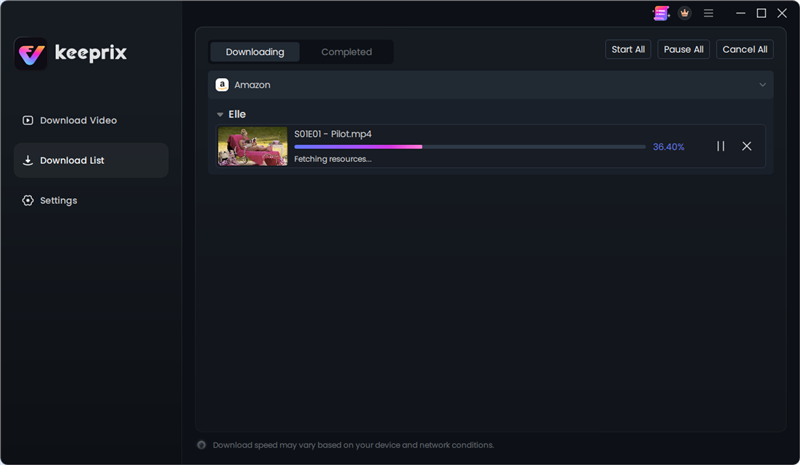
Step 5: After downloading, you can manage your local files and build an offline library.
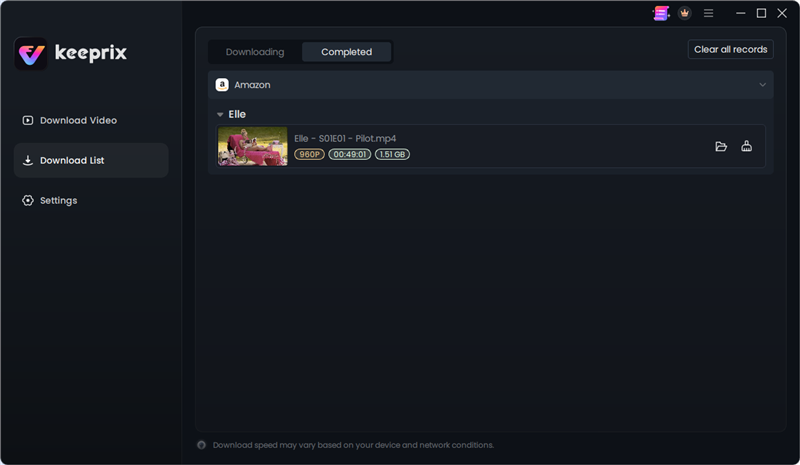
Batch downloading is especially useful for preparing a full season before a flight or trip where internet access will be unstable.
Prime Video App vs. Keeprix Workflow
Choosing the right method depends entirely on how and where you plan to watch the series.
| Feature | Official Prime Video App | Keeprix Downloader |
|---|---|---|
| Output Format | App-locked, encrypted files | Standard MP4 or MKV files |
| Playback Time Limit | Expires 48 hours after starting | No expiration for saved files |
| Playback Devices | Prime Video app only | Any compatible media player |
| Transferability | Cannot be transferred | Easy to move across compatible devices |
The official app is perfect for quick, short-term mobile viewing. Keeprix is the better fit if you are building a personal offline library for travel, dealing with poor Wi-Fi, or simply prefer to watch on a dedicated media player.
Frequently Asked Questions
Where do Amazon Prime downloads go on my computer?
Official downloads are stored as hidden, encrypted system files deeply buried in your computer’s app data folders. You cannot open or play them outside the Prime Video app.
Why did my Prime Video download expire?
Amazon enforces strict viewing windows. Official downloads expire 48 hours after you press play, or 30 days after downloading if you leave them unopened.
Can I save Prime Video shows as MP4?
Yes, you can save accessible shows like “Elle” as standard MP4 files using desktop tools like Keeprix. This creates a flexible file you can watch on compatible media players without app restrictions.
How many devices can I download Prime Video episodes on?
Prime Video restricts how many devices can hold offline content simultaneously, typically capping it at two devices for the same downloaded title across your account.
Final Thoughts
Turning your accessible episodes into local MP4s makes offline viewing easier to plan, organize, and manage across devices. You can try the trial version of Keeprix to download up to two full videos and test the local-file workflow for yourself before your next trip.
Keeprix Video Downloader
Download streaming videos from Amazon and more. Enjoy seamless offline watching on Windows and Mac .