How to Fix StreamFab “Unable to Analyze Video” Error

Why is StreamFab Stuck on “Analyzing Video”?
The StreamFab “unable to analyze video” error is caused by either a corrupted local network or cache glitch, or a recent streaming platform DRM update. When streaming services change their protection mechanisms behind the scenes, it breaks the downloader’s ability to read and parse the video data. This leaves the software stuck in an “Analyzing…” loop, which frequently results in Error 210, 801, or 802.
Sometimes, standard local fixes like clearing your temp folder can resolve a minor parsing failure. However, if the streaming platform has just rolled out a major DRM update, no amount of restarting will force the download through.
Step-by-Step Checklist: Standard Fixes for Error 210
Before assuming the streaming platform updated its security, it is best to rule out user-side issues. Corrupted local cache files or network interruptions are common culprits for Error 210 and analysis failures. Follow these standard troubleshooting steps:
1. Clear the StreamFab Temp and Log folders.
Over time, corrupted cache files build up and cause parsing failures during the analysis phase. Navigate to your software settings, locate the temp and log directories, delete their contents, and restart the application.
2. Check your VPN and local network stability.
Geo-blocking or an unstable VPN connection can disrupt the software’s ability to communicate with the streaming server. Try turning off your VPN or switching to a faster, domestic server to see if the analysis phase completes.
3. Perform a clean reinstall of the software.
Sometimes, outdated modules conflict with newer platform updates. Completely uninstall your current version of StreamFab, download the latest release from the official website, and install it fresh to ensure all components are up to date.
If you have completed this checklist and the video still refuses to analyze, the problem is no longer on your end.
The DRM Reality: What If Local Fixes Fail?
If clearing your cache, disabling your VPN, and reinstalling the software fails to fix the analyzing loop, you are almost certainly facing a platform-side DRM update. Desktop downloaders rely on reading platform data in a specific way; for instance, when there are backend changes to Netflix DRM or Amazon Prime’s encryption, the software temporarily loses access and breaks.
This is a frustrating reality of managing a personal offline media library. When DRM updates occur, local troubleshooting will not work. You are entirely dependent on the software developers to release a patch that adapts to the new platform rules.
Can’t Wait for a Patch? An Alternative for Downloads
When official app patches are delayed, you face a clear choice: wait indefinitely or use a stable StreamFab Alternative to get your files today. If you need to prepare your offline watchlist right now, Keeprix Video Downloader is a reliable “Stream to File” solution designed to save accessible videos from supported platforms.

Keeprix Video Downloader
- Download streaming videos on Windows & Mac
- No restriction on the downloaded videos
- Batch download episodes with subtitles
- Build a local library, no ads, no expiration
| Decision Factor | Waiting for a StreamFab Patch | Using Keeprix Now |
| Immediate Workflow | Paused indefinitely until a developer update is released. | Ready immediately to save videos from supported platforms. |
| Troubleshooting | Requires continuous monitoring of release notes and forums. | Avoids complex technical workarounds; straightforward desktop app. |
| Output Results | Stuck on “Analyzing” or returning Error 210/801. | Saves accessible videos directly as flexible MP4 or MKV files. |
| Cross-Device Use | Unavailable during outages. | Preserves subtitles and audio for playback on TVs, tablets, or laptops. |
Keeprix makes it easy to move from app-only frustration to file-based freedom. If you have an active account with a supported streaming service, you can bypass the waiting game and save your videos locally today.
Step 1. Download and install Keeprix. Open Keeprix on your Windows or Mac computer and use the built-in browser to navigate to the supported streaming platform (such as Netflix, Amazon Prime, or Hulu).
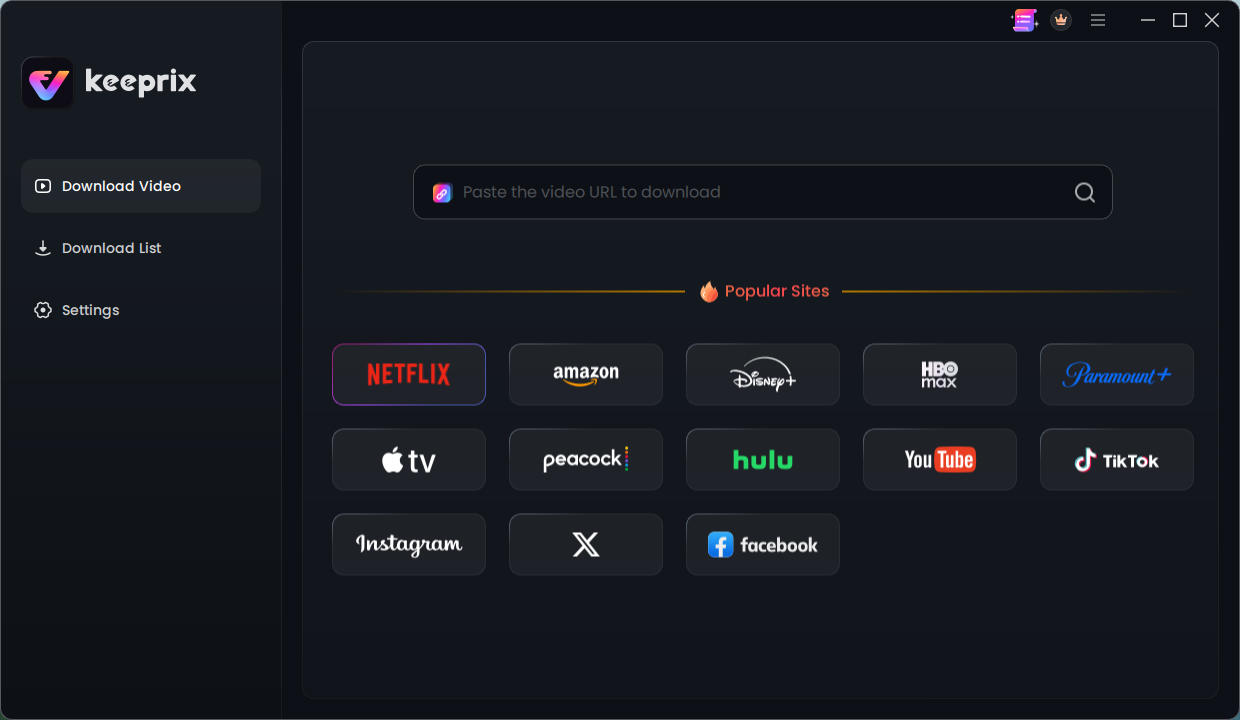
choose Netflix
Step 2. Log into your account to access the videos you are permitted to watch, then search for and play your desired video. Select your output preferences in the download window.
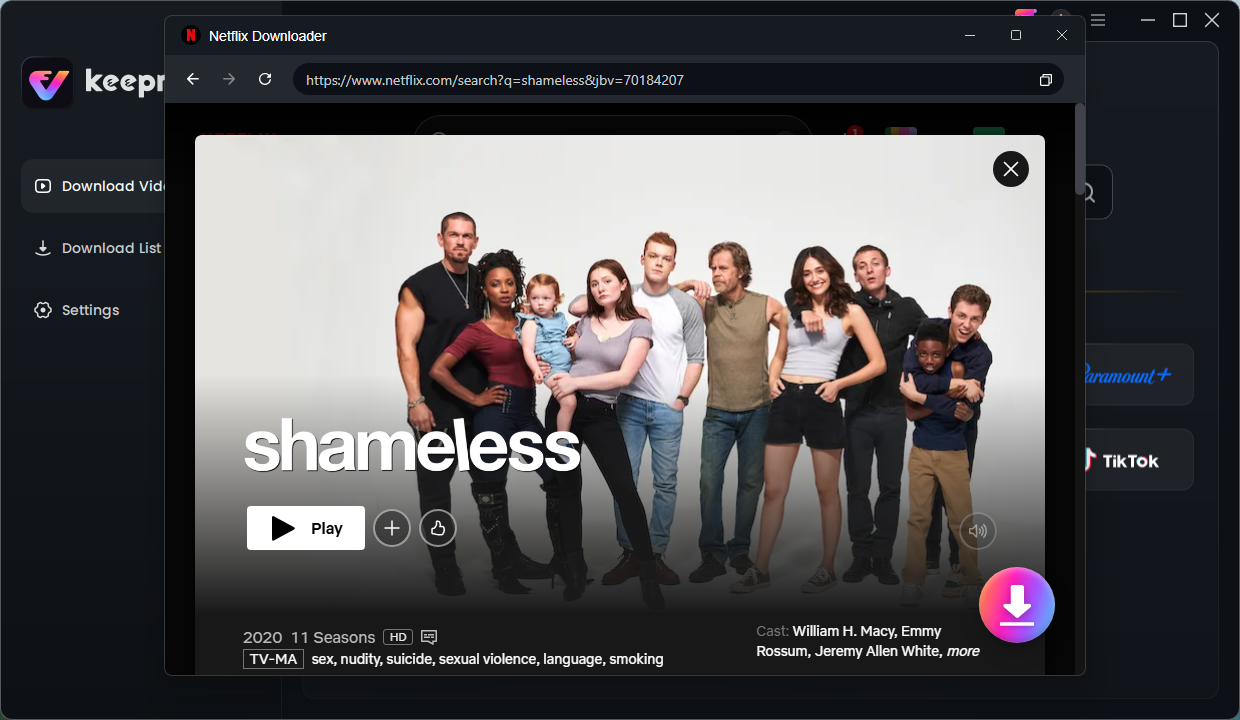
select Shameless
Step 3. You can choose MP4 or MKV format, select your preferred resolution (e.g., up to 1080p for Netflix and Amazon, depending on source quality), and pick the audio tracks and subtitles you want to keep. Start the batch download to save multiple episodes or movies locally.
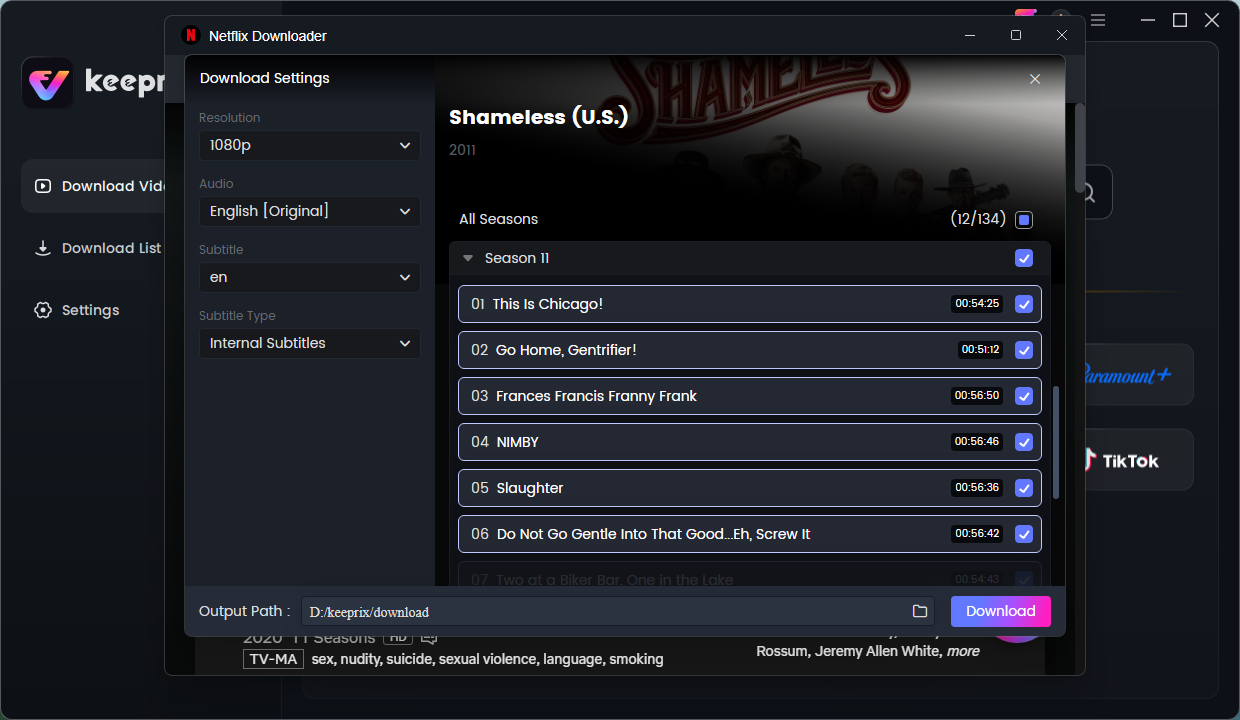
choose episodes
Frequently Asked Questions
Q1: What does Error 210 mean in StreamFab?
Error 210 usually indicates a failure to parse the video URL. This happens when the downloader can no longer read the streaming platform’s data, which is often linked to recent DRM (Digital Rights Management) changes.
Q2: Does clearing the temp folder actually fix the analyzing loop?
It only works if the issue is a corrupted local cache file. If the streaming platform has recently updated its protection, clearing your temp folder will not resolve the analysis loop.
Q3: How long does it take for StreamFab to fix DRM errors?
Wait times vary significantly. Depending on the complexity of the platform’s update, developer patches can take anywhere from a few days to several weeks to be released.
Q4: Will reinstalling StreamFab bypass the analysis error?
No. If a DRM update is causing the “unable to analyze” error, only an official developer patch will restore functionality. Reinstalling only helps if your local installation is corrupted.
Q5: Can I download from Netflix or Amazon while StreamFab is down?
Yes. You can use alternative desktop downloaders like Keeprix to save accessible videos from supported platforms while you wait for official patches.
Q6: Are downloaded MP4/MKV files better than official app downloads?
Yes, for many users. Local MP4 and MKV files do not expire after 48 hours, they cannot be suddenly removed from your library, and they offer cross-device playback freedom on the screen you actually use.
Final Thoughts
If you need to prep your offline watchlist immediately without dealing with unpredictable wait times, Keeprix is an excellent next step. It lets you turn the videos you can already access into flexible, offline MP4 and MKV files. Stop worrying about endless analysis loops, and try Keeprix to start building your personal media library today.
Keeprix Video Downloader
Download streaming videos from hot platforms without restrictions. Enjoy seamless offline watching on Windows and Mac computers.