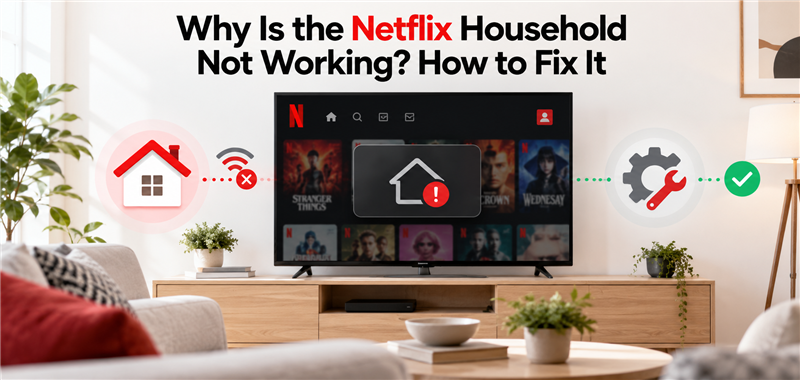
Why Is the Netflix Household Not Working? How to Fix It

The Netflix Household error triggers when a TV or streaming box connects to a Wi-Fi network with an IP address that differs from your primary home network. Netflix primarily targets TVs, streaming sticks (like Roku and Firestick), and smart media boxes heavily with these household network blocks, whereas laptops and mobile devices often have more flexibility on the road.
For legitimate second-home owners, heavy travelers, and RV users, this IP-based network rule is highly frustrating. Your account is perfectly valid, but because your viewing device is a TV connected to a different Wi-Fi router, Netflix flags it as an unauthorized household attempting to share a password.
Understanding this distinction between heavily monitored TVs and exempt mobile devices—and how it differs from a standard Netflix download limit—is the first step to diagnosing your issue and finding a practical workaround.
The Official Fix: How to Request a 14-Day Travel Code
If you are currently staring at the error screen on a hotel TV or second-home streaming box, you can request a temporary travel code to restore access immediately.
Here is how to unlock your device using the official travel code method:
- Select “Update Netflix Household” or “I’m Traveling” on the blocked TV screen.
- Choose to send the verification code to the primary account holder’s email address or phone number.
- Check the email or text message for the 4-digit verification code.
- Enter the code into the TV using your remote.
- Select “Submit” to unlock the device.
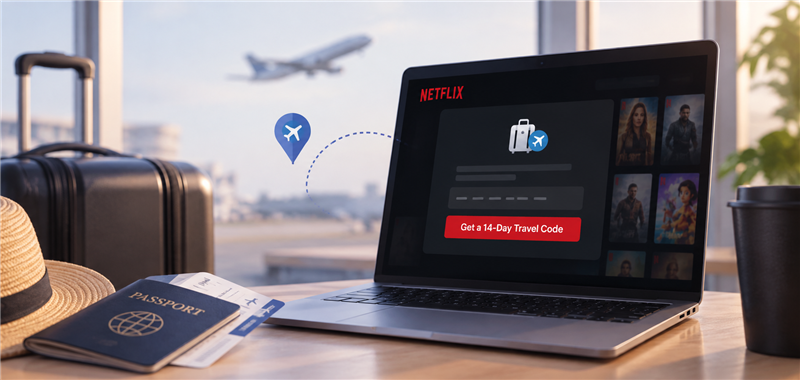
While this is the immediate official fix, it comes with a strict limitation: Netflix travel codes only last for 14 days. After this period, the TV will require manual re-verification, which can become tedious if you are staying at a secondary location for an extended period.
Why Travel Codes and VPNs Are Frustrating for Second Homes
For users spending long periods at a second home, temporary fixes often fail to meet long-term workflow needs. Once a 14-day travel code expires, it can hit verification limits, leaving your TV blocked again.
To counter this, many tech blogs recommend setting up VPNs or Meshnets to spoof your IP address. However, these network-routing tools require complex router-level setups, significantly slow down your internet speeds, and are actively blocked by Netflix’s constant detection updates.
| Method | Setup Complexity | Duration | Reliability |
| 14-Day Travel Code | Low | Expires after 14 days | Often hits verification limits over time |
| VPN / Meshnet Router Setup | High (Requires network configuration) | Continuous spoofing | Low (Frequently blocked by platform updates) |
| Local File Viewing (MP4) | Low (Download files once via computer) | Permanent offline file | High (Bypasses app-based Wi-Fi checks entirely) |
Rather than constantly fighting router configurations, looking for the Best Netflix Downloader workflow to shift to local file viewing is often much simpler.
The Laptop Exemption: Your Secret Weapon for Travel
Netflix enforces its household IP network rules strictly on TVs, but it largely exempts laptops, tablets, and phones. This means you can often open a browser on your laptop while traveling and watch a show without triggering the immediate “not part of household” block that freezes your smart TV.
This laptop exemption is your secret weapon. Instead of just using the laptop as a small viewing device, you can use it as a media hub to prepare videos. The workflow gap is clear: watching on a tiny laptop screen is fine for a commute, but you want to watch on your big living room TV without Wi-Fi blocks. Leveraging this exempt laptop access to prepare and watch Netflix offline is much easier than configuring complex router-level IP spoofing.
Ultimate Method: Watch Anywhere Without Wi-Fi Checks
If you can access your Netflix account on your exempt laptop, you do not need a VPN to get those shows onto your TV. Before you begin, open your laptop’s standard web browser and quickly test that the video plays successfully to confirm your device is actively enjoying the travel exemption.
Once confirmed, you can use a desktop tool like Keeprix Video Downloader for Windows and macOS 12 or later to convert that accessible stream into a flexible offline file.
Here is how to save episodes as MP4 files using Keeprix:
Step 1: Download and install Keeprix on your Windows or Mac. Choose Netflix from the main page. Open the built-in browser and log into your active Netflix account.
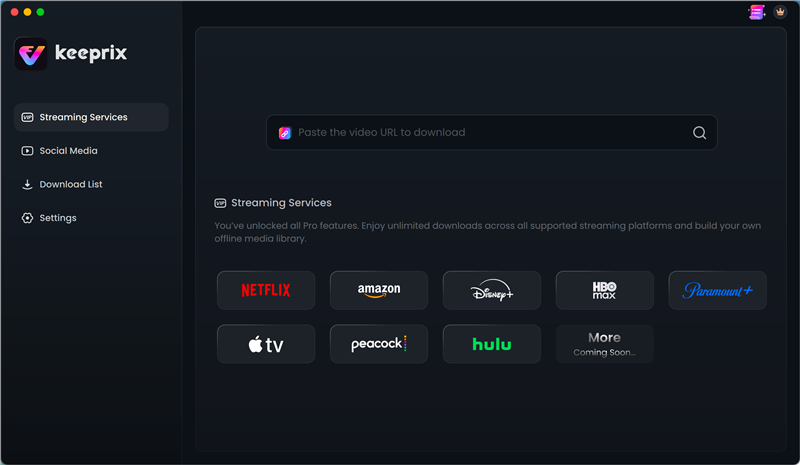
Step 2: Search for the videos you want download for example Gossip Girl, open the show page, and click the Download button to continue.
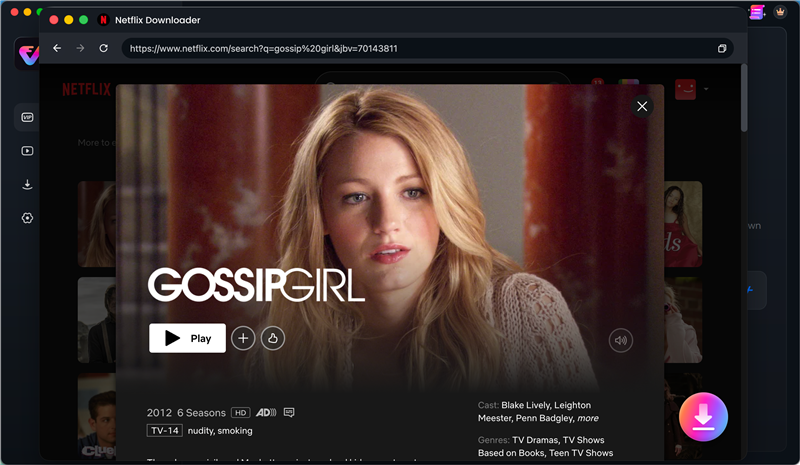
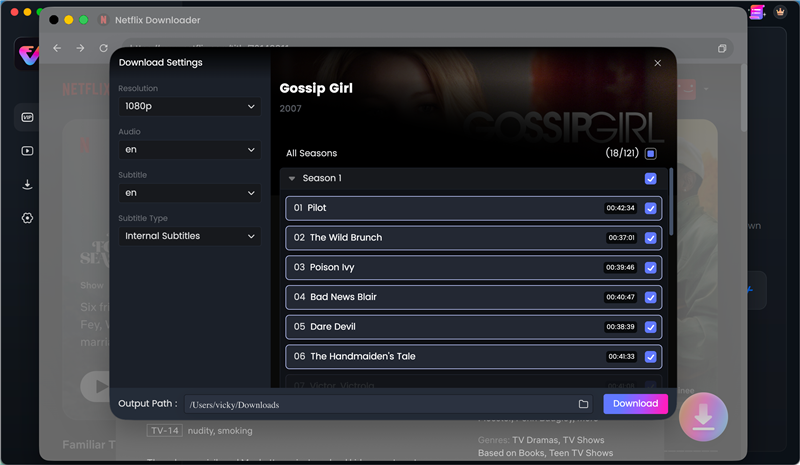
Step 3: Set the output format, resolution and audio/subtitles you want, and use the batch download feature to save multiple episodes efficiently to your local drive.
Frequently Asked Questions
Why is my device not part of the Netflix household?
Your device is blocked because it is connected to a Wi-Fi router with an IP address that does not match your primary home network. Netflix uses these IP addresses to detect when a TV or streaming box is being used in a different location.
Does the Netflix household rule apply to laptops and phones?
The household rule applies primarily to TVs, smart media boxes, and game consoles. Laptops, tablets, and phones are generally exempt or have significantly more flexibility, allowing you to watch via browsers or mobile apps while traveling.
How do I fix the Netflix household error at a second home?
You can request a temporary 14-day travel code through the blocked TV to restore immediate access. For a long-term fix, you can update your primary household if you have moved, or use an exempt device (like a laptop) to download offline files.
How long does a Netflix travel code last?
A Netflix travel code lasts for exactly 14 days. Once this period expires, the device will be blocked again and will require a new verification code.
Why is my Netflix household travel code not working?
Travel codes can fail if they have expired after the 14-day limit or if you have hit the verification limit for that specific location. They may also fail if requested from a device not linked to the primary account owner’s contact information.
How do I bypass the Netflix household rule without a VPN?
The simplest way to avoid the TV network block without a complex VPN is to play local files. By using a tool like Keeprix on your exempt laptop to save accessible videos as MP4s, you can download Netflix movies to USB and play those files on your TV via a media player without triggering the app’s Wi-Fi checks. Just ensure your USB flash drive is formatted to exFAT or FAT32, as most smart TVs require these specific file formats to successfully read and play local media files.
Final Thoughts
Dealing with the “device is not part of Netflix household” error usually comes down to how long you plan to stay away from home. If you are just taking a short trip or spending a weekend at a hotel, using the official 14-day travel code is the easiest temporary fix.
However, if you own a second home, travel in an RV, or commute heavily, you should avoid complicated VPN setups if you just want to relax and watch a show. Instead, leverage your laptop’s exempt access to build a permanent offline library. Try Keeprix to download 1 full Netflix video for free, save your accessible streams as local MP4s, and stop worrying about app-only TV blocks and expiring network codes.
Keeprix Video Downloader
Download videos from Netflix as MP4/MKV. Enjoy seamless offline watching on Windows and Mac computers.