2 Ways to Watch Netflix on Plex [Full Guide]

| Quick Overview |
| To watch Netflix on Plex, although you can’t stream Netflix, some workaround methods exist. For a simpler and more reliable solution, you can download Netflix shows once with Keeprix Video Downloader and then add them to your Plex library for permanent offline viewing. |
To simplify their streaming, many people try to combine all their apps into one place. But getting Netflix on Plex can be frustrating. Plex does well with personal media, but Netflix makes direct integration impossible. Consequently, users have to jump in and out of different apps, defeating the very purpose of a media hub in one place.
Therefore, many viewers try to think of a practical way to leave Plex as their media dashboard, but still enjoy Netflix. This article explains 2 such systems, so you can watch Netflix shows offline without confusion or clutter.

Watch Netflix on Plex
What Is Plex?
Plex is a media server platform that organizes your movies, TV shows, music, and photos in one place. It lets you stream your personal media to any device, from smart TVs and computers to phones and tablets. Also, Plex can be used for live TV and podcasts, along with some free ad-supported content. Its main strength lies in keeping everything in one place with clean navigation, automatic metadata, and remote access.
Why Do People Watch Netflix on Plex?
Users like their entertainment to be consolidated all in one spot, and Plex nicely organizes personal media. Having Netflix on Plex actually makes for a better streaming experience for the following major reasons:
- Unified Library: Your personal media and Netflix content all in one dashboard.
- Better Organization: Keeps track of which episodes have been watched and orderly lays out shows and movies.
- Cross-Device Access: You are capable of playing back both Plex and Netflix on any supported device.
- Time-Saving: A lot less effort due to not having to switch between several apps.
- Consistent Experience: Using a clean and familiar interface for all content.
How to Watch Netflix on Plex by Screen Recording
Plex and Netflix cannot be directly integrated, so an alternative is required. One of those ways is for you to record some favorite media and then upload it to the Plex Media Server on your computer. But, of course, you need an appropriate software application for this, such as OBS Studio or Audials One, since native ones do not work due to DRM restrictions. Here is how to watch Netflix on Plex by screen recording:
Step 1. Get Audials One from its official site and run it on your system. Then, move to the Video Streaming tab and choose Netflix from the available options.
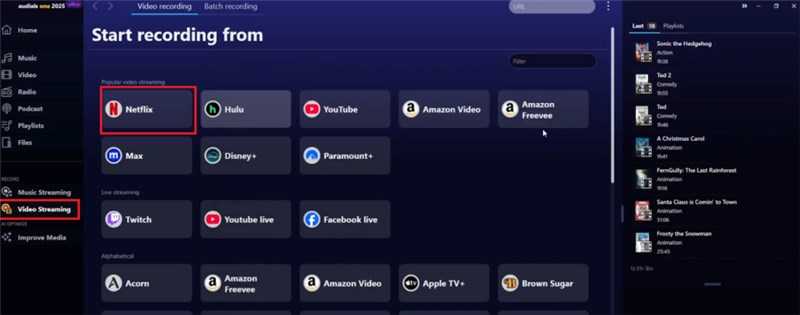
Tap Netflix Platform
Step 2. Within Netflix, choose the targeted movie or show and select it for recording.
Step 3. Following that, wait for the selected movies or episodes to be recorded by the software.
Step 4. As the recordings get done, run the Plex Media Server. Here, click the + icon next to the server name and select the folder with the Netflix recordings using the Next button.
Step 5. Then, tap the Browse for Media Folder button and choose the folder where you saved the recorded movies or TV shows by pressing Add.
Step 6. When done, the movies and shows will appear in the related folder on Plex. You can now stream them without any limits.
How to Watch Netflix on Plex [Easily & No Issues]
Recording your screen to watch Netflix on Plex might be a workaround, but it’s inefficient and time-consuming. A far better solution is to use a dedicated video downloader, Keeprix Netflix Video Downloader. It removes DRM and download limits fully, letting you get your favorite shows without any worries. What is best is that it does not include ads and can navigate region restrictions. Furthermore, you can even download Netflix movies and TV shows during the free trial of Netflix.
Main Features of Keeprix Video Downloader:
- Download from Netflix and many other streaming services in formats like MP4 or MKV.
- Supports up to 1080p resolution, so you can grab full‑quality video without compromise.
- Allows you to pick audio and subtitles from over 13 languages.
- Offers really fast downloads, up to 10 times faster than standard ones.
Utilize the steps below to download your favorite content from Netflix and watch it on Plex:
Step 1. Install Keeprix Video Downloader from the official source and run it to choose Netflix from the options in the Download Video tab.
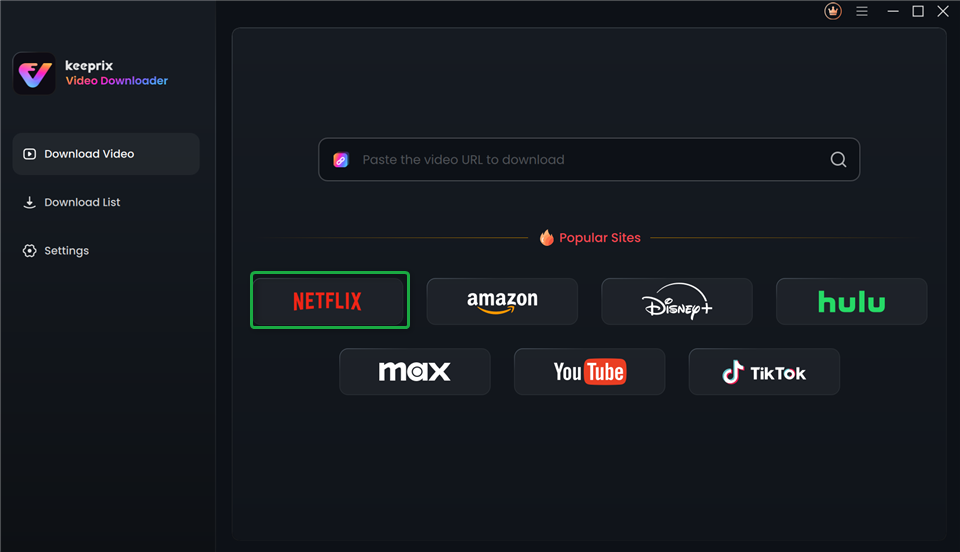
Choose Netflix in Keeprix Video Downloader
Step 2. Next, provide your Netflix credentials and tap the Sign In button to activate the account.
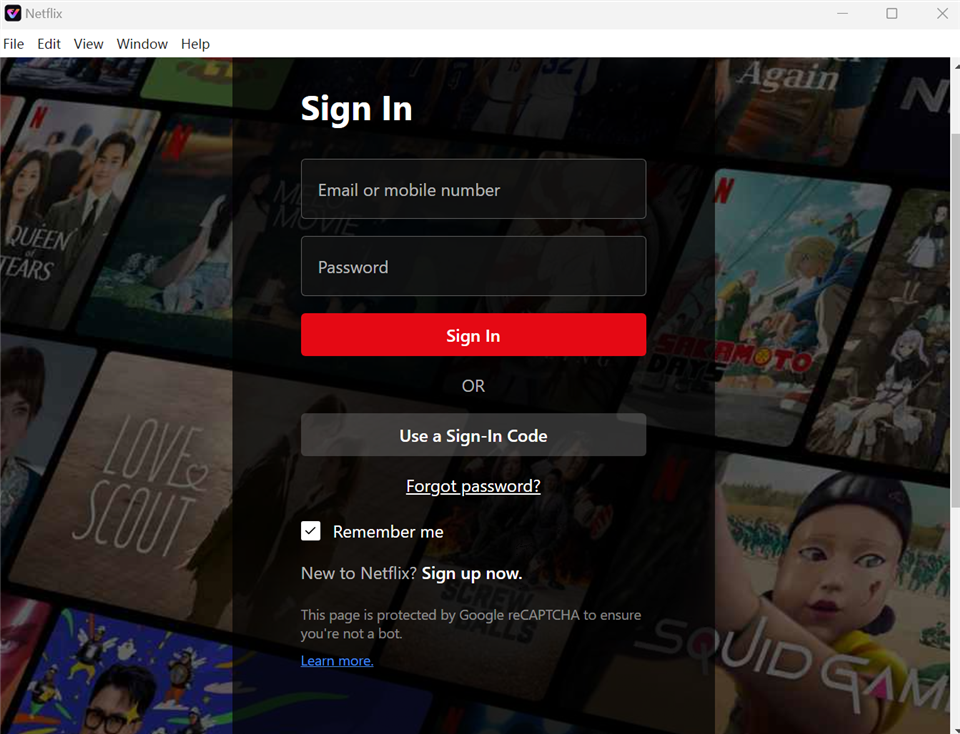
Sign In to Your Netflix Account
Step 3. Here, select the movie or show you want and click the Download icon near the bottom right corner.
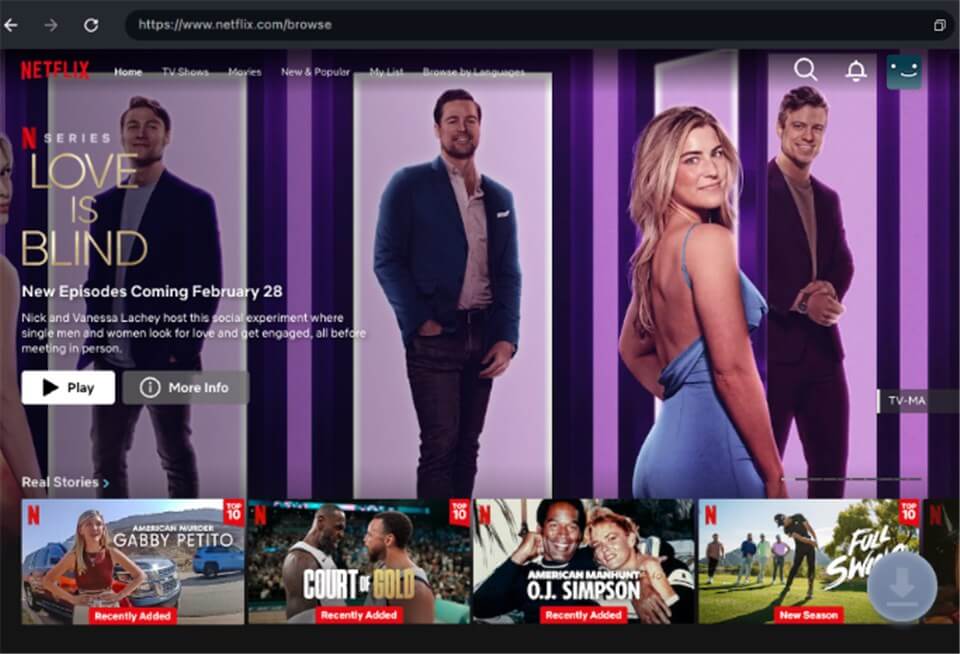
Download Movies You Want on Netflix
Step 4. You will now be asked to decide your Download Settings. Here, configure the Resolution, Audio, Subtitle, and Output Path options.
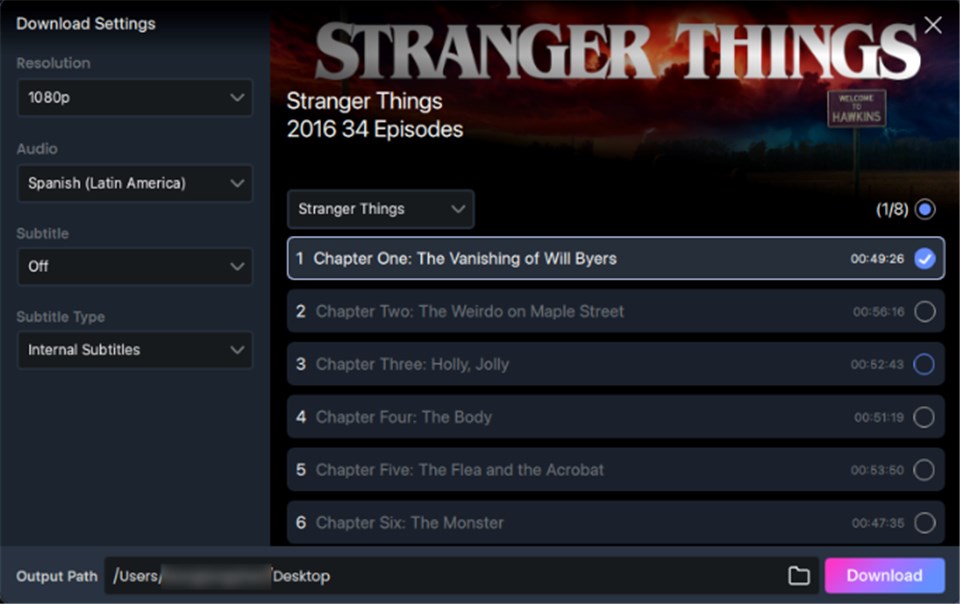
Customize Download Setting
Step 5. Lastly, hit the Download button and wait as the targeted show or movie downloads. When done, follow the instructions previously mentioned to upload them to the Plex Media Server.
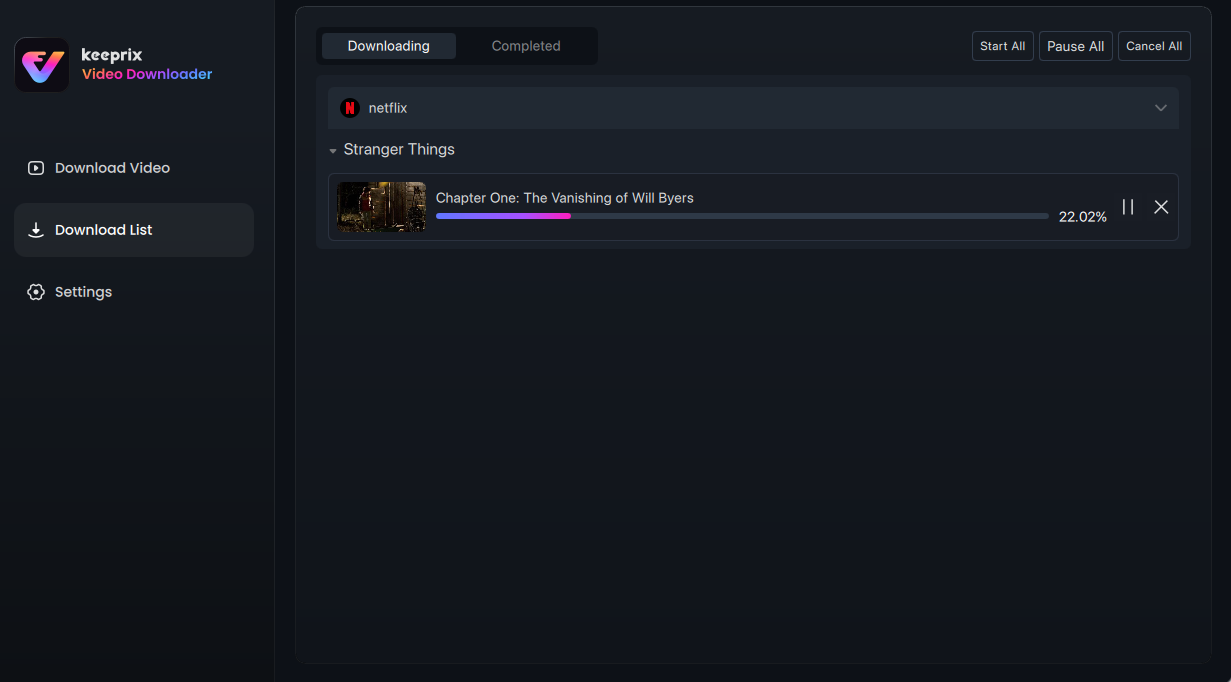
Downloading Netflix Videos
Tips for Watching Netflix on Plex
Before you start using Netflix alongside Plex, a few practical tips can help streamline your setup. These suggestions make your Plex experience feel more organized and closer to how you use Netflix.
Tip 1. How to Share Plex Library with Friends or Famil
Sharing your downloaded Netflix on Plex videos becomes simple when you use Plex’s native library sharing. It works much like giving others access to a shared streaming account. You can do that using Settings > Manage Library Access > Grant Library Access and selecting the targeted user.
Image alt: share plex library
Tip 2. How to Watch Netflix Videos Together on Plex
Plex supports synced playback, allowing everyone to view your downloaded Netflix content. You enable Watch Together for Netflix on Plex using three dots in a video, send the invite link, and start the synced session.
Image alt: watch together on plex
Tip 3. How to Create Managed Family Accounts like Netflix Profile
Managed accounts in Plex help recreate the feel of Netflix profiles by giving each person their own space. For your Netflix on Plex collection, go to Settings > Plex Home > Create Managed Account, and add each family member.
Image alt: plex managed accounts
FAQs about Netflix on Plex
Q1. Is Plex as good as Netflix?
Plex and Netflix serve different purposes. Plex is a personal media hub where you manage your own files, while Netflix is a streaming service with licensed content. When you combine both, Plex gives you freedom and control. But Netflix still provides the larger content library.
Q2. Can I add Netflix to Plex?
Unfortunately, you can’t do this because external integrations are blocked by Netflix. But you can have Netflix on Plex by downloading videos through Keeprix Video Downloader and then adding these to your Plex library.
Q3. Can you watch Netflix on Plex outside home network?
Yes, as Plex has remote streaming support. So that if Netflix downloads are in Plex, one can watch them outside of one’s home network if remote access is on.
Conclusion
In the end, getting Netflix on Plex becomes much easier using the two clear methods explained in this guide. Keeprix Video Downloader makes the whole process simple because it downloads Netflix videos in high quality and removes Netflix Download limits. With this setup, you enjoy full control and a viewing experience that stays organized across all devices. Download Keeprix today and start building your Netflix-ready Plex library.
 Must Read