Your viewing experience can be ruined by frequent Hulu logouts, which can convert a leisurely binge into a never-ending loop of logging in. Being cut off in the midst of a show or movie is annoying and makes it difficult to watch continuously.
Even beginners can handle Hulu keeps logging me out without trouble. Here we will introduce a few quick tweaks, and you’ll keep your account live and stream non-stop.

Hulu Keeps Logging Me Out
You may also like: How to fix Hulu not loading
Why Hulu Keeps Logging Me Out
Hulu can sign you out unexpectedly, interrupting your shows. Let’s see why it’s happening to you:
1. Too Many Devices Logged In: Hulu may delete one device if more than one person uses your account to adhere to the screen restriction. Remove extra devices and keep only the ones you use.
2. Billing or Payment Problems: Expired cards or failed payments can cause Hulu to disconnect you. Just update your payment or renew your plan.
3. TV or Device Settings: Settings like Quick Start+ on LG TVs can cause logouts. Turn off features that keep the device in standby mode.
4. Screen Timeout / Sleep Mode: If your device locks or the screen turns off, Hulu may reset the session. Keep the screen awake while watching.
5. App or Session Glitch: At times, the app just loses your session, particularly on smart TVs. Restarting, updating, or reinstalling helps.
How to Fix Hulu Keeps Logging Out Issues
Method 1. Sign Out of Unused Devices
When more than one device is logged into your Hulu account, including shared accounts, Hulu might soon remove one device in order to stay within the allowed screen limit. The logout may seem random, but in reality, it is just the app that is giving way to another device.
- Open the Hulu website in your browser and log in.
- Go to Account > Manage Devices.
- Delete old mobile phones, TV sets that are not used anymore or devices that you do not remember.
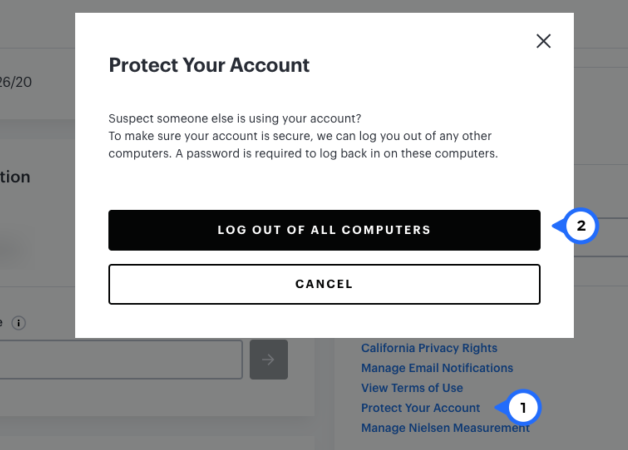
Log Out Hulu Unused Device
- Restart the Hulu app on the main device that you want to keep logged in.
Related article: Hulu is not available in your region
Method 2. Update or Reconfirm Billing Details
If your payment fails, Hulu may stop keeping your session active. The app might still open, but it won’t reliably stay signed in until billing is cleared. This can happen after a card expiry, bank block, subscription change, or address update.
- Log in to your Hulu account using a browser.
- Open Payment Information under Account settings.
- Check if your card has expired or if the payment was declined.
- Update or replace the payment method.
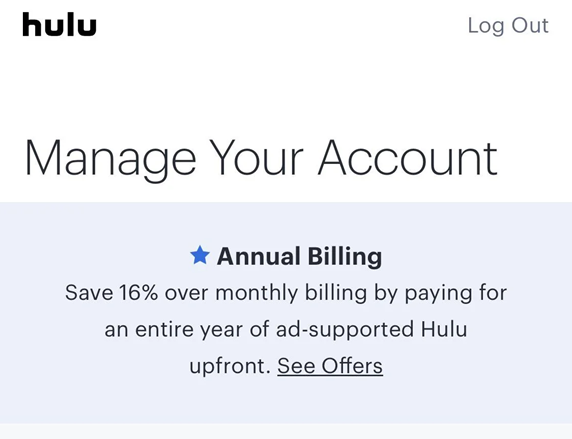
Update Hulu Billing Information
Method 3. Fix Internet Connection Drops
Sometimes the app logs you out simply because it can’t maintain a stable session. Even short drops in connection, especially on smart TVs, can force Hulu to refresh and ask you to sign in again.
- Reboot your router to establish a new connection.
- If you are connecting through a VPN or proxy server, you can disable it temporarily, as Hulu might treat it as a new login.
- Get closer to the router or go for a wired connection in case of TVs.
- Try out your mobile data for testing if it’s your Wi-Fi causing the problem.
Method 4. Disable VPN Service
Using a VPN can cause Hulu to log you out of the application since it detects the change in your IP address. Sometimes, the session might even be reset in the background, requiring you to log in again, despite the app already being open. Just Disable the VPN or proxy on your device or browser.
Method 5. Reinstall the Hulu App
App bugs or insufficient file updates could be reasons why Hulu keeps logging me out. Uninstalling the app not only erases old data but also gives you a new beginning, thereby maintaining your session.
- Begin by uninstalling Hulu from your device.
- Then, restart your phone, tablet, TV, or streaming device to refresh it.
- Finally, go to the app store and install the newest version of Hulu.
Still Not Working? Try a Hulu Downloader!
Frequent logouts from Hulu can spoil a watching spree and become a source of irritation quite quickly. It shouldn’t be the case that watching your favorite series depends on the app being glitchy or the internet being slow. Keeprix Downloader gives you a reliable way to fetch Hulu videos and save them to your computer immediately.
Then, you will be able to watch them anytime, offline, without ads, and without the concern of being logged out. It is a legal, smooth solution for non-stop viewing.
Why Keeprix Downloader Works Great:
- Bypass Hulu download limit and save the content with no expiration.
- Videos with great quality up to 1080p.
- Any device can be used for viewing, even if the Hulu app is not there.
- Totally ad-free, thus providing a flawless viewing experience.
How to Download Hulu Videos with Keeprix Downloader:
Step 1: Download and Install
Hit the download key and get Keeprix Downloader installed on your Windows or Mac computer. Ensure a solid internet connection throughout the setup procedure.
Step 2: Choose the Hulu Service
Start Keeprix, pick Hulu, or copy the URL of the Hulu video. The application will unlock the video and get it ready for downloading.
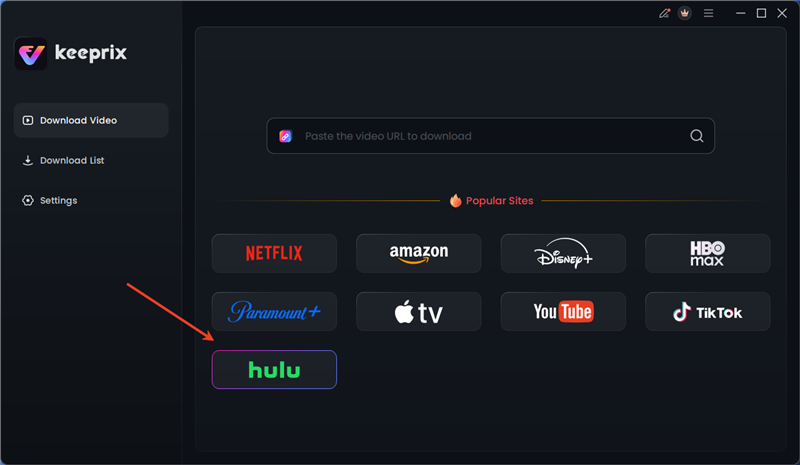
Choose Hulu in Keeprix
Step 3: Enter Your Hulu Credentials
Log in to your Hulu account. Keeprix only needs your credentials to collect video data and it protects your privacy completely.
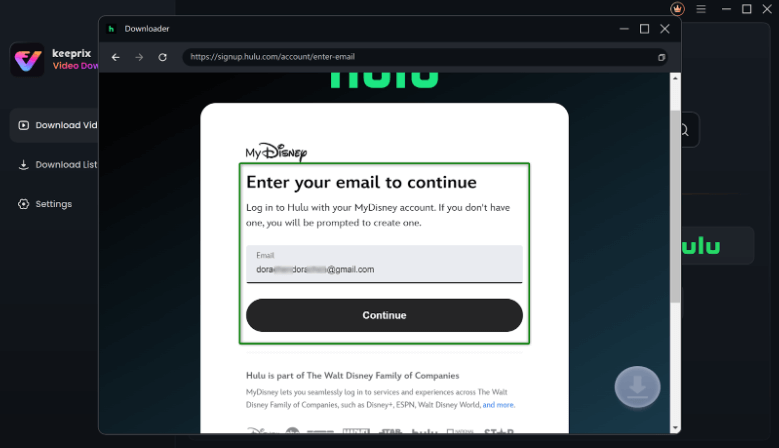
Enter Your Email to Log in to Hulu
Step 4: Choose Videos and Settings
Take a look at the shows that are available, or place a direct video link. Hit the Download button and specify the settings like resolution, audio, subtitles, and output folder. The option for batch downloads is there for whole series or collections.
Step 5: Start Downloading and Watch Offline
When done, your videos are available to watch at any time, no matter if Hulu has logged you out or an app has had errors.

Downloaded Hulu Videos in Progress
FAQs About Hulu Keeps Logging Me Out
1. Why does Hulu keep going back to the home screen?
The app crash, device memory shortage, or a full cache can all lead to Hulu exiting to the home screen.
2. Why does my smart TV keep exiting out of Hulu?
Sleep mode, Quick Start features, or network issues may cause your TV to close Hulu. Look into your TV’s settings, turn off standby features during the show, and check if your internet is stable.
3. Does Hulu limit the number of devices?
Yes. Based on your subscription plan, Netflix allows a specific number of devices to watch simultaneously. Some devices may get logged out automatically if the maximum number of devices is exceeded.
Conclusion
Hulu keeps logging me out, which can be quite irritating, but the truth is, it can be fixed easily. You can control your devices, provide billing info, or check your internet connection to keep the sign-in active. For a hassle-free way to watch your top shows, Keeprix Downloader allows you to download your Hulu videos to your device and then play them back anytime, offline and without ads. Give Keeprix a try and never worry about Hulu logging you out again.
 Must Read