How to Get Apple TV+ for Free [2025 Guide]

| Quick Overview |
| To get Apple TV+ for free, you can try options like the 7-day free trial, Apple device purchase offers, the Apple One bundle, or the Apple Music student plan. If you want to download Apple TV+ shows once and keep them offline for long-term viewing, Keeprix Video Downloader offers a simple and cost-effective solution. |
Apple TV+ has grown steadily in the streaming market and continues to attract many new users. However, most people want to preview the available catalog before paying. When they search for how to get Apple TV+, the different options often cause confusion.
This guide provides a full explanation of the current trials, bundled plans, student benefits, and more. We’ll talk about how to get Apple TV+ for free fits into these offers, and also introduce a reliable Apple TV Downloader to make things easier.

How to Get Apple TV
Is Apple TV+ Free or Subscription-based?
Apple TV+ runs as a subscription service, but it isn’t locked behind one fixed plan. You can start with a trial or join through bundles like Apple One. Among other options that help you manage how to get Apple TV+ without paying at first are unlocking it through special devices or carrier offers. After these deals end, the platform works on a monthly subscription.
Everything about Apple TV+ Subscription Plans
Apple keeps the pricing simple, which helps when you try to understand how to get Apple TV+ without feeling lost. The following are quick details on all the available standard subscription plans:
| Offer | Free Period | Price After Trial | Eligibility / Notes |
| New subscriber trial | 7 days | $12.99/month | Available only for new users signing up through the Apple TV app or website. |
| Free with eligible Apple devices | Up to 3 months | $12.99/month | Redeemable within 90 days of activating a new Apple device |
| Apple One bundle | Up to one month free | Individual: $19.95/mo, Family: $25.95/mo, Premier: $37.95/mo | Includes Apple TV+; best value if you already use other services |
| Student offer (via Apple Music Student Plan) | 1 month (Apple Music trial) | $5.99/month, but the price varies by region | Requires verified student status through Apple’s education authentication. |
How to Get Apple TV+ for Free
Below, we explore 6 reliable ways for users looking for how to get Apple TV+ for free:
Way 1. Start a 7-Day Free Trial
One of the simplest ways to begin streaming without paying is by signing up for Apple TV+’s standard 7-day free trial. This gives full access to all shows and movies before you commit to a subscription. Easily launch the Apple TV app on the targeted device, then tap Start Free Trial. Next, provide your Apple ID and choose the desired payment method to proceed.
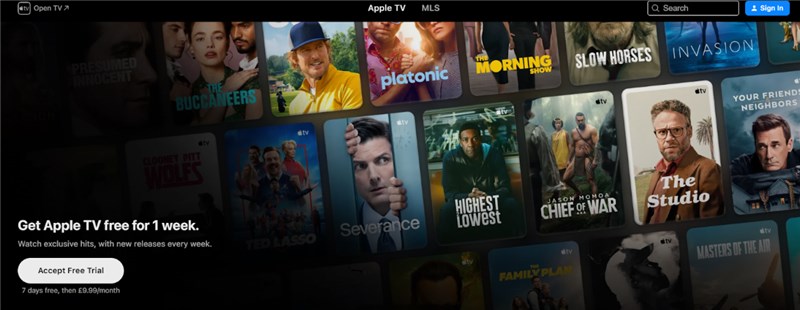
Get Apple TV Free Trial
Way 2. Get 3 Months Free with Eligible Apple Devices
When you buy a new Apple device, it is another handy answer to how to get Apple TV+ for free. You can redeem up to 3 months of Apple TV+ at no cost when you purchase an iOS or macOS device or an Apple TV. But the offer must be activated within 90 days.
Way 3. Enjoy Apple TV+ via Apple One Bundle
Apple One bundles several services together, including Apple TV+. This approach gives access to Apple TV+ alongside Music, iCloud, and more, often at a lower combined price. Moreover, new users get up to a month free in many regions. Let’s see how to get Apple TV+ using this method:
Step 1. Move to the Apple ID settings on your iDevice and press the Subscriptions button.
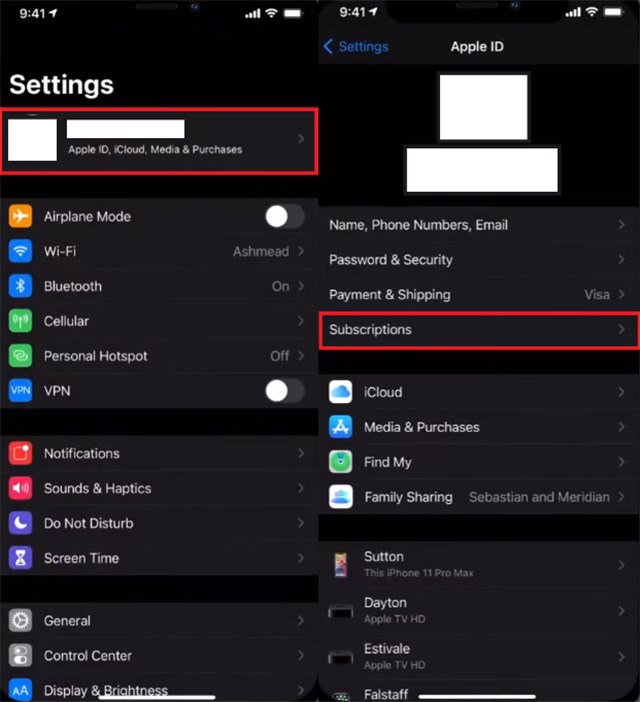
Select Subscriptions
Step 2. Here, tap Apple One and select the desired plan to use the free trial for Apple TV+.
Way 4. Get Apple TV+ Free with Apple Music Student Plan
Students can unlock Apple TV+ at no extra cost when they subscribe to the Apple Music Student Plan. Apart from the free trial, they only need to pay half the amount to keep the subscription. To get Apple TV+ for free using Apple Music Student Plan, you can access Apple Music via web or app and select the Student plan. Verify your student status through the official verification process and get free access to Apple TV+.
Way 5. Use Limited-Time Promotions and Offers
Occasionally, Apple releases quick promotions that give free access to Apple TV+. These limited-time offers let anyone watch shows and movies without a subscription during the promotion period. Keep an eye on Apple’s official announcements and sites like Best Buy and Target for how to get Apple TV+ for free for 3 to 6 months.
Way 6. Watch Apple TV+ with Family Sharing
Family Sharing allows one subscription to be shared with up to six family members. This method helps multiple people enjoy Apple TV+ without each person paying separately. Here is how to get Apple TV+ via this economical way to access content:
Step 1. Run the Settings app and tap your name to access the Family Sharing option.
Step 2. Here, invite targeted users to join your Family Sharing group so they can stream Apple TV+.
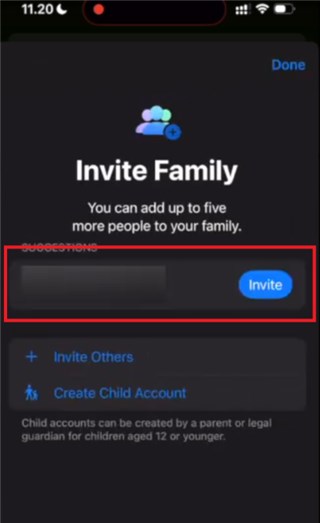
Join Family Sharing Group
How to Get Apple TV+ Permanently [Download Once]
Most of the methods let you get Apple TV+ for free only for a limited time, like a week, a month, or as long as the bundle lasts. But many users want something more lasting: download a show once and watch it anytime without worrying about trials or renewals. To make that possible, Keeprix Video Downloader offers a far more practical solution.
It allows unlimited downloads without restrictions on various platforms. This tool permits you to download videos in popular formats like MP4 or MKV for flexibility. Even better, you don’t have to deal with DRM restrictions, making offline viewing simple and hassle-free.
Main Features of Keeprix Video Downloader:
- Fast downloads with a speed of up to 10 times.
- Watch Apple TV movies offline in up to 4K resolution.
- No ads and no regional restrictions during downloads.
- Customize download settings for audio and subtitle language.
- Supports Netflix, Amazon Prime, Hulu, HBO Max, and more.
How to get Apple TV+ videos permanently with Keeprix Video Downloader:
Step 1. Run the Keeprix Downloader and select Apple TV from the available platforms.
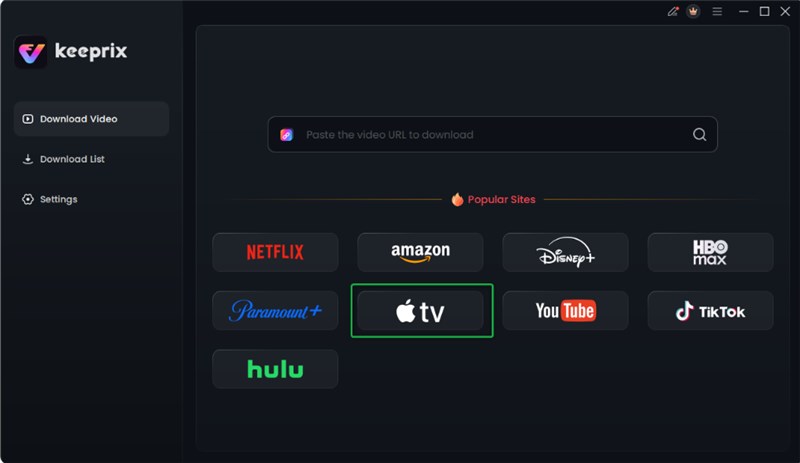
Choose Apple TV Platform
Step 2. Following that, tap the Sign In option and enter your Apple TV account credentials.

Log in Apple TV Account
Step 3. Now, find the show or movie you want to get and hit the Download icon.
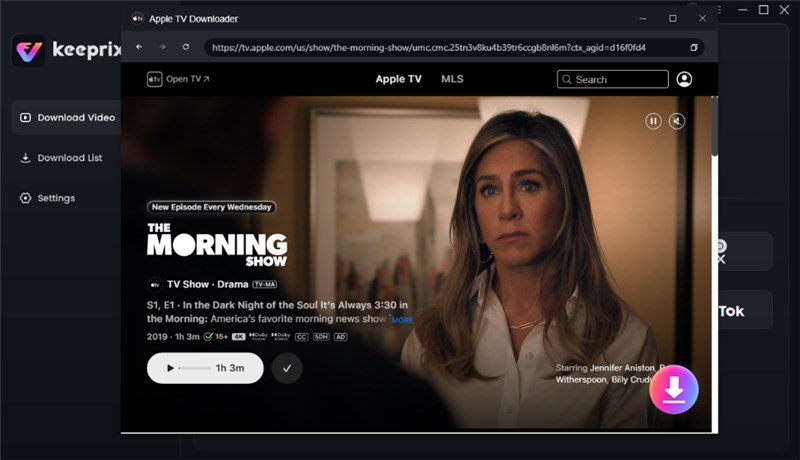
Click Download Button
Step 4. Click the Download button and let the targeted shows finish downloading.

Apple TV Video Download Completed
FAQs about How to Get Apple TV+ for Free
Q1. Is Apple TV Plus free with Amazon Prime?
No, Apple TV+ is not free with Amazon Prime. They are separate services with separate subscriptions, though you can install the Apple TV app on Amazon devices and sign in normally.
Q2. How do I get 6 months free Apple TV+?
There is no official deal that offers a free trial for 6 months. However, the U.S. users can get Apple TV+ free for 6 months with T-Mobile Go5G plans. In the U.K., you can get 6 months free with EE on iPhone contracts.
Q3. What is the cheapest way to get Apple TV+?
The cheapest options are the 7-day trial, student discount, or the 3-month device offer. But these are all temporary. For long-term use without renewals or download limits, Keeprix Video Downloader is the most cost-effective choice.
Conclusion
All in all, it’s easy to work out how to get Apple TV+ for free if you know where to look for deals. All discussed deals offer a reasonable path to continue for those looking to get free Apple TV+ in 2025. Apps like Keeprix Video Downloader offer an extra benefit, as they allow you to download Apple TV shows. If you would like to have offline access to your favorite stuff, just go ahead and give Keeprix Video Downloader a try.
 Must Read