
Free DownloadWindows 11/10 Free DownloadmacOS 11 and above Get the Mac Version | 100% Clean & Secure
 View Pricing


Download Video
-
Streaming Platforms
-
Social Media


Basic Information
1. Introduction
Keeprix helps break through download and viewing restrictions on paid streaming platforms. It seamlessly downloads videos from services like Netflix, Amazon, Disney+, Hulu, Max, YouTube, and TikTok, converting them into common formats for easy offline viewing. With Keeprix, you can save your favorite content permanently and enjoy it anytime, anywhere. Simplify your streaming experience—put the best content at your fingertips with Keeprix.
2. What Scenarios Are Available?
Keeprix Downloader has broad applicability across multiple streaming platforms. Here are some common scenarios where Keeprix Downloader can be effectively utilized:
Offline Viewing: People who often travel or are in an unstable network environment need to use streaming media to obtain a stable offline viewing experience without being restricted by network or platform downloads and viewing.
Cross-device and Multi-device Play: Freely play streaming content on a variety of devices, such as computers, TVs, tablets, mobile phones, etc.
Video Creation: Help obtain materials in common video formats of streaming platforms to complete creation.
Free from Geographical Restrictions: Save videos that cannot be played due to streaming copyright or content removal in different countries or regions.
3. Compatibility of Computer System
| Windows OS | Windows 10, 11 |
| macOS | macOS 12 (macOS Monterey) and above |
4. Compatibility of Computer System
For Windows:
Step 1. Find Settings option on your computer.
Step 2. Choose System option.
Step 3. Choose About option. And you will view the detailed info about computer specification.
For Mac:
Step 1. Click the Apple icon on the top left of your computer screen.
Step 2. Click About This Mac.
Step 3. You will find the computer specifications in the following appearing window.
5. Supported Platforms and Resolutions
Supports up to 4K downloads from: Disney+, Max, Apple TV, Paramount+, Hulu, YouTube, TikTok, Instagram, Facebook, X and Dailymotion.
Supports up to 1080P downloads from: Netflix, Prime Video, and Peacock.
Paramount+ supports downloads in resolutions up to 4K, but 4K downloads are currently available only for the US region. For accounts outside the United States, the maximum available download resolution may vary depending on regional availability and platform restrictions.
6. Differences between Trial & Activated Version
| Benefits | Trial Version | Activated Version |
| Social Media Video Downloads | Unlimited | Unlimited |
| Streaming Video Downloads | 1 video per platform | Unlimited |
7. Activating Instructions
If Keeprix Downloader satisfies your expectations, welcome to download and give it a try. To enjoy all benefits of Keeprix Downloader, you need to upgrade to the full version (See Pricing). After completing the payment, you will receive Account and Activation Code within several seconds to minutes. Please click the Activate button.
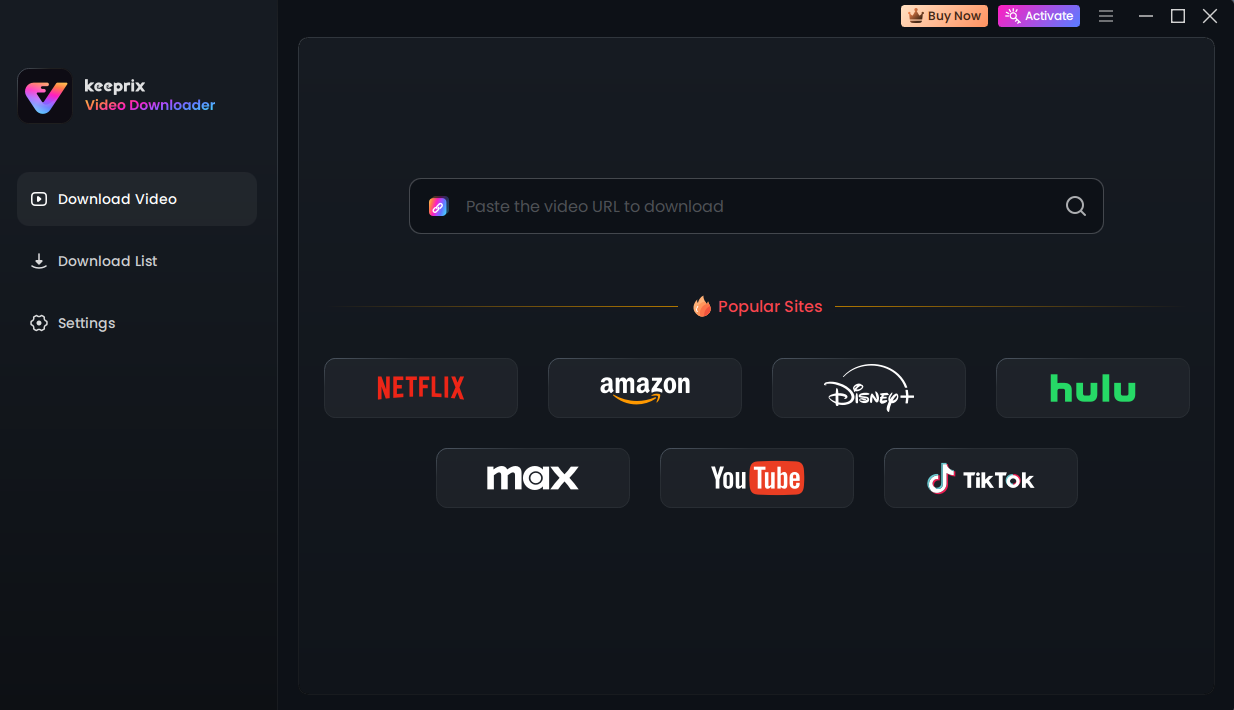
Keeprix Activate Interface
Enter your Account and Activation Code below, then click the Activate button. To ensure accuracy, we recommend copying and pasting the activation code instead of typing it manually.
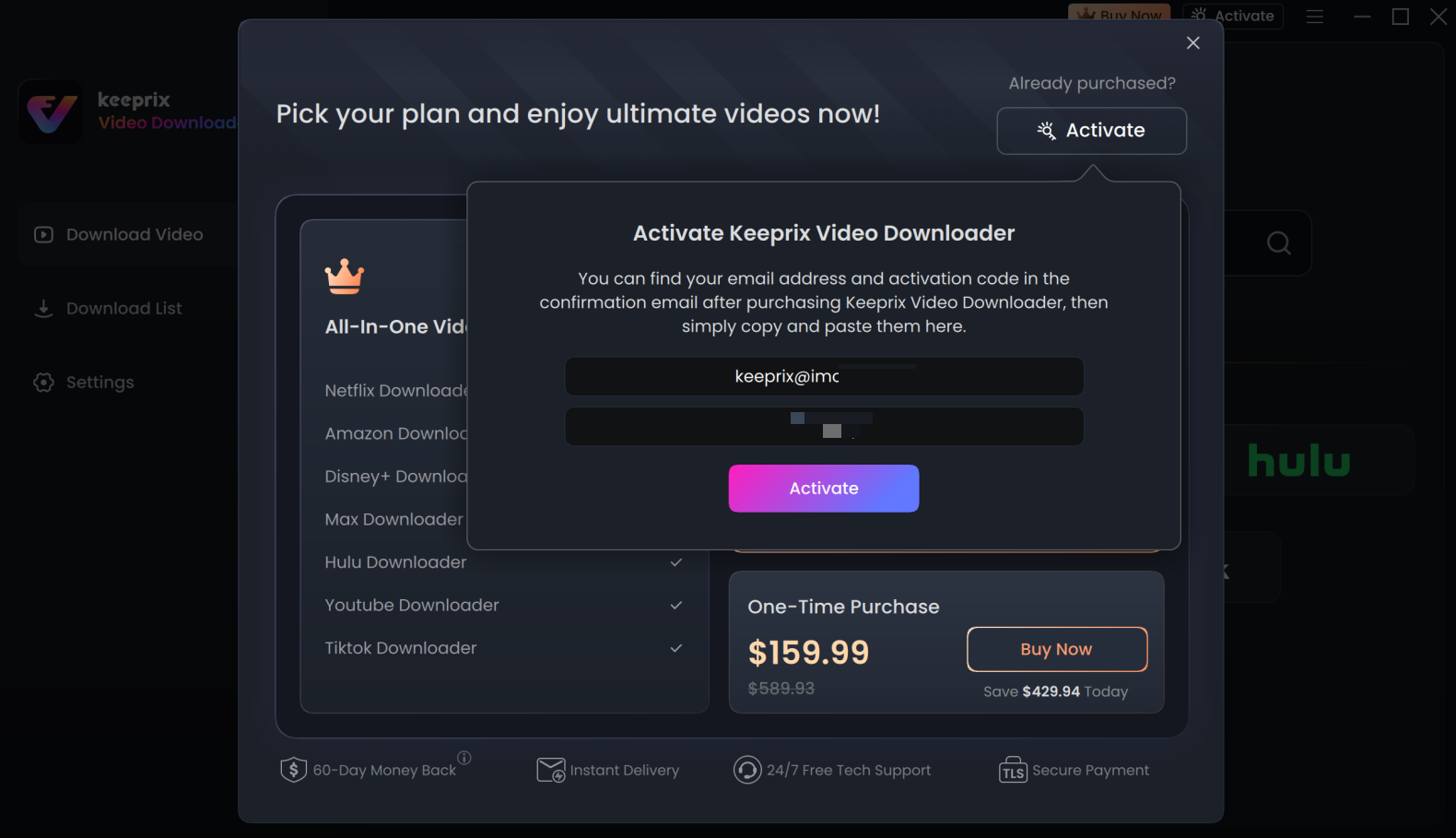
Enter your Account and Activation Code
After completing activating process successfully, you will see the interface below.
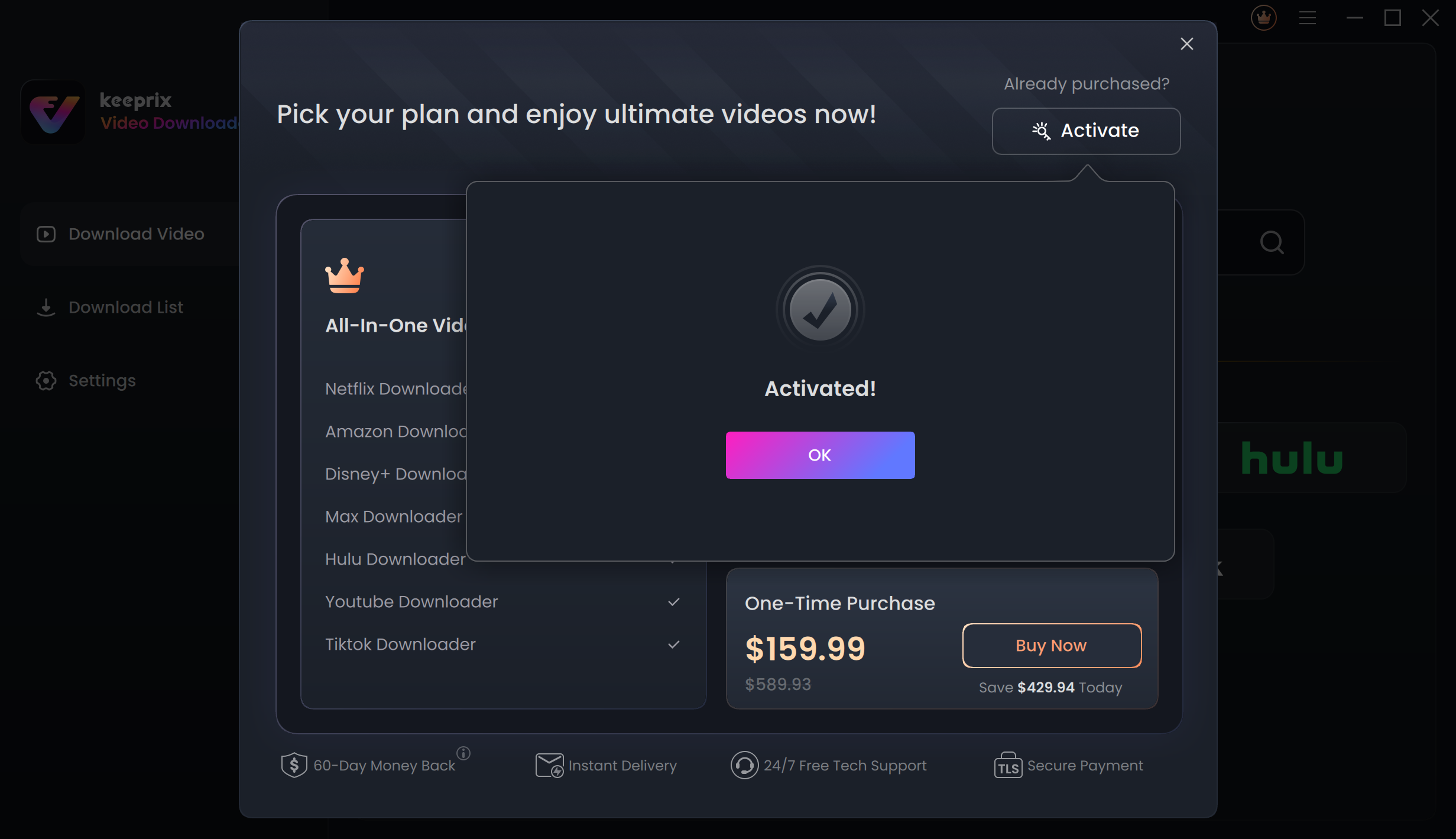
Activation Succeeded
8. Menu Bar Settings
After you launch Keeprix Downloader, you can click the Setting icon in the upper right corner to enter the Menu Bar Settings.
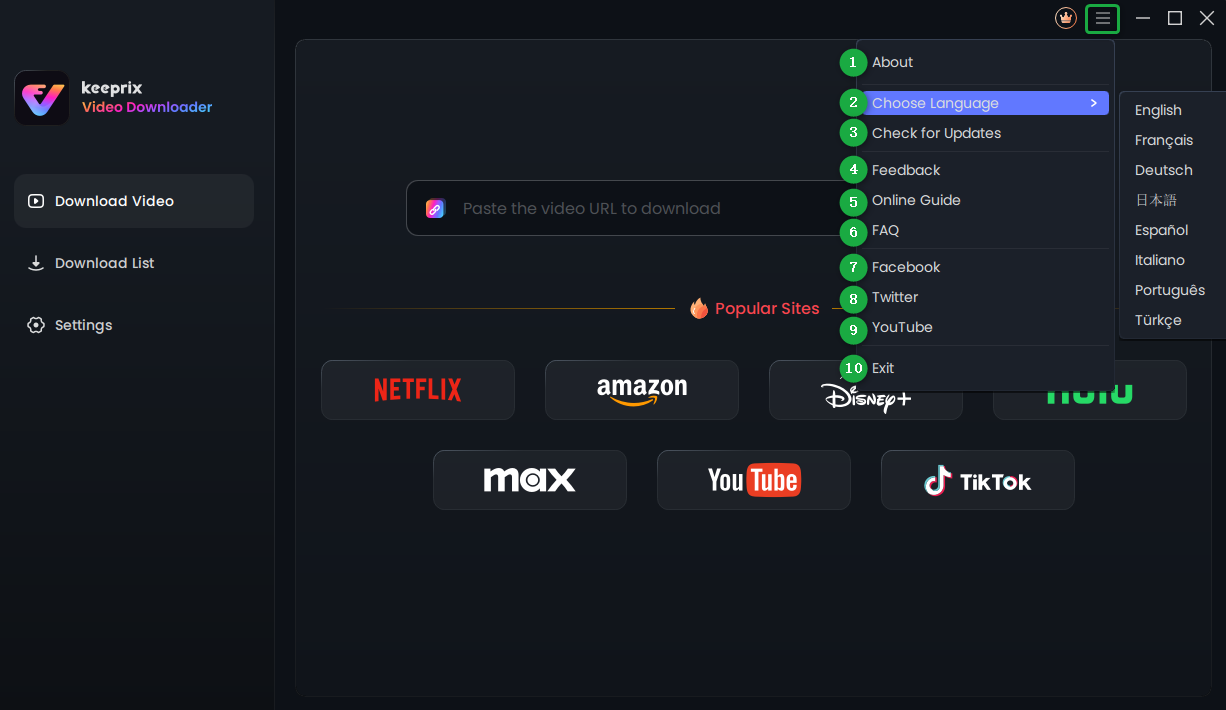
Menu Bar Settings
Here you can unfold the Menu Bar Settings button to:
If you have additional questions, visit our FAQs page for detailed solutions or reach out to our Support Team for further help or personalized assistance.