
Free DownloadWindows 11/10 Free DownloadmacOS 11 and above Get the Mac Version | 100% Clean & Secure
 View Pricing


Download Video
-
Streaming Platforms
-
Social Media


Download Netflix Video
Keeprix Downloader is compatible with both Mac and PC, enabling you to download Netflix movies and TV shows for offline viewing, playback, and archiving. With support for multiple resolutions (540P, 720P, and 1080P), it allows you to save your downloaded content in either MP4 or MKV formats, providing a simple solution for accessing your favorite media offline anytime, anywhere.
Compatibility of Computer System
| Windows OS | Windows 10, 11 |
| macOS | macOS 12 (macOS Monterey) and above |
Differences between Trial Version & Activated Version
We prioritize your satisfaction and want you to have a smooth trial experience. The trial version allows unlimited downloads from social media platforms and 1 video download per streaming platform, including Netflix, Amazon, Disney+, Hulu, Max, and others. This gives you the opportunity to explore the core features before upgrading. For unlimited streaming video downloads, simply upgrade to the activated version to unlock the full download experience.
| Benefits | Trial Version | Activated Version |
| Social Media Video Downloads | Unlimited | Unlimited |
| Streaming Video Downloads | 1 video per platform | Unlimited |
Step 1. Download and Install Keeprix Downloader on Computer.
Click the download button below to download Keeprix Downloader to your PC/Mac. Ensure that you have a stable network connection during the download and installation process.
For detailed downloading and installation instructions, please click here to view the download and installation guide.
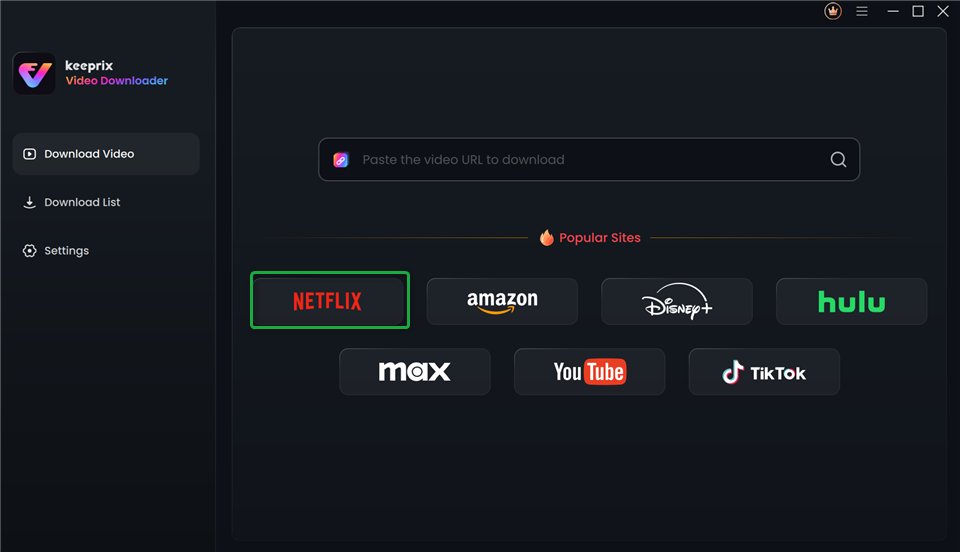
Step 2. Choose Netflix Platform.
Launch Keeprix Downloader on computer. Please select the Netflix platform under Streaming Services option. Alternatively, you can paste the Netflix video URL to access the video.
Choose Netflix Platform
Step 3. Sign In Netflix Account.
After choosing the Netflix platform or pasting the Netflix video link, it will proceed to the Netflix website.
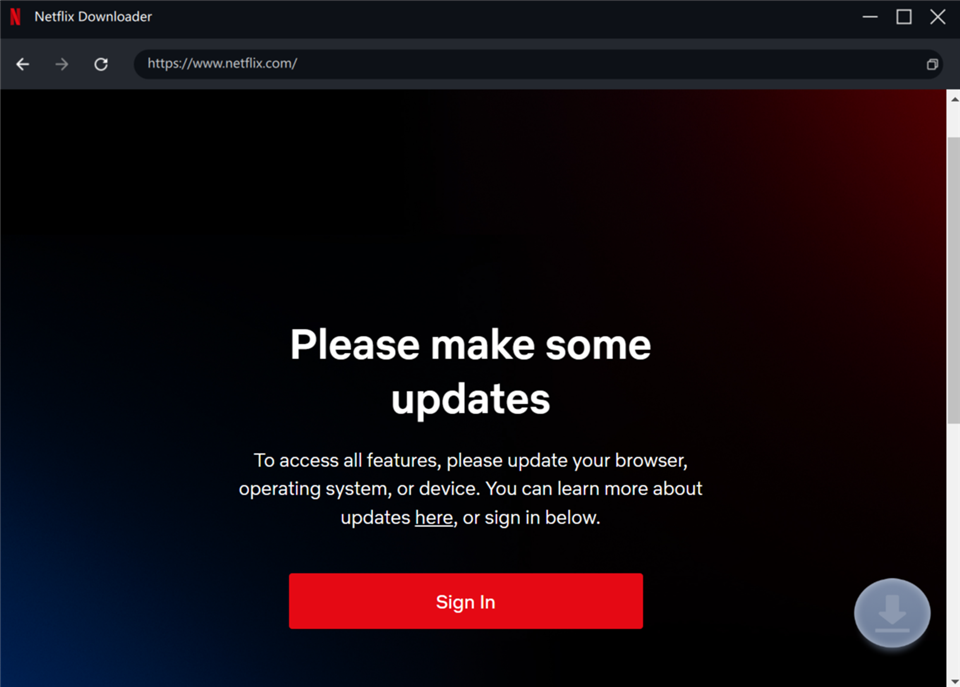
Proceed to the Netflix Website
Before downloading videos, ensure you are logged into your Netflix account. Enter your Netflix account and password, and then click the Sign In button.
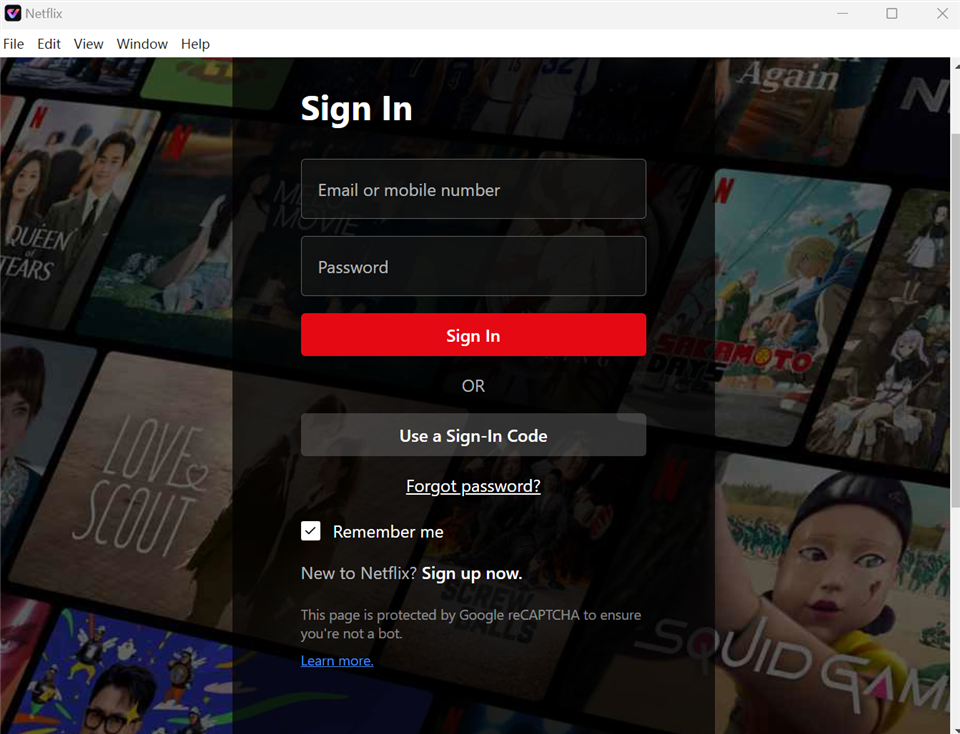
Sign In Netflix Account
The account login is only used to obtain the correct video information, and we fully ensure the privacy of your data.
Step 4. Choose TV Shows or Movies for Download.
Browse all TV shows and movies available for download. If you paste a link to access the video, you will see the search results for the shows or movies, and the video will be displayed on the page.
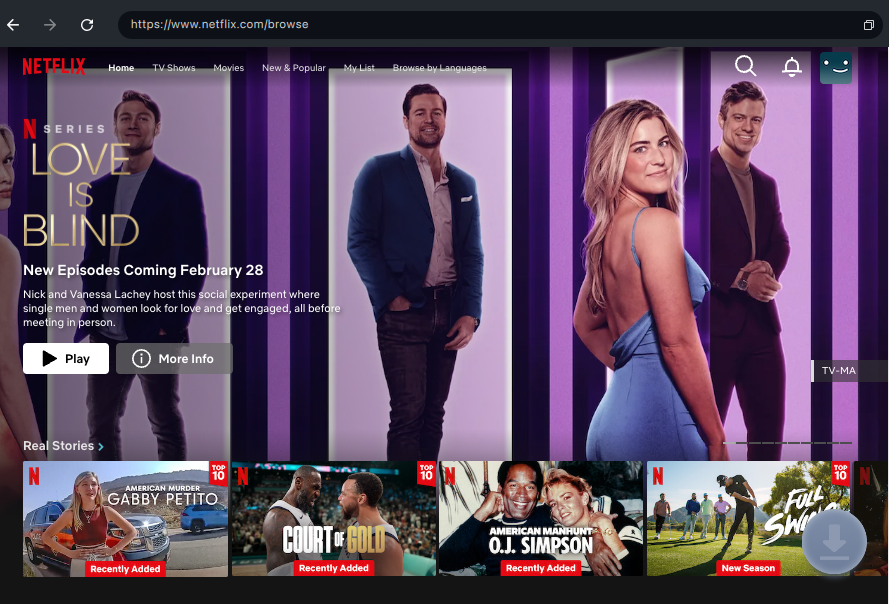
Browse Shows and Movies
Select the show episode or movie you want to download, and then click on the Download icon.
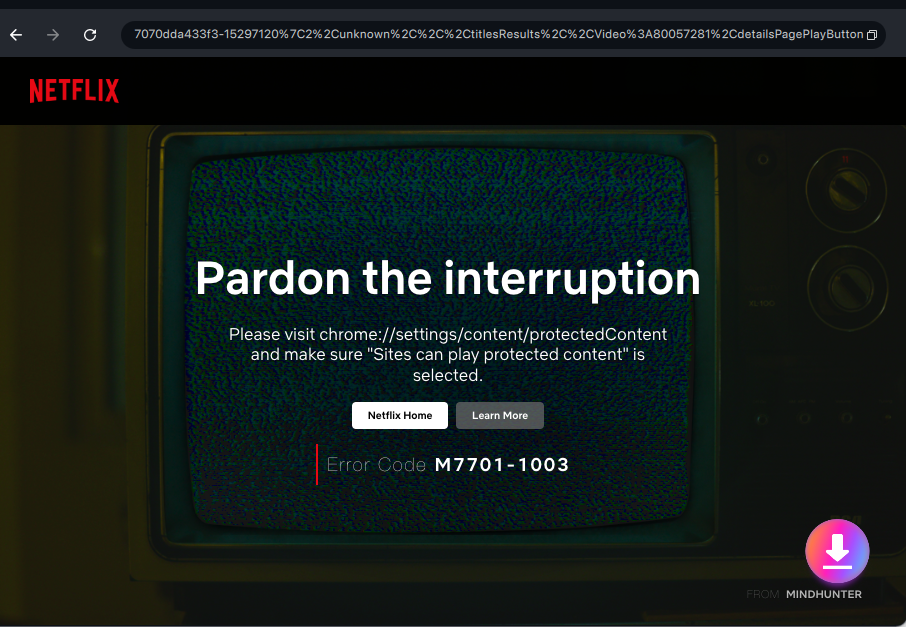
Click the Download Button
Step 5. Configure Download Settings.
When the pop-up window appears, select your desired Resolution, Audio, Subtitle, Subtitle Type and Output Path, and then click on the Download button to initiate the video download process. Batch selection is available for all videos across all seasons.
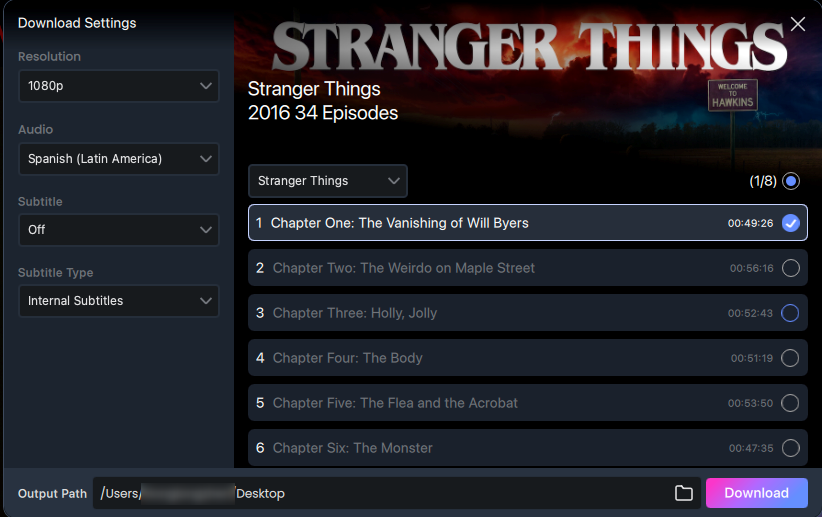
Configure Download Settings
1. The resolution is obtained from the source video, with Netflix supporting up to 1080P.
2. Keeprix Downloader supports both internal and external subtitle formats.
Step 6. Download Shows or Movies.
You are able to check the download progress in the download list. Make sure you have a stable network connection. Within the interface, you can click the Pause, Re-download, or Cancel buttons to control the download tasks.
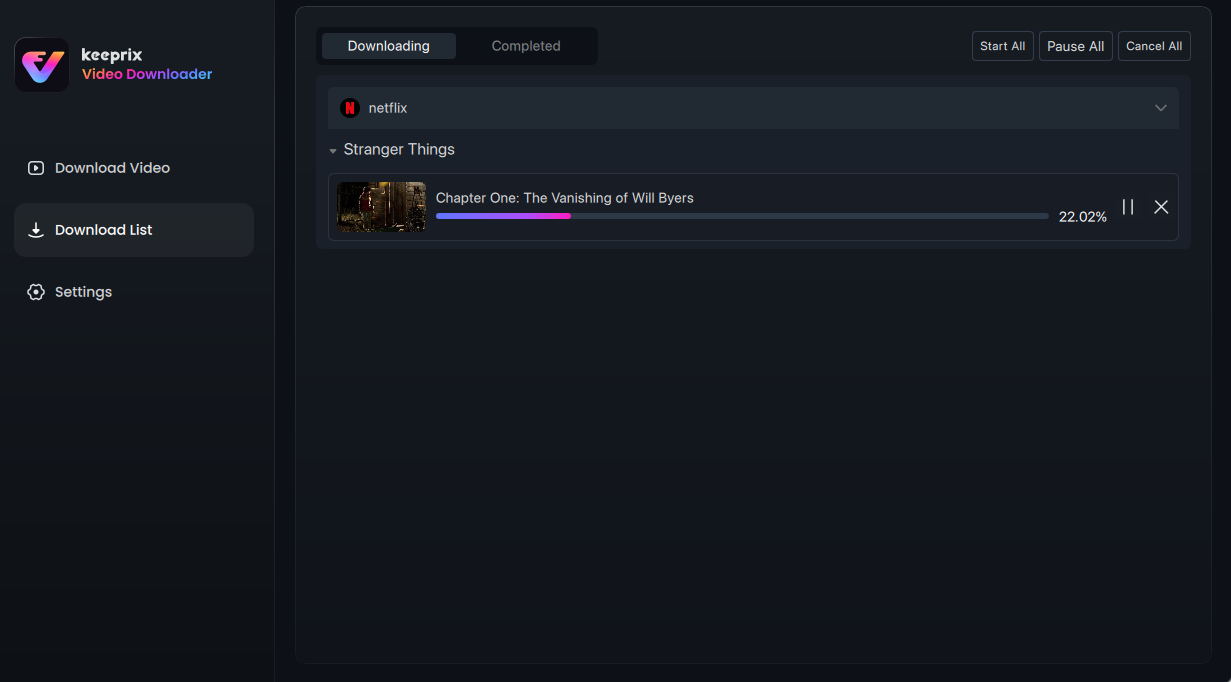
View the Download Progress
For better management of your download list, please refer to this guide.
Once the download finishes, you can locate your downloaded movies or shows in the Completed section. Feel free to start enjoying your shows or movies now.
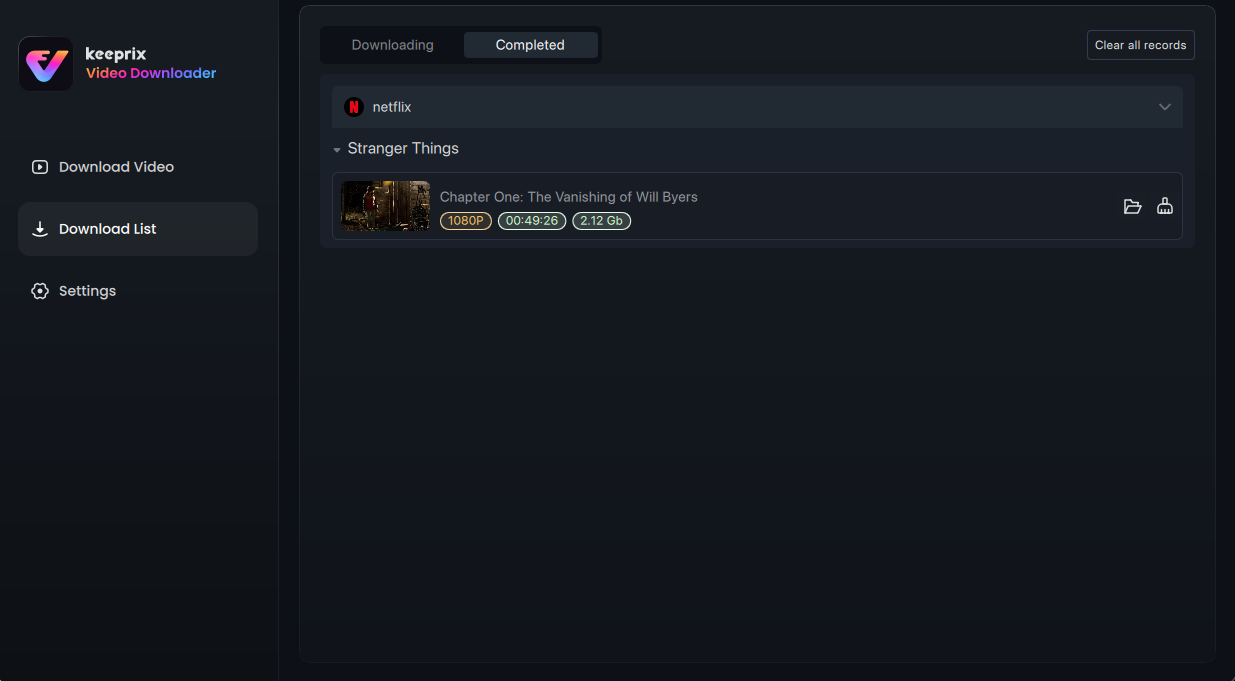
Finish the Downloading
If you have additional questions, visit our FAQs page for detailed solutions or reach out to our Support Team for further help or personalized assistance.