

Free DownloadWindows 11/10 Free DownloadmacOS 11 and above Get the Mac Version | 100% Clean & Secure
 View Pricing


Download Video
-
Streaming Platforms
-
Social Media


Download TikTok Video
TikTok records various videos about travel, food, nature, sports, comedy, beauty, technology, health, etc. You may need to download various TikTok videos on computer and watch them offline during the break. Follow this guide to download TikTok videos on Windows or Mac with two easy methods.
Compatibility of Computer System
| Windows OS | Windows 10, 11 |
| macOS | macOS 12 (macOS Monterey) and above |
Supported Resolution
| Platform | Resolution |
| TikTok | Up to 4K |
Differences between Trial Version & Activated Version
We prioritize your satisfaction and want you to have a smooth trial experience. The trial version allows unlimited downloads from social media platforms and 1 video download per streaming platform, including Netflix, Amazon, Disney+, Hulu, Max, and others. This gives you the opportunity to explore the core features before upgrading. For unlimited streaming video downloads, simply upgrade to the activated version to unlock the full download experience.
| Benefits | Trial Version | Activated Version |
| Social Media Video Downloads | Unlimited | Unlimited |
| Streaming Video Downloads | 1 video per platform | Unlimited |
Method 1. Download TikTok Video with the Built-in Browser.
Step 1. Download and Install Keeprix Downloader on Computer.
Before downloading TikTok videos, please click the following button to download and install Keeprix Downloader on your computer.
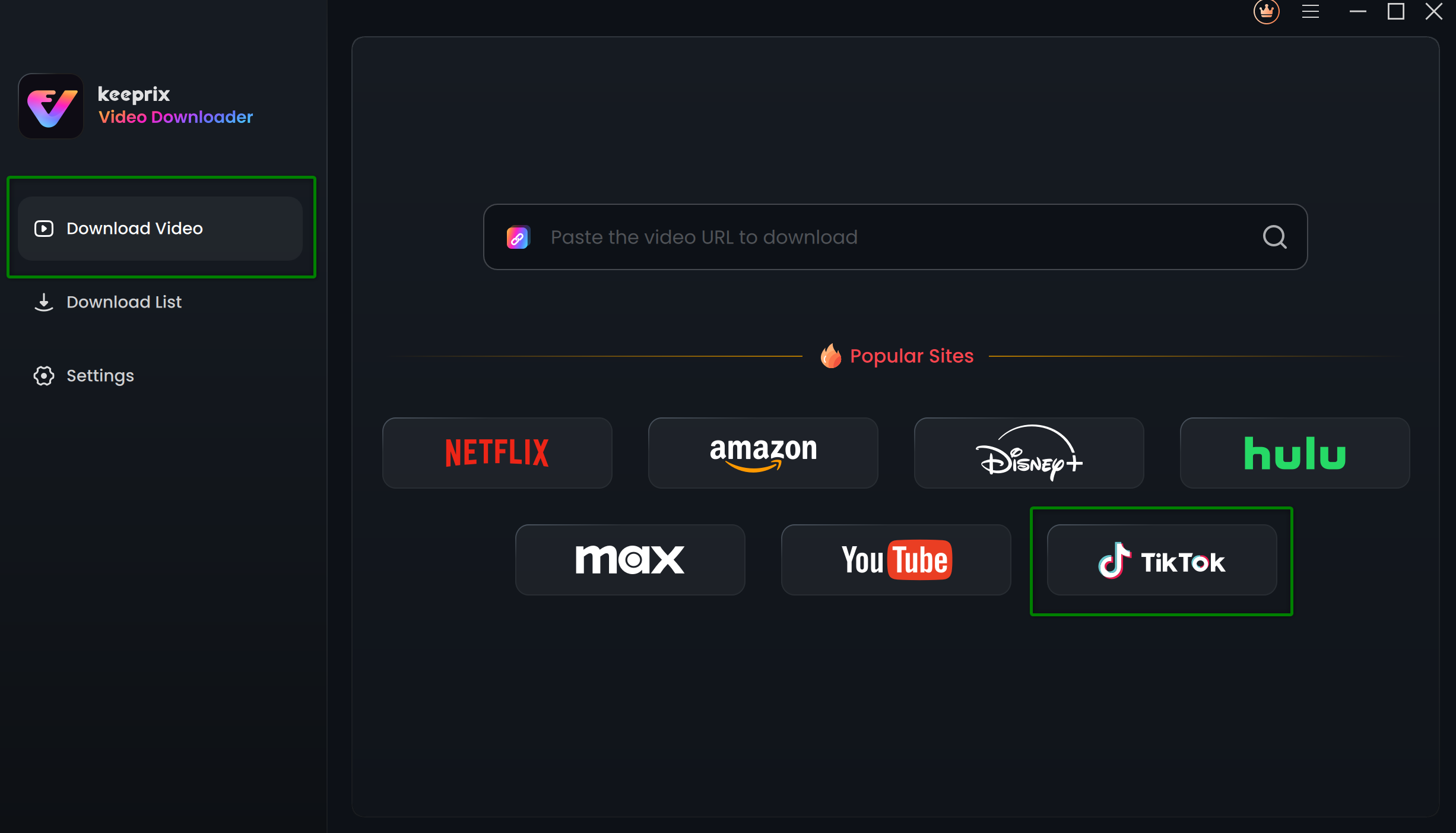
Step 2. Choose the Built-in Browser as TikTok.
Open Keeprix Downloader and select the Social Media option. Then choose TikTok platform.
Choose TikTok
Step 3. Choose the Videos You Want to Download.
After browsing the videos on TikTok, choose the videos you want to download and click the Download button.
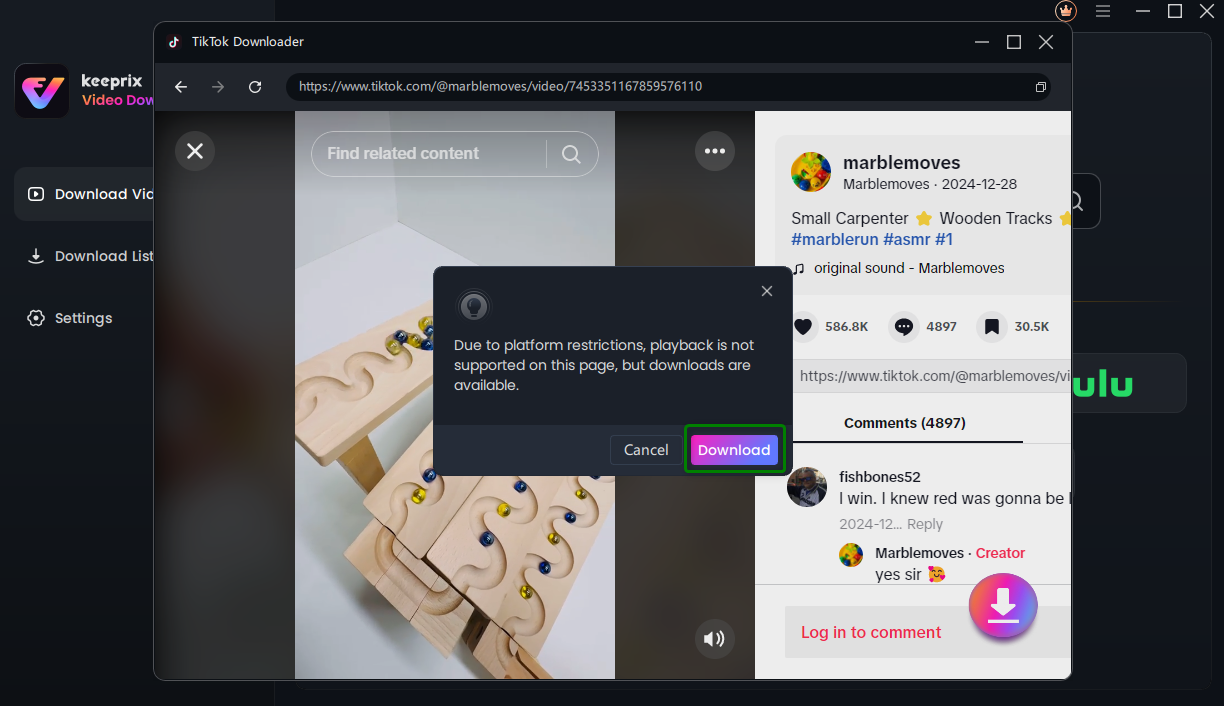
Click Download Button
If you do not have access rights to a non-public video, you cannot play it or download it, so you need to log in to your TikTok account.
Once you click the Download button, it will analyze the video automatically and it will pop up a setting window as below. In this Download Settings page, you can choose Resolution, Audio, Subtitle, Subtitle Type and Output Path as you like. You can also select all videos in a collection in batches.
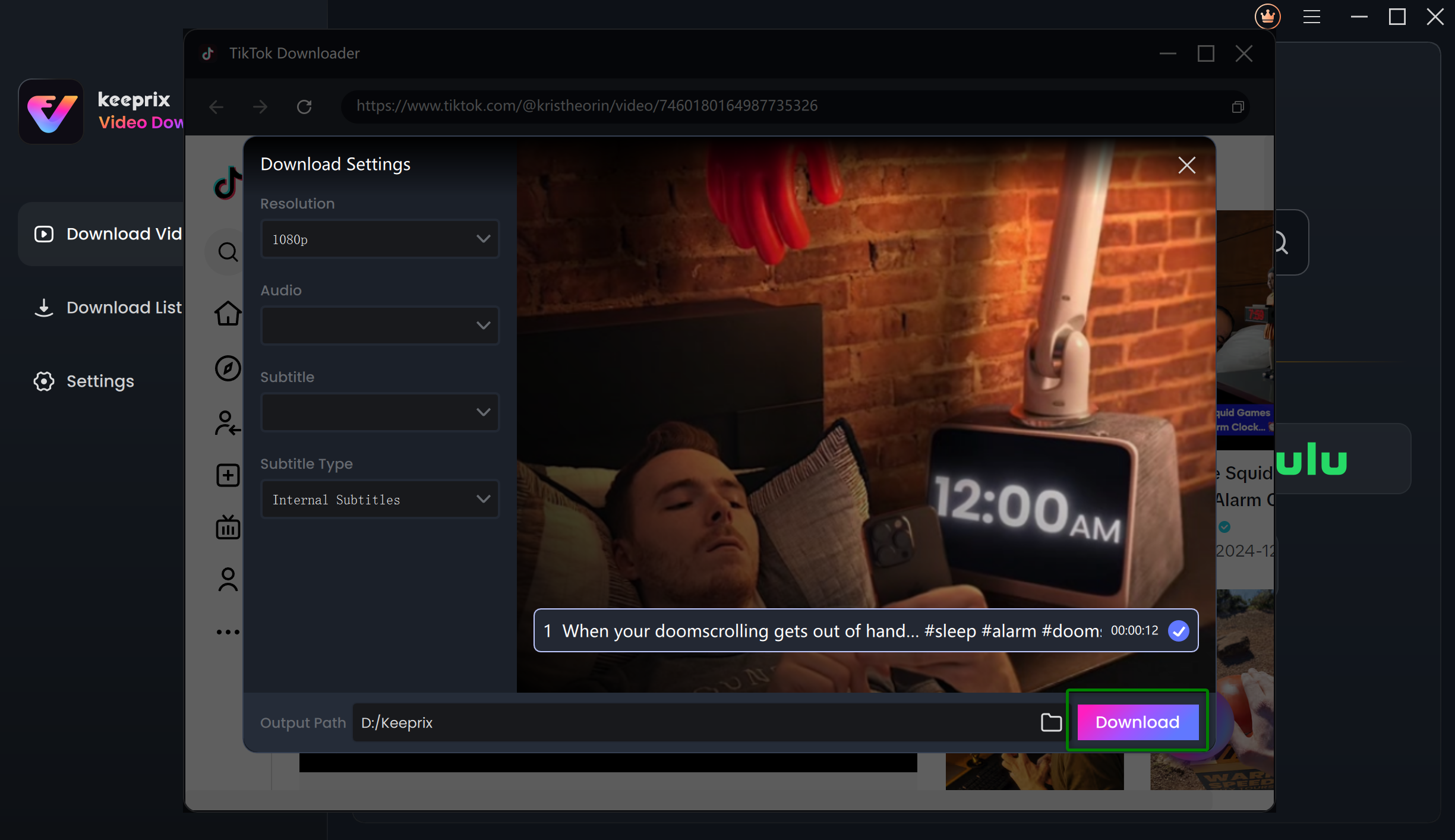
Download Settings
Step 4. Download Completed.
After clicking the Download button, you will see the download task in Download List. You can also Pause, Re-download or Delete the download task.
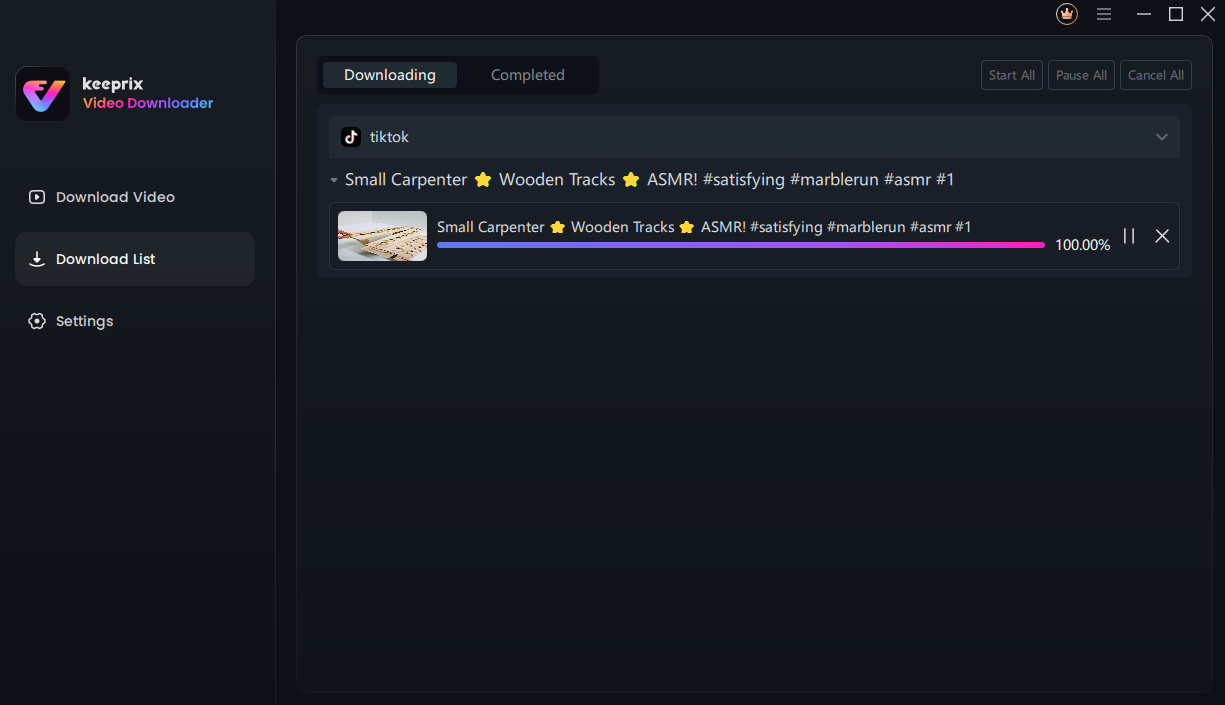
Downloading Interface
It will take some minutes to download TikTok videos and it varies based on the original video size, resolution and network speed. The resolution of the downloaded video is affected by the resolution of the original video. Once the download process is completed, please check the videos in Completed.
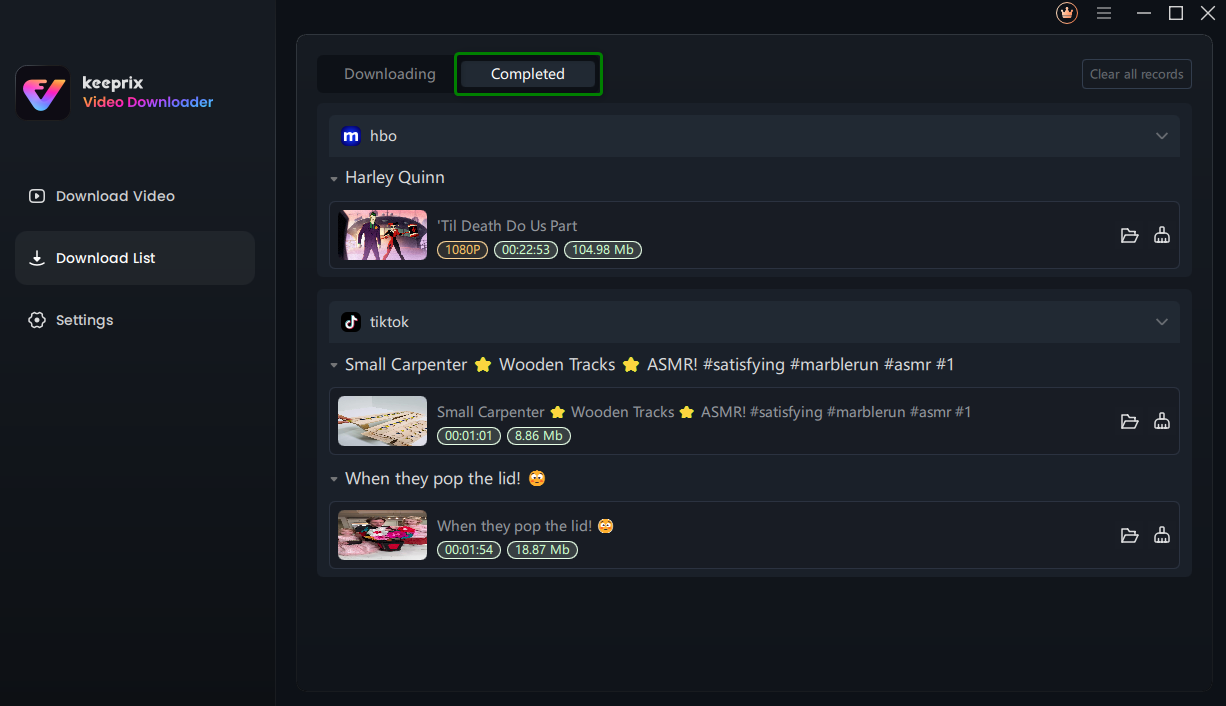
Download Completed
Method 2. Download TikTok Video by Pasting the Link.
Step 1. Download and Install Keeprix Downloader on Computer.
Before downloading TikTok videos, please click the following button to download and install Keeprix Downloader on your computer.
Step 2. Paste the TikTok Video Link.
Open Keeprix Downloader and select the Download Video function. Then copy & paste the TikTok video link in the search bar. Once you press Enter key, you will see the corresponding page.
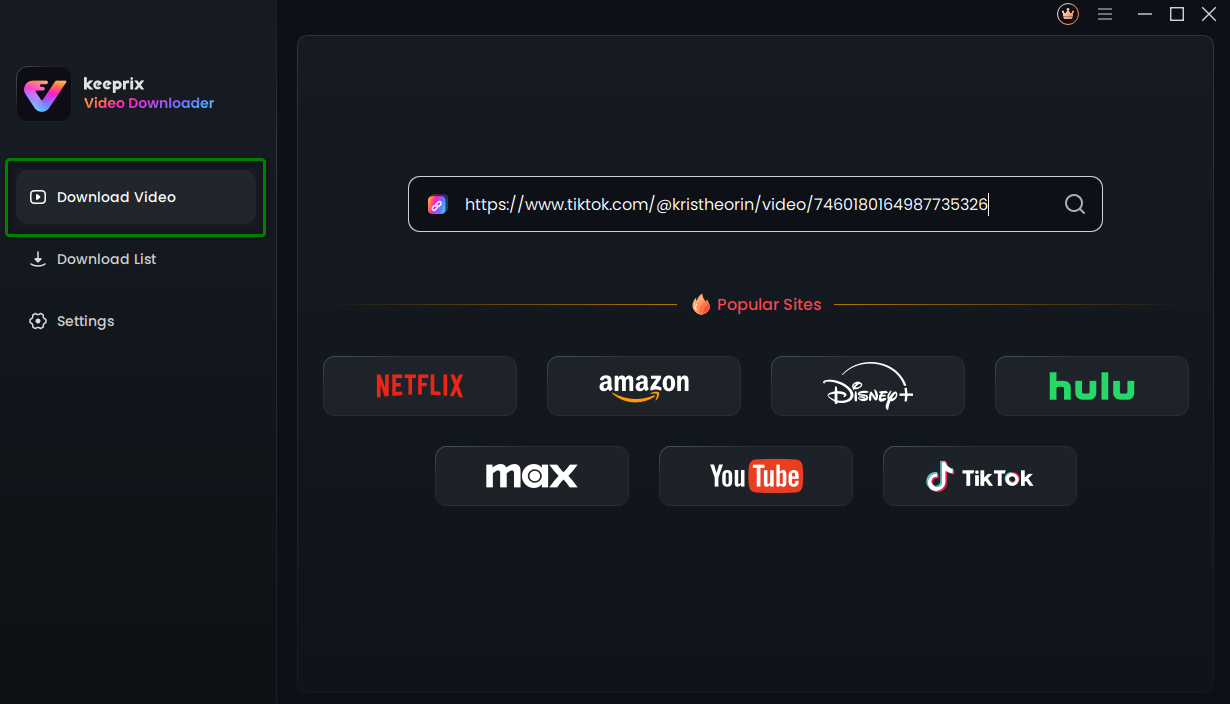
Paste the TikTok Video Link
Step 3. Choose the Videos You Want to Download.
After browsing the videos on TikTok, choose the videos you want to download and click the Download button.
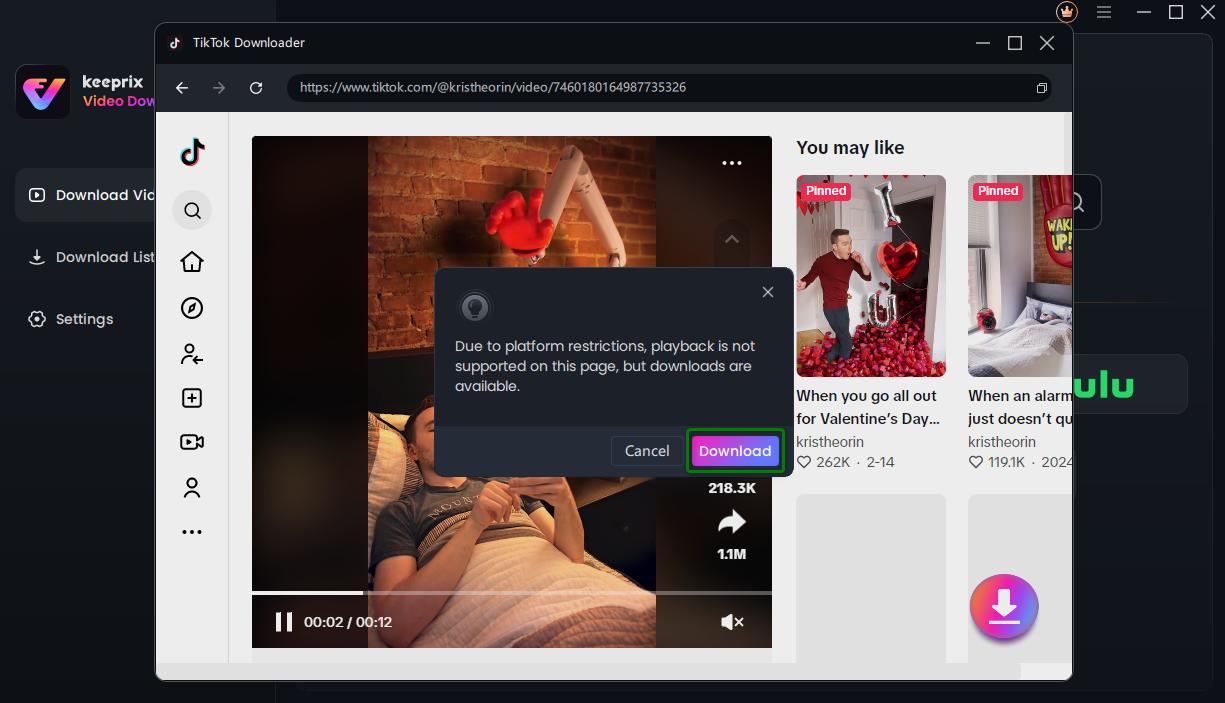
Click Download Button
Once you click the Download button, it will analyze the video automatically and it will pop up a setting window as below. In this Download Settings page, you can choose Resolution, Audio, Subtitle, Subtitle Type and Output Path as you like. You can also select all videos in a collection in batches.
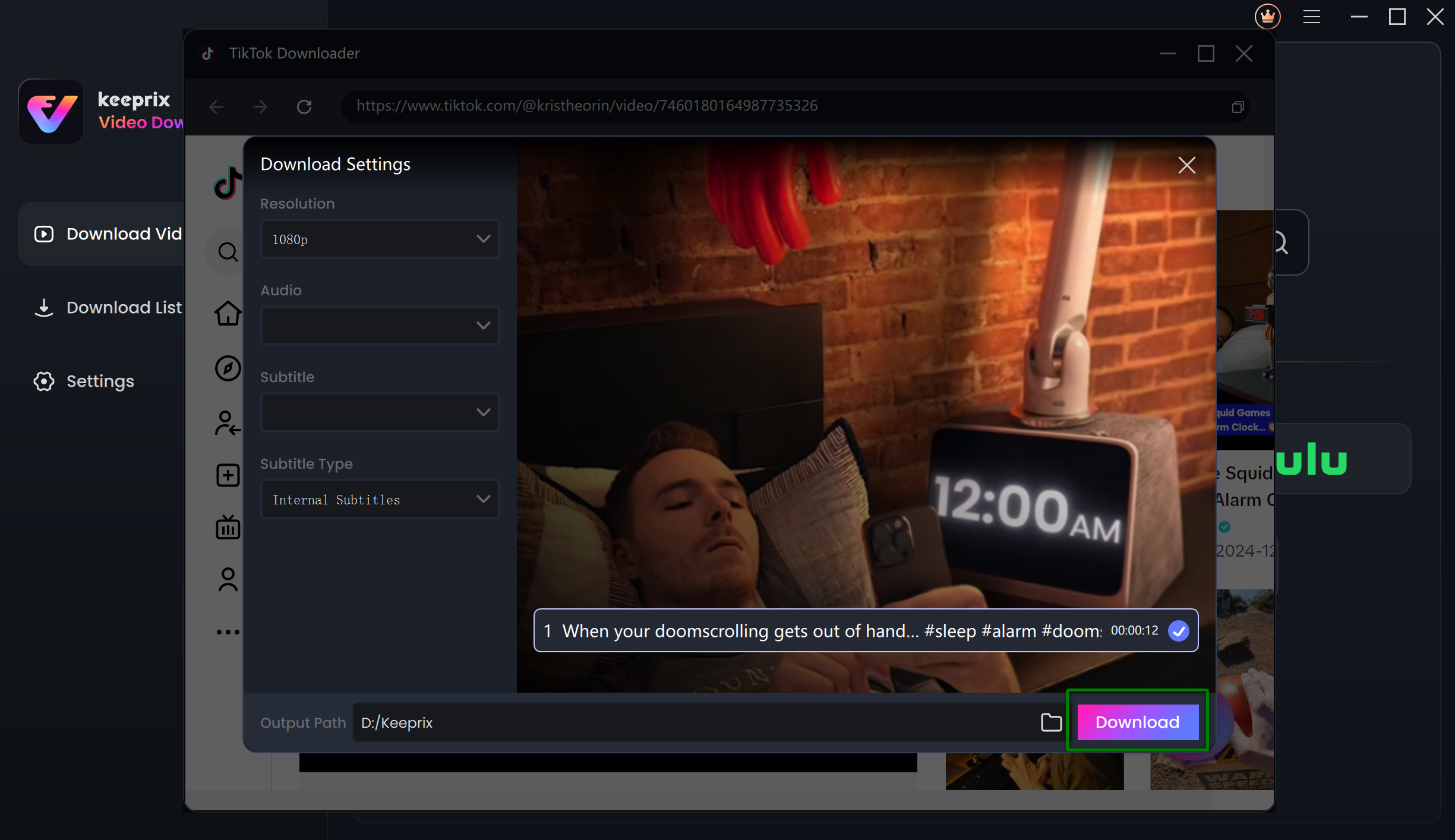
Download Settings
Step 4. Download Completed.
After clicking Download button, you will see the download task in Download List. You can also Pause, Re-download or Delete the download task.
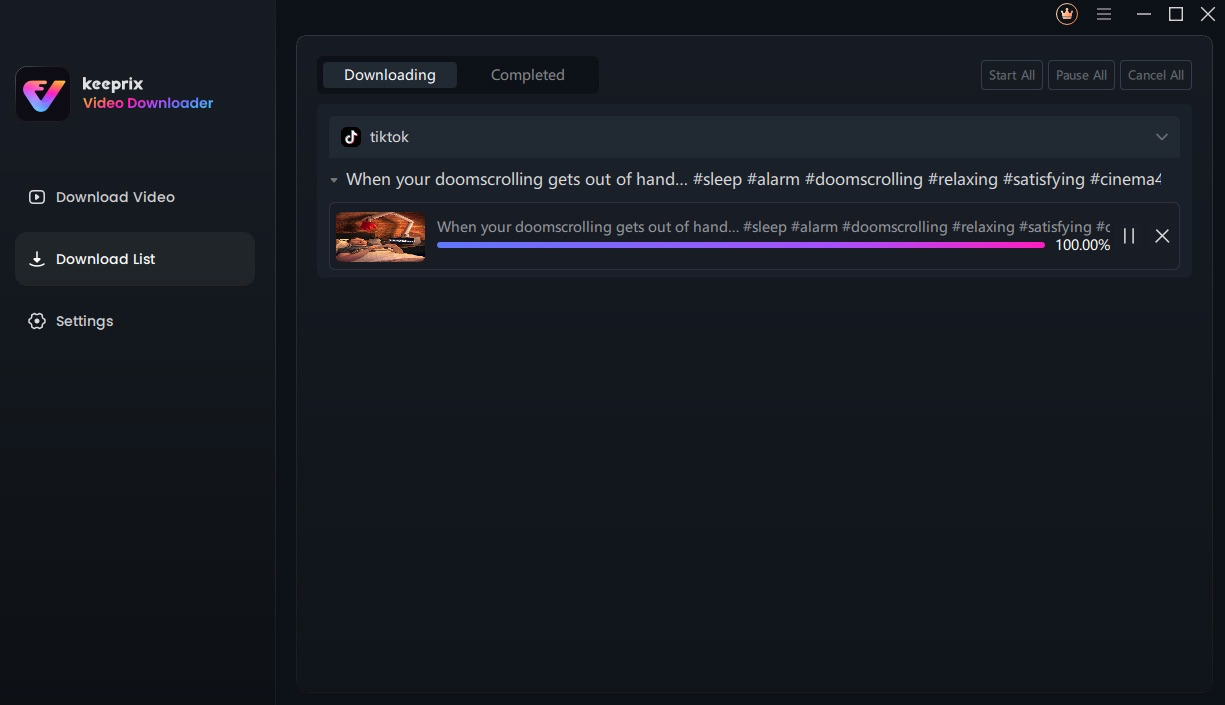
Downloading Interface
It will take some minutes to download TikTok videos and it varies based on the original video size, resolution and network speed. The resolution of the downloaded video is affected by the resolution of the original video. Once the download process is completed, please check the videos in Completed.
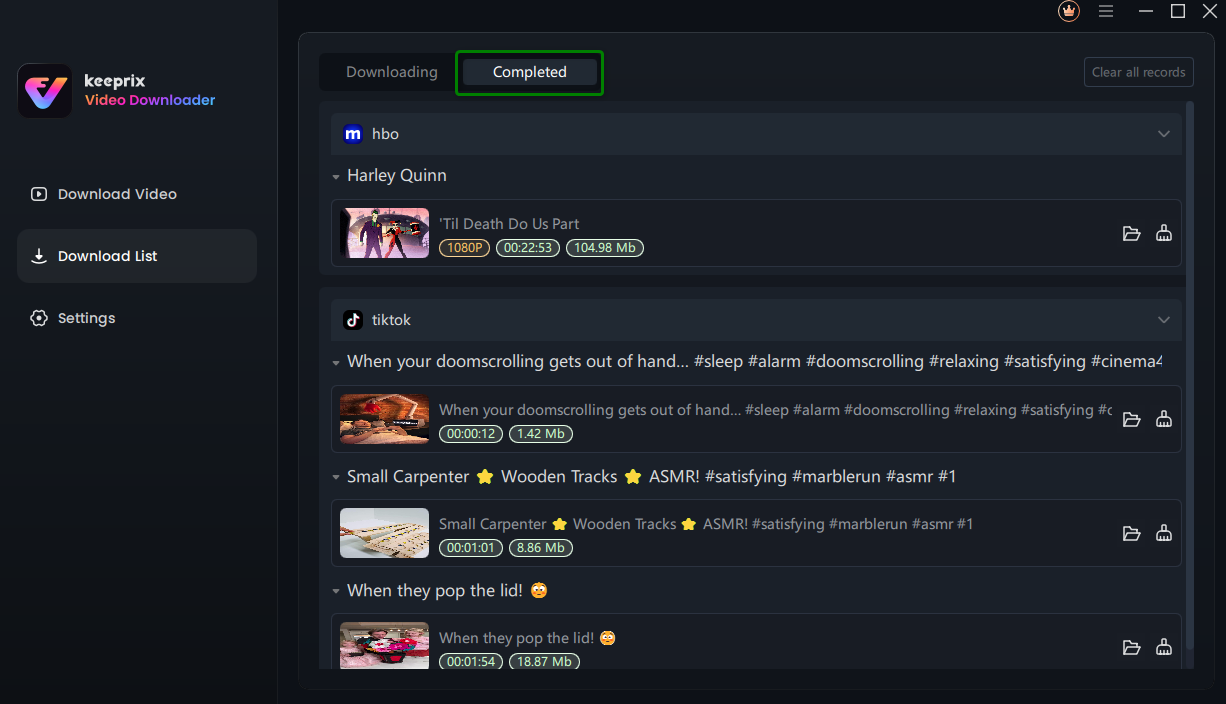
Download Completed
1. For better management of your download list, please refer to this guide.
2. If you have additional questions, visit our FAQs page for detailed solutions or reach out to our Support Team for further help or personalized assistance.