
Free DownloadWindows 11/10 Free DownloadmacOS 11 and above Get the Mac Version | 100% Clean & Secure
 View Pricing


Download Video
-
Streaming Platforms
-
Social Media


Download Amazon Video
Keeprix Downloader can help you download HD 1080P videos from Amazon Video and save them in MP4/MKV format for offline viewing on your computer. It provides two downloading methods for you. You can choose one according to your needs.
Compatibility of Computer System
| Windows OS | Windows 10, 11 |
| macOS | macOS 12 (macOS Monterey) and above |
Part 1. Download Amazon Video via Built-in Browser
Step 1. Download and Install Keeprix Downloader on Computer.
Simply click the button below to install the Keeprix Downloader on your computer. Please ensure you have a stable network connection during the download and installation process.
Please click here to learn detailed downloading and installation instructions.
Step 2. Select Amazon Platform.
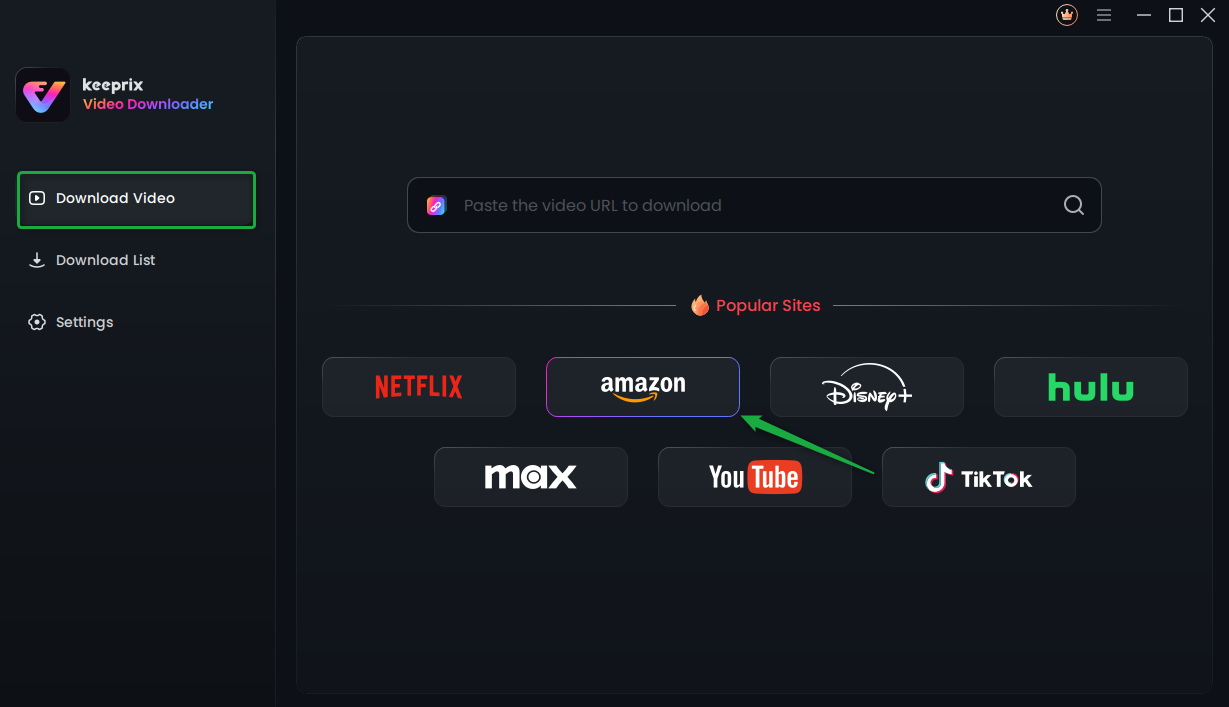
After launching Keeprix Downloader, please select Streaming Services option and click Amazon platform.
Click Amazon Platform
And please manually choose the Amazon site. Currently, we support amazon.com, amazon.co.uk, amazon.de, amazon.co.jp and primevideo.com.
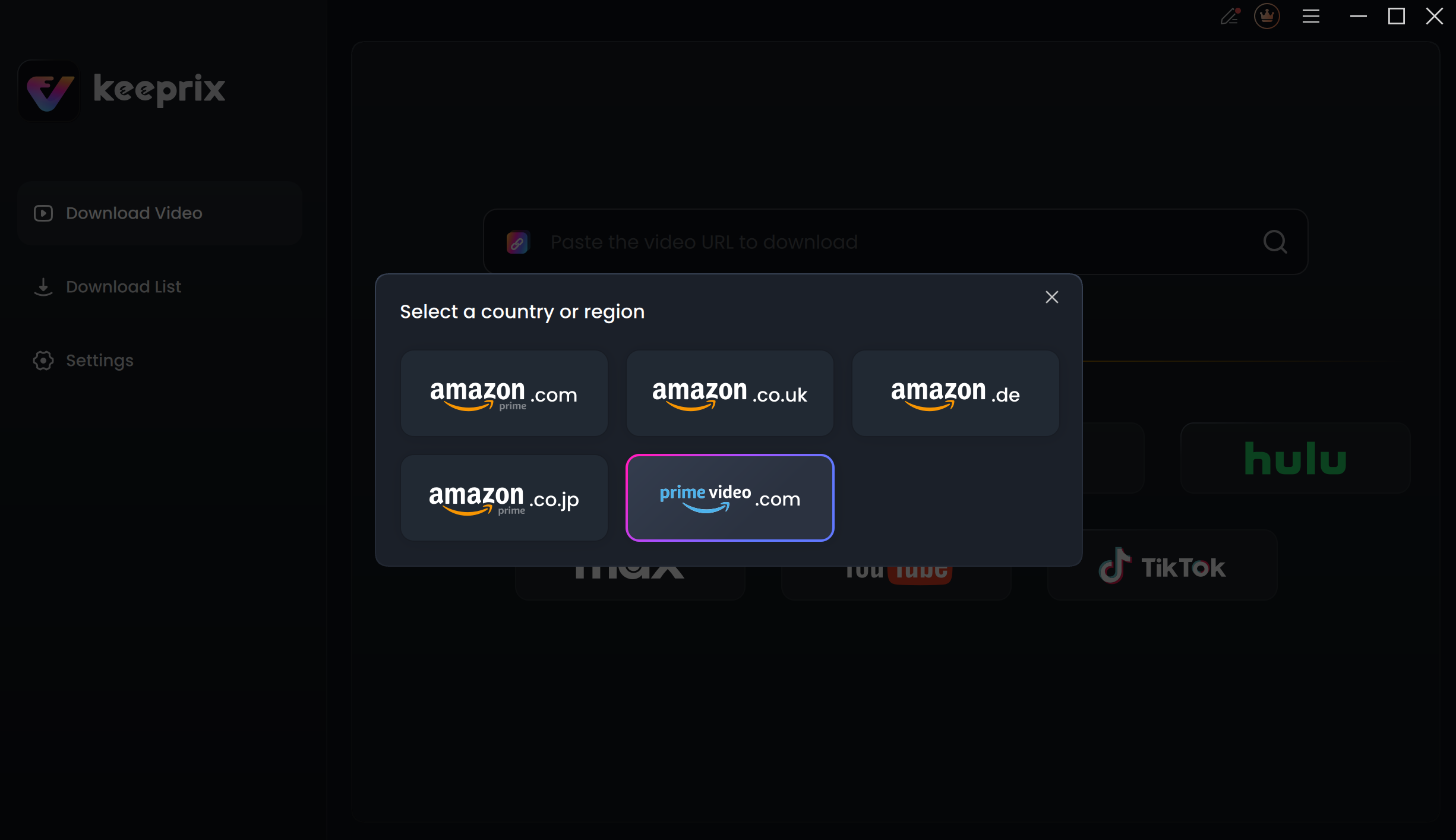
Choose Amazon Site
Then, the following interface will be displayed. Please click the Go to Amazon.com to watch button.
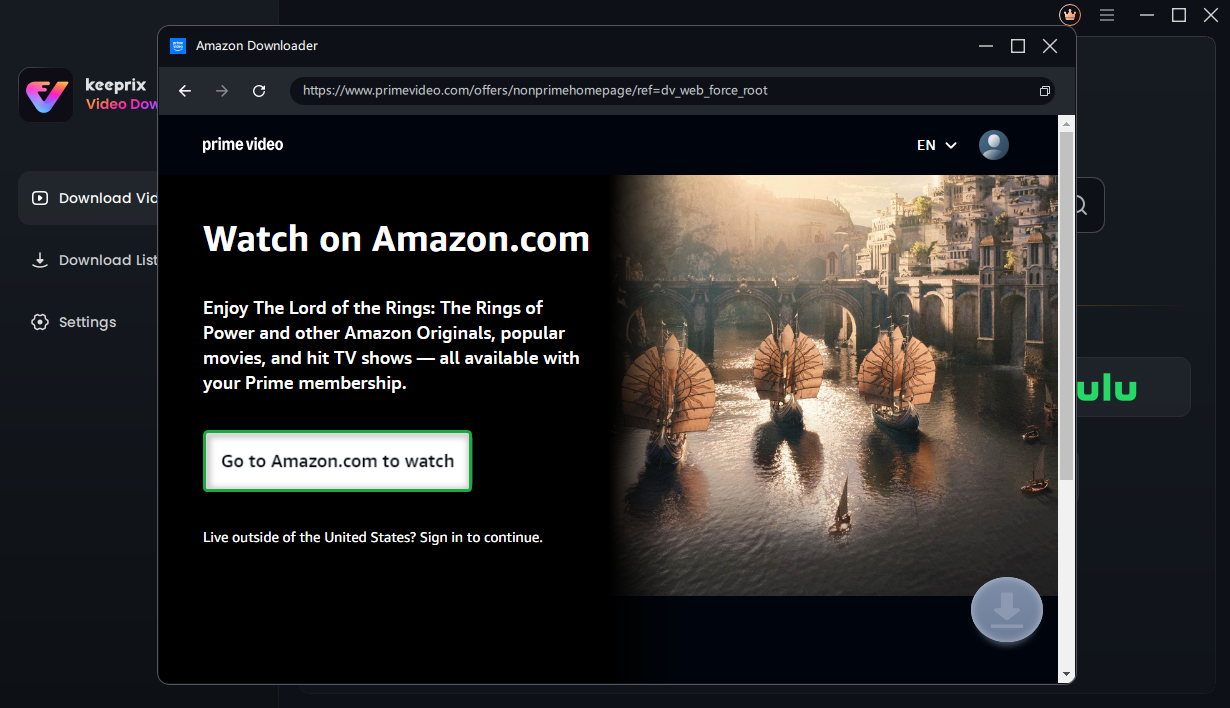
Click the Go to Amazon.com to Watch Button
Step 3. Log in to Your Amazon Account.
Next, you will be directed to the Prime Video built-in browser homepage. And you will receive a pop-up prompting you to Log in to Your Amazon Account. Please follow the instructions to complete the login process.
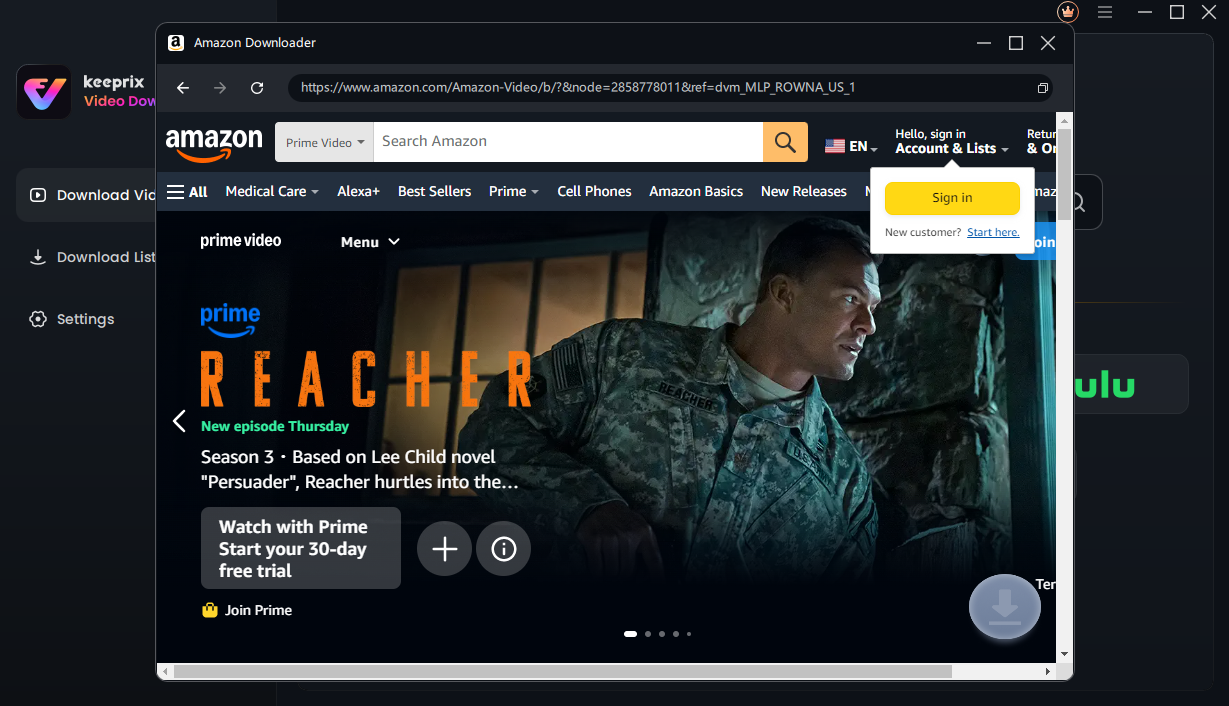
Log in Amazon Prime Account
The account login is only used to obtain the correct video information, and we fully ensure the privacy of your data.
Once you're logged in, you can either enter video keywords in the search bar or paste the video link directly into the address bar to find the video you want to download. Ensure your internet connection is stable for a seamless experience. When the results appear, navigate to the video playback or details page and click the Download icon.(Take downloading videos from Prime Video as an example.)
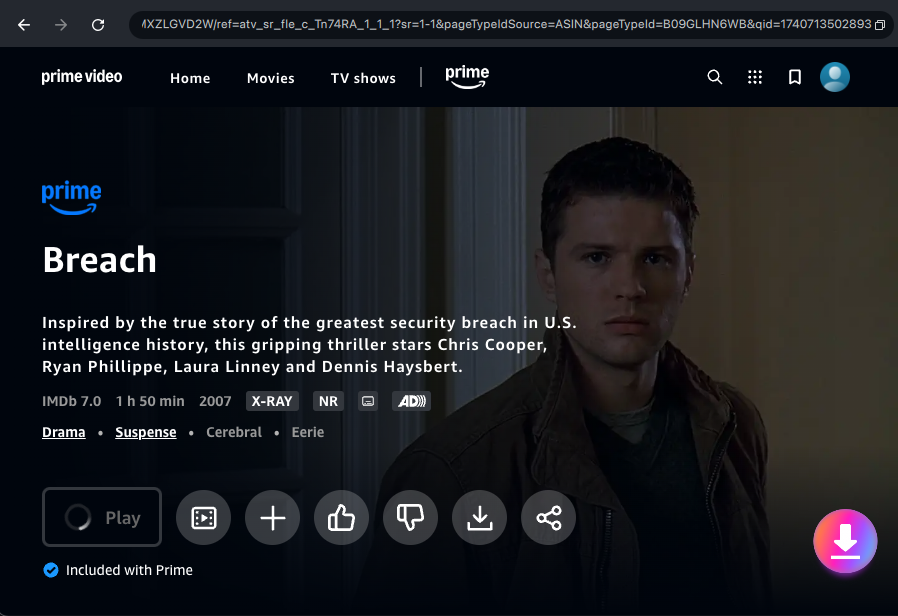
Click the Download Icon
Step 4. Configure Download Settings.
Then, a download settings pop-up will appear. Here, you can configure the Resolution, Audio, Subtitle, Subtitle Type, and Output Path settings. Batch selection is available for all videos across all seasons.
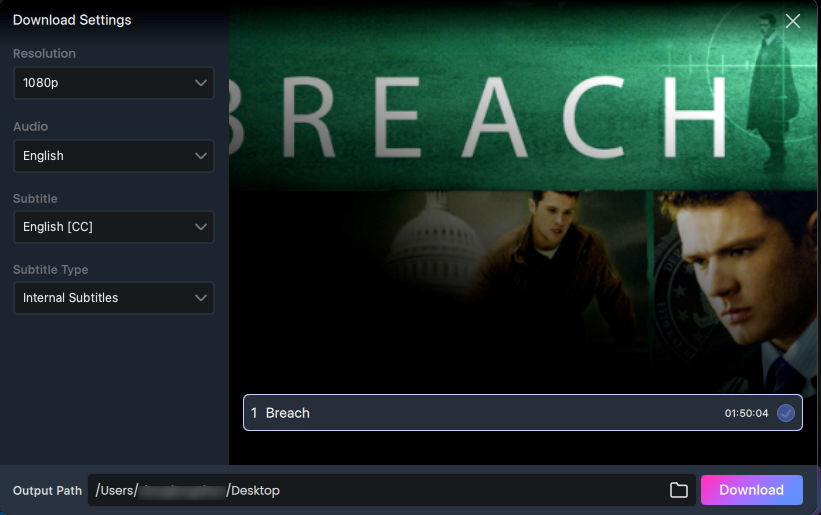
Configure Download Settings
Step 5. Download Completed.
Once you've completed all the settings, simply click the Download button to save the videos as local files on your computer.
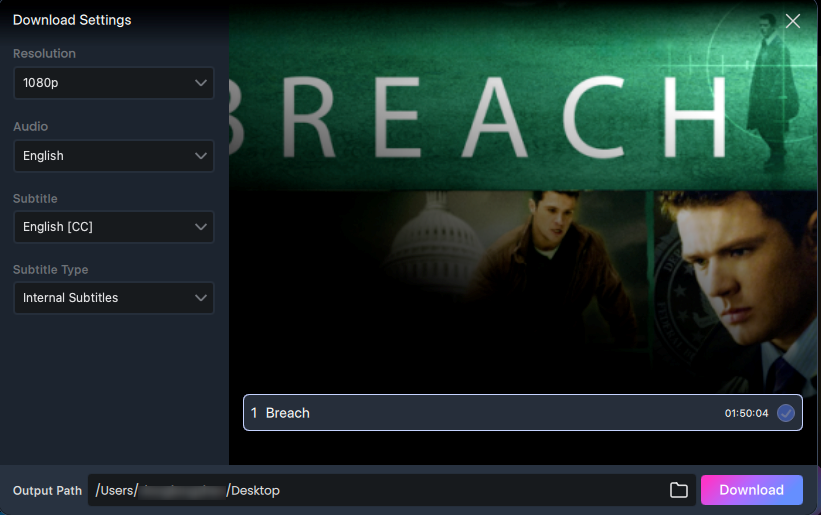
Click the Download Button
Then, the selected video will be automatically added to your download queue. In this interface, you can click the Pause, Re-download, or Cancel buttons to control the download tasks. The downloading process may take a few seconds, so please be patient and ensure your internet connection remains stable.
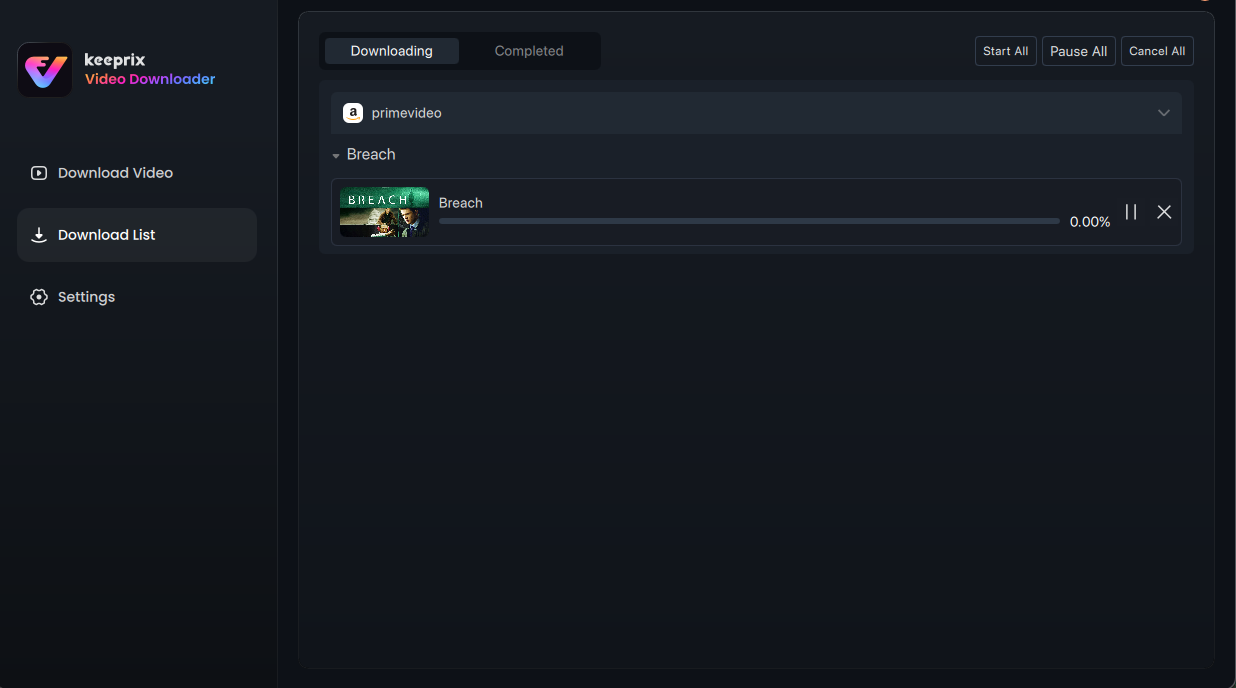
Download Video
For better information on how to manage your download list, please refer to this post.
After the downloading is completed, you can find your downloaded content under the Completed tab for easy offline viewing.
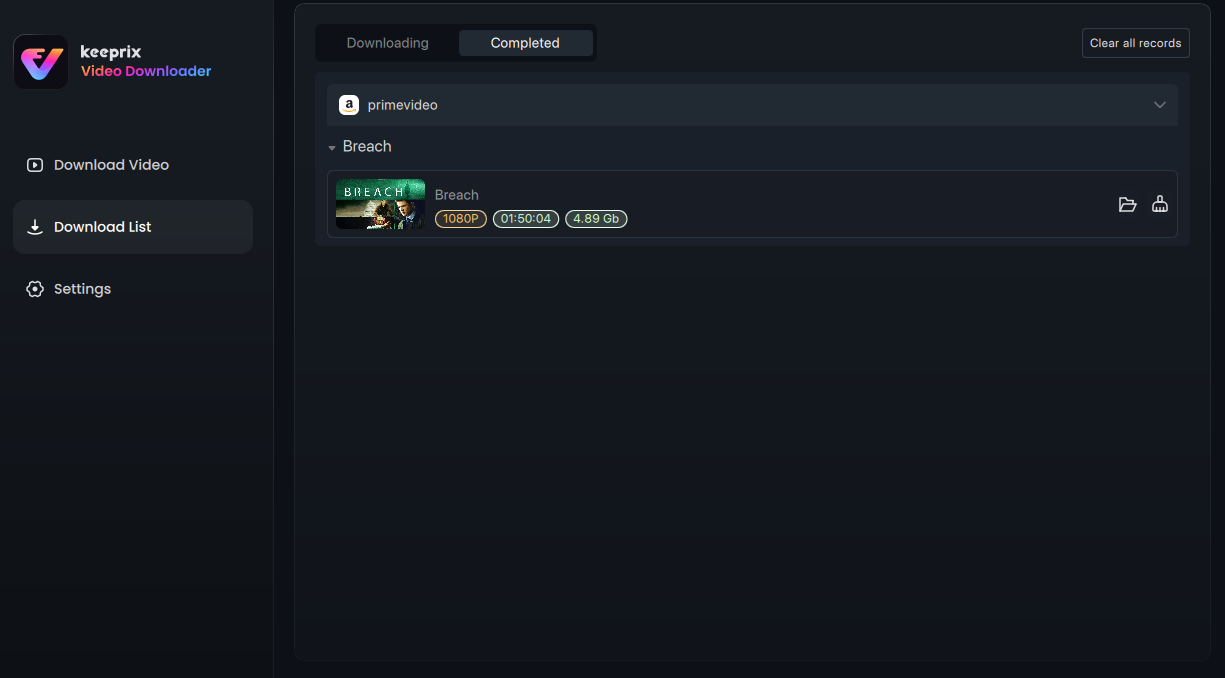
Manage Completed Video
Part 2. Download Amazon Video via Link
Step 1. Paste the Amazon Video Link.
After launching Keeprix Downloader, you can paste the link into the address bar of the software homepage, and then press Enter key to search Amazon Video. (Take downloading videos from Prime Video as an example.)
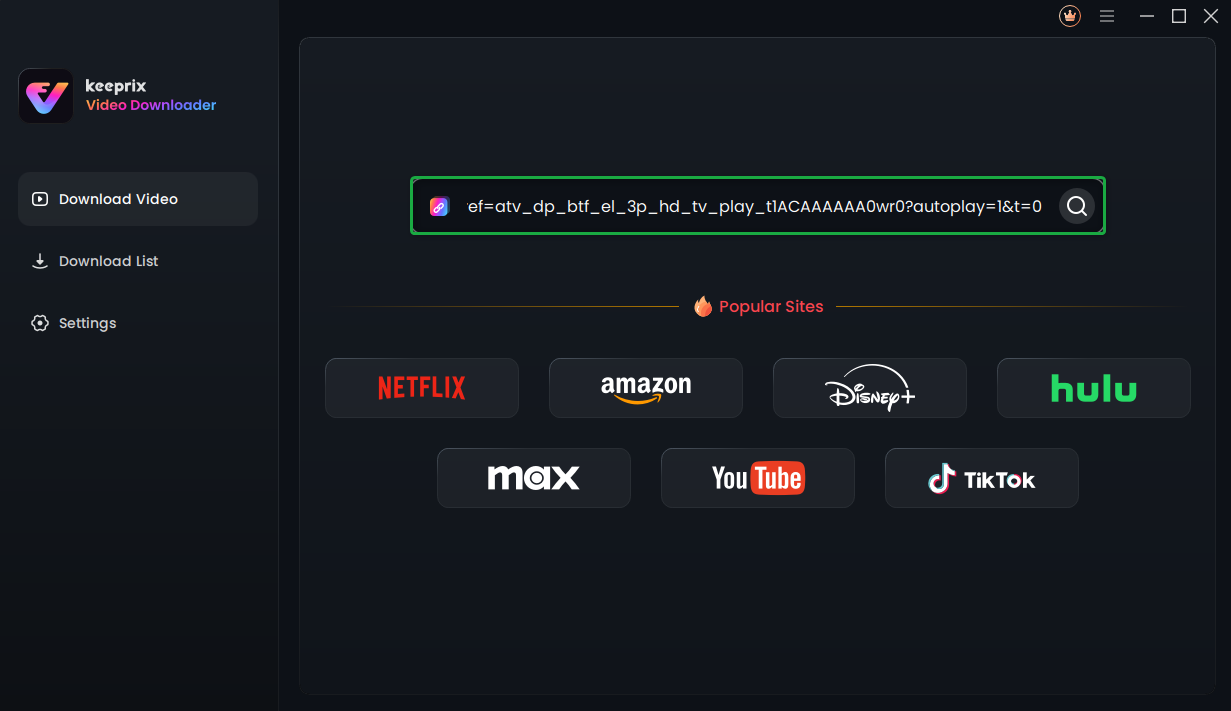
Paste Video Link
You can also directly select the Amazon platform on the homepage to access the built-in browser. From there, you can paste the Amazon Video link in the address bar to search for the specific video you wish to download.
Step 2. Log in to Amazon Video Account.
After that, if you're not logged into the Amazon Video account, you will receive a pop-up prompting you to log in to your account. Please follow the instructions to complete the login process.
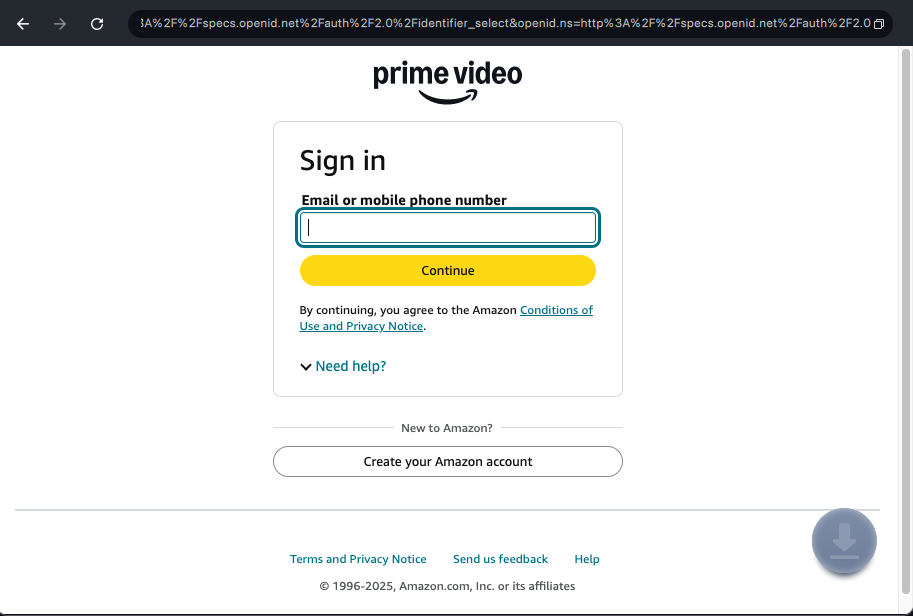
Login Amazon Account
Step 3. Configure Download Settings.
Once you have successfully logged in, you will be directed to the video details page or playback interface of the content you searched for. Please click the Download icon.
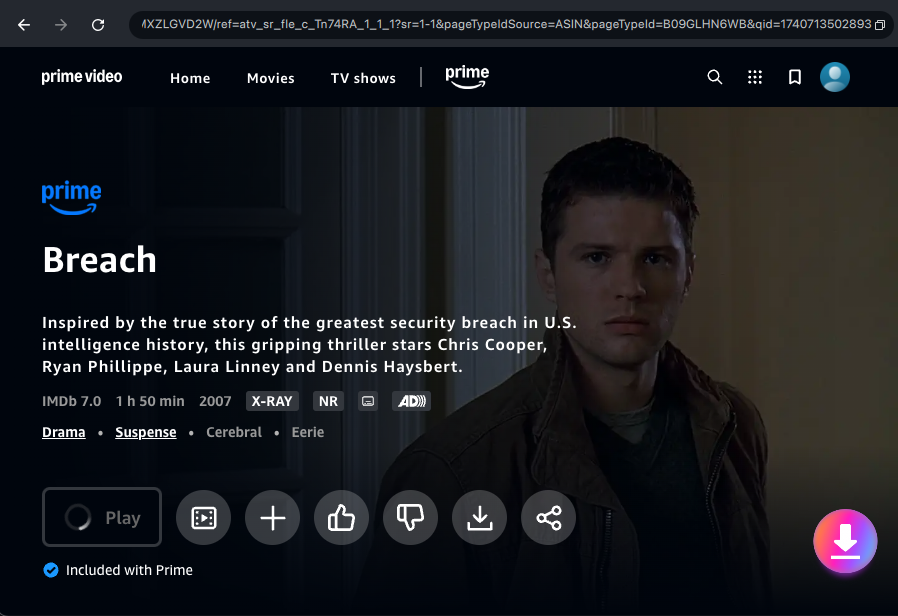
Click the Download Icon
Then, a download settings pop-up will appear. Here, you can configure the Resolution, Audio, Subtitle, Subtitle Type, and Output Path settings. And you can batch-select all videos across all seasons.
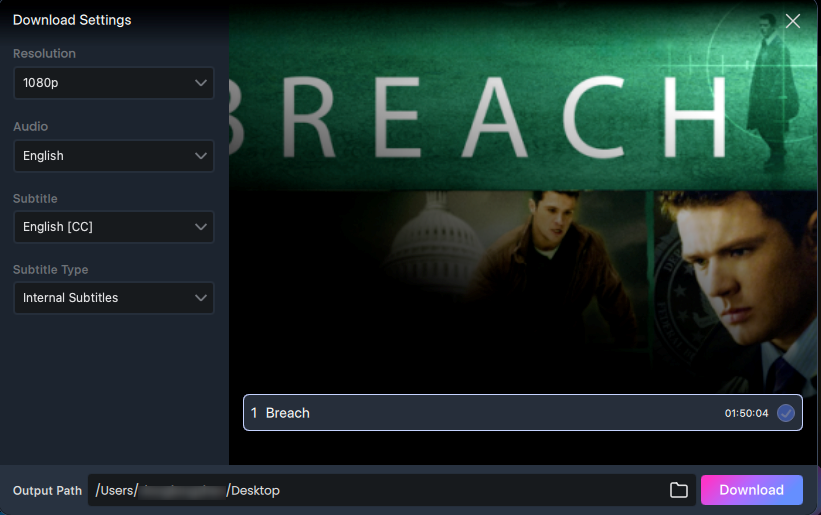
Configure Download settings
In the Settings section, discover how to navigate and configure Keeprix Downloader for an enhanced streaming experience.
Step 4. Download Completed.
Once you've completed all the settings, simply click the Download button to save the videos as local files on your computer. For videos in Amazon Prime, you can only download one video at a time.
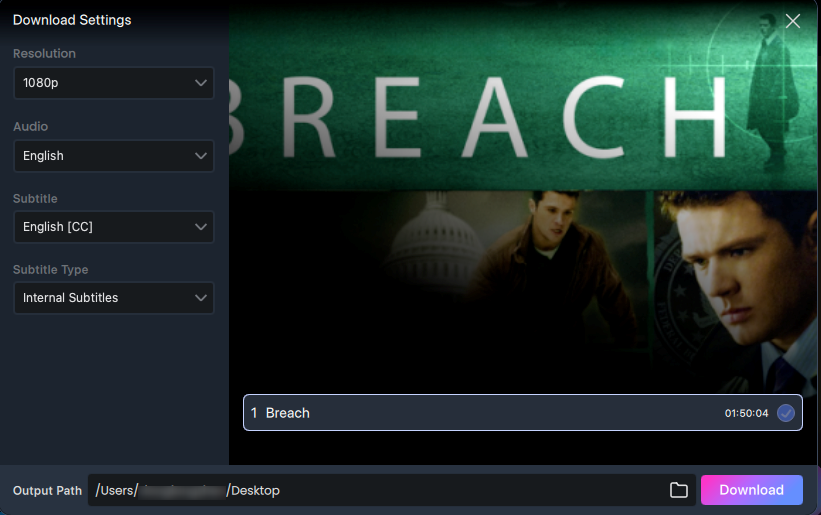
Click the Download Button
Once clicked, the selected video will be automatically added to your download queue. On the interface, you can click the Pause, Re-download, or Cancel buttons to control the download tasks. The downloading process may take a few seconds, so please be patient and ensure your internet connection remains stable.
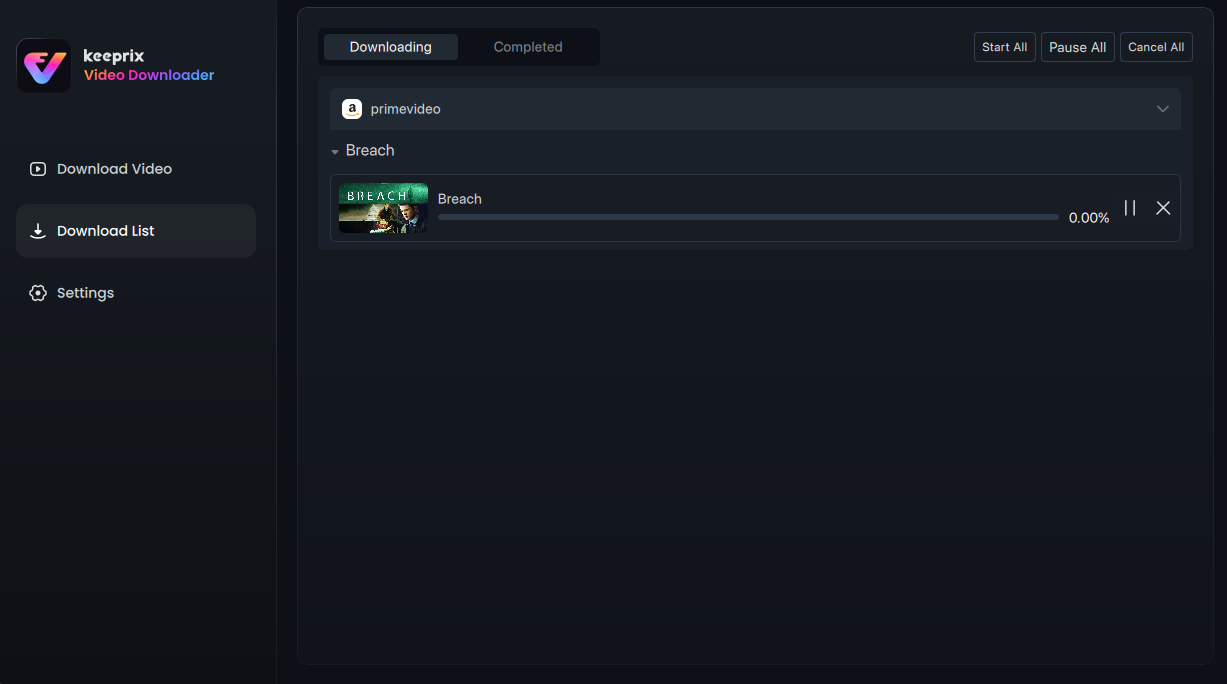
Download Video
After the download is completed, you can find your downloaded content under the Completed tab for easy offline viewing.
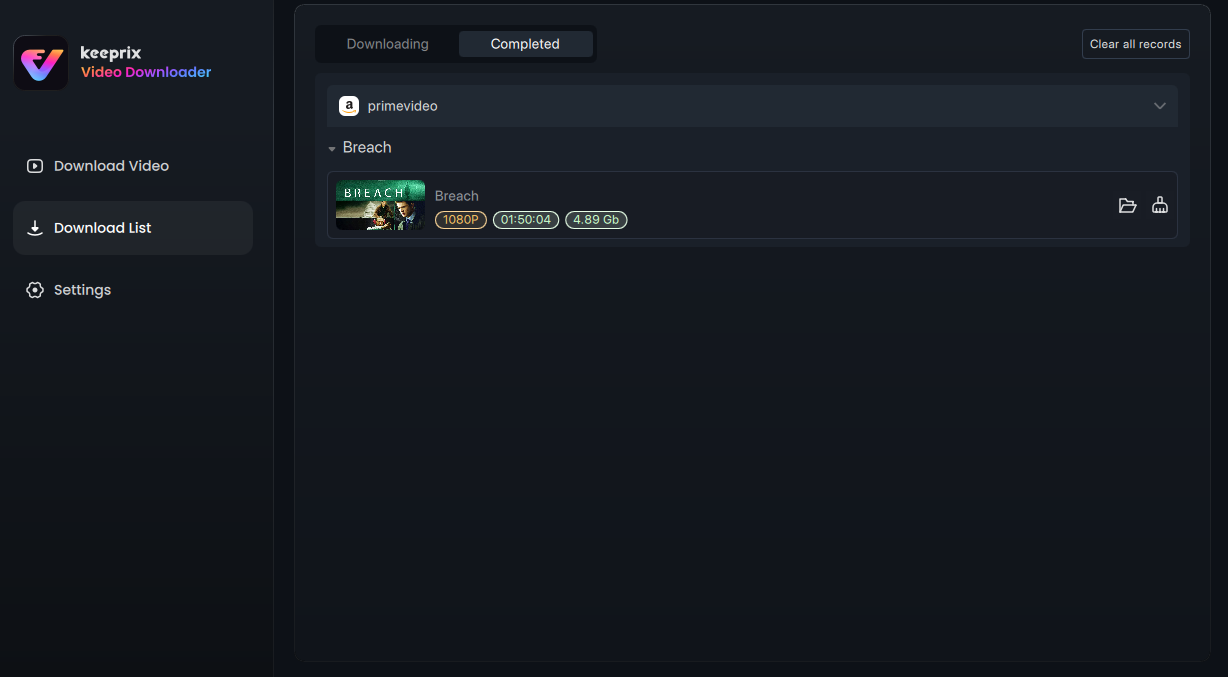
Manage Completed Video
1. Currently, Keeprix Downloader does not support downloading live videos that are being broadcast.
2. If you have additional questions, visit our FAQs page for detailed solutions or reach out to our Support Team for further help or personalized assistance.