A Complete Guide to Download Netflix Movies on Laptop to Watch Offline

Key Takeaways:
- The article explains that Netflix no longer supports downloading movies directly on laptops through its Windows app, making offline viewing more limited than before.
- It confirms that while older versions of the Netflix Windows app may still allow downloads, this method is unreliable and no longer officially supported.
- The guide highlights Keeprix Video Downloader as the most effective solution, enabling users to download Netflix movies on both Windows and Mac in MP4/MKV without DRM or expiration.
- It concludes that using a professional downloader is the easiest and most flexible way to save Netflix content for offline viewing on any laptop.
Netflix revolutionized movies and series watching, offering endless hours of entertainment at the touch of a finger. But what if you no longer have internet access? This guide shows several ways to download Netflix movies on a laptop for offline viewing. Among them, the best option is the Keeprix Video Downloader— a powerful utility that lets you download Netflix videos in high-quality formats with no limits and no DRM protection. You can proceed to learn how to download Netflix movies on a laptop.

Download Netflix Movies on Laptop
Part 1: Introduction of Netflix
Netflix changed the entertainment field by becoming an international streaming platform with over 280 million subscribers. Various original series, including Squid Games, The Crown, Stranger Things, and The Witcher, have made Netflix a pacesetter in this field. Netflix serves tastes with everything, from films and series to documentaries and content from its own company worldwide. It became a household favorite due to its friendly interface design, personalized recommendations, and accessibility from laptops and smartphones to Smart TVs.
Although options for downloading are free on mobile devices, this is more challenging when it comes to laptops. The following article considers ways to overcome this limitation and enjoy Netflix offline.
Part 2. Can I Download Netflix Movies on My Laptop to Watch Offline?
You can download Netflix movies on your laptop to watch offline, but it is a bit limited. Netflix provides a download feature for offline watching, mainly on its mobile app, designed for smartphones and tablets.
While Netflix’s Windows application allowed users to download movies and series for offline viewing, that feature is not available now. In that respect, users try to find an alternative to watching their favorite movies and series in offline mode. Of course, there might be disappointments due to the loss of the above facilities. Still, this gives an excellent opportunity to consider reliable third-party tools that work effectively.
A good solution is provided by the Keeprix Video Downloader, serving as a powerful means to download Netflix movies and series directly onto your laptop. This is a great alternative for those who want to view Netflix offline without Internet, or without the hassle of depending on the now-disabled download feature of the Netflix Windows application. Let’s explore further!
Part 3. How Can I Download Movies from Netflix to My Laptop?
Yes, it is possible. We recommend you to use professional video downloader to make up for a deficiency.
Method 1. Use Keeprix Video Downloader
Keeprix Video Downloader is a powerful tool for downloading Netflix movies and TV shows directly to your laptop without any restrictions. Available for Windows and Mac, Keeprix ensures fast downloads without lag or latency, making it an excellent alternative to the Netflix Windows app. Unlike the app, Keeprix lets you download streaming content in MP4 or MKV formats without DRM protection, so you can watch your videos offline anytime without worrying about expiration dates or regional limitations.
Key features of Keeprix Video Downloader:
- Download videos from Netflix, Amazon Prime, Disney Plus, Hulu, and Max (HBO Max).
- No time or region restrictions on video downloads.
- Download content in MP4 or MKV formats without DRM protection.
- Save videos from streaming platforms without expiration.
- High-speed downloads without lag or latency.
Step 1: Download and install the Keeprix software on your laptop [Support both Windows and Mac OS].
Step 2: Launch Keeprix on your computer and select the “Download Video” option from the left side. Now, click “Netflix” from the available options on your screen.
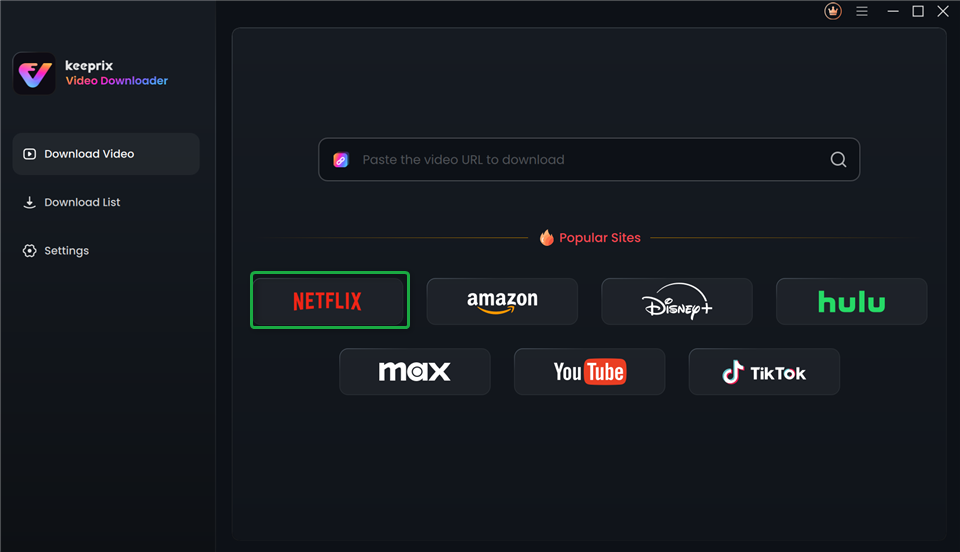
Choose Netflix in Keeprix Video Downloader
Step 3: Log in to your Netflix account using the Keeprix interface to access the video content.
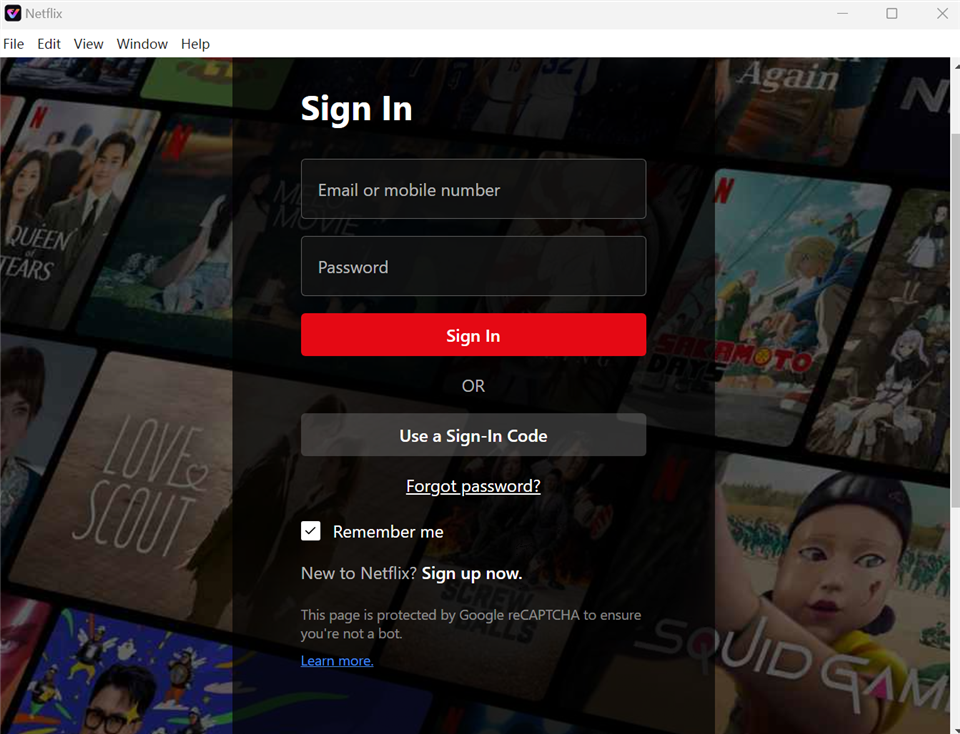
Sign In to Your Netflix Account
Step 4: After signing in, browse the Netflix library or search for a specific movie you want to download. Select the episode or movie and click the “Download” button at the bottom right corner.
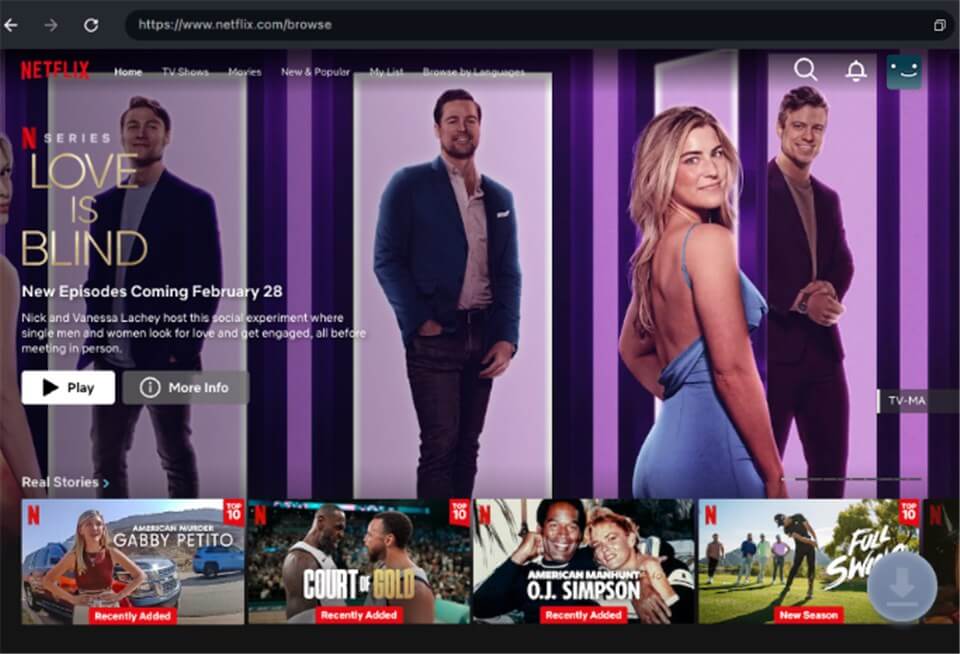
Download Movies You Want on Netflix
Step 5: A pop-up window will appear on your screen. Select the video resolution, audio language, subtitles, and output format. Then, click the Download button again.
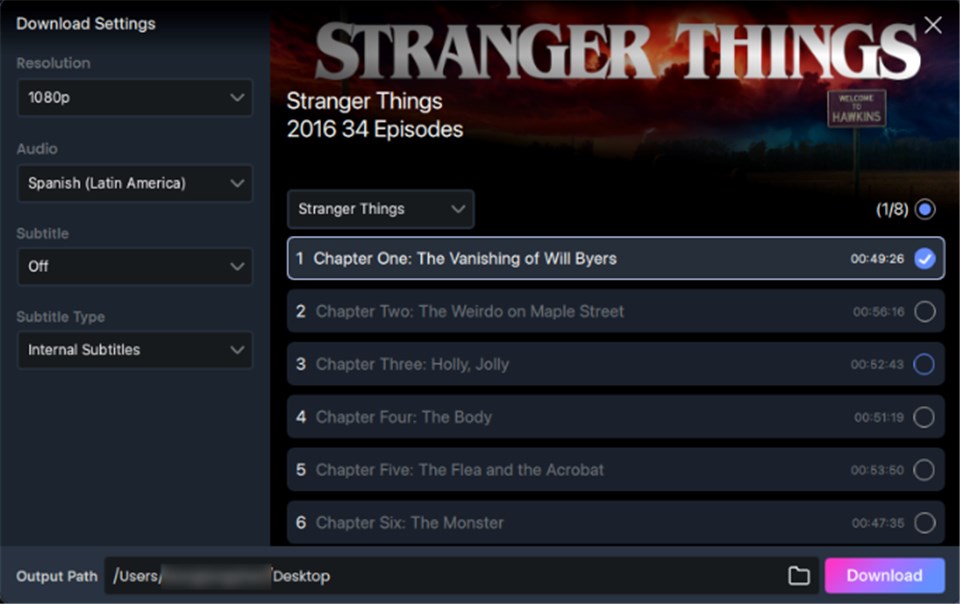
Customize Download Setting
Step 6: During download, you can pause, resume, or cancel the download anytime. Once completed, click on the Download List on the main screen to check your video. Then you have successfully download Netflix movies to watch offline.
You may also like: 4 Ways to Get Netflix for Free or At Low Cost
Method 2. Via Netflix Windows App (Older Versions)
Previously, users could download movies and TV series offline using the Netflix Windows program. The most recent updates show that the Netflix Windows application no longer supports the download option. However, you might still be able to download films and TV series for offline watching if you use an earlier version of the Netflix Windows software, such as version 6.99.5.
Step 1: Download the Netflix app
First, you must download the Netflix app. Download version 6.99.5 from the available third-party mirrors. Once installed, open the application from your laptop.
Step 2: Downloadable content
Tap the Menu icon in three horizontal lines at the top left corner of the app. Scroll down and tap “Available for Download” to bring up the content you can download.
Step 3: Choose your content and start the download
Utilize the search bar to find the TV shows, web series, or movies you want to download. Once you’ve selected the content, click the “Download” icon.
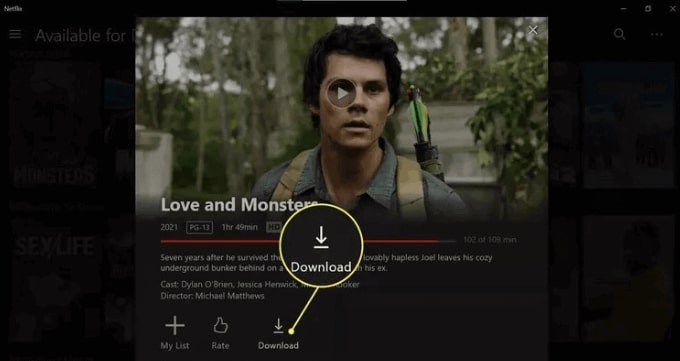
Click Download on Netflix
Step 4: Access your downloads
After the download is finished, go back to the Menu icon and select “My Downloads.” Your downloaded movies and TV shows will appear there. Click on the item you want to watch to begin playback.
Part 4: Sum It up
While Netflix used to allow you to download movies and TV shows directly to your laptop, they have recently updated and disabled the feature. You can use the Netflix Windows app, provided you have an older version, like 6.99.5, which still allows you to download content. Alternatively, you can go for the Keeprix Video Downloader, which is great for downloading Netflix movies without any restrictions and will enable users to watch their videos faster, without DRM, and offline.
FAQs
1. Can you download Netflix movies on a laptop?
No native Netflix app downloads on Mac; Windows app support ended. Use third-party tools like Keeprix Video Downloader for MP4/MKV offline files on both OS.
2. Why doesn’t Netflix support laptop downloads?
DRM restrictions block browser downloads; Mac never had an app, Windows app removed feature. Mobile/tablet apps remain the only official option.
3. How to download Netflix on Windows laptop?
Official app no longer allows downloads. Install Keeprix Video Downloader, log into Netflix, select titles, choose 1080p quality, and save DRM-free.
4. What’s the easiest way for Mac users?
No official method exists. Keeprix Video Downloader bypasses limits: login, pick movies, customize audio/subtitles, download to MP4 for any player.
5. Are third-party Netflix downloaders safe?
Reputable tools like Keeprix are safe if from official sites; they remove DRM for offline use but may violate Netflix terms—use responsibly.
6. What are Keeprix Video Downloader advantages?
Supports Netflix/Hulu/Prime, 1080p quality, no expiration/limits, MP4/MKV output, fast batch downloads for unrestricted offline playback anywhere.
 Must Read